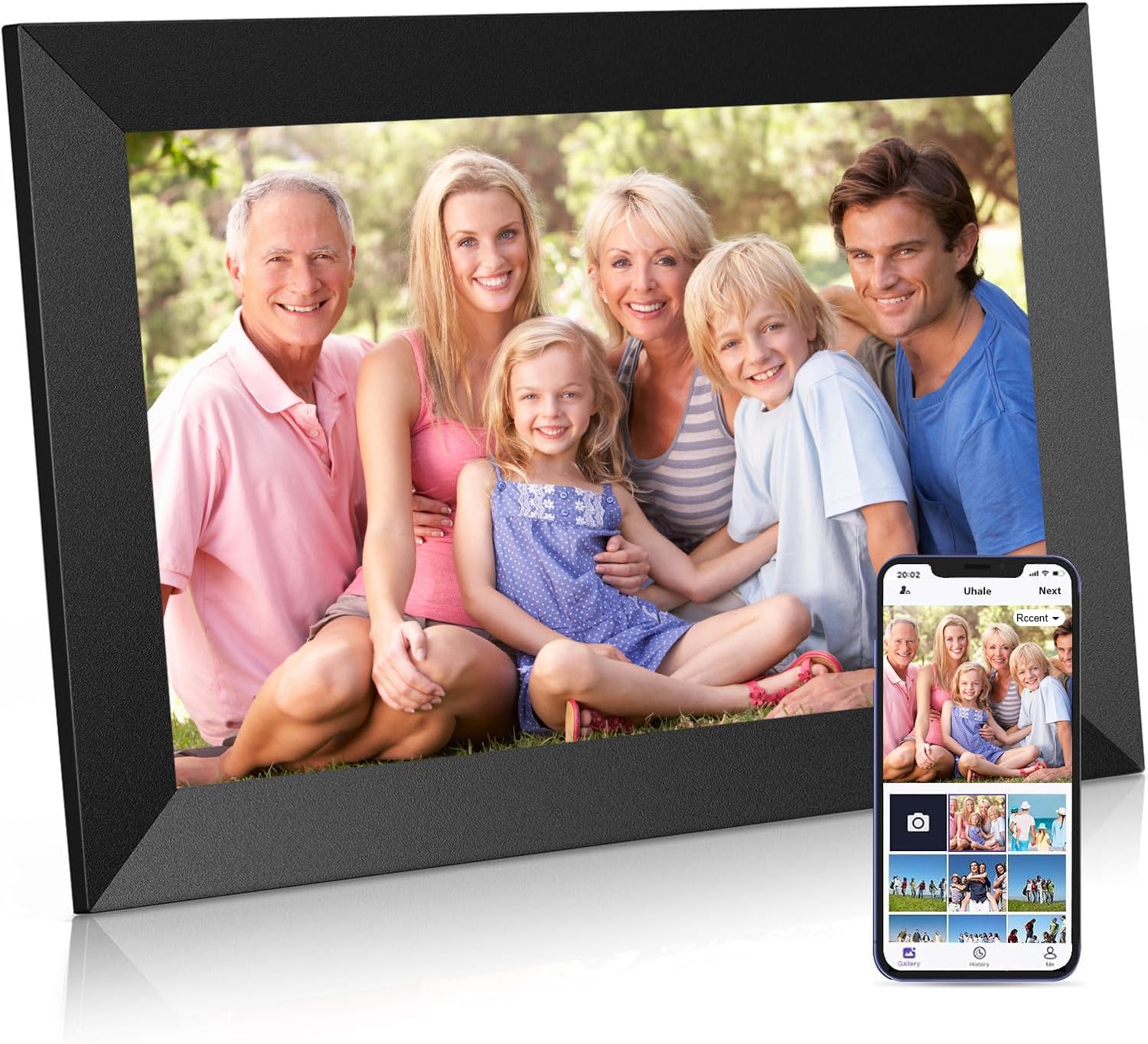
The Frameo 10.1-inch WiFi Digital Picture Frame may appear to be designed primarily for displaying family photographs. In a modelling room, workshop, office or studio, however, it can serve a much broader purpose: a compact, dedicated display for reference photography, historical material, creative inspiration and visual project review. Its 1280 × 800 HD IPS touchscreen, 16GB of internal storage, WiFi connectivity and support for MicroSD cards or USB-C storage devices up to 32GB make it particularly well suited to anyone who works regularly with image-based material. Rather than allowing photographs and reference collections to remain buried in computer folders, the Frameo keeps them visible, circulating and available for consideration throughout the day. A Continuously Changing Reference Board for Scale Modellers For the scale modeller, the Frameo can operate as a constantly changing reference and inspiration board beside the workbench. Historical photographs, museum walkarounds, camouflage patterns, paint finishes, weathering examples, vehicle details, diorama ideas, completed models and future project concepts can all be displayed without occupying the main computer monitor. This is especially useful during the slower stages of a build. While paint dries, adhesives cure or the next construction step is being considered, the frame continues cycling through relevant visual material. A photograph noticed in passing may reveal a detail previously overlooked, suggest a different colour treatment, clarify the placement of equipment or provide the starting point for an entirely new project. The frame does not replace high-resolution reference viewing on a computer monitor. Its value lies elsewhere: it keeps selected material continuously present in the modelling environment, where it can be absorbed gradually rather than consulted only when a specific question arises. Bringing Historical Archives into Regular View For historians and researchers, the Frameo provides a practical way to bring archival collections out of storage and into everyday view. Image collections can be organized around a particular vehicle, aircraft, ship, military unit, campaign, manufacturer, location or period. A modeller researching a Sherman tank, for example, could create a collection showing production variations, unit markings, field modifications, stowage arrangements and weathering patterns. Repeated exposure to a carefully selected image collection makes it easier to notice relationships between photographs. Equipment variations, construction details, markings and changes over time may become more apparent when the material is viewed repeatedly rather than examined once and returned to a folder. The Frameo therefore becomes more than a decorative picture display. It can function as a small, continuously active historical reference station. ## Reviewing Magazine Pages and Publication Material The Frameo is also useful for magazine, newsletter, website and publication work. Draft page layouts, article photographs, cover concepts, advertisements, infographics and supporting visuals can be exported as image files and displayed as a rotating sequence. Reviewing a layout away from the primary editing monitor can be surprisingly revealing. A weak crop, repetitive photograph, inconsistent colour balance, overcrowded composition or undersized headline may stand out more clearly when the page is encountered casually over time. This form of passive review is different from deliberately examining a layout at full size. It tests whether the page remains visually coherent when it is not receiving the viewer’s complete attention. For publishers and content creators, that can expose weaknesses in hierarchy, readability and composition before the material is finalized. Evaluating Posters, Advertising and Promotional Graphics Promotional mockups can be assessed in much the same way. Posters, advertisements, event announcements, product previews, website banners and social-media graphics can be left running on the frame in the background. Over time, it becomes easier to judge whether: - the headline can be read quickly; - the visual hierarchy is clear; - the main image attracts attention; - the design feels repetitive; - the composition communicates its purpose without explanation; and - the graphic remains effective after repeated viewing. A design that appears impressive during concentrated editing may become visually tiring or confusing when seen repeatedly. Conversely, a restrained design may demonstrate greater staying power than expected. The Frameo provides an inexpensive way to place visual material into a more natural viewing environment before it is published or printed. WiFi-Based Remote Image Sharing The WiFi connection introduces another practical application. Photographers, contributors, club members, manufacturers or collaborators can send selected photographs and visual material to the frame from another location through the Frameo system. This allows the display to act as a simple remote preview screen. Product photographs, completed model images, event pictures, draft promotional material or selected reference photographs can appear on the frame without the recipient repeatedly opening email attachments or searching through shared folders. It should not be regarded as a substitute for a colour-managed professional review system. It is better understood as a convenient method of receiving, previewing and informally assessing visual material. For clubs, publishers and independent content providers, that simplicity may be more useful than a technically elaborate workflow that participants are reluctant to use. A Digital Gallery for Modelling Rooms and Club Spaces Placed in a modelling room, office, studio, vendor display or club meeting space, the Frameo can also function as a compact digital gallery. It could display: - photographs of members’ completed models; - historical reference collections; - sponsor or manufacturer products; - upcoming projects; - workshop information; - publication previews; - event announcements; or - photographs from recent club activities. A model club could prepare a rotating gallery of members’ work for meetings or public displays. A workshop instructor could use it to show finished examples, technique sequences or reference photographs. A vendor could display product images without requiring a large monitor or permanent printed signage. The 10.1-inch IPS touchscreen is large enough to make photographs and page layouts comfortable to view while remaining compact enough for a desk, shelf or workbench. Portrait and landscape images can be accommodated through automatic rotation, allowing the frame to adapt to photographs, posters and page layouts in different orientations. Internal Storage and Expansion This Frameo model includes 16GB of built-in storage. That is sufficient for a substantial collection of optimized photographs, reference images, promotional graphics and layout previews. The exact number of images it can hold will depend on file size, resolution and the amount of storage reserved by the operating system. The frame also supports external expansion through a MicroSD card or compatible USB-C drive up to 32GB, according to the stated product specification. External storage is best used for selected working collections rather than as the sole location of an irreplaceable archive. The full-resolution master collection should remain backed up on a computer or separate storage system. For practical use, the Frameo collection can be treated as a curated visual library containing: - current modelling references; - active historical research; - recent photographs; - draft publication material; - promotional mockups; and - images intended for regular display. This keeps the frame useful and relevant without turning it into another unorganized storage device. Preparing Images for the Display The Frameo’s native screen resolution is 1280 × 800 pixels, with a 16:10 aspect ratio. Images do not necessarily need to be exported at exactly that resolution, but files prepared near the display’s native dimensions can reduce unnecessary storage use while remaining sharp on the screen. Landscape graphics can be prepared in a 16:10 format when the entire composition must remain visible. Portrait pages, square images and photographs using other proportions may require cropping, scaling or borders depending on how they are displayed. For magazine pages, posters and infographics, text should be kept large enough to remain readable on a 10.1-inch screen. The frame is well suited to evaluating overall composition, image selection, colour relationships and headline prominence, but it is not intended for reading dense body copy at normal page size. Important Power and Storage Precautions The Frameo should be treated as a small computer rather than as a passive illuminated picture frame. When shutting it down, use the frame’s on-screen power control and allow the operating system to complete the shutdown process before disconnecting the power adapter. Sleep mode should not automatically be assumed to be the same as a complete shutdown. The display may be dark while the operating system remains active. The frame may still be receiving photographs, updating its image database, generating thumbnails, saving settings or maintaining internal storage. Abruptly disconnecting the power during one of these operations could interrupt a file-writing process. The same caution applies while: - receiving photographs through WiFi; - importing images; - copying files; - using external storage; - creating or restoring a backup; or - installing a software update. Do not remove the MicroSD card or USB-C storage device while files are being accessed or transferred. Keep in mind that an occasional accidental power interruption may cause no visible problem, but routinely switching the unit off at the wall without shutting it down properly creates an unnecessary risk of corrupted files, lost settings or operating instability. But, and it's a big BUT, if it's writing files or updating, a loss of power means the data transfer is interrupted and is a transfer failure, meaning corrupt files or data loss. Think computer and operate accordingly, and you will be okay. The Value of a Dedicated Visual Display The real value of the Frameo 10.1-inch WiFi Digital Picture Frame is not simply that it displays photographs. Its value is that it gives useful visual material a continuing physical presence in the room. Historical photographs, scale-modelling references, camouflage studies, weathering examples, page layouts, promotional mockups and project ideas no longer need to disappear into folders as soon as the computer is closed. They remain visible, circulating and available for consideration. For a scale modeller, historian, photographer, publisher or content creator, that continuous exposure can lead to stronger visual decisions, overlooked details, unexpected connections and new project ideas. Used in this way, the Frameo is not merely a digital replacement for a conventional picture frame. It becomes a compact reference display, project-review screen, inspiration board and continuously changing visual library.