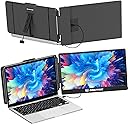
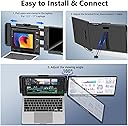
🚀 Double Your Screen, Triple Your Impact!
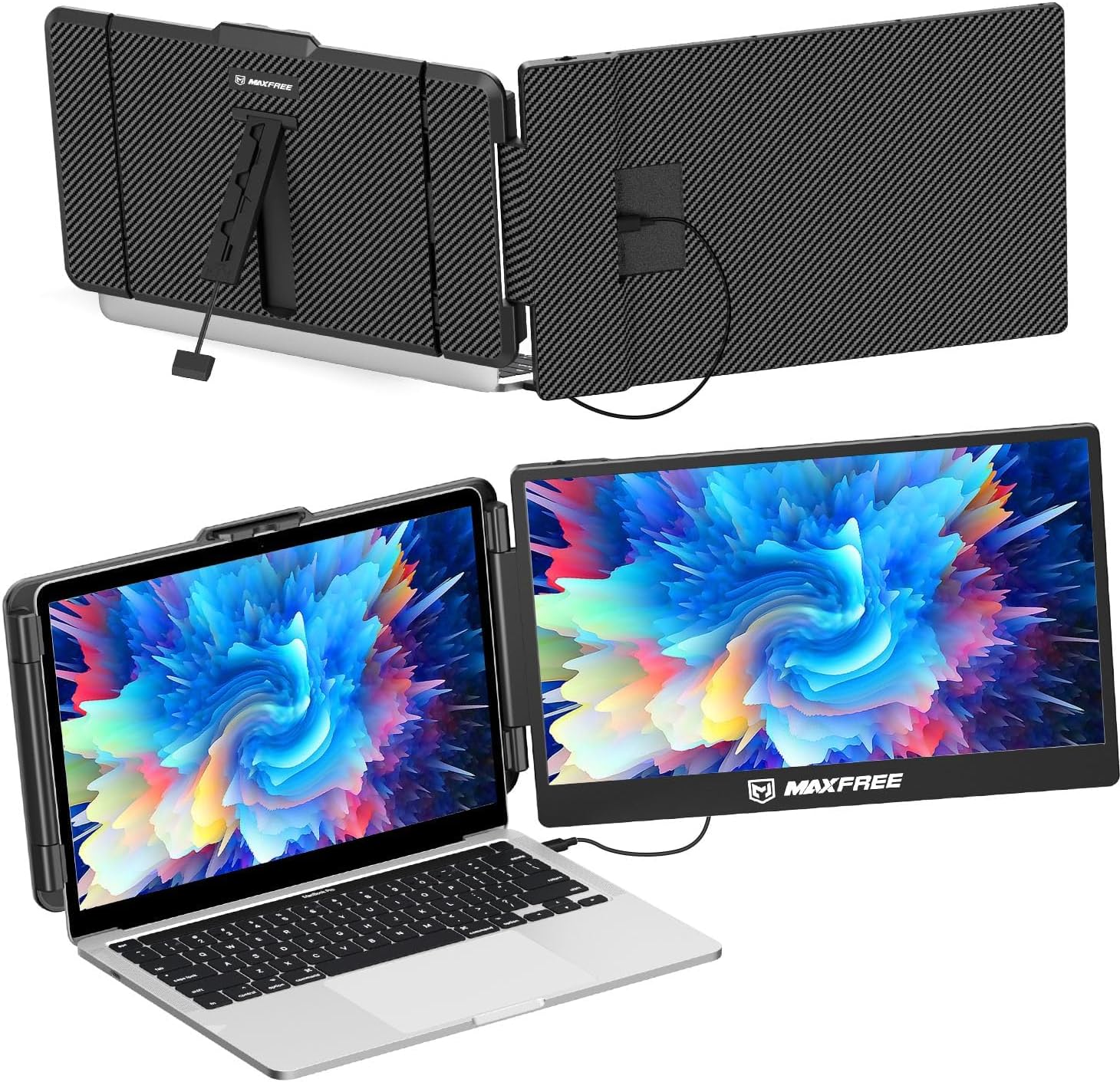
The Maxfree S1 is a sleek 14-inch portable monitor extender featuring a vibrant 1080P IPS display with blue light protection. Designed for professionals on the move, it offers plug & play convenience with multiple connectivity options and a lightweight, adjustable stand. Compatible across a broad range of devices and operating systems, it boosts productivity by enabling seamless multitasking anywhere.


| ASIN | B0CGCMHJVY |
| Aspect Ratio | 16:9 |
| Best Sellers Rank | #1,729,956 in Electronics ( See Top 100 in Electronics ) #2,246 in Monitors (Computers & Accessories) |
| Brand | Maxfree |
| Brand Name | Maxfree |
| Colour | Black 14" |
| Compatible Devices | Desktop |
| Contrast Ratio | 1000:1 |
| Customer Reviews | 4.1 out of 5 stars 979 Reviews |
| Display Technology | LED |
| Display Type | LCD |
| Hardware Connectivity | HDMI, USB, mini HDMI |
| Has Color Screen | Yes |
| Image Brightness | 300 |
| Image Contrast Ratio | 1000:1 |
| Item Dimensions D x W x H | 20.7D x 35.3W x 2.3H Centimeters |
| Item Weight | 2.3 Pounds |
| Manufacturer | Maxfree |
| Maximum Display Resolution | 1920 x 1080 |
| Model Name | S1 |
| Model Number | S1 |
| Mounting Type | Desk Mount |
| Native Resolution | 1920 x 1080 |
| Network Connectivity Technology | HDMI, USB |
| Picture Quality Enhancement Technology | IPS panel, 16.7M colors, blue light protection |
| Power Consumption | 100 Watts |
| Product Features | Portable |
| Refresh Rate | 60 Hz |
| Resolution | FHD 1080p |
| Response Time | 1 Milliseconds |
| Screen Finish Type | Glossy |
| Screen Size | 14 Inches |
| Screen Surface Description | Glossy |
| Shape | Rectangular |
| Specific Uses For Product | Business |
| Total HDMI Port | 2 |
| Total USB 3.0 Ports | 2 |
| Total USB Ports | 2 |
| Total Video Out Ports | 1 |
| Viewing Angle | 45 Degrees |
| Voltage | 20 Volts |
G**.
Easy install.
Easy to install, works beautifully.
A**A
Buena calidad
Tiene buena resolución y ayuda a ser más hábil durante tu día laboral
H**Y
great portable monitor
The screens were a lot higher quality than the ones in the plastic frames. It is thinner & sharper. Sturdy metal construction to go with your equally high-quality laptop. The laptop lid is very secure and easy to use. It has made a positive difference in my productivity and being able to complete work more efficiently. I have used it for work, watching movies, and even gaming, and it has not let me down. It's also been great for live streaming so I can have my streaming software open on one window and the programs I need to bring into the stream on the others. Cannot recommend high enough. The screens themselves are a standout feature. They are bright, clear, and offer a high-quality visual experience, enhancing my productivity on the go
C**Y
Gerat monitor extender for my Laptop
I recently purchased the Maxfree S1 Laptop Screen Extender, and it has been a game-changer for my productivity! The 14'' dual screen setup is perfect for multitasking, allowing me to have multiple windows open simultaneously without constantly switching tabs. The 1080P FHD display is crisp and clear, making it a pleasure to use for both work and entertainment. Setting it up was incredibly easy with the plug-and-play feature. It worked seamlessly with my laptop, and I didn't need any additional software or complicated instructions. The extender is also lightweight and portable, making it convenient to carry around for on-the-go use. The price on the single extender and the doublel extender was far enough apart that I decided to go with the single extender. If the price were a bit lower, I might have gone with the double screen extender. One minor improvement I would suggest is the packaging. While the product itself is fantastic, the packaging could be more robust to ensure it arrives in perfect condition. I had to return the first monitor extender due to a pen mark on the screen. Customer service was awesome as they accepted my return and immediately replaced it. Also, it would be very helpful if there was an instruction sheet that help you match the content size to be the same on both the main laptop screen and the extender, but I ended up figuring it out but it took some time. Despite this, I am extremely satisfied with my purchase and highly recommend the Maxfree S1 Laptop Screen Extender to anyone looking to boost their productivity with a dual-screen setup.
J**H
Great Product & Customer Service
TLDR: Great product for multiple screens while traveling or out of the office. You may need extra cables depending on your laptop like I did, but the seller has great customer service and shipped them to me quickly for free. I researched several similar products and was between this Maxfree S2 and the Xebec Snap for use while traveling. The Xebec Snap is $999, which drove my decision to the much more affordable Maxfree S2. Initial Impression: • The Maxfree S2 comes with most of the cables you'll need (but seller will send more if needed for free), as well as a convenient carrying case. It fits on my laptop perfectly and I don't think there will be any issues of it holding long-term. The stand in the back is a little flimsy, but it works fine and definitely can't complain for the product's price point. Troubleshooting: • I had the same issue others had where only one screen would work at a time with the cables provided. The issue was my USB-C port does not support video, and I only have one HDMI port on my laptop. • To resolve this, I contacted the seller and they sent a second HDMI to USB-C cable to me. Note, I initially purchased a HDMI to USB-C cable from another seller on Amazon, but it did not work despite looking like the same cable (I assume this cable is proprietary to Maxfree). I contacted the Maxfree through Amazon, explained the issue, and they immediately sent another cable to me for free. • I did need to purchase a USB to HDMI adapter (standard USB, not USB-C) to plug the cable in that Maxfree mailed me, so note that you'll likely need to do the same if you experienced the same issue I did. This is the one I purchased: https://www.amazon.com/gp/product/B07THJGZ9Z/ref=ppx_y Left Screen Connection: • USB to USB-C (USB plugged into external outlet, USB-C plugged into middle port on monitor) • HDMI to USB-C (USB-C plugged into bottom port on monitor, HDMI plugged into adapter [the USB to HDMI adapter mentioned above] which is plugged into a USB port on my laptop Right Screen Connection: • USB to USB-C (USB plugged into laptop, USB-C plugged into middle port on monitor) • HDMI to USB-C (HDMI plugged into laptop, USB-C plugged into bottom port on monitor) Final Thoughts: • I'll update this review after I've had more time with the monitors. Overall, my initial impressions of both the product and the seller's customer service is 5 stars. I had been looking for something exactly like this and I'm glad I gave the Maxfree S2 a try!
Trustpilot
2 days ago
1 day ago