Desertcart purchases this item on your behalf and handles shipping, customs, and support to USA.
๐ Elevate your home network storage game with power, capacity, and seamless multimedia flair!
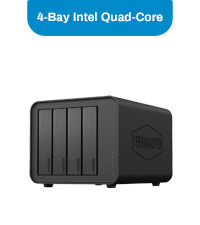
The TERRAMASTER F4-212 is a 4-bay diskless NAS featuring a quad-core 1.7GHz ARM CPU and 2GB DDR4 RAM, designed for home and SOHO users. It supports up to 88TB of storage across 3.5" and 2.5" SATA drives, offers 4K video hardware decoding, and runs the latest TOS 5.1 OS with broad file service compatibility and rich backup solutions. While hardware reliability is solid, software limitations may impact advanced app usage.


| ASIN | B0CSFPDZG8 |
| Best Sellers Rank | #109 in Network Attached Storage (NAS) Enclosures |
| Brand | TERRAMASTER |
| Color | 4-Bay, Quad-Core, F4-212 (2GB) |
| Compatible Devices | Android, Linux, Mac, Windows, iOS |
| Customer Reviews | 3.5 out of 5 stars 52 Reviews |
| Enclosure Material | Plastic |
| Global Trade Identification Number | 06939236144582 |
| Item Dimensions D x W x H | 8.74"D x 7.05"W x 6.06"H |
| Item Weight | 4.6 pounds |
| Manufacturer | TERRAMASTER |
| Material | Plastic |
| Mfr Part Number | F4-212 (2GB) |
| Model Number | F4-212 (2GB) |
| Mounting Type | Tabletop |
| Number of Items | 1 |
| Number of Packs | 1 |
| Product Dimensions | 8.74"D x 7.05"W x 6.06"H |
| Size | 11.77 x 10.79 x 7.32 inches |
| Warranty Description | 2 Years |
M**K
Acceptable as a basic NAS, terrible as an application platform
I purchased this NAS with the intention of using it for both reliable storage and as a lightweight Plex server. My configuration consists of four 10 TB drives split into two mirrored arrays (RAID 1), so I wasn't pushing the hardware anywhere near its advertised limits. For the first few months, everything seemed fine. Then the software started falling apart. The biggest issue is that the Plex application simply stopped updating. No error explaining why, no meaningful troubleshooting tools, and no practical way to resolve it. Because Plex became too outdated, I eventually lost the ability to stream to mobile devices altogether. The operating system itself is equally frustrating. There is no useful way to monitor running applications, so after a reboot you're left waiting... and waiting... wondering whether Plex is still starting, has crashed, or is simply thinking very hard about life. Startup regularly takes close to an hour before Plex becomes available, and the interface provides virtually no insight into what it's doing. Storage management is another disappointment. Something as basic as monitoring storage quotas or getting meaningful information about space utilization is far more cumbersome than it should be. The hardware itself has been reliable enough. It still functions as a box that stores files, and that's the only reason this earns a second star instead of one. If all you need is network storage, it may be acceptable. If you're buying this because the marketing suggests it's a capable NAS with an ecosystem of applications like Plex, I'd strongly recommend looking at Synology or QNAP instead. The hardware isn't what let me down. The software experience did, and that's ultimately what you interact with every day. At the time of writing this review. I am currently 35 minutes into waiting for my plex app to finish booting in...
A**R
extreme frustration. TOP secret code?
Little instructions. What there is confusing. Had to re install 'TOS5' 3 times; the first 2 failing to create the volume. Finally I got a raid10 array going, and was trying to arrange ssh access to the files. I could not place a public key on Terramaster, so any backup would be unworkable. The reason was the 'system partition, known as md9, was full! I am giving up. I also note that even AFTER the sync on the raid10 array, the disks kept clicking and clacking constantly. Can't be good for the discs OR power consumption. Email support is there but on a 24 hour cycle. They want me to prove that the array md9 was full. Enough. Returning.
J**S
Dont buy!!!! Buy a Synology instead
Let me explain how terrible this is as a NAS Initialize NAS initially with 2 hard drives, seems to work but terrible transfer speeds. Then I add 2 more drives, it tells me it will take 1020 hrs to initialize the 2 new drives. I say to hell with that and pull the 2 new drives. NAS now can't be reached at all. Thankfully I still have the information backed up on other drives, so I pull the 2 original drives and delete the positions and format them... Guess what the NAS still isnt reachable. I power down the NAS for a week. I then power it back up, and turn off firewall, still unreachable. I then search the company forums for some troubleshooting guides, the basically amount to reinstall the NAS operating system after you have removed the driver's and powered down the NAS. So check and check, but can't reinstall the OS, because it still remains unreachable for some mysterious reason. I set a static IP address for the NAS thinking that might be the issue... Nope that's not it. Still unreachable. Start searching for a way to factory reset the NAS, nope company never made a way to do that. So now I'm stuck with a 5lb paperweight, that does the opposite of what a NAS is suppose to do.
R**D
Flakey but fixed
SO not happy with this... I managed to get it set up and working on my network just fine. Upon first installing the Android app on my phonem, worked great for a couple or days. Now, ONLY connects while I am in my office ON WIFI... Once I leave, even though App shows device is online, it will NOT CONNECT.... OR even if I am in office and turn the WIFI off on my phone, it will NOT connect back. The internal apps on web interface on PC and on the TNAS app, will not allow me to download anything. Says "failure" real quick and message dissapears with no explaination as to why. Tech support says it is not connecting to the WAN but if it wasn't, how would it have connected to my android app to begin with days before??? AND, all of a sudden, one day it changed the IP addres even though I have it set outside my DHCP range on my router and reserved and assigned manually.... (I do this for a living)... Once I told Tech support about the IP changing, they stopped communicating with me. The ONLY thing I like about it is being able to store more data on my LAN... This thing is FLAKEY at best.... About the apps on their interface, I looked each one up and the ones I looked at all have a FEE involved. So there was no loss there. I used my own folder sync app to copy and update my files... UPDATE: With no help from tech support, and extensive searching, I finally got the problem solved... You HAVE to go in to the settings and ENABLE remote access... My fault for not reading more before... But, tech support gives up on you real easy.
G**3
Not as good as the older 2 drive.
I bought this to expand my plex server. The OS is a different version from my older TerraMaster NAS. This one was a nightmare to set. Taking hours to figure out how to create shared sub folders under a root shared folder. When the drives go to sleep, they no longer show as available and do not spin up. When I try setting them to not sleep, the primary drive is no longer bootable and just keeps making a seeking sound but nothing ever happens until you reinstall the OS. I have to restart the NAS to pick up the other 3 drives. These are brand new NAS 10gb 7200RPM drives. The older 2 drive version was up and running in minutes. Dunno why they would change to a more complicated way of doing things.The hardware upgrade on this is awesome however.
B**R
Skip it, its crap!
The app is Very limiting and not user friendly. Bought this for a hone cloud. Almost never finds connection on the 1st try, lucky if it finds it by the 5th try. Bought it in August and already had to reinstall it 3x to make it work. It's also noisy as heck and can't tolerate it close to bedroom. Its basically a waste of $300 as can't be easily used as a cloud. CS treats you like you're an expert with minimal words, but they sure have an attitude. So its a crap product all around.
E**.
Terramaster does not provide upgrades since is not x86-based model.
Very slow. Terramaster does not provide upgrades since is not x86-based model. If I had know no upgrades I wouldn't have bought.
A**N
Broken fan
Fan doesn't work. Overheated hard drive. My fruit tree were stolen from WHILE I WAS FIGURING OUT WHY THIS WASN'T WORKING. Expected higher quality from such an expensive product.
F**N
Best bang for the buck with new TOS7
With Tos 7, this does the trick at an unbeatable price. I had an old Asustor and needed a replacement at low cost. All good for my needs. Yes itโs all plastic but the overall 4bays and TOS 7. Paid ar a massive discount, at 259$.
A**1
Good Performance
This has given a good performance
J**S
Not good
Not user friendly
T**O
Excellent system
Excellent
D**M
Very slow and user interface stops working, not recommended
I was hoping for better just with storage and no apps running TNAS always alerted it was slow/sluggish. After a reboot can no longer get in via GUI or desktop/mobile app. I am able to access my files from my computer to get off to remove my drives and return product. Not worth the money even with a discount.
Trustpilot
2 weeks ago
1 week ago