๐ Power Your Data Empire with the NAS N6005 โ Small Size, Big Impact!
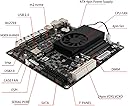
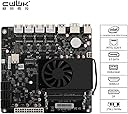
The CWWK NAS N6005 is a compact Mini-ITX NAS motherboard featuring an Intel Pentium N6005 quad-core processor, dual M.2 NVMe PCIe 3.0 slots, and six SATA 3.0 ports. It supports up to 32GB DDR4 RAM and includes four Intel I226-V Gigabit Ethernet ports, making it an ideal high-performance, versatile storage and networking solution for professionals seeking reliable, scalable data management.
| ASIN | B0BZ3655Z1 |
| Brand | CWWK PC |
| Brand Name | CWWK PC |
| CPU Model | Pentium |
| CPU Socket | LGA 1200 |
| Chipset Type | Intel |
| Compatible Devices | Personal Computer |
| Compatible Processors | Intel Pentium Quad Core Processor N6005 |
| Customer Reviews | 4.0 out of 5 stars 8 Reviews |
| DriveMemory Storage Capacity | 32 GB |
| Graphics Card Interface | Integrated, PCI Express |
| Main Power Connector Type | 24+4-pin ATX |
| Manufacturer | CWWK |
| Memory Clock Speed | 2666 MHz |
| Memory Slots Available | 2 |
| Model Name | NAS N6005 |
| Model Number | N5105/N6005 |
| Number Of Ports | 35 |
| Number of Ethernet Ports | 4 |
| Platform | Linux |
| Processor Socket | LGA 1200 |
| RAM Memory Technology | DDR4 |
| Ram Memory Maximum Size | 32 GB |
| System Bus Standard Supported | SATA 3 |
| Total HDMI Port | 1 |
| Total PCIe Ports | 1 |
| Total SATA Ports | 6 |
| Total USB Ports | 4 |
| USB 2.0 | 2 |
T**T
Great NAS mobo
Great NAS mobo
E**N
Overheating immediately
The CPU in this overheated immediately upon plugging it in. I'm seeing sustained temps of 50C with zero load, just at the bios hardware monitor screen. Averaging 65C at idle when a light text-based OS like BSD is running, spiking to 100C+ every now and then, under very minor load (under 25%). Double-checked the fan was working, and I ran it without the cover for a few hours with no change. I suspect the thermal paste is missing or ineffective. I ordered more to try and 'fix' the problem, but it's pretty useless like this.
F**Y
Beware of the drives you choose for this build
The motherboard works well. I had the same issue as someone else's review. The sata drives weren't showing up. I notice my old drives were working just fine. But my new ones were not. I found out after days of Troubleshooting the issue. PWDIS I SOLVED IT BY COVERING THE 3RD PIN ON THE power SATA CONNECTOR. All 4 drives booted just fine after that. Hope this helps someone.
S**5
Still not able to boot
I tried a Compaq 250W ps (in the picture) and a second PS. Both are known good. I get both fans (MB and Case) to power on. I can also get an occasional single ding from the speaker but there is no message displayed through the HDMI connection. I add memory and SSD and still get nothing. Any ideas are welcome.
Trustpilot
1 month ago
1 month ago