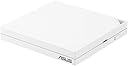
🚀 Travel smart, connect faster, secure stronger.
The ASUS RT-AX57 GO is a compact, ultra-portable AX3000 dual-band WiFi 6 travel router designed for professionals on the move. It supports tri-mode connectivity including 4G/5G mobile tethering and public WiFi hotspot (WISP) mode, delivering speeds up to 3,000 Mbps and capacity for 70 devices. With built-in commercial-grade AiProtection Classic security and one-touch VPN activation supporting multiple protocols, it ensures subscription-free, enterprise-level network protection. Easy setup and AiMesh compatibility make it ideal for seamless home or office network expansion.


| Brand | ASUS |
| Product Dimensions | 12 x 12 x 2.15 cm; 200 g |
| Batteries | 1 AAAA batteries required. |
| Item model number | 90IG08N0-MU9C00 |
| Manufacturer | ASUS |
| Series | RT-AX57 GO |
| Colour | white |
| Computer Memory Type | DIMM |
| Wireless Type | 802.11ax |
| Voltage | 9 Volts (DC) |
| Operating System | Proprietary OS |
| Are Batteries Included | No |
| Lithium Battery Energy Content | 2.6 Watt Hours |
| Lithium Battery Packaging | Batteries contained in equipment |
| Lithium Battery Weight | 5 Grams |
| Number Of Lithium Ion Cells | 4 |
| Item Weight | 200 g |
| Guaranteed software updates until | unknown |
M**1
Asus RT-AX89X Router is a Secure, Powerful Beast with Excellent WiFi / RJ45 or SFP+ Port flexibility
All-in-All this is a wicked Powerful & Fast bit of kit. I have been using ASUS products for over 2 decades now, which should say a thing or two about how I find ASUS products in general and as important is how Asus apply cutting edge Technology into their consumer devices. The Asus RT-AX89X specifically has what I want in-terms of Physical networking/Routing functionality offered via either the 8x1G Ports and or the 10G Copper/10G Fibre SFP+ port. The combination of ports deployed on this device coupled with the Wireless feature set was enough to make this purchase a no-brainer. This router is is acting as a 10G backhaul via Structured CAT6A cabling to a secondary wireless AP. The WiFi Speeds are very good. The Signal is again very powerful and can manage an average Large Family home needs in terms of number of connected devices which is does with ease. No bottlenecks. Things just work as expected with high speeds. Physically this devices footprint is quite large especially when you consider that you can have up to X10 thick and quite stiff CAT6A cables coming out of this thing, in cramped places this could be an issue, fortunately this is not the case for me.. Downsides ========= Firmware: There is only one real downside and that is not really a negative as such more of a missed chance because at present this router is NOT supported by Merlin's Custom AsusWRT firmware. This doesn't run on Broadcom's SOC chipset but instead its powered via Qualcomms SoC Chipset. So, if you were looking to be running Merlin's Firmware on this device at the time of writing this its not possible. Wi-Fi 6 Downside is this router is not Tri-band router and does not support the latest WiFi 6E specs there is 2.4GHz and 5GHz bands but no 6GHz band. Internal Fan: This router has an internal fan which can be controlled via the GUI and probably via the Terminal.. This makes sense as under load this will generate enough heat that traditional thermal measures used in other devices would not be sufficient to keep this thing cool especially during the warmer months. I see this as a plus side as opposed to a negative, It shows Asus have considered this aspect in the design stage and have provided a solution, a solution with a shelf life tied to the fan's life but a solution none the less.. Summery ======== All-in-All this is a wicked Powerful & Fast bit of kit. Security: There is powerful 2-way IPS and Malicious website blocking and infected device blocking all managed and monitored through AIProtect. VPN: Easily create PPTP/OpenVPN/IPSec VPNs and Instant Guard. Adaptive QoS with App Insights Open NAT / Simple 3-steps Port Forwarding Setup for Gaming Rules for port forwarding. AICloud 2 with all the usual stuff. Can easily turn this device into a NAS server, etc.. Traffic Analyzer Monitor and Statistics Smart Home: Alexa & IFTTT ("if this then that.") Supported Etc..
E**D
Quest 2 Virtual Desktop review
INTRO If you're here for a dedicated router for Quest 2 VR streaming (e.g.: Virtual Desktop) then you've come to the right place! CONTEXT YouTuber "Virtual Panda" made a video titled "The Best Router for Oculus Quest 2 Wireless PCVR with Virtual Desktop", where this was the mid-end router recommended for using streaming services to wirelessly use your Quest 2 so I picked it up to check it out... and I'm SO glad I did! Whenever I'd use Virtual desktop, my Network latency would be the biggest bottleneck ever! My previous setup was the following: ISP router --> TP-Link AC1200 --> Powerline Ethernet --> PC, Ethernet and ISP router --> Quest 2, 5GHz Even though the connection to 5GHz was strong, the router clearly was struggling with all the traffic. With a network latency of around 30ms, I'd have to turn every single setting to its absolute minimum, or have a latency of 200ms. It was awful. PURCHASE/RESULTS Then I bought this router and I was a bit concerned that since the ethernet was powerline passthrough, which DOES decrease the speed a little, that this router would not work. I've never been more happy to be wrong! This router clearly does what it needs to! I can currently run medium settings (simply because my PC isn't SUPER beefy with a GTX 1080 instead of any of the RTX series) with a REALLY high bitrate and no perceivable lag (note, there IS still lag of about 30ms but as long as you're not doing Beatsaber it's practically undetectable). The following is now my setup ISP router --> TP-Link AC1200 --> Powerline Ethernet --> RT-AX55 --> PC, Ethernet and ISP router --> TP-Link AC1200 --> Powerline Ethernet --> RT-AX55 --> Quest 2, 5GHz Note: I've also disabled the RT-AX55's 2.4GHz channel, and set the RT-AX55 in Access Point mode instead of Router mode. I saw some recommendations online to do this. I'm not sure if it's necessary but it's clearly working. This has been the greatest investment for my Quest 2 that I have ever made. I'm no Facebook fan and have no loyalties to any brands or channels mentioned at ALL, but I spent so long doing this research that I understand the frustration and worry around spending money on something that might not work. SUMMARY I'm sure this router isn't for everyone. Maybe there are better routers out there with better functionality for a larger number of connections and devices. But here is the summary for this device, 2 questions and 2 answers: Q: Is this router for everyone? A: I honestly do not know, I'm sure it depends. Q: Is this router a good choice for Virtual Desktop/Would I recommend this to other Quest 2 users for wireless play/Is this router worth the £90 I spent on it? A: (Provided you have some way to connect it with ethernet to your primary router, like a physical Cat5e cable, or with Passthrough solutions) 100% Absolutely! Grab this router, plug it in, set it up on the app on your phone, connect your quest to this router, and have fun! P.S.: Maybe it's because I'm using a Quest 2 instead of the CV1 I was using before, but streaming gameplay on discord saw NO performance decrease! Maybe that's the headset, this router, or both, but my friends could watch me game over the internet incredibly well! (Note: I had some trouble with this; make sure the StreamVR overlay's setting to "always be on top" is disabled, and that the game is fullscreened when you run it. Then choose the "Stream" option in the BOTTOM-LEFT of discord when your VR game pops up, NOT the "Stream application" option in the middle of any discord calls your in. It should all work then :D )
C**N
Almost perfect
The RT-BE86U is a fantastic, stylish & very compact router, however, it does struggle to handle any connection that uses a native VPN app installed on their phone/desktop computer, as you will get 1 cpu core on the router being maxed out, which bottlenecks the connection to 500mb or so, however, if you use the VPN Fusion feature of the router itself, this router is able to maximise my 900mb fibre connection even whilst using a VPN! - fantastic! - This router quickly enabled my old router, the AX88U as a mesh node too. It's an almost perfect router, small, stylish & fast. The only negative is how it handles any device with a native VPN app installed, so make sure if you want to use a VPN, to make use of their VPN Fusion feature on the router itself instead. Merry Christmas & have a Happy New Year. 4 stars.
Ü**T
Cihaza OpenWRT yazılımını kurdum ardından sqm ve adblock kurdum router'a bağlı bütün cihazlarımda reklamlardan kurtuldum ve sqm ile oyunlardaki aniden ve yüksek miktarda ping artışından da kurtuldum tam istediğim performansta çalışıyor şuan orjinal yazılımı ile hiç kullanmadım muhtemelen o da gayet iyidir işinizi görür çekim gücü benim için yeterli seviyede tavsiye ederim.
T**O
Ce routeur m'a permis d'attendre la pose de la fibre. C'est un "game changer" face aux clés 4G pas chères ou systèmes cantonnés à une prise murale jamais bien placée. Le débit est toujours là, l'interface web réagit, pas de pertes inopinées de la config... pas de comportement bizarre quand on change un paramètre (trop souvent vu chez d'autres marques même réputées). L'interface est propre et compréhensible. L'application est aussi fluide et facile à utiliser. Le seul bémol serait qu'il ne met pas assez en exergue le côté 4G alors que c'est justement son gros point fort! Les seuls problèmes de déconnection que j'ai eu semblaient provenir de mon opérateur (comme si Free partageait de la bande passante et se permettait de rompre les flux par moments.
U**N
Ürünü yaklaşık 2 aydır deneyimliyorum. Kendi kullanımım açısından hiç olumsuz yönüyle karşılaşmadım. -Çekim gücü 100 m^2 yakın evde her köşede aynı diyebilirim (özellikle 5 GHz performansı çok iyi). - Uzak diye 2.4 GHz bağlantıya ihtiyaç dahi duymuyorsunuz, şahsen ben kapattım bu özelliği, komple 5 GHz ağları kullanıyorum. 2.4 GHz/5 GHz olacak şekilde de bir IoT ağı yaratıp bu ağa evdeki akıllı cihazları bağladım ve daha rahat kontrol sağlıyorum böylece. - Online oyunlar oynayan biriyim ve OpenNAT seçeneği ile yüzlerce oyunda ping iyileştirmesi, iyileştirme olmasa bile sabitlemesi ve performans artışı sağlayabiliyorsunuz (Türkiye'nin en doğusunda oturuyorum ve çeşitli Avrupa sunucularında ancak 80 ms sabit alabiliyorum, hiç aksama olmadan). - Yine oyunlar için RT-BE86U router'ın oyunlara özel ethernet portunu kullanarak ve Adaptive QoS ile ayarlarınızı yaparak, belirli indirme hızlarını isterseniz arka planda sabitleyerek isterseniz de default ayarları kullanarak internetinizde başka kullanıcılar indirme yaparken dahi gecikme konusunda yüksek performans alabilirsiniz. - Gigabit indirme hızına sahip yine gigabit ONT cihazı da içeren bir internet kullanıyorum ve ethernet/wi-fi 7 5 GHz üzerinden genellikle 850-950 Mbit/s indirme hızlarına ulaşabiliyorum ki genelde 930 Mbit/s zaten telekom tarafından sınır sayılabilir. - Yine router'ın güzel özelliklerinden olan kullanıcı dostu bir arayüz, bu arayüz ile misafir ağlarını ve normal ağları kolayca yönetebilme, ağdaki istediğiniz cihazı kolayca görebilme, isim verebilme gibi çeşitli harika yönleri de bulunmakta. Şimdi bunlar hepsinde var diyebilirsiniz fakat gerçekten çok basit ve kullanıcı dostu bir kullanıcı arayüzü sizi karşılayacak, bundan emin olabilirsiniz. - MLO (Multi Link Operation) yani cihazdaki 2.4 GHz ve 5 GHz bantlarını aynı anda kullanarak size daha güçlü bir bağlantı sunabiliyor, ben denediğimde bunun performansını 5 GHz'e göre çok da farklı bulmadım ki zaten benim amacım ayrı kullanmaktı, yine de Wi-Fi 7'nin getirdiği güzel bir özellik. - 256 GB'lık USB 3.0 ve üstü bir flash bellek edindim ve ev ağımın içerisinde evdeki kullanıcıların birbirlerine büyük boyutlu dosyaları gönderebilmeleri için çeşitli klasörler oluşturdum, gerçekten kolay ve kullanışlı oldu bu da. - Ayrıca ASUS cihazlarına özel OpenWRT işlerini yapan public yazılımlar da var, bunlarla ilgiliyseniz routerınızın performansını katlayabilirsiniz bazı özellikler için. -Son olarak Wi-Fi 7 bu routerda 3 bant olarak gelmiyor, 2 bant olarak var. Günümüzde Wi-Fi 7 cihazların 3 bant (2.4 GHz, 5 GHz, 6 GHz) olanları zaten ya çok yüksek fiyat bandında olan cihazlar ya da geneli zaten 2 bant kullanan cihazlar. Bu yüzden ben yabancı sitelerdeki inceleme performanslarına da bakarak 3 bantlı olanlardan tercih etmedim. Bu router'ın en az 10-15 yıl gibi bir süre götüreceğini düşünüyorum Türkiye'deki internet hızları ve performansının ortalamasına bakarak. Özetleyecek olursak, benim gibi sağda solda çekmiyor eski modemim/routerım diyorsanız, yıllarca kullanabilecek bir cihaz alayınm diyorsanız, gözünüz kapalı alabilirsiniz. Şuna da değinmek lazım, fiyat bandı diğer routerlara göre biraz yüksek denebilir, Wi-Fi 7 olunca özellikle bir iki ucuz ürün dışında bu tarz özellikleri olan bir cihaz istiyorsanız zaten bu fiyat bantlarına yaklaşıyorsunuz, artık bu da bütçenize ve öz değerlendirmenize kalmış bir durum. Özellikle düzgün, sabit bir bağlantı ile oyunlarda sabit ve güzel bağlantı gecikme performansı istiyorsanız yine buna yönelebilirsiniz. Yabancı inceleme yapanların dediği gibi "future proof" yani geleceğe uyumlu, geleceğe yatırımlı bir ürün Türkiye şartlarında, fiziksel olarak bozulmadığı sürece yıllarca kullanılır, üzmez.
S**G
Lätt installering vilket var positivt. Men routern ger tyvärr en dålig signal. Laddar ned 50 Kbit/sekund vilket såklart är en besvikelse.
H**S
Very powerfull equipment without break of GSM signal or internet. I AM very satisfy chosed this One. Already with WiFi 6 and features that allow make a powerfull home network. TOP
Trustpilot
2 months ago
3 weeks ago