Desertcart purchases this item on your behalf and handles shipping, customs, and support to USA.
🎮 Elevate Your Game with MSI’s Ultrawide Powerhouse!
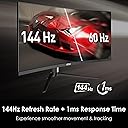
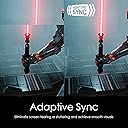
The MSI Optix MAG342CQR is a 34-inch ultrawide curved gaming monitor featuring a 1500R curvature and a 21:9 aspect ratio for immersive visuals. It boasts a sharp 3440x1440 UWQHD resolution, a rapid 1ms response time, and a 144Hz refresh rate enhanced by AMD FreeSync to deliver smooth, tear-free gameplay. With a 178° wide viewing angle, 300 nits brightness, and ergonomic adjustments including tilt, swivel, height, and pivot, it’s designed for both intense gaming and productive multitasking. Mystic Light RGB adds a customizable aesthetic flair, making it a standout choice for millennial professionals seeking performance and style.


| ASIN | B08S8W3MMM |
| Adaptive Sync | FreeSync |
| Aspect Ratio | 21:9 |
| Aspect ratio | 21:9 |
| Best Sellers Rank | 254,175 in Computers & Accessories ( See Top 100 in Computers & Accessories ) 4,145 in Monitors |
| Brand | MSI |
| Brand Name | MSI |
| Colour | Black |
| Compatible Devices | Desktop, Gaming Console |
| Contrast Ratio | 3000:1 |
| Customer Reviews | 4.5 out of 5 stars 1,327 Reviews |
| Display Technology | LCD |
| Display Type | LED |
| Hardware Connectivity | HDMI |
| Has Color Screen | Yes |
| Image Brightness | 300 nits |
| Image contrast ratio | 3000:1 |
| Item Dimensions D x W x H | 26.9D x 81.3W x 51.1H centimetres |
| Item Weight | 9.47 kg |
| Manufacturer | MSI |
| Maximum Display Resolution | 3440 x 1440 |
| Model Name | Optix MAG342CQR |
| Model Number | Optix MAG342CQR |
| Mounting Type | Wall Mount |
| Native Resolution | 3440x1440 |
| Network Connectivity Technology | HDMI |
| Picture Quality Enhancement Technology | Mystic Light |
| Pixel Pitch | 0.0086 |
| Power Consumption Size | 65 Watts |
| Product Features | Curved |
| Refresh Rate | 144 Hz |
| Resolution | QHD Ultra Wide 1440p |
| Response Time | 1 Milliseconds |
| Screen Finish Type | Curved |
| Screen Size | 34 Inches |
| Screen size | 34 Inches |
| Screen surface description | Curved |
| Shape | Curved |
| Specific Uses For Product | Gaming |
| Total HDMI Port | 2 |
| Total USB 3.0 Ports | 1 |
| Total USB Ports | 1 |
| Total Video Out Ports | 1 |
| UPC | 824142225516 |
| Unit Count | 1.0 count |
| Viewing Angle | 178 Degrees |
| Voltage | 100240 Volts |
| Warranty Type | Limited warranty |
L**O
Really good monitor for the price.
So far, the monitor has been really good and a big step up from previous dual-monitor 1080p setup. However, it does have some ghosting to it and the OSD is a bit difficult to navigate, but I still think it is a great deal regardless. Pros: -The display itself is fantastic, 1440p is extremely crisp and the brightness and colour is solid -144hz 1440p is super nice to work and game on, with low response time -This is my first ultrawide monitor and it is fantastic. I do miss the flexibility of dual screens a little bit, but ultrawide feels so much nicer for gaming and some workloads like having multiple documents open at once, that it feels hard to go back from this -The stand and adjustability is good, with lots of flexibility being able to go up/down a fair bit and left to right. -Adaptive sync and HDR are both also great additions and help prevent screen-tearing and HDR provides an even better viewing experience Cons: -Because it is a VA panel, there is some ghosting on it, specifically black smearing. This can kind of be fixed with the monitors Anti Motion Blur setting however, which is nice -The OSD is a bit hard to navigate, and would be made much easier if there was a joystick control like some other monitors. Overall, I think the monitor is a fantastic deal for the price. The display itself is fantastic and looks amazing. While the ghosting is there, the rest of the positives of the display more than make up for it. For the price, this is one of the best 1440p ultrawide monitors you can get and is amazing so far.
A**A
اسوء شاشعه شريتها
الشاشه اول شهر حلوه بس بعد ثاني شهر بدت تشوش عندي لا انضربت ولا خدشتها ولا شي نظيفه لكن ما ادري ذي المشكله من اين من الشاشه او السلك dp لاتشتري الشاشه ذي فيها عيب مصنعي ولا فيها ضمان العيب المصنعي يخرب عليك اشياء كثيره الشاشه بتسكر عليك كل خمس ثواني وتشوش حاولت احلها لكن طلعت مش انا بس في واحد زيي طلع عيب مصنعي حاولت اغير السلك لكن مافي فايده لا احد يشتريها نصيحه .
P**N
Big Screen, Bigger Value
This monitor delivers excellent value for the price. It arrived securely packaged: an Amazon box enclosing the original MSI box. The build quality is solid and surprisingly heavy (in a good way), with a sturdy metal and plastic stand that feels premium. Setup was a breeze. It’s mostly plug-and-play, but I recommend downloading the correct drivers from MSI’s website to unlock the best color accuracy. One pleasant surprise was the RGB ring on the back; it adds a nice touch to the overall aesthetic. Just be aware that the base is quite large, so make sure you have enough desk space. The screen is bright enough to remain clear even next to a window with natural light pouring in. Once you bump the refresh rate up in Windows Display Settings (it defaults to 60Hz), everything feels incredibly smooth. And the HDR makes content that supports HDR look vibrant and immersive, with deep contrast and rich colors that really pop. Overall, this monitor is easy to set up, looks great, and performs even better. Whether you're gaming, working, or watching movies, it’s a fantastic choice.
A**O
Gran monitor Gamer ultrawide de entrada.
Un muy buen monitor ultrawide, lo ocupo para jugar y diseñar, Solo hay que saberlo configurar. El monitor es perfectamente compatible con Gsync, 144hz (por DP, por HDMI alcanza solo 100hz) antes de que lo devuelvan o vengan a comentar que tiene "flickering" al activar el Adaptative sync, aquí les va la solución, al menos para quien tenga win 11 y tarjeta de video Nvidia. (yo tengo una rtx 3050ti de laptop) Los 3 actores principales de culpabilidad son MSI ( al no poner una solución online), Microsoft (por tener a los mejores inges y programadores y que win 11 siga con errores ) y Nvidia ( el de mayor peso, como no paga MSI una royalitie a nvidia para que sea "Gsync compatible" desde el principio, lo dejan ahi descompuesto). Bajar e instalar los drivers desde el sitio oficial de MSI, no es un ejecutable, son archivos con perfil de color. Esto es para activar el gamut y perfil de color del mismo. Se instala desde "administrador de dispositivos" no es un ejecutable. Activar mediante el menu del monitor el "Adaptative Sync" Menu-Gaming-Adaptative Sync-ON El paso más importante ahora, en este punto sigue teniendo "Flickering" sobre todo al sobreponer ventanas detrás de una aplicación que ocupe pantalla completa. Al momento de activar Gsync es muy importante seleccionar la opción de activar SOLO en pantalla completa, si usamos la opción Pantalla completa y ventana no funciona, es un tema de windows 11 y Nvidia, hay que seleccionar solo Pantalla completa. Listo. 0 parpadeos blancos, replique de todas las formas para que aparecieran y no lo hicieron. Sobre la calidad del monitor, gran soporte metálico como se ve en las fotos, muy robusto para el peso del mismo, tiene 300 nits de brillo, que para exteriores o lugares muy soleados no sea lo más optimo, pero en mi caso funciona muy bien. De lo mejor el gamut de color, no sobresale en ninguno pero trae buena compatibilidad. Puedo trabajar y si puedo jugar. Muy satisfecho hasta el momento con la compra.
S**E
Great product
Very happy with the product. Have been using it for a few months and everything is still working well. The stand is minimal so allows for other things under the monitor on the desk. Was easy to switch it to a 3-monitor desk bracket. Colours are vivid and the response time is great. Having a narrow bezel allows for the other monitors to be very close giving an almost seamless visual field.
Trustpilot
2 months ago
1 month ago