Desertcart purchases this item on your behalf and handles shipping, customs, and support to USA.
๐ Elevate your productivity and gameplay with LGโs sleek 22โ powerhouse!
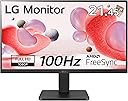
The LG 22MR410-B is a 22-inch Full HD (1920x1080) monitor featuring a fast 100Hz refresh rate and 5ms response time for smooth visuals. Equipped with AMD FreeSync and Black Stabilizer, it delivers tear-free gaming and enhanced visibility in dark scenes. Eye-care technologies like Reader Mode and Flicker Safe reduce eye strain during extended use. Its slim bezel design and OnScreen Control software enable a streamlined, customizable workspace. Energy-efficient and lightweight, this matte black monitor balances performance and style for professionals and gamers alike.


| ASIN | B0CPGNYH24 |
| Adaptive Sync | FreeSync |
| Aspect Ratio | 16:9 |
| Aspect ratio | 16:9 |
| Best Sellers Rank | 572 in Computers & Accessories ( See Top 100 in Computers & Accessories ) 10 in Monitors |
| Brand | LG |
| Brand Name | LG |
| Colour | Matte Black |
| Contrast Ratio | 3000:1 |
| Customer Reviews | 4.5 out of 5 stars 286 Reviews |
| Display Technology | LCD |
| Display Type | LCD |
| Hardware Connectivity | HDMI |
| Has Color Screen | Yes |
| Image Brightness | 350 Candela |
| Image contrast ratio | 3000:1 |
| Item Dimensions D x W x H | 5.1D x 49.2W x 28.4H centimetres |
| Item Weight | 3.55 Kilograms |
| Manufacturer | LG Electronics |
| Maximum Display Resolution | 1920 x 1080 |
| Model Name | 22MR410-B |
| Model Number | 22MR410-B |
| Mounting Type | Panel Mount |
| Native Resolution | 1920x1080 |
| Network Connectivity Technology | HDMI |
| Picture Quality Enhancement Technology | AMD FreeSync, Reader Mode, Flicker Safe |
| Product Features | FreeSync, Flicker Safe, Reader Mode, Color Weakness, Super Resolution+, Black Stabilizer, Dynamic Action Sync, Auto Input Switch, Smart Energy Saving |
| Product Warranty | 1 Year Manufacturer |
| Refresh Rate | 100 Hz |
| Resolution | FHD 1080p |
| Response Time | 5 Milliseconds |
| Screen Finish Type | Glossy |
| Screen Size | 22 Inches |
| Screen size | 22 Inches |
| Screen surface description | Glossy |
| Shape | rectangular prism |
| Specific Uses For Product | Gaming |
| Total HDMI Port | 1 |
| Total Video Out Ports | 1 |
| Viewing Angle | 178 Degrees |
| Warranty Type | Limited Warranty |
K**T
gaming monitor
bought for my son for christmas for his gaming , its perfect , lovely clear and good price . great function , easy to install and use
M**E
Very good after a couple of setting changes and it DOES run at 100Hz
I wanted a second monitor to mount above my main one, for my sim racing. This monitor will be used to display timing information, and to show snooker on TV when I'm not racing. When first out of the box, I was disappointed - the picture was lacking in sharpness, brightness or contrast, so my first feeling was that I might be sending it back. I mean, I know you get what you pay for, and this one is not too expensive, but still it needed to look better than this. I tried connecting via HDMI and D-Sub, with no difference in the quality. I also had not found any way to change the contrast or brightness, but I might have missed that in the instructions. Eventually, just as I was deciding this was as good as it gets, I pressed the only button on the back, thinking it would switch it off, and it brought up the settings option. Duh. After switching off the energy saving, and raising the 'super resolution', the picture was instantly transformed into a very good picture. And when connected to HDMI, the refresh rate can be changed in 'Advanced display settings' in Windows, and now, it looks good at 60, 75 or 100Hz. OK, I understand the aim for energy conservation, but at the same time, LG almost lost my faith, as the quality of picture is just too washed out when you first look at the default picture. I used my plug in wattage monitor to see that, on high resolution and with energy saving turned off, this monitor is using less than 14 Watts while the snooker is on TV, which is very good indeed. Compared to my 15yr old 19 inch monitor, which weighed over 8Kg and used 35W, this 21.5 inch LG is just 2Kg in weight and uses less than 14W, so with just a couple of setting changes, I'm now glad I bought it. Only one other complaint: - there are never any wall mount screws provided - you could at least tell me what diameter screw and what the max safe length should be. (It needs four M4 screws about 10mm length for anyone that wants to know). But in the end it's worth 5 stars for value and quality, once it's set up to your liking.
A**R
Power and control button on the rear make it harder to turn on/off and adjust settings.
The 'LG Electronics Monitor 22MR410-B, 22 Inch, Full HD 1080p, 100Hz, 5ms GtG, VA Panel' arrived in a branded. In total I ordered three of these monitors to replace my ageing Acer monitors that although were 2ms they were all 15 years old, and one died, but with three of these costing what just one of the previous monitors did, I decided I could live with the slower response time. These are the same size as my previous monitors so went straight onto the hydraulic arms that have attached to my desk and have quick detach VESA 100x100 mounts. I had looked at several other monitors though of those that actually mentioned the VESA size, most were 75x75, and although the plates for the arms could have been easily modified, I had better things to be doing. It only took me a couple of minutes to adjust the new monitorโs positions to accommodate the thinner bezel. And to keep the aligned where I wanted, I used a simple Baby Drawer Lock on the back to hold their position, but which could be unlocked in seconds should I need to work on a monitor, and being almost black in colour, they were unnoticeable. Picture quality is good, though the brightness was so much I am sure they could be seen on the moon, after a couple of other tweaks to the settings they were ready to go. I am using the monitors primarily for photo and video editing. The one thing I found most annoying as the designers had not really considered all user applications and that is having the power and control switch on the rear of the monitor, making it hard to operate depending on where the monitor is mounted. My previous monitors had the switch on the front, and others I have on the bottom edge. In my case I have to turn off all monitors or at least 2 and 3 to ensure monitor 1 is the primary monitor on start up. I know it's a big ask, but it would be nice if the manufacturers included screws for the VESA mount, and made it abundantly clear on the length of the screw by showing a dimensioned drawing of the screw. I had to phone LG to verify the length, as it wasn't clear if the dimension they gave was of the threaded section or the overall length, which I have become wary of these days as way too often I have seen screw sizes incorrectly identified. I have been considering of late getting a fourth monitor as a spare on the off chance one of these 3 fails at some point.
N**N
Great screen for the price.
Great screen for the price. Nice and clear and the stand is very stable. Not played with any settings, looks fine for my use straight out of the box. . Only regret is that I didn't buy larger.
M**8
Perfect screen at a good price
This is a great size screen for working on PC , nice colours and very clear a perfect screen
B**K
Cheap and cheerful - and recommended
Not that "cheap and cheerful" is a bad thing here - it's just that the stand has one tilt mode (up & down) and no indicator LEDs. So, basic and functional. That's not a problem either - just an indication of where monitor tech has moved to, where a capable HD 22" monitor is priced at almost a throwaway price (ยฃ59.00 at the time of ordering). It looks fine with an HD input and showing good color rendition (in "Photo" mode), decent contrast and brightness pretty much out-of-the-box.
C**I
Choeki loves it
Is a bloody masterpiece, is gonna for is price the thickness of the tv js amazing
P**H
Good screen when calibrated
Nothing wrong with the acreen, but the "out of the box experience" was poor. The screen looked "washed out". Only after some time was expended calibrating the screen did it look good. Why was the screen not approximately calibrated as part of manufacture? Possibly just savings, because it is well priced. It now looks good as a laptop additional display screen, Nintendo Switch screen and as a laptop display for film streaming. Screen is fast enough for Fortnite when streamed from Switch.
D**๏ฟฝ
Very easy to use and setup
Very good quality Lg monitor money well spent, unfortunately know built-in speaker. Recommend
Trustpilot
3 days ago
2 weeks ago