🚀 Print smart, print green, print anywhere!
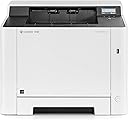
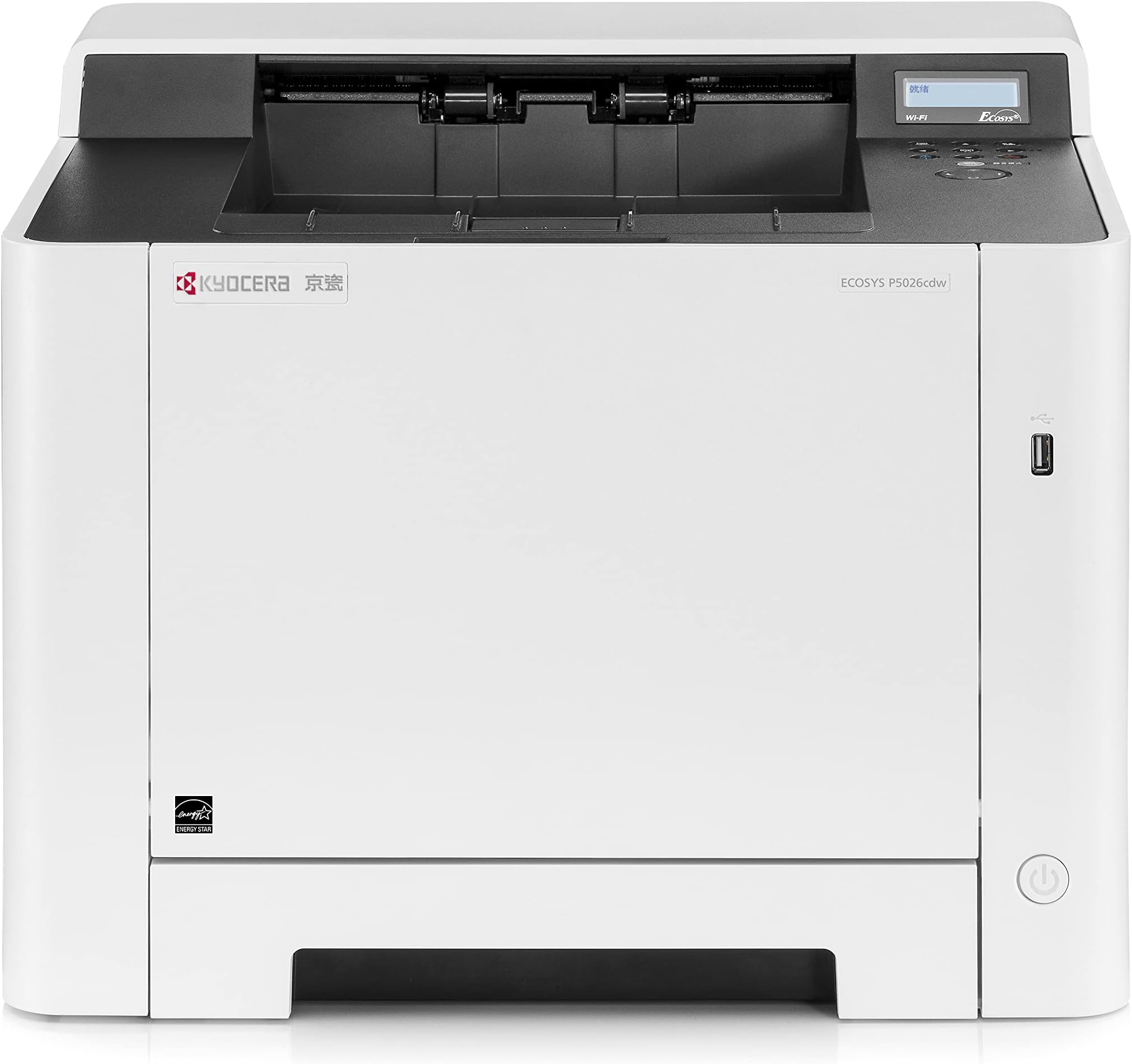
The Kyocera Ecosys P5026cdw is a high-speed, eco-friendly color laser printer featuring duplex printing, 1200 dpi resolution, and robust mobile connectivity. Designed for busy professionals, it combines sustainable technology with quiet, efficient performance and versatile paper handling to keep your office productive and green.


| ASIN | B01M35FV54 |
| Additional Printer Functions | Scan |
| B&W Pages per Minute | 26 ppm |
| Best Sellers Rank | 140,898 in Computers & Accessories ( See Top 100 in Computers & Accessories ) 183 in Laser Printers |
| Box Contents | Printer, power cable, toner, DVD (software and manual), Quick Installation Guide |
| Brand Name | KYOCERA |
| Color Depth | 24 bpp |
| Color Pages per Minute | 26 ppm |
| Colour | Black |
| Compatible Cartridge | TK-5240K, TK-5240C, TK-5240M, TK-5240Y |
| Compatible Devices | Smartphones |
| Control Method | App |
| Controller Type | Android, iOS |
| Customer Reviews | 4.0 4.0 out of 5 stars (189) |
| Display Type | LCD |
| Dual-sided printing | Yes |
| Duplex | Automatic |
| Global Trade Identification Number | 00632983036631 |
| Hardware Interface | Ethernet |
| Initial Page Print Time | 58.5 seconds or less (black), 59.5 seconds or less (color) |
| Ink Colour | color |
| Item Dimensions D x W x H | 41.1D x 41.1W x 32.8H centimetres |
| Item Type Name | Color A4 Printer |
| Item Weight | 21 Kilograms |
| Manufacturer | KYOCERA |
| Maximum Copies Per Run | 10000 |
| Maximum Copy Resolution Black and White | 600 dpi |
| Maximum Copy Resolution Color | 1200x1200 dpi |
| Maximum Copy Speed Black and White | 27 ppm |
| Maximum Print Resolution Black and White | 1200 dpi |
| Maximum Sheet Capacity | 550 |
| Maximum Supported Paper Size | 8.5 inch x 14 inches |
| Maximum print Resolution Color | 1200 x 1200 dpi |
| Model Name | P5026cdw |
| Model Number | 4105804 |
| Model Series | ECOSYS |
| Network Connectivity Technology | Network |
| Number of Drivers | 1 |
| Number of Ethernet Ports | 1 |
| Number of Licenses | 1 |
| Number of Trays | 1 |
| Other Special Features of the Product | Compact |
| Output sheet capacity | 150 |
| Paper Size | A4 |
| Power Consumption Size | 375 Watts |
| Print media | Paper (plain) |
| Printer Output Type | Colour |
| Printer Resolution Vertical Max in Color | 46 Centimeters |
| Printer Resolution Vertical in Black and White | 472 Centimeters |
| Printer Type | Laser |
| Processor Count | 1 |
| Product Warranty | Kyocera provides a 2-year warranty for printers*. This manufacturer’s warranty that is given to end-users generally operates on a Return to Base (RTB) policy for desktop and workgroup printers. On a fault diagnosis, the printer will be repaired quickly and reliably by an authorised Kyocera service partner or at a Kyocera Repair Center. *Check with your supplier at point of purchase for exact lengt… |
| Resolution | 1200 x 1200 |
| Scanner Type | Automatic Document Feeder (ADF) |
| Series Number | 4105804 |
| Specific Uses For Product | small business |
| Total USB 2.0 Ports | 1 |
| Total USB Ports | 1 |
| UPC | 632983036631 |
| Unit Count | 1.0 count |
| Warranty Type | Limited Warranty |
| Wattage | 375 watts |
T**R
kyocera cera whatever will be will be
I was in the market for a decent laser printer and stumbled across this as they're a common sight in schools. Practicality: It's quite big compared to the average printer and has some meaty weight to it, so find it somewhere nice to live. The P5026cdw has a smidge faster printing rate over the other models offered here, and wireless (2.4GHz only sadly). But what I love most about it is you can plug your FAT32 formatted USB in, the 'USB memory' tag pops up on the screen and you can OK it and cycle through. (Note: I've so far only seen it do pictures and pdfs, it wasn't able to detect .doc or .docx or .odt etc). This is barely a problem as I prefer working with pdfs anyway, and libreoffice (and presumably word etc) have a button on the 'ribbon' in the program to 'export as pdf' easily. Key though is that this setup means you can forget all about wifi/setting up anything and just stick your pdf on a usb pen, wander over to the printer, find your document and hint OK. Price: I've seen the price for the P5026cdw waver around the £260 mark, but I was very lucky to snatch a bargain on cyber monday for £180 - which is an excellent price for it. The printers are segmented on the market in that buying the more expensive model here means your refill ink cartridges are the ones that go further (I think it was '4000 vs 2500 or 1500' sheets), which is amazing coming from a deskjet (which typically nets you a few 100s for the ink's lifespan and may be prone to drying out. Inkjet ink is a powder). I look forward to seeing how long the cartridges last - was only looking for a monocolour one to test out, but this printer does it all and very neatly. Settings: I haven't tested the wifi yet, but there are a couple of options to fiddle with. By default, it was set to print each page separately, but TIP: you can select print options to do duplex > on long side (or 'short side' but 'long side' is what you want if you want them back to back). A duplex printer is great for timesaving and you don't have to manually feed anything, you can leave 100s of sheets in the casette when you buy the paper and be done with it! One of the best selling points is how efficient it is. I've not seen many get the eco stamp of approval and leafing through dozens of printer manuals when deciding on a model to buy hints that this model is indeed well made in that department. It does have to 'warm up' to do its thing for a minute (lovely toasty paper!) but it has a 'quiet mode' button and is extremely quiet anyway. Long gone are the 90s with their EEUUGHGH URGHGHGHG EEEEEUUHG URGGHHH lol So far so good :)
M**L
Only down one star because....
It was horrible to connect to the wireless system. I use wired - so not a problem. My wife uses wireless and it was not easy to get it to talk to her laptop. I should point out that she is IT lead for her charity. The print quality is excellent and the print speed far more than I will ever need. Overall an excellent machine, only slightly marred by connectivity. UPDATE. I had the mother of all paper jams and I was unable to clear it. In all honesty, I should have called the engineer, but I didn't! I resorted to a flat blade and some [old 6th form dissection] forceps and I damaged the roller. It was absolutely the wrong thing to do, and I take full responsibility. The moral is quite simple - DO NOT ALLOW THE PAPER TO GET DAMP! Will I buy another? No. Not because it isn't a very good printer - it is, but simply because of my previous Kyocera experience, I shall be buying a better Kyocera printer.
C**W
Very good and reliable printer
Very good laser printer I own so far. It prints up to 26 pages per minute , prints double side automatically, good quality printing. It is very heavy and I found very hard to connect it to your home/work WiFi. But once connected it stays connected. There is a guide on the internet how to set up WiFi network ( you need a Pc and the dvd provided ) . It support printing from your Apple devices , mobile devices and many more. It has a dedicated direct WiFi network, which is good for guests who wants to print.
A**R
NOT SUSTAINABLE,VERY EXPENSIVE CARTRIDGES, COMPLICATED MENUES AND MISLEADING FEATURES
BEWARE:NOT SUSTAINABLE,VERY EXPENSIVE CARTRIDGES, COMPLICATED MENUES AND MISLEADING FEATURES Expensive 1.buying the toners has become prohibitive, 3 months ago it would cost £45 each toner which is quite pricey. Today as I checked the price has risen to £100, is there any price control/cap from Amazon from profiteers? Misleading 3. in the documentation it says you can continue to print even when you run out of one of the colours. this is NOT TRUE. As soon as you run out of 1 the printer becomes useless until you replace the cartridge. I contacted the manufacturers about this, they called me, i followed their instructions whilst they were on the phone and it still did not work. The engineer conceded that it is really not possible to print without all the colours. 4.the toners don't last quite as long as advertised The menues are impossible to navigate. A waste of money, as with the price of cartridges it will be going straight in the bin, I guess that really makes it very sustainable
J**.
Absolutely brilliant printer!
After years struggling with an inkjet I bought this. Fantastic, it just works and produces great print. Probably not good for photos, but as a standard home office printer it is perfect. Fast printing, can connect to my router, I can print to it directly from android phone, iPad, Windows PCs and laptops. I'm in love! It is pretty big though.
T**M
Great budget priced laser printer
i was looking for a budget easy to use laser printer to produce mainly b&w documents with the occasional colour image. this does the job perfectly and also meets the duplex requirement I had i would not recommend it for high quality colour photo printing but for pretty much everything else its a great buy.
し**ん
京セラレイザープリンター良いね、私が思っていたより遥かに優れています、こんなに使いやすいなんて思いませんでした。
M**M
Bij > 100p. waren sommige regels op een paar bladzijden in zwartwit sommige niet helemaal strak, maar verder keurig. Had letters van meer dan 90 punten en die waren mooi strak zwart. Een aantal pagina's met ook kleur zien er 'helemaal echt' uit. Voordeel: geen verstopte printer inkt meer - eindelijk doet ie 't gewoon.
P**I
Wir mussten einen Canon-Tintenstrahldrucker ersetzen, der nur vier Jahre gehalten hat und schon in dieser Zeit dauernd Mucken machte. Dagegen ist der Kyocera Ecosys P5026cdw ein echte Bereicherung für unser Büro. Die Lieferung war blitzschnell und die Installation verlief in unserem Win10-Netz ohne Probleme. Der Drucker arbeitet leise, schnell und zuverlässig und macht einen halbwegs soliden Eindruck. Für einen Preis um 260€ erscheint der Drucker als ziemlich gutes Geschäft. Nicht ganz überzeugt hat uns bis jetzt der Tonerverbrauch. Der liegt auch bei reinem SW-Druck deutlich höher als bei unserem alten Kyocera-SW-Drucker FS-3920DN. Aber da es unser erster Farblaser ist, haben wir keine Vergleichsmöglichkeit. Auf jeden Fall hat jetzt der Nerv mit den verstopften Düsen und den ewigen Selbstreinigungsvorgängen des Tintenstrahlers ein Ende.
A**S
J'ai reçu très rapidement mon produit, un jour avant la date indiquée. Le livreur très aimable m'a porté mon colis jusqu'au premier étage. L'emballage est parfait, carton très résistant pas abimé, à l'intérieur le produit est très bien conditionné et protégé jusqu'au petit sachet contre l'humidité. Une fois sortie de son carton et mise en place à l'endroit dédié, je l'ai branché à mon ordinateur Mac qui l'a trouvé tout de suite. Par acquis de conscience je l'ai installé par le biais de son programme : 3 minutes après elle fonctionnait. Je suis ravie de mon achat, imprimante très rapide, effectivement silencieuse et la qualité d'impression est remarquable aussi bien en noir et blanc qu'en couleur. Je recommande vivement !
A**Z
05-oct-2021 Kyocera Ecosys P5026cdw Imprime muy muy bien, es rápida y es silenciosa, y el tamaño no es demasiado grande para una laser color (yo la uso para casa). A 1200 ppp las fotos salen bastante decentes. Ojo! ten cuidado al sacarla de la caja: tiene dos agarraderas de cartón duro para las manos para poder levantarla, pero a mí se me rompió una de ellas por el peso y cayó. Es mejor levantarla desde abajo con los brazos aunque pesa mucho. En mi caso la he conectado así: WiFi desactivado; WiFi-direct activado (para el iphone y el ipad); cable USB no; cable Ethernet si (cat.7). El otro lado del cable Ethernet lo conectas a tu router o un switch. Con las teclas de la impresora imprimes la "página de estado", en la cual viene la dirección de IP que ha tomado en la red (en mi caso 192.168.1.244), y ya no tendrás que volver a usar las teclas y la pantallita. Abres un navegador (Chrome por ejemplo), tecleas la IP, y se abre la página de configuración de la impresora. Todo se configura desde aquí fácilmente. (Login: Admin - Password: Admin) Nota: si no tienes router o switch (porque no tienes internet en casa o por lo que sea), y la usas como impresora esclava de un solo PC conectándola con el cable USB, entonces si que será un tostón de configurar.
Trustpilot
1 month ago
1 month ago