


๐ฎ Elevate Your Game to Legendary Status!
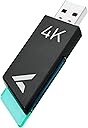
The Rapoo V2M 4K Receiver is designed for serious gamers, featuring a 4000Hz wireless polling rate and an ultra-low latency of 0.25ms. With RGB indicators for battery and pairing status, this receiver is compatible with various Rapoo gaming models and offers firmware upgrades for future enhancements.





| ASIN | B0CKPCTHJ5 |
| Additional Features | 4K Receiver |
| Antenna Location | Gaming |
| Are Batteries Included | No |
| Are Batteries Required | No |
| Brand | Rapoo |
| Color | black |
| Compatible Devices | Desktop, Laptop |
| Connectivity Technology | USB |
| Customer Reviews | 4.5 out of 5 stars 35 Reviews |
| Hand Orientation | Ambidextrous |
| Manufacturer | Shenzhen Rapoo Technology Co., Ltd. |
| Minimum Required Operating System Version | Windows 10 |
| Model Number | v2m |
| Movement Detection | Optical |
| Movement Detection Technology | Optical |
| Operating System | Windows |
| Power Source | Battery Powered |
| Range | 33 feet |
| Special Feature | 4K Receiver |
| Style Name | V2M Black |
| Warranty Description | 2 year |
M**.
Excelente complemento
Una maravilla
K**U
My mouse feels a bit more snapper now
Took a white to set up eventually found a site with detailed instructions after everything was set i didn't really notice any real difference from 1k to 4k so I'm just gonna use it at 2k since it's at 0 5ms and feels snapper then both 4k(0.25ms) and 1k(1ms) i also did some testing the highest my while was getting was 2.7k idk if that's just my system or something else overall not a crazy upgrade but a decent one I'm satisfied Instructions how to pair Make sure the og dongle is taken out the system first Don't forget to turn off the mouse power button (the switch under the mouse) Also make you sure have the mouse software installed and it's updated After you've done all that plug the mouse into the system with a USB C cable then plug the 4k dongle into the system it's self(it should be flashing green) next go on the mouse software go to support look for a glowing text saying "paring tool" after that follow the instructions they should be straight forward
C**L
Recomendado
Excelente producto
C**O
Cumple
Cumple con su funcion, muy facil de instalar y da la rapidez esperada
A**O
not bad
it does feel more smoother than the 1k hertz one that came with the mouse. but keep in mind when setting this up make sure the mouse is off before connecting then set it on because i had trouble setting it up before realizing i had to turn it on after the app tries to pair it
E**.
Excelente para darle a tope con los ajustes maximos
Es un buen complemento para el mouse ya que te permite maximizar el rendimiento
J**X
Got it with the mouse
Update: The company had reached out to me and helped me trouble shoot my issues. Ultimately they have sent replacements of both this receiver and the mouse. Their customer support is amazing and super understanding. Couldn't have asked for a better experience! Its alright but likes to start flashing then shuts off out of no where which makes the mouse useless. I would have to disconnect it completely and from everything including turning the mouse off and on just to get it back to its working state. Single wise it needs to be directly infront of your mouse otherwise the signal doesnt get picked up by the mouse well. Not sure if I noticed a difference between this and what the mouse comes with just on its own though but havent really tested that out fully. The mouse itself has some issues but already eft a review for that.
E**D
Portable Dongle
Bought this for my laptop so I can connect my rapoo mouse to the dongle. Iโm not a wiz on speed but it works a bit big for its size for a dongle
K**N
Sons approval
Less lag , great connection battery life is great , value is there
V**S
made my mouse stutter
it was ok for a week than it made my mouse stutter in games driving me crazy, took me few days of testing to figure it out. threw it in garbage
A**D
Worked great for 2 weeks then it didn't
Edit: Support reached out very quickly to send a new one out. Worked perfectly for about 2 weeks, now it disconnects every 20 seconds and if you move the mouse fast the curser lags and moves very slowly. I probably got a faulty unit
Trustpilot
1 month ago
3 weeks ago