🚀 Upgrade your workflow with speed and space that keeps you ahead of the curve!
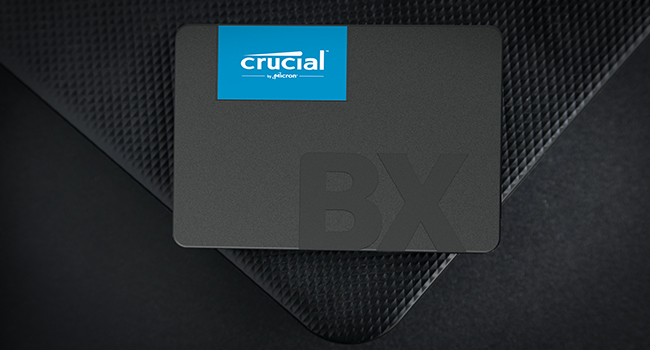
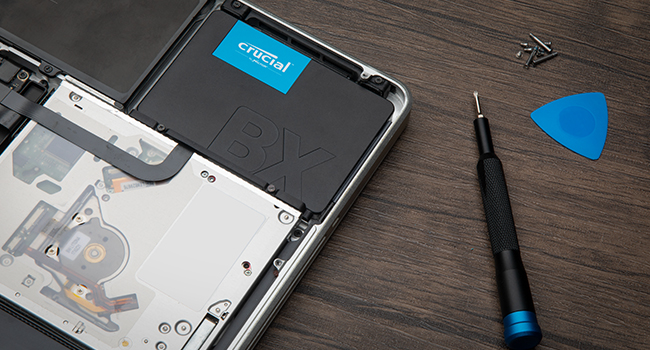
The Crucial BX500 2TB SATA SSD delivers up to 540MB/s read speeds powered by 3D NAND and dynamic write acceleration, ensuring lightning-fast boot times and application launches. Its massive 2TB capacity offers ample room for professional and creative workloads, while hardware-based 256-bit AES encryption safeguards your data. Designed for easy installation, it includes free cloning software and is backed by a 3-year warranty, making it the reliable, high-performance storage upgrade every millennial manager needs.


| ASIN | B0CCN9QWKT |
| Are Batteries Included | No |
| Best Sellers Rank | 396 in Computers & Accessories ( See Top 100 in Computers & Accessories ) 2 in Internal Solid State Drives |
| Brand | Crucial |
| Colour | 480GB |
| Customer Reviews | 4.7 4.7 out of 5 stars (153,228) |
| Date First Available | 13 May 2024 |
| Form Factor | 2.5-inch |
| Guaranteed software updates until | unknown |
| Hard Disk Description | Solid State Drive |
| Hard Drive Interface | SATA 6 GB/s |
| Hard Drive Size | 2 TB |
| Item Weight | 35.1 g |
| Item model number | CT2000BX500SSD101 |
| Manufacturer | Crucial |
| Product Dimensions | 10.03 x 0.7 x 6.99 cm; 35.1 g |
| Series | BX500 |
T**A
Plenty of Fast Storage- Perfect for Gaming and Uni Work
As an avid gamer and uni student, this SSD has been a lifesaver. Since installing the Crucial BX500 1TB, I genuinely haven’t had to think about storage at all- everything loads quickly, there’s plenty of space, and my laptop feels noticeably faster overall. Games boot up in seconds, everyday tasks feel smoother, and the upgrade was straightforward. For the price, performance, and reliability, it’s a brilliant choice if you want a simple, effective storage boost without any hassle.
C**N
Bye bye old school hard drive and hello to the solid state
I have owned various PCs in the last 20 years or so and they all had old school mechanical HDDs, and to be honest I never really had many issues with them. All my PCs were either from before SSDs existed or were from when they were still quite expensive and generally came in smaller capacities (my current rig is around 6 or so years old). As I cannot afford to upgrade right now or ideally build my own, I decided to make some tweaks to my existing rig as it is still fairly decent for its age. I upgraded ram a couple of years ago (2x16gb sticks) and last week upgraded from the stock cooler to a much beefier Be Quiet cooler as the CPU was really getting hot under heavy load. While I was at it I thought it was time to finally go over to an SSD seeing as they now have much better capacity for not a lot of money. I decided to go for Crucial as I have always had good experience with them. My PC ram is Crucial and so is the M.2 SSD in my PS5. I felt this had the specs that suited me and as I say, price wise, it was pretty damn cheap. Sadly due to my board being slightly older and being a micro ATX I don't have an M.2 slot, so SATA was the only way to go. I did make one error though as I assumed it would come with a SATA cable, but of course we know what you do if you "assume" anything. It was a simple enough solution, order a cable from Amazon and just fit the drive a day later than planned (I only mention this as I am sure there are others as naive as me who will get caught out too). It was very simple to fit as well. Plugged the SATA cable into the drive and the motherboard and found a spare power plug coming from the power supply that fitted as well and then it was time to test things out. Booted the PC up and while it did take a while to boot (remember this is still booting to my old drive) which is quite normal when installing new parts, but booted as normal. I then opened Acronis True Image (go to the website on the SSD instructions and download the file) and followed the onscreen prompts to clone my old HDD to my new SSD. I had deleted all my music from the HDD before starting this as it took up over 400gb and I felt that would just slow the cloning process down. Even with another 400+ storage still on the drive, it only took about 2 hours to do a full copy. After it was finished I rebooted the PC, went into bios and assigned the SSD as my new boot drive. The PC then booted to Windows so much faster than it normally does and programs loads almost instantly rather than the delayed response of yore. Even web browsers and internet tabs load faster. I also noticed that after the PC logs into Windows I can access programs straight away rather than waiting for Windows to do all its stuff before being allowed to access anything. Seriously loving this piece of kit. The way it works is perfect for me, and is going to make using my PC so much of a better experience than it has been. Factor in the easy installation and the free no issues cloning software, and I think I got an absolute bargain at less than £40. Oh, and I kept the old HDD in the rig but formatted it to use just as storage for my music which I have already reinstalled. Only one program had an issue, with my copy of Photoshop saying the licence was not on it, but that was easily rectifiable, and every other program seems to have carried the licences over.
C**N
Fast SSD drive excellent value
In my older PC this gave a great boost with its high capacity ease of installation and supurb performance excellent value highly recommended
A**N
Brilliant Value SSD
Recently, I upgraded my existing laptop with the Crucial BX500 1TB SSD and noticed a whole new world of difference as boot times are dramatically faster, applications open immediately, and overall performance is much more fluid. Installation was straightforward, and the included cloning software made transferring data a walk in the park. It is silent, stays cool, and offers more than sufficient space for my OS, software, and data. For the price, it's excellent value and a good choice if you want to breathe new life into an older device without spending an arm and a leg. Highly recommended for casual use on a no-hassle upgrade
R**N
Perfect.
Perfect for typical office work and light data storage, has been working flawlessly and for a reasonable price.
S**S
Faster ... and Slower
Crucial have a prominent name in SSD's, offering multiple ranges in both SATA and NVME flavours. For me, Crucial has been my first choice for some time, given it's highly competitive pricing over rival brands. Having previously purchased a couple of 1Tb MX500's from Crucial, I was in the market for a more budget friendly drive for a low activity system. Once more, Crucial had the answer, their BX range of SSD's that are the lesser brother of the full fat MX500 version. Quite what the difference between the MX and BX models were, however, was unclear. Both touted a max transfer speed within spitting distance of one another. Opting for the BX model over the MX would save me a significant sum, and besides, it was, as stated, for a low activity system. So, why the odd title to this review? Well, budget SSD's like the BX500 cut costs somewhere and that somewhere tends to be with not having a DRAM buffer, or a much reduced capacity one, along with the absence of any mounting accessories. For those not in the know, DRAM buffers permit the SSD to maintain peak transfer rates while the data is organized onto the NAND flash array. This became painfully evident when transferring large files onto the BX500. Transfer began well enough, seeing transfer rates well in excess of that capable of by hard drives. However, as the transfer continued, speeds began to fall. Eventually the sustained transfer rate dropped to below that of my current hard drive. Now, unless you're doing lots of large file transfers, you will never likely notice any performance drop off on the BX500. As a daily use SSD, it feels as quick as the MX500. I've not tested it scientifically, but I don't really feel there is any difference. Only sustained writes of large files, or quantities of files, will see performance drop off a cliff after a certain point. The Samsung QVO drives operate in much the same way. Once their buffer is full, transfer rates decline rapidly over large file copy operations. Samsung probably handles this better then Crucial, but you pay for it with a Samsung drive anyway. Purchasing the BX version was a bit of a false economy for me as I needed to transfer almost 2Tb of data and seeing the drive crawl along at less than 50 Mb/sec at times (less than half the sustained transfer rate of my hard drive) , just became too much to bear and so I moved the BX into a budget desktop and purchased an MX model to replace it. Doing that saw higher, and more consistent, transfer rates on large copy operations. The BX range is perfect for home/office PC's that don't do anything too I/O intensive and are worth the savings, especially if fitting out a load of PC's in an office. The BX500 is a solid budget SSD option that will more than suffice for most users needs, but it has its drawbacks for more intensive I/O operations.
A**.
Ya tengo dos SSDs como esta en mis dos portátiles y funcionan de maravilla. Ahora mismo es probablemente la mejor SSD que se puede comprar en este rango de precio y el almacenaje disponible es suficiente para un uso normal. Llevo usando una diariamente durante los últimos cuatro meses y aún no he tenido problemas. No espero que dure muchos años (aunque habrá que verlo), pero esta memoria es perfecta para revitalizar ordenadores antiguos a un precio bajo.
A**O
Ho avuto modo di testare l'SSD Crucial BX500 480 GB per diverse settimane e devo dire che sono rimasta molto soddisfatta delle sue prestazioni. Innanzitutto, l'installazione è stata molto semplice e veloce. Bastava inserire l'SSD nel case del PC e seguire le istruzioni a schermo per configurarlo. Una volta installato, ho notato subito una differenza sostanziale nella velocità del mio PC. L'SSD ha una velocità di lettura sequenziale fino a 540 MB/s, il che si traduce in un avvio del sistema operativo e delle app molto più veloce rispetto a un disco rigido meccanico. Inoltre, l'SSD è molto più silenzioso e consuma meno energia rispetto a un disco rigido meccanico, il che è un vantaggio sia dal punto di vista del rumore che dal punto di vista dei consumi. Un altro aspetto positivo è la durata dell'SSD. Non ho mai riscontrato problemi di usura o di altro tipo durante l'utilizzo, il che dimostra che si tratta di un prodotto affidabile e di alta qualità. Inoltre, devo dire che l'SSD è stato molto facile da usare. Non ho dovuto fare alcuna configurazione complessa o installare software aggiuntivi, bastava inserirlo nel PC e il sistema operativo lo riconosceva subito. In sintesi, posso affermare con sicurezza che l'SSD Crucial BX500 480 GB è un'ottima scelta per chi cerca velocità e affidabilità a un prezzo ragionevole. Lo consiglio vivamente a chiunque stia cercando un'opzione di archiviazione rapida e affidabile per il proprio PC
D**L
As described
P**Y
pas de soucis, tourne bien
L**.
Replaced disk drive in my laptop. Works very well, good speed improvement overall.
Trustpilot
1 week ago
1 month ago