Desertcart purchases this item on your behalf and handles shipping, customs, and support to USA.
🖨️ Elevate your home office game with smart, speedy, and stylish printing.
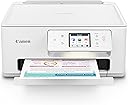
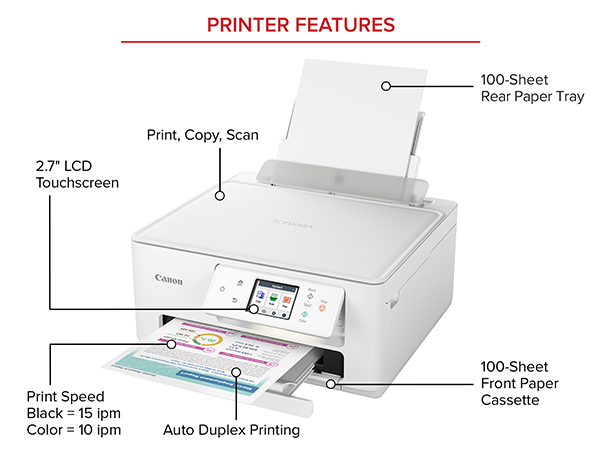
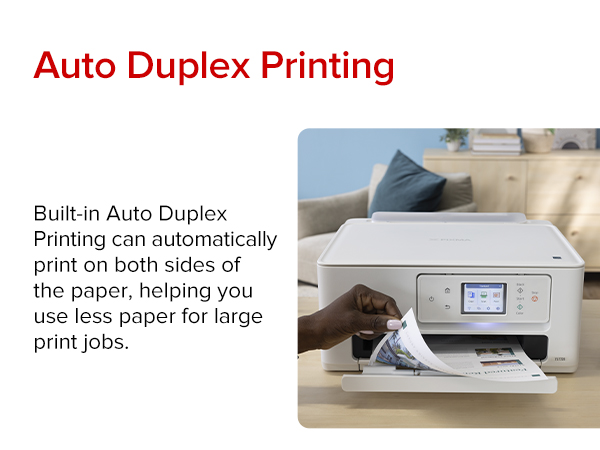
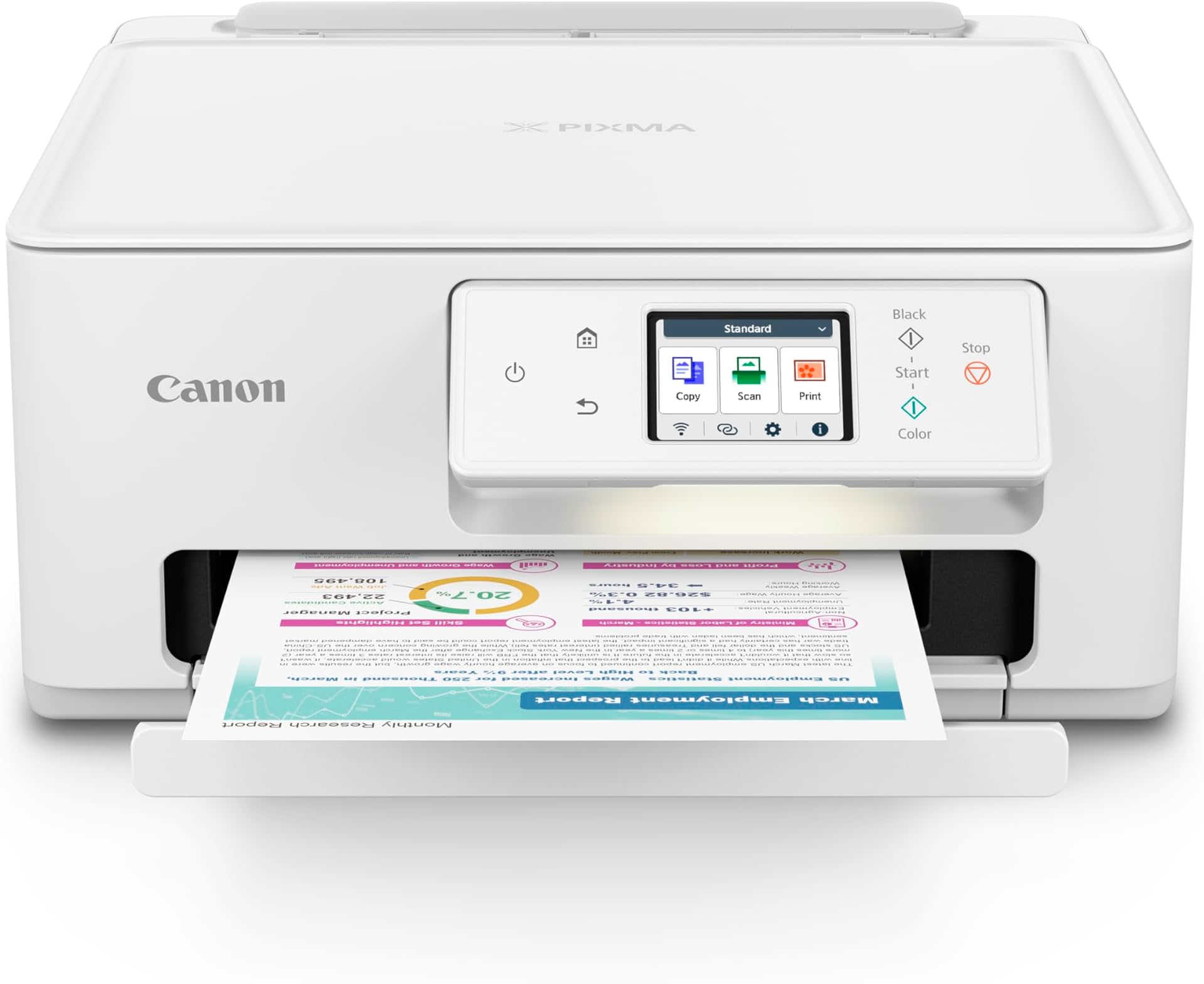
The Canon PIXMA TS7720 is a compact all-in-one inkjet printer designed for home and small office use, delivering fast print speeds of up to 15 black-and-white and 10 color pages per minute. Featuring wireless and USB connectivity, a user-friendly 2.7” touchscreen, and automatic duplex printing, it supports versatile media types including borderless photos and envelopes. Its hybrid ink system ensures crisp text and vibrant photos, while dual paper trays hold up to 200 sheets combined. Backed by Canon’s 1-year limited warranty, it’s a reliable, stylish solution for everyday printing, scanning, and copying needs.


| ASIN | B0CHL9W21G |
| Additional Printer Functions | Copy, Scan |
| B&W Pages per Minute | 15 |
| Best Sellers Rank | #5,387 in Office Products ( See Top 100 in Office Products ) #31 in Inkjet Computer Printers |
| Brand | Canon |
| Built-In Media | Documentation, Ink: 1 PG-285 Black and 1 CL-286 Color Cartridges, PIXMA TS7720, Power Cord |
| Color | White |
| Color Pages per Minute | 10 |
| Compatible Cartridge | PG-285 Pigment Black Ink CL-286 Color Ink |
| Compatible Devices | Smartphones |
| Connectivity Technology | USB, Wi-Fi |
| Control Method | Touch |
| Controller Type | iOS |
| Customer Reviews | 4.1 out of 5 stars 1,066 Reviews |
| Display Type | LCD |
| Duplex | Automatic |
| Hardware Interface | USB |
| Ink Color | White |
| Item Dimensions D x W x H | 13.8"D x 14.8"W x 6.7"H |
| Item Type Name | Inkjet Printer |
| Item Weight | 13.8 pounds |
| Manufacturer | Canon |
| Maximum Copy Resolution Black and White | Up to 1200 x 1200 dpi |
| Maximum Copy Resolution Color | Up to 1200 x 1200 dpi |
| Maximum Copy Speed Black and White | 15 pages_per_minute |
| Maximum Media Size | 8.5 x 11 inch |
| Maximum Print Resolution Black and White | Up to 1200 x 1200 dpi |
| Maximum Sheet Capacity | 100 |
| Maximum print Resolution Color | Up to 1200 x 1200 dpi |
| Model Name | PIXMA TS7720 |
| Model Number | 6256C002 |
| Model Series | PIXMA |
| Number of Trays | 2 |
| Other Special Features of the Product | Auto-Duplex, Borderless Printing, Energy Star, Touch Screen |
| Output sheet capacity | 200 |
| Paper Size | Rear Tray: LTR, Legal, A4, A5, B5, 4” x 6”, 5” x 7”, 7” x 10”, 8” x 10”, Square 3.5” x 3.5”, 5” x 5” Custom Size: 2.2” - 8.5” / Length: 5” - 14” Cassette: LTR, A4, A5, B5 |
| Power Consumption | 22 watts |
| Print media | Envelopes, Glossy photo paper, High-resolution paper, Paper (plain) |
| Printer Connectivity Type | USB, Wi-Fi |
| Printer Output Type | Color |
| Printer Type | Inkjet |
| Printing Technology | Inkjet |
| Processor Count | 1 |
| Resolution | 1200 x 1200 |
| Scanner Type | Flatbed |
| Special Feature | Auto-Duplex , Borderless Printing , Energy Star, Touch Screen |
| Specific Uses For Product | Multi-Purpose |
| Total Usb Ports | 1 |
| UPC | 013803359978 |
| Unit Count | 1 Count |
| Warranty Description | 1 year |
| Warranty Type | Limited |
| Wattage | 22 watts |
C**O
TS7720 Great Home Wireless All-In-One Printer
This TS7720 is a great choice for home printing or home office use. Versatile in it's choices for printed media allowed by its front and rear input sources. Seems a little slow on the startup while it's 'getting ready' to print the first page, but once it's printing it seems to move along at a good pace. The printer is fair to good at printing smaller photos, and is just 'OK' with larger 8X10 size prints. The flat bed scanner has no auto-feed input tray so is typical for a 'single-page-at-a-time' scanner. Scan quality is good enough to scan-in Black and white or color documents and photos. The included software is adequate for home use for both printing and scanning. Just be aware this is not a professional quality photo printer/scanner/copier but is adequate for home use. Can't comment yet on the ink usage as I haven't had it long enough to observe its usage over time. Installation is not as simple as the Canon marketing hype would have you believe. It was not just plug-and-play, at least for my setup and installation, which is wireless with Windows 8.1 and Xfinity router. Unpacking is fairly straightforward, just remove it from the box and take off a couple pieces of orange shipping tape. Then the single page instruction sheet gets you started with setup, loading paper and print cartridges, and a link for downloading the setup software and drivers. I'd recommend downloading the TS7720 user manual first - in my case I needed it. I tried using the 'fully automated' Canon installation/setup but it couldn't find the TS7720. After reading the user manual, and learning how to use the TS7720s touch-screen control panel, I first followed the steps to connect the TS7720 to the router. Selecting my router out of the list of all my neighbors’ routers was easy but keying in my router's password was no easy task on the miniature touch screen control panel. Once I got the TS7720 connected to the router, I restarted the Canon setup software and it found the TS7720. After that, the installation went fairly easy - just follow the steps displayed on your computer screen. I also downloaded and did the setup on my wife’s computer so she has full printer/scanner functionality. The Canon installation/setup software easily ‘found’ the TS7720 since I had already connected the TS7720 to my router. One last observation... The TS7720 default setting is to timeout and shut down (power off) after 240 minutes (4 hours). With that configuration, it shuts down every time it has 4 hours of non-use and you have to manually turn it back on each time before you use it. Very aggravating, especially if the TS7720 is in a different room or different floor of the house. After reading the manual I found the solution. If you open the Printers page on your computer, right click on the TS7720 and chose Preferences. Then click on the Maintenance Tab. Then click on the Maintenances and Preferences button. Then click on the Auto Power button. This brings up the Auto Power Settings. 'Enable' Auto Power On. You can also change the Auto Power Off setting here too, if you want it to time out sooner that the default 4 hours, or not time out at all. Now, any time a computer tries to send something, the TS7720 will turn itself on. Once you make this choice it makes the changes in the TS7720 so from now on, it works for any computer that might be using the TS7720.
B**7
Easy Set up
Just received the printer and got it set up with ease. For someone that is older & not all that tech savvy, this was a breeze. Easy to use, like the screen and print quality. Plug in and follow screen directions. Desk top printer is a good size. This replaces a Canon TS5320. I do not print photo so can't comment on that or ink usage. Connected to cell easily. Recommend for home use. Almost half off in cost so that was a plus also.
A**R
I give up
I bought this mainly because I print out garden images (plain paper) for inspiration and (so I've read) Canon is best for pics by far. My old hp printer no longer provided correct colors/crisp images. I need to see the tones of color, crisp images to study why that design works so well and try to ID specific plants and I wanted to upgrade to the best I could afford (no $600 printers for me!) Easy setup they said. Auto reconnect if WIFI is interrupted they said. Still fiddling with this printer. Confused on setting it up. JUST TELL ME WHAT TO DO, STEP BY STEP. I don't want a dozen options to download! Do I need that, whatever it is? Hell, I don't know - they aren't explained. Apparently you're just supposed to know. 3/4 of the time, it indicates printer not available at all (muted out of the printer option screen on my phone). Then it may work (takes a couple of minutes to wake up, clatter around, before printing). How to set up your default printing? Good luck figuring that out. Mine still switches automatically to special glossy photo paper, 4x6, despite my changing it each and every time. Nothing in manual on how to change/save defaults. All pics so far are muted in color, hazy. A LOT worse than my old printer! Opted for the Canon Ink program. I got an email I'm enrolled. Am I, really? Not sure because within 3 days of setup, I'm out of ink (the regular cartridges that came with the printer), and no indication I'm being mailed new ink. Yes, this is an ink hog. Or else the over the counter ink cartridges hold very little ink. Normally I'd use a color cartridge every 4 months or so. The good news: prints out black and white text beautifully - crisp. Wish that's what I needed. A waste of my money. Unhappy camper. Update 3 months later: won't connect or print anything. Funny that it stopped working on page 4 of a 5 page job (they printed great, it just stopped). Previously the problems were hit or miss -- different versions of the printer would appear, then disappear. I'm buying another brand, can't handle this aggravation.
J**R
Not the best, but OK for the price
This has been a pretty good printer, but not perfect. For the price, it's worth considering. Upside: easy setup, as a network printer or attached by a USB cable. Reasonable print speed, decent quality output. Ink cartridges last a long time. Downside: The first one I had, jammed while printing duplex, and it could not be recovered, even after cleaning the jam and recycling the printer multiple times. As there is no Canon servicer nearby, it wasn't worth the expense to ship it off for repair. Also, as I use it infrequently, about once a week, I have to clean the print heads before trying to print, and, even then, I may have some print defects. I have not used the duplex option on my replacement printer. It's a convenience, but I can live without it.
C**H
So far, so good.
Short review, but will update when/if issues arise: Printer delivered less than 12 hours from ordering. Setup for phone and computer with usb connector took less than 25 minutes. Usb not provided, I had my own. I visited a Canon website for driver download and other stuff. I had to agree to everything Canon demanded in order for software to work though I hope to mitigate some or all of it later in settings. I printed an email from my phone and print was sharp, fast and aligned well but color highlighted text was over saturated to the point that the text was difficult to read. So great color output, just not for highlighted text. Over all, I think I made a solid choice with this printer. It replaced a crappy HP that pooped out several years ago after working for 3 years as I really don't print often. This time around I'm going to make an effort to print a couple times a week to keep the print heads from drying out.
K**G
Great First Impressions So Far!
I bought this printer a week ago and so far I’m really happy with it. Setup was a lot easier than I expected, it connected to my Wi-Fi without giving me a headache, and the print quality has looked great on everything I’ve tried. It runs pretty quietly, the touchscreen is easy to figure out, and it just feels like a nice upgrade from my old printer. Hopefully it keeps performing this well because my first impression has been a really good one!
K**N
Purchased at an amazing price
No fax. No auto feed. No ink tank. One color cartridge. One black and white cartilage. Not a business printer. Great personal printer. Blooth feature and the display on the printer make it easy to setup and use.. Retails for $175.00 to 189.00 purchased for $86.00. So I feel it was worth it.
P**N
Beware of ARM64
Overall, I like this printer, scanner except for the fact that I cannot scan with it!! After several hours conversing with an AI app, I learned that Microsoft has implemented layers of "protection" for the purpose, I suppose, of not infecting the computer. I have a new MS Surface Pro with Windows 11, supposedly. Part of that protection is something called ARM64. ARM64 is some variant of the Windows 11 OS that I cannot begin to explain. Well, it turns out that this printer is NOT completely COMPATIBLE with any ARM64 computer. It has caused me to lose the connection between my Surface Pro and my TS7720 printer several times. I was not able to crack the code so I got assistance from Copilot (AI app on Surface Pro) to reconnect them. That connection lasted until the next Windows update. Then I had to repeat the lengthy, intricate process of reconnecting the printer and the computer. I don't see any mention of this issue in the product description of this printer. I think that's a fairly critical weakness that needs to be disclosed.
S**A
Mala calidad
No vale la pena, la tinta que trae se acaba en un abrir y cerrar de ojos. Y el costo de la tinta es de 94 dólares, más costoso que la propia impresora, si por mi fuera tirara la impresora
Trustpilot
1 month ago
1 week ago