🚀 Elevate your gaming and creative edge with the XFX Speedster QICK 319!
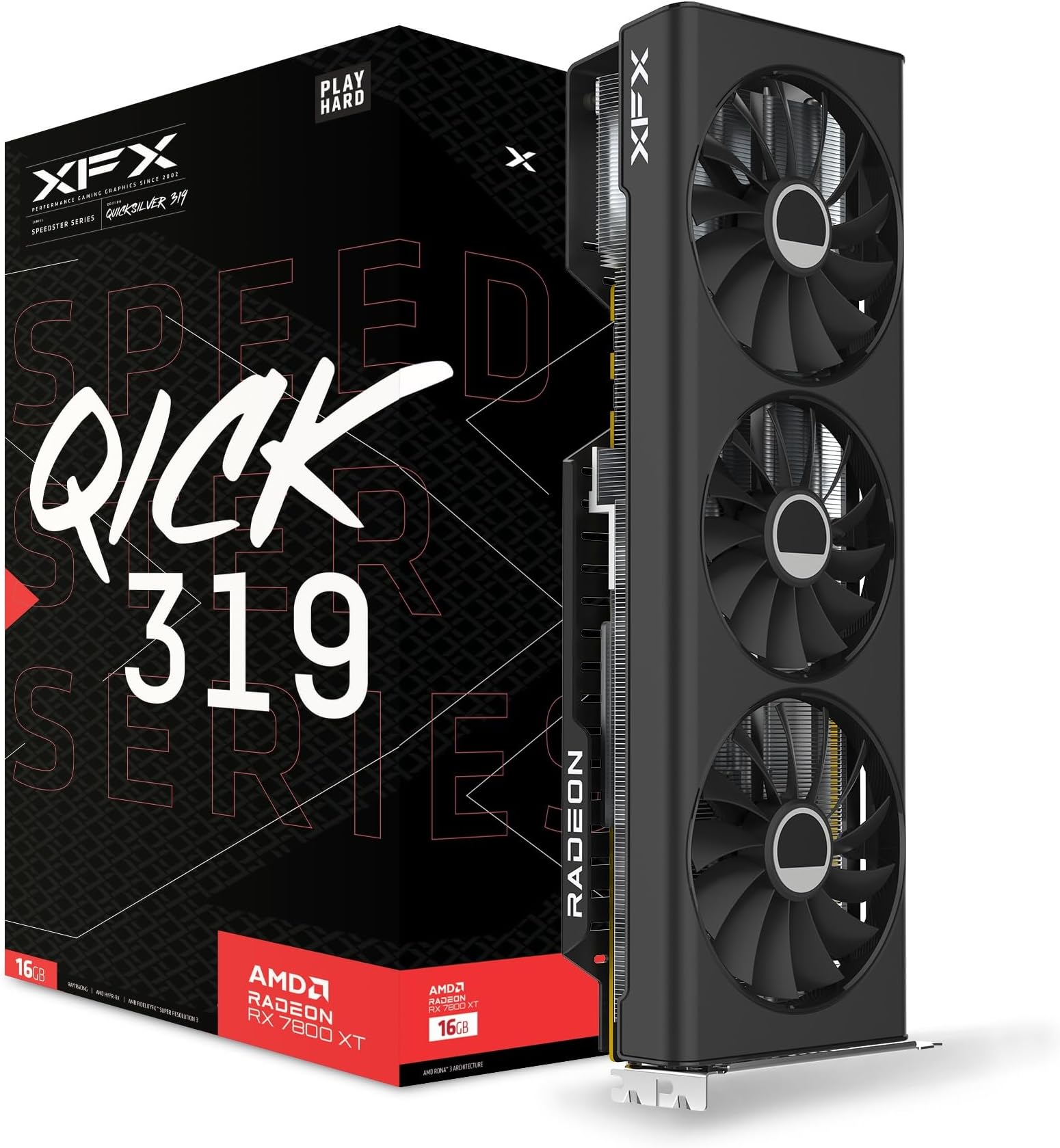
The XFX Speedster QICK 319 Core Edition AMD Radeon RX 7800 XT features a powerful 2430 MHz boost clock, 16 GB of cutting-edge GDDR6 memory, and a PCIe 4.0 interface, delivering exceptional 4K gaming and professional graphics performance in a sleek, durable design.


| ASIN | B0CGM92TW8 |
| Antenna Location | Gaming |
| Best Sellers Rank | 47,281 in Computers & Accessories ( See Top 100 in Computers & Accessories ) 233 in Graphics Cards |
| Box Contents | Keyboard |
| Brand | XFX |
| Brand Name | XFX |
| Compatible Devices | Desktop |
| Customer Reviews | 4.6 out of 5 stars 637 Reviews |
| Display Maximum Resolution | 3840 x 2160 @ 144Hz |
| GPU Series | AMD Radeon RX 7000 Series |
| Global Trade Identification Number | 00840191502477 |
| Graphics Card Interface | PCI-Express x16 |
| Graphics Card Ram | 8 |
| Graphics Coprocessor | 7800 |
| Graphics Description | AMD Radeon RX 7800 XT with 16 GB GDDR6 memory, boost clock up to 2430 MHz, and PCI-E 4.0 interface |
| Graphics RAM size | 8 |
| Graphics RAM type | 72-Pin EDO SIMM Memory |
| Graphics Ram Type | 72-Pin EDO SIMM Memory |
| Graphics co-processor | 7800 |
| Graphics processor manufacturer | AMD |
| Item Dimensions L x W | 33.5L x 13W centimetres |
| Item Weight | 1 Kilograms |
| Manufacturer | XFX |
| Manufacturer Part Number | RX-78TQICKF9 |
| Maximum Display Resolution | 3840 Pixels |
| Memory Clock Speed | 19.5 GHz |
| Model Name | XFX Speedster QICK 319 Core Edition |
| Model Number | RX-78TQICKF9 |
| Number of Fans | 3 |
| Product Warranty | 2 year manufacturer |
| UPC | 840191502477 |
| Unit Count | 1.0 count |
| Video Output Interface | DisplayPort, HDMI, VGA |
| Video Processor | AMD |
| Video output interface | DisplayPort, HDMI, VGA |
Z**A
gr8 card gr8 build quality
bought this for my wifes computer at chrismas and its still working gr8 and really is a good card
C**E
Banging init
Banging init!
J**S
Perfect for VR
Bought this card as part of a system refresh with a 5700X, and with an eye for PCVR. Lots of noise about AMD not being up to the job for VR, perhaps was the case with older drivers but not anymore - everything works fine, HL:Alyx is absolutely fantastic!
A**N
The RX 7800 XT
I loved this product, it is powerful, very good for the price and the main part I bought it for, 3 fan cooling, never gets above an average of 65C, the hotspot is about 80-90C but it is a very good GPU.
R**N
Amazing card
Dispatched by nr info within a couple of hours and delivery was super fast so 5 stars to nr info as well. Replaced a 2060 with this beast and my fps doubled with all settings on ultra for my games, Card never seems to go above 65 degrees and is very silent under heavy loads, Sits at 33 degrees when idle. All in all im happy in my nappy...
D**T
powerful albeit not too efficient card
card is much faster than my old rtx 2060 but uses alot of power. can undervolt in amd software though. delivery said it would take a week but only took 1 day so 5 stars
L**A
Don't buy!
The AMD driver is a nightmare and crashes constantly, worked fine for a month or so and than constant time out errors, Buy AMD much more stable
J**B
Product fine, company responsive, couriers however appalling uncommunicative.
The Gpu itself was as expected and easy to install. The Amd driver package could be a little clearer. You MUST install the software pack before trying to download driver or a " not found" error occurs. Product was delayed (though to be fair did arrive within I itial window) Courier repeatedly provided incorrect information and 4 differing times and dates + plus an extended stay in customs. Supplier was very helpful chasing up but the use of this courier jeapodises any future business as confidence now very low.
A**X
Potencia y buena Fiabilidad
Llevo un mes usando la XFX Speedster Qick 319 Core Edition AMD Radeon RX 7800 XT 16 GB GDDR6 y no puedo estar más satisfecho. Es, sin duda, una excelente opción para juegos exigentes. A lo largo de este tiempo, la tarjeta nunca me ha presentado fallas, ni problemas de sobrecalentamiento ni conflictos con drivers, algo que noté en algunos comentarios previos de otros usuarios. Cuando llegó el producto, se notaba al instante que era nuevo: venía con las pegatinas de fábrica intactas y sin ningún desperfecto físico. Esto me dio la confianza de que estaba recibiendo un equipo de primera calidad. Durante mis sesiones de juego, incluso en títulos de alta demanda, la temperatura se mantiene baja y controlada, sin exceder lo necesario para un rendimiento óptimo. Si buscas una opción de alto rendimiento, especialmente si logras comprarla en oferta, definitivamente recomiendo esta tarjeta. Es perfecta para quienes quieren disfrutar de una experiencia de juego fluida y sin complicaciones.
M**U
top perf satisfait!!
très bonne carte graphique avec des performance aux top je recommande. attention prévoir pied de soutien car carte graphique imposante dans la tour et son poids.
J**S
Big step up from a 1070 - VR and installation tips
It seems like there are very few written reviews for the 7000 series GPUs. Maybe that's normal for AMD. Either way, I want to share some info to make sure others have a smooth experience. I came over from the green team, specifically, an EVGA GTX 1070 SC. That card is getting long in the tooth, doesn't have a lot of the more modern features, and definitely struggled with newer AAA games. Getting right to it, this XFX 7800XT has been doing a great job. I tried Hogwarts Legacy on ultra with raytracing. That was stuttery, so I played around and could get pretty solid performance on high settings. I disabled ray tracing expecting much worse visuals. Honestly, I think RT is overhyped. I'll take all ultra settings with no ray tracing and smooth performance any day. Maybe RT is poorly implemented on Hogwarts? I didn't expect to see things like hanging spoon shadows in shops rendered well, but they were there without RT. The card itself has stayed cool and quiet. I haven't noticed it being any louder the the 1070 it replaced. I promised tips, and I feel these are very important. If you're swapping from nvidia, it's recommended to use DDU - Display Driver Uninstaller. I'll assume you're a Windows user for these tips. -First, make sure to check Windows Update for any system updates. Give the computer a reboot to make sure everything is installed and working before doing driver surgery. -Download DDU (it's free) and the AMD drivers. -Click Start, click the power icon, then hold shift while clicking reboot --> advanced options. Most tutorials show a blue screen with options right after clicking reboot. That must have changed recently because my safe mode options were the first thing I saw after it rebooted. -The goal is to reboot into safe mode *without networking*. -Run DDU to nuke all remnants of nvidia drivers. Make sure to tick the box that will reboot after its done. Windows will reboot, using a generic video driver. -Install the AMD drivers/Adrenaline software -Careful running Windows updates - Microsoft seems to think it knows best and installed a driver over the one I just installed, causing Adrenaline to be missing update buttons. If this happens, open device manager, double click the AMD display driver, go to the Driver tab, roll back driver. Your update buttons in Adrenaline should be back. VR tips (assuming Oculus 2 using AirLink) -Firstly, you may want to just use Virtual Desktop Streamer. In some (probably most) cases it's better than Air Link. I read that Virtual Desktop keeps GPU power draw up when not in use, so you might want to close that when done. -For Air Link, I experienced weird warping or distortion. The Oculus Debug tool can fix this (or did for me). Even with these steps, the Oculus software will complain that you're using an unsupported GPU - ignore the warning. -Find the Oculus Debug Tool - by default it is in C:\Program Files\Oculus\Support\oculus-diagnostics -Someone on reddit said warping had something to do with needing an Encode Resolution Width that is a multiple of 64. The value they cited (and I used) is 3712. -While you're in the debug tool, set video codec to H.265 - this helped with color banding in Beat Saber. -Click into another field in the debug tool for the tool to save what you entered. If you just enter the text and close, it won't save. TADA! You should be up and running! I've only had the card for a week or so, but after getting these things ironed out in day one, it's not been a problem at all. Even streaming to my Steam Deck in the living room via Moonlight/Sunshine has been 100% fine. I don't usually write reviews, but I'm rooting for AMD (even if they're *still* a bit over priced). I also hope these troubleshooting steps being in one place might help another person. If I notice anything horrible with the experience in the coming months, I'll post an update.
K**H
All good.
This card is a good variant of RX 7800 XT, the card arrived two days ahead of Amazon's deadline, and the seller updated the status of the parcel on time and correctly, which is nice. Forgot to ask the seller for the share AMD Starfield(( I’d appreciate it if the salesman read about it.
G**L
Came quickly, works as expected.
The card works well, I'm getting double the frame rate of my old video card (1660 Super) and ray tracing is many times better. The fans are louder than my old card but not intrusive and only noticeable when running an intensive game and the game is quiet. It "technically" didn't fit in my (ITX) case but I was able to finagle it in place with a bit of struggle. This is not a negative on the card, just a warning to double check your measurements before purchase.
Trustpilot
2 days ago
3 days ago