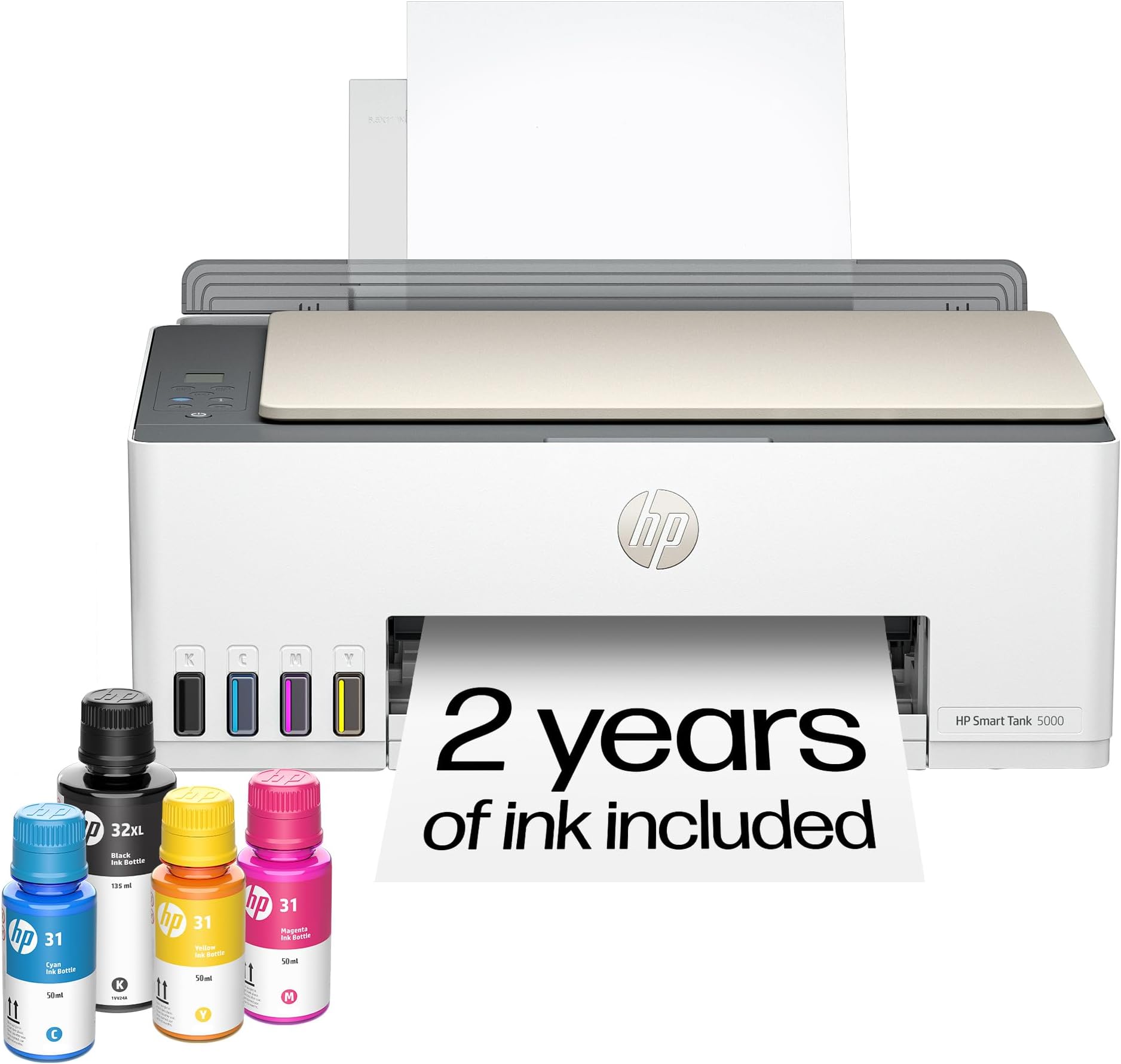
🖨️ Print smarter, live freer—your last printer, guaranteed.
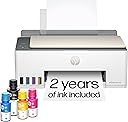
The HP Smart Tank 5000 is a wireless all-in-one ink tank printer designed for high-volume, low-cost printing with up to 2 years of ink included. Featuring cartridge-free refillable tanks, AI-enhanced print formatting, and seamless wireless connectivity, it delivers sharp, reliable prints with minimal maintenance. Ideal for home and home office use, it supports multiple devices and offers eco-conscious, cost-effective printing that keeps pace with your busy lifestyle.


| ASIN | B0CC7TVR2F |
| Additional Printer functions | Copy, Scan |
| Best Sellers Rank | #1,630 in Office Products ( See Top 100 in Office Products ) #7 in Ink Tank Printers |
| Color Depth | 24 bpp |
| Compatible Cartridge | HP 32XL 135-ml Black Original Ink Bottle 1VV24AN; HP 31 Cyan Original Ink Bottle 1VU26AN; HP 31 Magenta Original Ink Bottle 1VU27AN; HP 31 Yellow Original Ink Bottle 1VU28AN. |
| Compatible Devices | Laptops, PC, Smartphones, Tablets |
| Control Method | App, Touch |
| Controller Type | Amazon Alexa, Android, Hand Control, iOS |
| Customer Reviews | 3.8 3.8 out of 5 stars (3,234) |
| Date First Available | September 18, 2023 |
| Dual-sided printing | No |
| Duplex | Manual |
| EU Spare Part Availability Duration | 2 Years |
| Hardware Interface | USB 2.0 |
| Included Components | HP 31 Cyan Original Ink Bottle (50ml); HP 31 Magenta Original Ink Bottle (50ml); HP 31 Yellow Original Ink Bottle (50ml);, HP Black Printhead; Regulatory flyer; Warranty flyer; Power Cord., HP Smart Tank 5000 All-in-OnePrinter; HP 32XL Black Original Ink Bottle (135ml);, HP Tri-color Printhead; Setup Guide, Reference Guide, Ink Caution flyer; |
| Initial page print time | A4 Black 14 sec; A4 Color 21 sec Seconds |
| Ink Color | Black, Cyan, Magenta, Yellow |
| Item Weight | 11.09 pounds |
| Item model number | 5000 |
| Manufacturer | HP |
| Max Copy Speed (Black & White) | 10 ppm |
| Max Input Sheet Capacity | 100 |
| Max copy resolution black-white | 6000 x 1200 dpi |
| Max copy resolution color | Up to 600 dpi |
| Maximum Black and White Print Resolution | 1200 x 1200 dpi |
| Maximum Color Print Resolution | Black (best): Up to 1200 x 1200 rendered dpi; Color (best): Up to 4800 x 1200 optimized dpi colo Dots Per Inch |
| Maximum Media Size | 8.5 x 14 inch |
| Maximum copies per run | Up to 99 copies |
| Memory Storage Capacity | 64 MB |
| Model Series | Smart Tank 5000 |
| Number of Trays | 1 |
| Number of USB 2 Ports | 1 |
| Output sheet capacity | 30.0 |
| Print media | Envelopes, Glossy film, Glossy photo paper, Paper (plain) |
| Printer Ink Type | ink bottles |
| Processor Count | 1 |
| Product Dimensions | 17.11"D x 6.19"W x 14.23"H |
| Scanner Type | Flatbed |
| Series Number | 5000 |
| Sheet Size | 3 x 5 to 8.5 x 14 Inches |
| Smart Home Compatibility | Smart Home Compatible |
| Specific Uses For Product | Home and home office |
| Supported Media Sizes | 4 x 6 inches, 5 x 7 inches, Legal (8.5 x 14 inches), Letter (8.5 x 11 inches) |
| Total USB Ports | 1 |
| UPC | 197497529463 |
| Warranty Type | Limited |
| Wattage | 3023 watts |
J**M
Tanks A Lot!
I recently started working exclusively from home, and needed my printer on a daily basis. I thought it would be alright paying $35 for an ink cartridge, as long as I just used black. Then the cartridges were lasting all of 6 days, and it was getting ridiculous. I didn't even know that these printers were an option. So in my research I wanted to stick with HP, because I already had all the software on my computer. I am also pretty frugal, so I went with the cheapest one that had good reviews, and hoped for the best. Looks like I chose wisely. After using this printer for a month, I have nothing but good things to say about it, and it has already paid for itself in ink alone. It sounds like a printer. It's not quite, but it's really not too loud. It is not a speed demon, but I don't need it to be the fastest. I am fine with how fast it will print. You can pay more for a faster printer if that is important, but I just let it do it's thing while I continue to work. The pages look great! Everything is crisp and clean. Even the ocassinal photos that I could not print before come out looking just like the picture. Set up was a breeze, especially since I already had the software installed. And setting up the wifi was as simple as connecting any other device. I have had zero issues with lost connection from the printer. On two occasions the printer showed offline, but it turned out to be the laptop that missed it when I turned the printer on after the computer, and it was fixed with a restart. If I were to remove a star it would be for the amount of paper that you can load. But it is still more than the last printer, so I will leave that star right where it is. I have been through two reams of paper so far, with no sign of low ink. This is the best printer I have ever had, and absolutely the cheapest to operate.
C**N
A few months old, and firing on all cylinders... Our gamble paid off...
Printers are a tough investment, but this one has been an unfaltering addition to my school work for months. It sits on an elevated rolling laptop stand, my MacBook on top of that (separated by a piece of non-slip drawer/cabinet liner that prevents scrapes and sliding), and it's as sturdy as a rock. A couple of things to note upfront: It's louder than anticipated. You'll hear it from the living room during wireless printing, which is noticeable at first, but you adjust. It's not the speediest. It's perfectly fine for my personal and family printing needs (a few pages to a dozen or two for study material or odd jobs). For photo output, it's sharp but not "masterclass"—definitely better photo printers exist. However, for black and white or grayscale, it delivers. Color printing is also sharp and doesn't bleed, with reasonable (though not lightning-fast) speed. If outright speed is your priority, look elsewhere. ### Wireless Connectivity I use a Mac, a Pi 5, and Windows 11 Pro with WSL2. They all connect perfectly with zero issues on my home network. It even seamlessly switched from my old ASUS Wifi 6 router to our new Amazon Eero system. I can print from anywhere on the network, even from my Pi across SSH. This printer delivers wonderfully on the wireless front. ### Ink It claimed 2 years of ink, and so far, it's mostly full. I print a fair amount, mostly in grayscale or black, but color charts for networking are sharp and readable. The kids and wife hit this thing all day, and it never gives them issues—something I've never been able to say about a wireless printer before. While I'm not typically an HP fan, this device has been a rockstar from Day 1. ### Setup & Durability Loading the ink and setting it up was fast, easy, and uneventful. My hardest job was walking to the trash can to dispose of the funky adapter from the print heads! I've had zero dried ink or printhead issues; it calibrated perfectly the first time and prints everything with precision. Its wireless connectivity, durability, ease of setup and use, and minimal vibrations are all well-balanced, providing a full, uneventful printer that does exactly what it's supposed to, when it's supposed to. This holds true across multiple operating systems and even after switching networks. My wife thought the cost was worth the gamble compared to other alternatives, and she was right. Zero issues with this printer. If this review remains unedited, know that I'm still having a completely happy, issue-free experience. I would absolutely buy another if needed for a college dorm or similar.
W**H
We have owned a few printers over the last 30 or so years. Most have been HP and we have always liked them and had good luck with print quality and features. The one sticking point has always been cartridge cost and reliability. And they have never worked well refilling them. Our last printer was a Canon and we will never buy one again. I had been watching the ink tank printers but price was the stumbling block. With the 5000 series the ink tank printers they are finally affordable. This printer makes very nice crisp prints in both letters and pictures. It does scan, the tray is direct feed from the rear top of the printer making it nice if you make water slide decals or anything similar. Super easy to set up and install the software, print heads fill tanks etc. Once on your network it just powers down and waits for the next time you tell it to print. The printer appears to be a winner and now we just have to test it for long term reliability of print heads etc. But as it stands we are impressed and do recommend this if you are tired of the small amounts of ink in cartridges and the high cost.
C**N
Facile à installer
A**X
I like HP products. Previously had another HP printer model which uses the standard ink cartridges. Thought I could save money buying this HP Ink Tank model. Setup was relatively easy. Quality of print out is good. It comes with ink bottles which is supposed to last quite long. Everything was working beautifully until around the 2 month mark when I started getting errors on the printer indicating a problem with the color print head (print heads look just like an ink cartridge but they do not have ink inside). I was disappointed to learn that you cannot purchase these print heads on the HP Canada website. They do have print heads for this model available on Amazon but is pretty expensive. About $100 and up for the two print heads required (black printhead and color printhead). I ended up purchasing a single print head from Ali Express for way cheaper. Shipped from China and arrived 3 weeks later. I've had it installed and working properly once again for the last couple weeks, no issues so far.
L**B
Bought this because I was done with cartridges that dry up before you can print a dozen pages. We are seniors - and although not total tech idiots, did find it very tedious and challenging to set up and initiate. Definitely not plug and print!!! Once initialization was complete it works well - but be prepared - every person and device in your household that wants to access the printer will need to download the app individually - and will need an “invite” from the initial installer. It’s a bit cumbersome and frustrating that way.
L**E
Only thing I don’t like is the power cord doesn’t fit as snug into the port as I would like. Keeps popping out Easy to set up no issue
Trustpilot
3 days ago
1 week ago