Desertcart purchases this item on your behalf and handles shipping, customs, and support to USA.
🔒 Elevate your home security with 4K clarity and zero subscription FOMO!
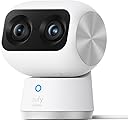
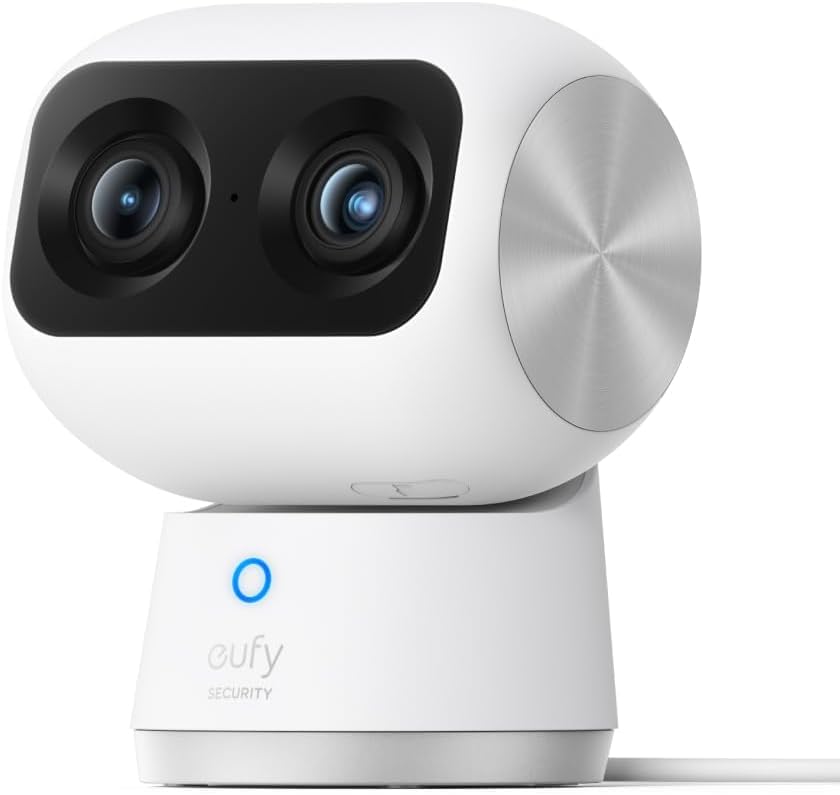
The eufy Security 4K Indoor Cam S350 combines dual 4K UHD cameras with 8× hybrid zoom and 360° auto-tracking to provide comprehensive indoor surveillance. Designed for baby, pet, and elder monitoring, it features AI-driven alerts for human, pet, and cry detection. With secure local storage and no monthly fees, it ensures privacy and peace of mind. Night vision up to 32 feet and compatibility with 2.4/5 GHz Wi-Fi make it a versatile, high-performance indoor security solution.


| ASIN | B0CD7F1M9R |
| Alert Type | Human |
| Antenna Location | Baby Monitoring, Indoor Security, Pet Monitoring, Senior citizen guardianship |
| Best Sellers Rank | #13 in Dome Surveillance Cameras |
| Brand | eufy Security |
| Built-In Media | A Type C Usb Cable and Power Adapter, Indoor Cam S350, Positioning Sticker, Quick Start Guide, Screw Pack |
| Cellular Technology | 2.4G/5G |
| Color | White |
| Compatible Devices | Smartphone |
| Connectivity Protocol | Wi-Fi |
| Connectivity Technology | Wired |
| Control Method | App |
| Controller Type | Amazon Alexa |
| Customer Reviews | 4.4 out of 5 stars 2,369 Reviews |
| Effective Still Resolution | 8 mp |
| Effective Video Resolution | 4000 |
| Enclosure Material | Plastic |
| Field Of View | 360 degrees |
| Focus Type | Manual Focus |
| Form Factor | Dome |
| Frame Rate | 30 frames per second |
| Indoor Outdoor Usage | Indoor |
| Indoor/Outdoor Usage | Indoor |
| Installation Type | Freestanding, Screw In,Self Adhesive |
| Item Dimensions | 2.57 x 3.16 x 4.11 inches |
| Item Highlight | 360° Coverage,Works as a Pet Camera,Nanny/Senior/Baby Monitor,AI Auto-Tracking,Human/Pet/Cry Detection,2.4/5 GHz Wi-Fi |
| Item Weight | 1.2 pounds |
| Light Source | Infrared Led |
| Manufacturer | Anker |
| Mfr Part Number | T8416 |
| Model Name | Indoor Cam S350 |
| Model Number | T8416121 |
| Mount Type | Wall Mount/ Ceiling Mount / Stick up |
| Night Vision | Night Color |
| Night Vision Range | 32 feet |
| Number of Channels | 4 |
| Number of IR LEDs | 2 |
| Number of Items | 1 |
| Optical Zoom | 8 |
| Other Special Features of the Product | 360° View without blind spots, 4K UHD with 8× hybrid zoom, Dual Camera, Human/Pet/Crying/Audio/Motion Detection, Local Recording |
| Photo Sensor Resolution | 8 mp |
| Power Source | Plug in |
| Recommended Uses For Product | Baby Monitoring, Indoor Security, Pet Monitoring, Senior citizen guardianship |
| Room Type | Hallway, Living Room, Study Room possibility room |
| Shape | Dome |
| Special Feature | 360° View without blind spots, 4K UHD with 8× hybrid zoom, Dual Camera, Human/Pet/Crying/Audio/Motion Detection, Local Recording Special Feature 360° View without blind spots, 4K UHD with 8× hybrid zoom, Dual Camera, Human/Pet/Crying/Audio/Motion Detection, Local Recording See more |
| Specific Uses For Product | Baby Monitor, Pet Camera, Senior citizen guardianship, indoor security |
| UPC | 194644154035 |
| Unit Count | 1 Count |
| Video Capture Format | MPEG-4 |
| Video Capture Resolution | 4k |
| Video Encoding | MPEG-4 |
| Waterproof Rating | indoor use only |
| Wireless Technology | Wi-Fi |
| Zoom Ratio | 8 |
| Zoom Type | Digital Zoom |
L**I
This one camera replaced two plus added options in the app.
Short answer, I love the camera, it is a huge improvement over the S220, and I highly recommend it. Longer version: I have the Eufy S220 and have been impressed with it. I only take it out when I go on trips. It amazes me that all I have to do is plug it into power and it boots right up and the app has no problems connecting to it. I wanted to get a second camera for better coverage and was going to get another S220 and found this one on sale. It is great upgrade. Installation was simple (with one hiccup that I'll address later) and the clarity is fantastic. I was amazed how close I could zoom in using the telephoto lens then getting up to three times additional digital magnification using the app. Two added features stand out. The first is the camera's ability to automatically move to wherever I touch on the screen. The directional controls on the app have always been a bit laggy and I constantly overshoot. But now I can press on the screen where I want the image to be centered and the camera moves there perfectly. The second is the presets. I can save four camera positions in the app and by pressing one of those buttons, the camera will swing to that location. It even remembers which lens to use, wide or telephoto. And I can designate one of the presets to be the default location. After a set amount of time, the camera will move to that location. I don't know why these features are not available for the S220. It feels like an app feature and not camera dependent. But the S220 looks like it was replaced by the E220 and maybe these features can be used with this new camera. I don't have one of those to confirm or deny. The one issue with the install that I ran into was inserting the memory card. I went through the installation process and when it came up to video storage, the app said no memory card inserted and asked if I wanted to set up cloud services. I looked at the paperwork and all over the camera and didn't see the memory card slot. I finally found it using the drawing on the instruction sheet included in the box. It is under a cover in the barrel part of the camera that tilts the lenses. But it is only accessible when the lens is pointed up. Which can only be done by using the app, which only works after the camera is installed. To avoid any problems, I installed the camera in the app, said I would deal with the video storage location later, tilted the camera up, removed power, inserted the card, then told the app to delete the camera. Then when through the install process again. I like the Eufy cameras because they offer on-site storage. Through a memory card on the camera or using their Homebase local memory storage unit. No subscriptions and monthly fees. And the cameras just work. I haven't had any problems with the older camera and so far the new one has been just as good. Is it worth the huge increase in price over the E220 (current version of my S220)? Current price of the E220 is $35 and the S350 is $130. It depends on your situation. Originally I was going to get a second S220 to get closer view of an area. With the single S350, I can actually put away the S220. With this one camera, I don't need two separate ones because the additional zoom lens allows me to get that close up view. I can also see additional areas (close up) that I hadn't considered, but now realize I would have wanted. I would have needed a third camera to take care of that. Also the added features in the app makes it easier to use for me. For me, the additional cost was worth it.
M**N
Awesome cameras for the money
I had previously experimented with cheapo cams, really just to keep an eye on the pets when we were occasionally away. With time, I started to appreciate how I could use the cameras as part of a real home smart security/monitoring system. I was originally planning on connecting the cams to my QNAP NAS -- which I could have -- but, in the end I decided to go with a dedicated hub for the security system and use the NAS for scheduled backups. My decision to go with this setup revolved around a few important things (to me): 1) security -- I wanted a system that wasn't dependent on cloud storage, and I wanted fully encrypted data streams -- both for local and remote access; 2) I didn't want any cloud-based AI, again for security reasons; 3) quality design and performance, and 4) I didn't want to get roped into a subscription, as most of these systems require. This is really the only package that I found that was both reasonably-priced and checked all of my boxes. I purchased and am using 2 of these cameras, along with a water/leak detector with a Homebase3 with a Crucial 1 TB SSD HD installed. The setup process was brilliantly designed -- smooth, took the least amount of time for actual setup possible, walked you through the entire process with audible prompts -- the setup really couldn't have been better. Other companies should take notice -- this is how to do it. Exploration of the features, menus, and config options will take some time, but getting the system up and running took less than 1 hour for 2 cameras, 1 sensor, and the Homebase3 with extra storage installed. The picture quality of the cameras is very good. The motion tracking is amazingly accurate, and the motion of the camera repositioning is fast and smooth. The zoom is cool. The performance is night and day compared with what I was using prior. I purchased a 3rd party mount with 1/4" threaded inserts so I could reuse the mounts from my older cameras. It was worth the money to not have to redo the mounts -- these are what I bought: https://www.amazon.com/gp/product/B0CT2JS5GT/ref=ppx_yo_dt_b_search_asin_title?ie=UTF8&psc=1 There are many advanced features that I'm not going to get into here, but for the price, these cameras are great. I plan on getting 2 more Eufy cameras for outdoor use (solar-powered for the front and back lawn/pool area), in addition to another water/leak sensor for the laundry. BTW, I have this connected to my Asus mesh system, with the Homebase3 connected to the LAN via CAT5, and the cameras and sensors on WiFi. Everything works perfectly in my 2500 sq ft 3 floor home. Highly recommended.
J**E
Just throw your Ring Camera out the window.
We are literally installing spy cam and audio on ourselves while trying to protect ourselves with cameras. People brag about no fees due to no cloud. It goes so far beyond money that you save. Cloud cameras like Ring. Set the subscription fee aside for a second. Those “clouds” are all just giant data centers, that store all of the video and audio from inside of your home, that stuff doesn’t go away when you cancel. They have back ups on top of back ups, forget money and let that one sink in all of your private conversations. These Eufy cams not only do not do that, they can’t! It has no internal storage. It’s only storage is on the 128gb micro sd card that you buy and it have full control over. You want it gone, you destroy the card, not the camera. Try asking ring to destroy a super personal video, or That conversation that you had on the phone. Try asking them nicely say please, NOT happening, you are to blame. Don’t say you did not know, that is why I am writing this for you who don’t. Pros for Eufy E330- 1sr is, this thing is hilarious. When you set it to privacy mode, he gets bummed out 😂 like you told him to please just leave. I am getting 5 days of 24-7 4k audio and video off that 128gb card. The Tracking- insanely good. Clarity? 10 out of 10, even on full zoom, there is zero loss of clarity, no ghosting no pixels. Two way audio is fun. I tell my wife to bring me a Diet Coke and she looks at the camera and she knows I am playing around because I say it like she works for me. She knows I am a tech nerd. It can be an awesome baby monitor cam too. With these a.i ones, you will need far less cameras. The camera fixed is a super wide as is. Leave tracking on and it will catch everything. Even if it just hears something that did not cross its path it will turn and find it. So cool. So much tech and thought went into this and they absolutley nailed it. Does it beat the previous E30? Both are excellent. This one is funnier to look at, and it is also a wider more stepped back lens so it sees more. Tracking is smoother. You can’t lose the thing. It is funny. It just stalks you, up, down, side to side.. Such a funny time to be alive. Cons. Errrr, ZERO. Just get the right 128gb sd card. No home base needed. I have 9 of them and no homebase and the WiFi connect is always perfect, even way down in the basement where I have it to check for any leaks and for security. The Playback never does that annoying thing that most cameras do, where it gets that glitch, always right before an event starts. These do Not, so that is a HUGE pro. RING, Blink…all I can say is, you best Step your game up! Because Eufy is crushing all of you.
T**N
Quality Quality Quality…
I recently bought the Eufy Indoor Cam S350 for my mum, who lives with me. She’s bedridden, and while I have a personal nurse and caregiver helping take care of her, I sometimes worry when I’m at work and want to check on her. After some research, I decided to give this camera a try, and I’m so glad I did. I got it late last night and couldn’t wait to test it, so I set it up in the kids’ living room to see how it worked. Setting it up was incredibly easy—it only took a few minutes, and the instructions were straightforward. Even late at night when I was tired, everything worked seamlessly. The video quality is amazing, with clear and crisp footage that makes me feel like I’m right there. The night vision is equally impressive, capturing every detail even in low light. The pan-and-tilt feature is smooth and gives me full coverage of the room, which will be perfect when I move it to my mum’s room. The app is another highlight. It’s user-friendly and incredibly responsive. Whether I’m checking live footage, reviewing past recordings, or adjusting the settings, it’s all so intuitive. This gives me real peace of mind, knowing I can keep an eye on my mum anytime, no matter where I am. Overall, this camera is everything I was hoping for and more. It’s reliable, easy to set up, and gives me exactly what I need to stay connected to my mum when I’m not home. If you’re considering a security camera, especially for keeping an eye on loved ones, I highly recommend the Eufy Indoor Cam S350.
B**N
Great picture quality with some quirks
This is a nice camera with good video quality. I was particularly impressed with the low light night time video quality and the 3x zoom. I purchased this to keep an eye on my dog while I was away from the house. I docked it one star for two reasons: set up and false positives. I was shocked how difficult it was to get the camera to connect to the Homebase 3 unit. This is my first eufy device and I expected it to be as simple as any other device in today’s age where you just turn it on, the Homebase sees it, and you’re done. Instead I spent over an hour and a half trying everything imaginable to get the camera to connect. I was very close to giving up and just returning everything when it finally decided to connect. Since the initial setup, everything has been seamless and I haven’t had any issues. I hope eufy invests some time in improving this process. The second issue is false positives. Sometimes the motion detection gets triggered by light reflecting off a car driving by my house. Just a bit of a flash from the sun hitting a car just right to reflect briefly through my living room window and now the camera is recording and sending me a notification. I also have a painting of a bison on the wall and for some reason the camera is obsessed with it. The camera is supposed to track the source of motion but instead it fixates on this painting of a bison. Eufy, I promise no one has a multiple thousand pound bison in their living room. It would be nice to tell the camera “ignore this area of the wall” but that’s unfortunately not possible.
S**S
Best indoor cam you can have
This indoor camera is impressive and the dual camera split screen mode is the standout feature. You get a wide angle view and a zoomed view simultaneously on the same screen. It is like having two cameras in one unit. You can see the whole room and still get detail on specific areas without switching between feeds or missing anything. The video quality is sharp and clear. Faces are recognizable, details are visible, and the image does not turn into a muddy mess in lower light. I have used cheaper cameras before where you could barely tell who was in the frame. This is the opposite of that. Actual usable footage that would matter if you ever needed it for something important. The pan and tilt functionality lets you adjust the view remotely through the app. Point the camera wherever you need without physically moving it. Cover different areas of the room throughout the day based on what you want to monitor. It adds flexibility that fixed cameras just cannot match. Setup through the eufy app was quick and painless. Connected to wifi without fighting me and started streaming within minutes. The app interface is clean and responsive. Live view loads fast, playback works smoothly, and all the settings are easy to find and adjust. Night vision is solid too. When the lights go out, the camera switches over and still captures usable footage. Infrared does its job and you can see what is happening even in total darkness. Indoor security does not stop at sunset and this camera keeps working around the clock. No subscription fees either. Your footage stores locally and you are not paying monthly just to access features that should be included. That alone makes it more appealing than competitors who nickel and dime you with cloud storage charges. Buy it once and you are done. Quality camera, smart features, zero recurring costs.
F**D
I finally give-up on the Eufy cameras. It's just a big headache.
I have SEVERAL Eufy cameras (10-S350's for inside the house, 4-S340's for outside the house and 4-S4 PoE cameras, 1 Homebase and 1 NVR). I have gone through the "growing pains" of using Eufy cameras. The indoor cameras (S350's are great and they work well, they follow me and notify me everytime something happens). I wish they would make an outdoor version of the S350 (just a simple USB powered camera-I am using PoE->USB converters to setup cameras around the house to provide power). The S340's seem okay...I do wish they had a SD card slot because communicating with the homebase's wifi is slow and depending on the size of your property, it may not transmit far enough with structures/windows in the way. I would rather the system use my wifi-ethernet home solution than their limited 2.4 GHz connection...it would be great if you could disconnect the 2.4 Ghz connection and have the cameras just record over the ethernet cable (ie: S350 camera -> my home wifi -> ethernet -> NVR/Homebase). Speaking of NVR, it doesn't have Wifi built in which I thought was PERFECT BUT it can only record off the PoE at the back of the NVR (even if you have a PoE switch in your house [which I do] you cannot record on the NVR unless it is plugged into the back of the NVR's PoE ports. Disappointing. The S4 camera is REALLY REALLY slow with the Homebase 3 (like wait for 15-20 seconds just to get the recording. It's slow...The other thing I think Eufy needs to do is allow you deactivate the Wifi on the homebase and allow the cameras to send video to the homebase over the ethernet (that would be a huge performance gain especially since my home network is 10Gbs. Over-all did the Eufy system work for me, yes BUT the system is really built for people who just have 2-3 cameras around the house and want to record something. I don't feel like it is a serious security system (as others have said, the cameras "even in continuous recording mode" seem to miss events (it should be continuously recording...how can it miss an event ?) update : Another new problem with the S350 cameras. It seems like every once in a while, it loses connection with the SD CARD inside and you have to reformat the card (which means all your videos are gone). With my 10+ S350 cameras this happens about every 4-5 days (seriously ? this needs to be fixed). I can understand 1-2 times per year but this is a weekly problem and needs to be resolved. It makes the whole security system feel less secure. The software for the cameras is different depending on the camera you purchased. Some have streetlight functionality and some don't. There is a lack of consistency in the operation of the different cameras. I understand that some have more lenses but having streetlight functionality should be available on all the cameras. Some of the cameras lights turn on even when there is plenty of light for the camera. This is not good for security because it should just turn on when there is a person/animal or whatever present...otherwise you are just advertising where the security camera is located. I've had to turn off all the lights and setup motion detection lights to turn on when there is a person or animal moving in the area. 2026-01-23 update : So after purchasing about 12 of these cameras, using them for over 2 months and dealing with the frustrations of the SD CARD not being found, losing connection to the SD CARD having to reformat the SD Card. I finally GIVE UP on the Eufy cameras. I really had high hopes for them. I've even tried their S4 cameras outdoors. The problems with the cameras outweigh the benefits. Imagine you setup almost 22 cameras in your house and every week you are formatting an SD card. I found out that it's NOT the SD Cards; it's their firmware ! I reboot the camera and it works perfectly fine. sometimes I reboot and it still thinks the SD card is corrupted, so I format it again and again over the weeks (losing all the videos - not good for security evidence if you ever needed it). I know it is a firmware issue and over-all I really liked the cameras and their design but the instability is just driving me crazy. I have finally decided to give-up on the Eufy cameras and will go with a much much more expensive solution from my networking company (ubiquiti networks). Seriously, security should not be this complicated. Now I have to try to sell all these cameras
N**X
My favorite home camera with impressive picture quality
Pro: great picture quality, dual lens/optical zoom, pan/tilt, local storage (potential RTSP support for NAS?) Con: price is on the higher side, had some SD card formatting issue early on, and base could use more weight. I have 4 pet doves at home and have been trying to find a good camera to monitor their room. Tried Blink Mini and another camera available on Amazon that supports pan/tilt, but decided to give eufy S350 a try when I saw the dual lens. The eufy S350 is more than double the price of the other ones I have tried, but the picture quality is also noticeably better, and I'm not talking about just resolution. S350 does support up to 4K, but even at 1080P vs 1080P, the clarity, color, and everything is better. This is likely due to better lens and sensors in these compared to some other cameras. Again, S350 is pricier but it does have an extra lens that will give you optical zoom and noticeably better image quality. This is perhaps where S350 stand out the most to me. The pan/tilt works pretty well so far, but since the camera is a little top heavy due to the pan/tilt and dual lens, the base could use more weight for additional stability. Haven't had the camera tip over yet but it doesn't feel super stable. Had some problem with local storage early on, the camera asked me to check/format the SD card 2-3 times in the first few days, but that haven't seen that problem after that. I used a brand new Samsung Pro Endurance card so it shouldn't be a card problem. Loading from local storage is a little slow due to the decryption process. On top of local/on device SD card storage, the manual also stated that the S350 is compatible with eufy's HomeBase 3 which can enhance some functionality and storage, and also support RTSP protocol if you have a NAS system. Haven't had a chance to try that yet. The AI tracking system/motion detection seems to work well on larger size animal and human, but since my pets are quite small (doves), it will only capture them once in a while when they are in the exact right spot. I wish it could track smaller size animals better but that's not easy to do. The talk from camera function (not sure if I should call that microphone or something else) in the app also works well. You press the button once to enable talk, and press it again to disable it. Some other brands implement it as you have to keep on pressing the button while you talk and that's not exactly easy to use due to app/camera/network latency sometimes. All things considered, this is probably one of the few home/pet cameras that truly distinguished itself from the crowd with the dual lens/pan/tilt design and picture quality. Overall, great camera and worth the price I paid, especially if you care more about picture quality, and may even function better if you pair it with NAS or Homebase. Look forward to potentially trying some other solar/floodlight cameras from eufy in the future.
R**H
Great quality
Easy to set up and great quality video
G**Z
Buen equipo facil configuración y buenas herramientas de ia
Muy funcional las mejoras con ia son buenas , identificación de personas muy buena, solo falta que hagan un update para que reconozca a las mascotas, hoy lo hace pero no deja crear un perfil como con el rostro de las personas. La instalación es super fácil y la calidad de la imagen es muy buena
C**Y
Excelente
Excelente
C**H
Brilliant little camera!
Best darn camera I have ever used! I have several Blink Mini cams which are pretty good for their size & price range, but this Eufy model surpasses them by miles. The pan, tilt, zoom (PTZ) function is beautiful. You don’t have precise zoom control - only 1x and 3x but it works well & the image quality for both is perfect. The audio is excellent for both the microphone & speaker. I use the camera primarily to monitor my 100+ plants while I’m away & as a motion detector camera for security. I can use the audio functions to easily communicate with my “plant sitter” when she comes to water my jungle. I like being able to turn the motion detect on & off, and set the area it will or won’t detect it. When my family is home & I am not, I can turn on the privacy setting and the camera will turn around and face the wall, (like it’s been a naughty child lol) & “close” it’s eyes. Brilliant little camera and honestly, it’s really cute too. It looks a lot like the little robot from the film Wall-e.
S**L
No sirve y no contestan en soporte
Parece buen producto pero su sistema operativo no funciona y llevo varios dias esperando una respuesta de soporte y nadie responde, solo sirve de monitor no te permite acceder a los videos guardados para monitor hay otros mucho más baratos no lo recomiendo.
Trustpilot
2 months ago
1 day ago