Desertcart purchases this item on your behalf and handles shipping, customs, and support to USA.
✏️ Elevate your digital canvas—draw, design, and dominate anywhere!
The XPPen StarG640 is a sleek, compact 6x4 inch digital drawing tablet featuring 8192 levels of pressure sensitivity and a battery-free stylus for uninterrupted creativity. Compatible with Mac, Windows, and Chromebook, it’s perfect for professionals and students alike who demand precision, portability, and versatile use—from digital art and photo editing to e-learning and remote work.


| ASIN | B078YR2MTF |
| Active Surface Area | 6 inches x 4 inches |
| Additional Features | Battery-free Stylus Pen |
| Best Sellers Rank | #6 in Computer Graphics Tablets |
| Brand | XP-Pen |
| Built-In Media | Battery-free Stylus Pen, USB Cable, Quick Start Guide, Power Cord |
| Color | StarG640 Black |
| Compatible Devices | Windows 7 and above, Mac OS X 10.10 (or later), Chrome OS 88 (or later) |
| Connectivity Technology | USB |
| Customer Reviews | 4.3 out of 5 stars 21,296 Reviews |
| Display Type | LCD |
| External Testing Certification | Não aplicável |
| Item Dimensions L x W | 6.38"L x 7.48"W |
| Item Weight | 170 g |
| Manufacturer | XP-PEN |
| Mfr Part Number | StarG640 |
| Model Name | Star G640 |
| Model Number | G640 |
| Native Resolution | 8192 levels |
| Number of Items | 1 |
| Operating System | Windows 7 and above, Mac OS X version 10.10 or later |
| Pressure Sensitivity | 8192 levels |
| Screen Size | 6 inches |
| Special Feature | Battery-free Stylus Pen |
| Specific Uses For Product | Drawing, Painting, Writing, Teaching, Editing, Designing, Animation, Remote Work |
| Target Audience | Teacher |
| UPC | 758232357569 758232357163 |
| Unit Count | 1 Count |
| Warranty Description | One-Year Warranty |
E**Z
Easy to Use and Great for Beginners
I bought the XP-Pen StarG640 drawing tablet as a beginner-friendly option, and it’s been really easy to use. Setup was quick, and it worked right away with my computer without any issues. The tablet size is perfect for drawing and editing without taking up too much desk space. The pen feels smooth and responsive, and I like that it’s battery-free, so there’s no charging or interruptions. Pressure sensitivity works well for sketching and line work. It’s great for drawing, digital art, photo editing, or even taking notes. For the price, it feels solid and reliable, especially if you’re just getting into digital drawing. Overall, a great starter tablet that does exactly what you need it to do.
C**A
Great Tablet
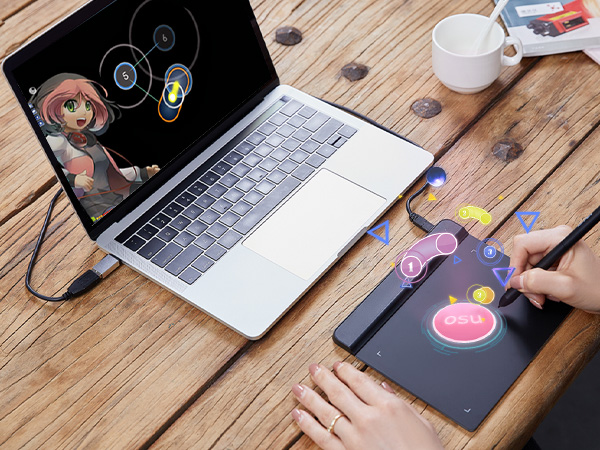
Really great, recommended buying it! I use it for drawing or playing osu with it, been 2 months and no issues with it!
P**A
it sure is one of the tablets i've ever used
ignore how greasy my tablet looks omg i think it's just really easy to get dirty but the all black pen is the one that comes with this tablet, but the silver/black one is my deco pro pen. okay so!!!! i'm an xp pen user til the day i die hehe i'm so loyal. i used to use the deco pro mw and small, but then the ports cracked in both of them which made them basically unusable. then in the middle of my sleep deprived delirium, i decided that i'd get a baby xp pen tablet as a temporary replacement. i hopped on amazon, found the star g640, and bought it on a whim. it arrived on the same day bc i'm a ✨ prime user ✨ so i started using it immediately after i woke up. it's very small, and i have it connected to my laptop. it's okay if you wanna draw in bed, but if you're at a table, the tablet's corners are a bit sharp (?) so it might scratch your forearm rubbing against it. it's also extremely light so if you have it laying on your body then it won't put a lot of pressure yay. also the tablet doesn't have buttons at all unlike deco pro, but the pen does have the typical left/right click buttons. speaking of the pen... here is the make or break: the pen is REALLY uncomfortable?? maybe it's bc i've grown so used to the rubber on the deco pro pens, but this pen really reminds me of the wacom intuos pen but significantly cheaper (which i guess is what you'd imagine for a $40 drawing tablet but that doesn't mean i can't be disappointed LOL). and for some reason, the strokes feel slower and less precise? maybe that's my own skill issue but it seriously felt super wrong and i was beginning to get kinda exhausted from drawing. i was contemplating returning the tablet altogether and rushing to get another deco pro, but then i had the idea to try and use my deco pro pen on it and IT WORKED????? 💃💃 so now it actually doesn't physically hurt me to use!!!!!! which is good bc i REALLY didn't wanna get another tablet LMFAOOOO. if it weren't for the pen compatibility, i would honestly have given this either three or even two stars, but i'd say it bumped it back up to a four. which technically is not this product by itself, i just got really lucky i've already used xp pen, and i appreciate the fact that you can cross over the pens between different xp tablets, so it can have the extra star <3 tl;dr the tablet is okay, the work space is small but reasonably so. if you aren't a beginner then you'll recognize how awful this pen feels to hold. if you're buying from xp pen then just get a deco pro i'm so serious 😭😭 but this tablet really is as much as it's worth and i'd definitely recommend it for BEGINNER artists, especially kids.
B**G
Techno-Peasant Friendly
I teach religious classes for my local parish and have been been looking for a drawing tablet that is inexpensive, and easy to use. I hate the mess of erasing chalkboards. The XP-Pen StarG640 is exactly what I've been looking for. It was easy to install. I followed the easy to read start up instructions and bingo it was working - right out of the box! The 40 page Quick Start Guide is written in 10 different languages. It's good for getting started. I did find and download the 13-page, English language user guide from their website, as well as their PenTablet app. There is a lot of good information in guide, which is perfect for my skill-level and the app helps calibrate the pen and tablet. There was one flaw in their registration process. I was under the impression, that after registering my tablet, I would be eligible for one free software download. After completing the process, I found this was not true. As I understand, from the company, the offer is only available for their higher end products and not for the G640. No problem for me. Since I'm only interested in using the tablet as a 'chalkboard', I found it works very well with Microsoft's Whiteboard app, which can be downloaded from the Microsoft Store for free. It took a little (very little) research before I could get them working together. It takes a little getting used to (both the tablet and the app), but with a little practice I'm getting better at using it. I use the tablet with my 6 year old Dell laptop, Windows 10, 8GB RAM, Intel Core i3 processor, which I will connect to my Epson projector for class. The tablet comes with 20 extra pen tips and a small tool for replacing them. The pen is easy on the hand - what I'd call a 'cramp-free design' - and is truly battery-free, a definite plus. The pen is very sensitive, but I think with time I'll learn how to control it. Once again, it is easy to use, although it does take some getting used to. In short, me likey!
C**L
Good
Great product competitive price.
A**I
Obnoxious learning curve
The positives: This was easy to plug right into my laptop, open my favorite art program and start drawing immediately. The negatives: The user manual included explains nothing about what the buttons on the pen do. Had to discover that through trial and error. Even then, the pen and pad have a horribly obnoxious learning curve. Getting used to using a digital pen after drawing on paper for my whole life is a nightmare in and of itself, but the tapping sensitivity is a project too. Sometimes if I tap a millisecond too late, the pen REFUSES to draw and I have to lift the pen, click elsewhere on screen with my mouse to make the little menu that popped up go away, and start again. Sometimes I can draw while pressing a button and other times I can't at all. It's horrendously unpredictable. I know that eventually with trial and error I will have this thing figured out, but over the past week since I started testing this thing out I haven't. My feeling has always been that if something has a learning curve, in other words I cannot take it out of the box and use it right away with zero roadblocks, then it is not designed well.
K**!
Great option for beginners and pros!
Works great! One of my favorite things about this tablet is the size. it’s small enough to fit comfortably in my workspace, which is a huge plus, especially for screenless tablets. The pressure sensitivity works really well, but just a heads up. you do need to download the driver first or it won’t function properly. The instructions make it easy though, so it’s a quick fix. I also like the surface texture. It’s not overly smooth or slippery, which gives it a bit of grip and makes drawing feel more natural and controlled. Bonus points for the warranty. it seems to come with about a year of coverage from xppen, which is always nice for peace of mind. Overall, a solid tablet that’s easy to use and fits well into a smaller setup.
S**S
It's alright, gets the job done
I got this as a temporary replacement for my Surface Pro (5th Gen) as its having phantom touches and I'll probably need to replace the screen. The StarG640 is kinda smaller than I expected but that's just on me for not understanding the measurements I guess but the USB-C port came slightly bent and when I plug it in It leans to the right, which is a slight problem as my PC is to my right so it's just halfway sticking out (Kinda scared it'll break or cause smthin to bend that isn't supposed to). The overall feel is pretty alright, I rlly like the grips at the bottom of the tablet, don't rlly like the pen. I just wish the pen has a little more weight to it, it just feels like cheap plastic but that might just be me as I'm pretty heavy handed but if the lightweight feel is for you it's honestly perfect. Given the budget and size it would be perfect for beginners, I started off with a $70 wacom intuos about 3-4 yrs ago and it was great, the weight and size felt amazing but this would have honestly been better since that $70 was rlly an investment for a 14/15 yr old in a low income household and $70 is kind of a lot of money to just put away in a closet when you think about switching to a display or if you don't think digital art is for you try it. All in all, it get's the job done and is great for the price, the only real complaint I have is the cable being bent and the cursor has a kind of slight lateness to it, it might need to be calibrated.
K**A
It has osu drivers for the pen than the normal drivers
I like it , its amazing i first downloaded the normal drivers then i realized they had osu ones (which is the whole reason i bought the xp pen for)
T**R
Works very well
Setup was way easier than I expected. I plugged it in, installed the driver, and it worked pretty much right away. Works very well. Smooth and accurate. Overall, for the price, I think it’s a great option, especially if you’re just getting into digital art or want something solid without spending a ton. I’d definitely recommend it.
J**Y
Enough for office work task
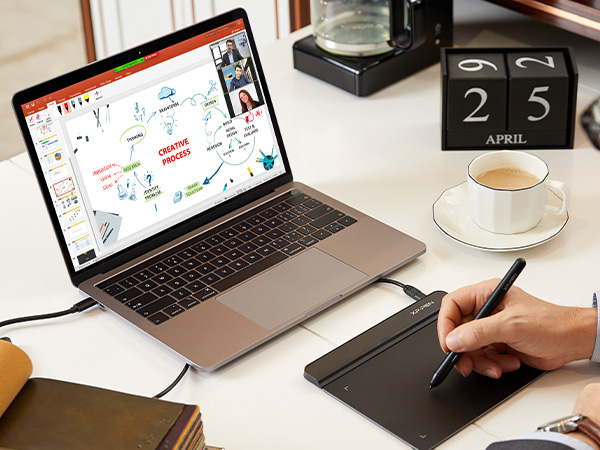
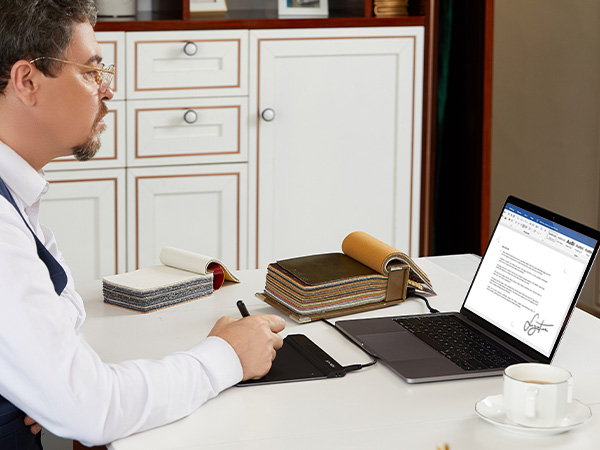
I bought this for my task during working from home as sometimes my digital signature is required for approval. This digital pen and pad are good enough for the purpose. Additionally it supports WINDOWS INK app which is very useful for the meeting via Zoom/Webex as it allows to visualize your idea and what you talk about on MS Word, Excel and Powerpoint. I love to use it during my meeting.
M**S
Muito boa!
Foi ótima para meu início na arte digital, apesar de ela ser menor! Mas responde bem, vem com várias pontas. Coloquei um papel por cima para que ela não arranhasse tanto e deslizasse menos, me deu mais estabilidade. No mais, uma boa mesa para iniciar.
G**Z
Lo recomiendo y es accesible en cierto punto.
La medida real es de 19 cm x 14 cm que es todo el espacio donde podrás utilizar la pluma. Se siente de buena calidad por el precio es increíble y asumo que es mi primera tableta que compro. Es fluido fácil de instalar y claro lean las instrucciones antes de realizar cualquier movimiento o sacar puntas. Es ideal para dibujar procedimientos matemáticos o químicos, dibujo casual o profesional y en ciertos casos para principiantes como yo.
Trustpilot
4 days ago
3 weeks ago