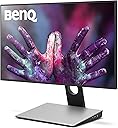



🎯 Elevate your creative game with precision and comfort — don’t just design, dominate.
The BenQ PD2710QC is a 27-inch IPS LED monitor featuring a 2560x1440 QHD resolution and 100% sRGB/Rec.709 color accuracy. Designed for professionals in CAD, animation, and design, it offers specialized display modes, USB-C docking for streamlined connectivity, and eye-care technologies to reduce strain during extended use.


| ASIN | B06XWS3PHV |
| Aspect Ratio | 16:9 |
| Aspect ratio | 16:9 |
| Best Sellers Rank | 329,382 in Computers & Accessories ( See Top 100 in Computers & Accessories ) 5,099 in Monitors |
| Box Contents | 1 x BenQ Designer PD2710QC - LED monitor |
| Brand | BenQ |
| Brand Name | BenQ |
| Colour | Black/Silver |
| Contrast Ratio | 1000:1 |
| Customer Reviews | 4.1 out of 5 stars 100 Reviews |
| Display Technology | LED/ IPS |
| Display Type | Ips,Led |
| Global Trade Identification Number | 04718755067778 |
| Hardware Connectivity | HDMI, USB, USB Type C |
| Has Color Screen | Yes |
| Image Brightness | ANSI lumens |
| Image contrast ratio | 1000:1 |
| Item Type Name | BenQ Designer Monitor PD2710QC is a visually stunning 27” 2K QHD monitor showcasing as BenQ’s first USB Type-C monitor. |
| Item Weight | 7.4 Kilograms |
| Manufacturer | BQCE4 |
| Maximum Display Resolution | 2560 x 1440 |
| Model Name | PD2710QC |
| Model Number | PD2710QC |
| Mounting Type | Wall Mount |
| Native Resolution | 2560x1440 |
| Network Connectivity Technology | HDMI |
| Processor Count | 1 |
| Product Features | Flicker-free Technology; CAD/CAM mode; Low Blue Light; Auto Pivot; DisplayPilot; AMA; Dynamic Power Saving (DPS); AC Switch; Animation mode |
| Product Warranty | 2 years manufacturer warranty |
| Refresh Rate | 60 Hz |
| Resolution | 2560 x 1440 QHD |
| Screen Finish Type | Flat |
| Screen Size | 27 Inches |
| Screen size | 27 Inches |
| Screen surface description | Flat |
| Specific Uses For Product | Business, Education, Gaming, Photo Editing, Programming, Video Editing |
| Total HDMI Port | 1 |
| Total USB 3.0 Ports | 4 |
| Total USB Ports | 4 |
| Total Video Out Ports | 4 |
| Unit Count | 1.0 count |
| Viewing Angle | 178 Degrees |
| Voltage | 240 Volts |
A**T
Great for graphic design
The monitor works perfectly with USB C MacBook Pro, no more mess with dongles or adapters for USB ands other accessories, only one cable to the doc of the monitor and all the cables, usb, pen drives connect to the doc, the monitors is very easy on the eyes, the screen is matte, no glare and has a very slim bezel, the screen is not retina but the quality is very good, very sharp.
K**S
Nice monitor but not as simple as expected
I am using the monitor as an external display for a smaller Macbook. As a monitor which is a desktop good size - not too large - and has good colour and resolution this is fine. The ability to change the blue light settings is also great. However I was expecting a much simpler setup e.g. plug in the monitor and connect by USB C. In fact the monitor has a base docking station which is separate. It means you have two power cables, plus the cable to connect the base station to the monitor plus the USB C connection. Going back to look at the description of what is supplied it just says 'Monitor plus power cable' which gives a misleading impression. I really didn't need the docking base and the position of the connections makes it pretty difficult to access anyway - same with the connections on the back of the monitor. So, nice monitor but not quite as expected.
M**S
Fantastic monitor.
Got this screen to use with my M1 MacBook Air in clamshell mode. A great size, the Matt screen is nice and non reflective. I have it by my windows. Text is plenty sharp enough for my needs and the colours are nice and natural and not oversaturated. Overall very impressed with this monitor.
D**A
Excellent colour reproduction
I bought this monitor to use as a dock for my Macbook Pro. I wanted something with good vibrant colour, plenty of ports and ease of use. It provides all of that. The IPS panel is very good, mine sits next to a 5K iMac and in my opinion it is superior, it doesn't have the 'ghosting' of the iMac (if you leave the iMac on the same program for some time the image 'burns in', easily fixed with changing the brightness etc. but still a pain). It isn't the cheapest monitor, but for the feature set it is certainly competitive in this price range.
M**H
Great monitor
Just what I wanted, although my ratings are subject to the fact I don't have a multitude of monitors to compare against!
T**N
Size is a let down but otherwise an amazing monitor
I been using an LG Monitor 40" HD TV before and as I don't watch TV anymore decided to get this instead. Attaching the stand to the monitor is child's play, just push in the stand into a slot and tighten it up and the other end clicks into place on the monitor itself. Easy setup if you're used to USBs, HDMIs, Power adaptors and all that. What am doing is running an HDMI from my laptop to my receiver in and then a HDMI out from the receiver to this monitor, that's the proper setup to use for 5.1 surround sound, the monitor does have speakers built in but there nothing compared to a proper HiFi setup. The colours are much more better and blacks look real black instead of grey as before. This monitor reminds me of a Sony TV I had as the contrast is much better and when playing blu rays its like looking through a window its that clear. Even with up scaled DVDs you can get the same quality picture. I must admit I really didn't expect Benq monitors to be as good as Sony's am well impressed. My only bad point I found about this monitor is its suppose to be 27" when really measuring it its only 23" x 14" and that's measuring the full unit not just the picture. I give it 4 stars only because it states 27" and its only 23".
I**G
Great item
Great as a second screen for a Mac Book
R**I
Excellent
Great screen for editing photos
B**B
Super ecran
Super ecran de très bonne qualité, avec Hub usb dans le pied. Tres bon contraste, luminauté et fidélité de couleur Possibilité de chainage Display Port Compatible VESA Les bouton a l'arriere c'est top car ca enleve une bande en largeur sur le bas Je regrette juste qu'il faille raccorder la base à l'ecranb via un DP, plutot que cela soit directement intégré Bref j'en suis tout de meme ravi
D**R
Ottimo design e colori
Monitor eccezionale, collegato a un Macbook Pro 2018 con cavo usb c. Ha una dock con molti ingressi per compensare proprio la funzione del MacBook Pro, collegato cavo Ethernet, mouse e anche un Hub. Risoluzione eccezionale come colori e nitidezza. Lo consiglio molto
P**.
Monitor increible para diseño y coding
La estructura del monitor es increible, puedes subir y bajar el monitor, inclinarlo, rotarlo a izquierda y derecha, y sobretodo lo puede poner de manera vertical! Aparte, la calidad de imagen es muy buena, tiene mucha versatilidad en la configuración y los espacios de color. Recomendadisimo!
I**L
Great picture and build quality
Excellent picture and build quality, great ergonomics, lots of extra inputs. I was lucky to get a good panel with excellent out of the box pre calibration and minimal bleed. Standard and M-book modes are by far the best all around ones. Suitable for non competitive games too, stunning image quality and I could overclock it to 70Hz.
G**R
Toller Monitor für den Preis
Hab externen Monitor an Macbook Pro15 laufen. Hauptsächlich zum bearbeiten von Bildern. Und im Gegensatz zum den Bildbearbeitungsmonitoren ist dieser hier, was den Preis betrifft für Hobby Fotografen noch erschwinglich. Monitor hat natürlich zu der Bildqualität noch den Vorteil das man USB-C verwendet auch noch Anschlüsse wie USB-A 3.1 mitgeliefert werden im Monitorfuß. Gleichzeitig wird Mac auch noch geladen, zwar nur mit 60W aber es genügt wenn nicht gerade volle Leistung gezogen wird. Zur Bildqualität, nun Monitor bringt eine Einstellung mit um die Farben an den Mac anzupassen und ich muss sagen das klappt für meine Verhältnisse sehr gut. Würde ich persönlich weiterempfehlen und auch selbst nochmal kaufen.
Trustpilot
1 month ago
1 month ago