🎉 Elevate Your Mobile Gaming Experience!
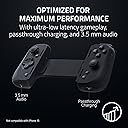
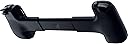
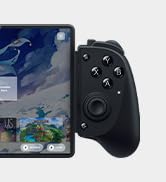
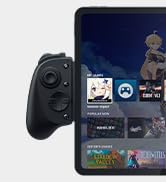
The Razer Kishi V2 Pro Mobile Gaming Controller for Android is engineered for serious gamers, featuring HyperSense haptics, a universal fit for popular smartphones, and optimized performance with USB-C connectivity. It allows seamless streaming of PC and console games, while the Razer Nexus App provides access to over 1,000 compatible games and customizable controls.


A**R
Turn your phone into an emulator powerhouse (Updated)
EDIT: I've had the Kishi V2 for a while now and have talked some of my friends into getting it as well — it's a solid unit and one of the best on the market. I stand by my initial 5 stars, and have since been able to try out the touch emulation. Zero complaints. I've come to appreciate its subdued appearance, Razer products have a tendency to be really flashy and garish. I know the GameCube came out 20 years ago at this point, but it continues to be quite surreal being able to play GameCube games on the go on a general-purpose device, with physical controls! Original review follows, with some edits based on my experience: I have a hackable Switch, but chose to try this out after being extremely disappointed with the Switch's performance as an emulation system — late N64 releases barely run, and don't even think about playing GameCube games. The Kishi perfectly fits my Xiaomi Mi 10T Pro 5G out of the box (a phone too big for the Kishi V1, which has hardware about twice as good as a Switch). Buttons feel good, not mushy, and the sticks are good. Triggers feel nice, and the analog support is always nice to have (Looking at you, Nintendo.). The four auxillary buttons are in kind of weird places, but it works. Tightly grips the phone, and the slight curve to the grips is much more comfortable than holding the phone itself, or even Switch Joy-Con. Build quality feels solid; it flexes a little bit when fully extended, but that's not a position you'll ever have it in except when putting the phone in. The Razer Nexus app is a little weird and not terribly useful, but it runs under microG and doesn't require an internet connection. The touch control emulation works great in the few apps I've tried it in, but it's necessarily a pretty subpar experience. I didn't keep playing games that required it, native controller support is the way to go. Verify that the games you want to play support controllers before purchasing! Works perfectly in RetroArch, Lemuroid, and Dolphin — also works to navigate Android itself. Waiting (im)patiently for Yuzu controller support to report on that. I got this on a Warehouse deal for ~$60. Its normal $100 asking price is a bit steep, but it's not too bad compared to its competitors and for what you get.
K**E
No regrets. Great virtual control setup
I don't really do reviews, but wanted to address the concerns I had prior to purchase. I've had the Razer Kishi for Android for 2-3 months now. It has no internal battery to worry about. Plugs straight into your phone via USB-C and has a USB-C port for passthrough charging while playing. Will it fit with your case? I highly doubt it. I have a Galaxy S22+ with a Speck Presidio case. Pretty standard on thickness. The thing is, it fits into the controller if you change to the smaller rubber pieces. The problem is the USB-C on the controller isn't long enough to insert all the way. I mean it's not even close. I have to remove the case for it to work. I was prepared for this when I purchased. This is the one disappointment I have with the design. Razer should have had a longer USB-C plug with one more replaceable rubber fitting to accommodate most phone cases. You download an app and open the game through the app. For games that have controller support, that's it. If the game doesn't have controller support, this app has a virtual controller you can set up unique to each and every game. This was a big reason why I picked this one. It works by emulating taps and swipes on your phone screen. It really is very adaptable and will greatly increase your gaming quality of life if you want to use a controller. Where the virtual controller fails is when buttons move on the screen. Think along the lines of battle controls vs town controls. This hasn't been an issue for me. It just means sometimes having to actually click a button on the screen. I don't use a controller a lot, but this one makes it a whole lot more convenient than my old one. It's light, slim, I don't have to connect bluetooth, and there's no battery to worry about. It was $60 when I bought it and I have no regrets.
P**2
Great Mobile Controller for iPhone, but Not as Compact as the Android Version
Quick Take This controller is comfortable and responsive and works well for mobile gaming. The biggest downside is that it isn’t as compact as the Android version, making it a bit harder to carry around. What I Like ✓ Ergonomic design that feels good in the hands ✓ Buttons and triggers are responsive and work well ✓ Pass-through charging is a great feature for longer gaming sessions ✓ Overall gameplay feels smooth and console-like What Could Be Better → Occasionally kicks me out of the game to the iPhone home screen → Less compact than the Android version due to the rigid back design Real Use / Final Thoughts My kids and I have been using this controller for over a year and it has held up well. The controls are responsive and it definitely makes mobile gaming more enjoyable compared to touch controls. The main trade-off is portability since the back doesn’t collapse like the Android version, so it stays fairly wide when carrying it. Despite a few quirks here and there, it’s still a solid controller that does what it’s supposed to do and makes gaming on the phone a lot more fun.
A**E
Love it WAY more than I thought I would!
Recently I bought my wife an Ambernic RG405M as a Christmas present as she has an iPhone which doesn't have a ton of space for games. It's a really great device and as she kept playing Super Mario 64 and other emulated games I got jealous and wanted my own. I have a Samsung Galaxy A54 5G which has plenty of power to emulate old school games so after some research I settled on this Razer Kishi 2. WOW is it comfortable in contrast to my wife's ambernic. The buttons are super clicks which I like vs the membrane style switches. It really works well for anything I throw at it. I also have some nbitdo Bluetooth controllers and difference in lag via usb-c is very noticeable. It is damn near perfect on the Razer Kishi V2, but I also am not an avid gamer, nor am I that picky. The build is very solid. It doesn’t flex or wobble like I thought it would. I almost forget it's not one solid unit. What I thought would be a novelty and a partially used controller is now getting used daily. 10/10.
P**Y
Solid Controller Overall
I grabbed a V2 from Amazon that was a return and I used a $50 gift card so I spent all of $12 on this thing. I'm not a heavy gamer but I wanted something more slim than the old Stadia controller and cell phone mount I've been using and this is my first foray into a dedicated remote for a cell phone. The Razer is light weight and pairs well with my Pixel 7 Pro with the thickest spacers installed. When placed into the controller properly, the fit is secure and there is no flex in the unit. The controller doesn't interfere with my screen protector either, but the phone does need to be case-less. The A/B/X/Y buttons are mushy as others have mentioned, that said, I got used to it relatively quickly. The other buttons and joycons are fine to me. My sole use for this thing is Xbox Game Pass/Xbox Remote Play for a few titles here and there. I tend to have low expectations for certain types of products as well as a specific price point I'm OK with but I'm pleasantly surprised by the Kishi. Personally, I would not spend $100 on the Kishi or any other controller. If it was the ONLY way I had to game (mobile device with Game Pass) I would probably have a different opinion. I think it just comes down to what the consumer values. I've had this thing for 24 hours and I plan to keep it. I appreciate the fit and comfort as well as the value for an open box return.
M**N
Backbone Is Better
First of all I have a Pixel 7 Pro with a minimalist case (nothing bulky) so everyone can get an idea of what I was working with. I bought this because I actually find the Backbone to be too expensive for what it is. This seemed to be a decent more budget friendly option. But now that I have it I see why the Backbone can afford to charge more. First of all, this doesn't fit your phone if you have a case, which the Backbone does (keep in mind I have a minimalist phone case so it's not bulky at all). Even after changing out the little bumper adapter things my phone still didn't fit with the case on. Second, the buttons feel a bit cheap and they're far too "clicky"; I felt like I was pushing the buttons on a mouse rather than a controller. The only reason I didn't give it one star is because it does what it says it does, and even though it's slightly worse build quality than the Backbone it seems decent. If you don't use a case I think it's a decent alternative to the Backbone. The software was actually pretty good. If they had just done a little bit better job with the bumper adapters for phones to allow for something just a little bigger I would have been pretty happy. Like I said, Backbone actually did this, so it's possible for Razer to do it as well. Ironically I think my phone would have fit if it didn't have the camera bump but I guess Razer isn't thinking that far ahead. Maybe in the next generation they'll allow for more adapters for different phone sizes. Update: Now that I've been using it tonight I attempted to use the "passthrough charging" and it wouldn't charge at all. Removed a star for that so the lowest possible rating. Definitely will be returning it.
S**R
Good, but not great. A few design changes could make it much better!
I have been using this controller for about a month and it definitely gets the job done. That said, there are a few downsides to the Kishi that make me wish I had purchased an alternative (such as the Backbone) instead. Here are the pros and cons of the controller from my perspective, starting with the cons... Cons: - No Headphone Jack: This is a big downside for me. About 90% of the time I'm using the controller, I need headphones because I don't want to bother people around me. Yes, you can use Bluetooth headphones, but there's a ton of latency, so you'll hear the audio about a quarter of a second after the corresponding visuals on screen. Competing products like the Backbone solve the latency problem by including a built-in wired headphone jack. If the Kishi v2 had one of those, I'd be much happier. - Smartphone Spacers: The controller comes with 2 sets of spacers, and this just wasn't enough options for me to get my phone fitting snugly. I had to experiment with buying different cases for the phone in order to get the fit just right. A few additional spacer sizes would have helped. - Clicky Buttons: These buttons are LOUD. Unfortunately, I can't really use the controller in bed next to my spouse or when I'm sitting in the room with my sleeping 7 month old baby. It will wake them up. I have other controllers that are much quieter, so I'm not sure why the buttons on the Kishi have to click so loudly. - Button Spacing: The ABXY buttons are just a little too close together. In one of my favorite games, you need to hold A and tap Y, and it's just not possible with this button layout. This isn't a problem with standalone controllers I've used. Pros: + Compatibility: Worked with every game I cared about without having to do much setup. This controller is especially great for emulation. + Size: Just about the perfect size to make it portable. I purchased a 3rd party case to protect the joysticks when it's in my bag. + Ergonomics: The controller feels pretty good in my (large) hands. Slightly larger grips would have been nice, but in the end the design strikes a good balance between ergonomics and size. Overall, I'm mostly happy with the purchase, but I do have a bit of buyer's remorse since it seems that the new Backbone for Android might have served my needs better, especially with the integrated headphone jack.
V**A
Console-quality gaming in the palm of your hand!
The Razer Kishi V2 Mobile Gaming Controller for Android is an outstanding device that brings console-quality controls to mobile gaming. Whether you’re streaming games from Xbox or PlayStation, or diving into Android touch screen games, this controller delivers a seamless and immersive experience that elevates gaming on the go. The ergonomic design fits comfortably in your hands, even during long gaming sessions. The build quality is premium, with responsive buttons, smooth analog sticks, and customizable triggers that add a layer of personalization to gameplay. The universal fit makes it compatible with a wide range of Android devices, and it securely locks into place, giving you confidence while gaming. The controller is easy to set up, connecting via USB-C for low-latency performance. This ensures precise input for competitive games where every millisecond counts. I’ve tested it with Xbox Game Pass, PlayStation Remote Play, and several native Android games, and the performance has been flawless across all platforms. Another impressive feature is the Razer Nexus app, which allows you to customize your controller settings and launch games quickly. The app adds convenience and enhances the overall user experience, making it simple to switch between games or platforms. The controller is compact and lightweight, making it perfect for travel, yet sturdy enough to withstand frequent use. Delivery was fast, and the packaging ensured everything arrived in perfect condition. If you’re serious about mobile gaming and want a controller that combines comfort, functionality, and console-level performance, the Razer Kishi V2 is the perfect choice. Highly recommended for both casual gamers and hardcore enthusiasts!
Trustpilot
3 weeks ago
1 month ago