Desertcart purchases this item on your behalf and handles shipping, customs, and support to USA.
⚡ Print smarter, faster, and greener—because your office deserves the best!
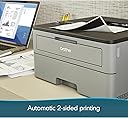
The Brother HL-L2350DW is a compact monochrome laser printer designed for busy professionals and small offices. It delivers rapid print speeds up to 32 pages per minute with sharp 2400 x 6000 dpi resolution, supports wireless and mobile printing, and features automatic duplex printing to boost efficiency and reduce paper use. With a 250-sheet capacity and high-yield toner options, it balances performance and cost-effectiveness, backed by a 1-year warranty and lifetime support.


| ASIN | B0763WDSYZ |
| Additional Printer Functions | Print Only |
| B&W Pages per Minute | 32 pages_per_minute |
| Best Sellers Rank | #133,362 in Office Products ( See Top 100 in Office Products ) #154 in Laser Computer Printers |
| Brand | Brother |
| Built-In Media | Brother HLL2350DW, Starter Toner Cartridge (700 page yield est), DR730 Drum (12,000 page yield est), Quick set up guide, Installation CD-ROM (MAC OS available from download links), AC Power Cord |
| Color | Grey & Black |
| Compatible Devices | PC, Laptops |
| Connectivity Technology | wired, wireless |
| Control Method | Voice |
| Controller Type | Amazon Alexa |
| Customer Reviews | 4.3 out of 5 stars 12,991 Reviews |
| Display Type | LCD |
| Duplex | Automatic |
| Global Trade Identification Number | 00012502649649 |
| Hardware Interface | USB |
| Ink Color | black |
| Item Dimensions D x W x H | 14"D x 14.2"W x 7.2"H |
| Item Type Name | HLL2350DW Compact Laser Printer with Wireless and Duplex Printing |
| Item Weight | 15.9 pounds |
| Manufacturer | Brother Printer |
| Maximum Copy Resolution Black and White | 2400 x 6000 dpi |
| Maximum Copy Speed Black and White | 32 pages_per_minute |
| Maximum Media Size | 8.5 x 14 inch |
| Maximum Print Resolution Black and White | 2400 x 6000 dpi |
| Maximum Sheet Capacity | 250 |
| Model Name | HL |
| Model Number | HLL2350DW |
| Model Series | 2300 |
| Number of Trays | 1 |
| Other Special Features of the Product | Auto-Duplex |
| Output sheet capacity | 250 |
| Paper Size | 8.50 x 14, 8.50 x 11, 5.80 x 8.30, 8.30 x 11.70, 4.10 x 5.80, 3.37 x 9, 4.30 x 8.60, 4.80 x 9.50, 3 x 5 |
| Power Consumption | 460 watts |
| Print media | Card stock, Envelopes, Paper (plain) |
| Printer Connectivity Type | wired, wireless |
| Printer Output Type | Monochrome |
| Printer Type | Laser |
| Printing Technology | Laser |
| Resolution | 2400 x 6000 dpi |
| Scanner Type | Sheetfed |
| Series Number | 2300 |
| Special Feature | Auto-Duplex |
| Specific Uses For Product | Home, Office, home office |
| Total Usb Ports | 1 |
| UPC | 012502649649 |
| Unit Count | 1 Count |
| Warranty Description | 1 year limited |
| Warranty Type | limited warranty |
| Wattage | 460 watts |
D**R
Affordable monochrome printing.
I was looking for a decent, economic B & W printer. This one is a reliable choice for those seeking efficient and high-quality black-and-white printing. Its compact design makes it ideal for small offices or personal use, fitting neatly into tight spaces. The printer is known for its fast-printing speeds, producing sharp and clear text documents, which is perfect for professional needs. I can attest that the copies are clear. It also offers versatile connectivity options, including Wi-Fi, Ethernet, and USB, making it easy to integrate into various setups. And it was a no-brainer to set up. Additionally, the printer supports mobile printing, allowing users to print directly from their smartphones or tablets. Overall, the Brother Compact Monochrome Laser Printer is a solid choice for those prioritizing speed, quality, and affordability in monochrome printing. It’s particularly well-suited for text-heavy tasks and environments where color printing isn’t a necessity.
J**E
Product Review
I use this to print pre printed and numbered checks. I could not find anything close to the price that works as well. I use an inkjet for photos and a color copier for my other business communications. One problem I had with this printer that anyone would have with any laser printer is that the checks come numbered with the topmost the lowest when face up. The problem was to turn the checks so that the top check was lowest numbered, face down. To do so by hand is pretty cumbersome. What I did was put 100 checks in my canon pro 100 and printed 100 copies of a blank page. The sheet feeder takes the top sheet and runs it through the machine printing nothing and if "Print from last page" is not checked, stacks it on the bottom. It really runs fast when the print head doesn't move. Then I just put the check stack in the 100 sheet tray face down. It does work fast and uses no ink. Now when I print the check the numbering is right. And the checks print fast on the Brother. I suppose this is a good printer for the student. No ink to buy. 18 dollar knock off toner that lasts a couple thousand sheets. and when another student steals it or dumps a beer in it, you are not out an arm and a leg. Set up is a snap I just turned it on and pressed the wi fi on my router and the printer and in about 10 seconds the printer was installed in my Windows 10 system. I was told to set the machine default to Toner=continue on the printer itself because there is no "Low Toner" alert. It just stops when the toner runs out if the Toner =Stop command is set. That is about it. Seems if the reliability is there, this is a great product.
W**Y
Good solid printer
So this was really easy to set up from the Quickstart guide. Just download the software, your quickstart guide gives the website address. Don't use the included disk because it will be out of date. Plug in the printer, plug in a USB printer cable, no it doesn't come with one but I have spares from old dead printers. Plug cable into computer, turn on printer. Windows will automatically install drivers, this isn't a problem. Run the software installer. It will walk you through the installation. Put in your network key when it asks you, not your router password. It connects right away to your network. Unplug USB from computer. After installation you can use the included IPrint & Scan software tool icon to tweak your printer settings from browser based ip address that opens automatically when you click on the tool icon. You can log into your settings using the admin password that's on back of the printer and this will give you a more complete set of settings. You can print out the initial settings from there as a baseline in case you change something and don't like it. The menues are pretty self explanitory though lack detailed info. You can download all the many printer guides from the Brother site for your printer. The complete online guide is good for opening in your web browser and being able to click on the table of contents to quickly get to what you want. If you save it as a PDF you won't be able to click the TOC links. It's too fat to print out unless you like wasting toner and paper. This guide gives all the printer menu options on the LED and how to access them from the printer. You can set the toner Continue mode from computer, the deep sleep mode has to be set from there printer. I haven't had any problems with it coming out of deep sleep. The printer automatically enters sleep mode but comes out fast, warms up fast from power on and prints very fast. The double sided setting works very well. You can set your print preferences from your print options menu from whatever program you are using, toner save, paper type, toner density etc and save them in custom settings tab. I'm using a 20 lb paper, so it does curl from the heat. I'll try a thicker 32 lb paper for when I need better copies. I ran 80 lb smooth cardstock through and it handled it well but did get some heat curling. The printer doesn't feel hot. Paper just doesn't like heat. It's not that big or heavy and fits well in my small office. The cord is a decent enough length, 3 pronged. Paper tray is adjustable to different sizes. Print is good and clear, toner can be adjusted from very dark to toner save, in your printing preferences. Sign into brother-usa.com to register your machine. I'm using this to print plain documents and high quality black and white graphics. Grey tones are good too if that's what you are needing. Brother Creative Center has lots of free projects you can use for printing or to use their graphics. I like Brother products, have had good experience with them. Haven't decided if I'm going to use after market toner or stick to Brother. Depends on how fast I end up going through toner. I'm giving a 5 star rating for tech support though I haven't called them for this printer, that rating is based on tech support I've received with my other brother all in one ink jet and my brother scan n cut. The printer came new, well packaged and fairly fast. It's not pretty if you're looking for pretty. Please note I've had this printer only one day and if things change I'll update to reflect that. I paid full price for this printer, 115.00, so this review is totally my own.
S**H
Fast and durable but tough to set up
I love brother products and use them in my office. I have three of the all-in-ones. This is the first mono I bought. Bought this for my girlfriend's place. Long story short, it prints great it's fast and has the brother quality that I expect. The only downside of this printer is a pain in the ass to set up! It is not quick and easy and I don't know why I struggle so much with this thing but even when it loses connection it sucks. That said it's been running for months now with no issues but getting it hooked up a couple of laptops and Android devices to print to it was no simple task! I better use brother customer support before and they're fantastic, but this was the weekend and I really wanted to get it going so I struggled. I'm fairly Savvy with computers but this thing was not simple to get hooked up. That said if it's a good buy it's worth the hassle because it prints great is fast and very reliable. And if you haven't done so with brother printers figure out how to reset the cartridges because they will go a long long time before they say they need to be replaced. And I'm talking hundreds and hundreds of pages. I reset all my cartridges on all my printers until they simply start going light. They love to tell you to change your toner, cartridges and rollers WAY before they're due!!! If it weren't for the hassle of the setup this would get a five-star rating. It's a good printer!
D**7
Needs Firmware Update for Linux and Google Cloud Print Services
Out of the box, I was able to successfully install drivers and wirelessly print from two Mac 10.10 and 10.11 devices in my house. However, attempting to set up Google Cloud Print was met with repeat failure. I was also unable to install the printer wirelessly on my Linux desktop (Manjaro 4.19.13). I attempted to register Google Cloud Print from the settings menu of Chrome browsers on Mac, Linux, and Windows. I also tried through the Brother web interface. If you are continually being asked to press OK for registration, and being met with an "Unable to Connect to Google. Please check your network" error message, you need to update the firmware. Once updated, both my Google Cloud Print and Linux driver problems disappeared. For Manjaro, I am using the brother-hll2350dw driver v4.0.0-1 from the AUR. For Google Cloud Print, you need to log in via the IP of your printer (default password is "initpass"), go to Network > Protocol and click on 'Advanced Settings' for Google Cloud Print, and follow the instructions for registering. I was lucky to have a computer successfully connect out of the box in order to update the firmware. If you don't have a computer that can connect without the firmware update, I'm not sure how you will be able to update the firmware. Maybe connecting directly over USB will circumvent the connection issues. As far as printing goes, it's a cheap, fast, monochrome laser printer. It does everything I need, and seems well built. This is a five-star printer except for the connection issues and requiring a firmware update right out the box, which knocks it to a 4-star in my book.
J**M
Brother is working hard to ruin this printer it seems.
Good printer, bad software management from Brother is making it hard to use though. It's been printing fine for 8 years. Love the two sided printing. When it's working it has been great, cheap, we've loved it. Sadly it somehow corrupted it's own firmware around 2024 and it wouldn't print unless I turned it off and on again before printing. That got too tedious so I did a factory reset, then updated it to the latest firmware and it continued working great. Now in 2026 it's started "forgetting" to print a job on occasion, then will remember later and print it. I tried to update the firmware Brother added a password requirement to update the firmware. Printing a network config page shows the password, which is the default password, but it still won't accept what it says is the correct password. Searching the internet shows there are tons of people with this issue. I hope Brother can get some firmware coders that can figure out how to make a functioning password text box.
D**N
Reliable and Built to Last
The Brother HL-L2350DW Compact Monochrome Laser Printer works flawlessly. Printing is fast, the text comes out crisp and clear, and setup was a breeze. It feels sturdy and well-made, and I honestly get the sense that this printer could last a lifetime with proper care. For anyone needing a dependable, no-fuss monochrome printer, this is an excellent choice.
G**E
Perfect printer for our needs
We bought this to replace an old inkjet. It's perfect for our home use and minimal business correspondence. This is for monochrome, meaning BLACK PRINT ONLY. Some reviewers were disappointed to discover that it DOES NOT PRINT COLOR. Pluses: -Faster than our inkjets. -Double-sided printing. I often print manuals and patterns. This makes it easy to avoid mistakes and wasted paper. -Easy wireless setup following a YouTube video. Our computers recognized the printer and installed needed items. We don't need to print from mobile devices so I can't address that. -Text looks good. B&W images good enough for our needs, such as monochrome illustrations and text. -Replacement toner cartridges are reasonable, much cheaper than multiple inkjet cartridges. It comes with a starter toner cartridge described as able to print up to 700 sheets of paper. -Great price. -Smaller footprint than inkjets we own/owned. Minuses: -Tiny unlighted LED display. -Manual input for wireless setup a minor pain. It's like texting on an ancient flip phone. Following video instructions though it went smoothly. -A quick setup guide is included which is skimpy with no instructions for how to print thicker items like envelopes and labels. A full user manual is available online. -Envelopes and sheets of label paper must be individually hand-fed into a different place than the bottom drawer paper tray. Not a big deal for us. We seldom need to print more. The back of the printer has to be opened and two green levers re-positioned before printing these items. The levers need to be returned to original position before printing regular paper again. There are video instructions available online at Brother's website. My husband doesn't like working with computers and peripherals and doesn't like change. He wanted a printer he could use with cable too. USB-to-printer cable is NOT included. We used one we had. R's older Mac is no longer supported, hence included installation DVD wouldn't work and no downloadable driver for it. No optical drive on my new computer but again, as noted, wireless setup on my machine went well, and it works on his older Mac too this way. All-in-all, this is a good budget printer for basic needs. It's fairly small, faster and cheaper to run than our old inkjets, prints both sides, works well wirelessly, and text and illustrations look good.
G**7
Perfetto
Arrivato perfetto , compatibile 100% consigliato
M**D
works well and fast
Fast b/w duplex printing Wifi a fiddle to set up but once done it works no trouble with the sleep mode from Mac, windows or iPhones, unlike other reviews - however I did update the firmware 3rd party toner worked for me but if not you can always take the chip off the old cartridge
S**.
Sehr gute Druckqualität und einfache Installation dank mitgelieferter DVD
Der Drucker wurde schnell und in gut zu transportierender Verpackung (seitliche Griffe) geliefert. Da die Treiber auf DVD mitgeliefert wurden, war die Installation in 5 Minuten erledigt. Das Druckbild ist sehr gut. Im Ruhemodus ist der Drucker nicht hörbar. Sehr gutes Preis-Leistungsverhältnis.
C**G
high quality text printing but image quality mediocre
so far so good!it's definitely a good deal as an entry level laser printer. Printing speed is pretty fast, noise level quite low, and the Printing quality for text and document is excellent. However, its performance on images and pictures are somehow mediocre, so the details won't be that clear. Overall meets my expectation, and the double side printing works well and fast as well
L**O
EXCELENTE PRODUCTO
Lo mejor en velovidad, capacidad de hojas, facilidad de instalación, 0 problemas de conectividad Wifi y con mis dispositivos de tablet, iphone y Android. Una maravilla de impresora.
Trustpilot
1 month ago
1 month ago