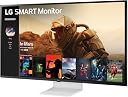
🚀 Elevate your workspace and binge-watch game with LG’s 43" Smart Monitor!
The LG 43SQ700S Smart Monitor combines a stunning 43-inch 4K UHD IPS display with smart webOS22 streaming, USB Type-C connectivity with 65W power delivery, and built-in stereo speakers. Designed for multitasking professionals, it supports seamless device integration, wireless AirPlay 2 mirroring, and optional detachable webcam for video calls, making it a versatile centerpiece for work and entertainment.


| ASIN | B0C251N7S5 |
| Adaptive Sync | FreeSync |
| Additional Features | Auto Off / Auto Sleep |
| Aspect Ratio | 16:9 |
| Best Sellers Rank | #132,347 in Electronics ( See Top 100 in Electronics ) #2,800 in Computer Monitors |
| Brand | LG |
| Brightness | 300 Candela per Square Meter |
| Color | White |
| Color Gamut | 80 |
| Compatible Devices | Gaming Console, Laptop, Desktop, Select Camera, Select Tablet |
| Connectivity Technology | HDMI, USB Type C |
| Contrast Ratio | 1200:1 |
| Customer Reviews | 4.3 out of 5 stars 1,090 Reviews |
| Display Resolution Maximum | 3840 x 2160 |
| Display Technology | IPS |
| Display Type | IPS |
| Hardware Connectivity | HDMI, USB 2.0, USB Type C |
| Has Color Screen | Yes |
| Image Contrast Ratio | 1200:1 |
| Is Electric | Yes |
| Item Dimensions D x W x H | 10.7"D x 38.1"W x 25.5"H |
| Item Weight | 14.6 Kilograms |
| Manufacturer | LG |
| Model Name | 43SQ700S-W.AUS |
| Model Number | 43SQ700S-W |
| Mounting Type | Wall Mount |
| Native Resolution | 3840x2160 |
| Number of Component Outputs | 3 |
| Picture Quality Enhancement Technology | HDR10 |
| Pixel Pitch | 0.24 |
| Power Consumption | 67.9 Watts |
| Processor Count | 1 |
| Refresh Rate | 60 |
| Resolution | 4K UHD 2160p |
| Response Time | 5 Milliseconds |
| Screen Finish | Matte |
| Screen Size | 43 Inches |
| Screen Surface Description | Matte |
| Shape | Flat |
| Specific Uses For Product | Personal |
| Total Number of HDMI Ports | 2 |
| Total USB 2.0 Ports | 3 |
| Total USB 3.0 Ports | 1 |
| Total Usb Ports | 4 |
| UPC | 195174058374 |
| Viewing Angle | 178 Degrees |
| Voltage | 240 Volts |
| Warranty Description | 1 Year Parts & Labor |
| Warranty Type | 1 Year Manufacturer Warranty |
R**S
Awesome 43” LG 4K Display Panel, great for my Business productivity
The reason for this awesome buy is that I have an old good system (12Yrs old) that I did some upgrade and I wanted to see if One solid 4k monitor would be compatible with my present system. My two 24” 1080P LG monitors also (12yrs old) die on me and I was using a 27” 1080P TV that I also used for PS3 & PS4 video games, but the quality was poor when using windows and I was having a hard time trying to adjust the colors to my satisfaction, so I got sick and tired of the ugly visual so I decided to look for a better solution to my problem. After numerous consideration on which monitor will fit my needs, I search for various brand types and sizes of monitors and instead of choosing two monitors I came across the LG 43” 4K model # 43UD79-B and it looks good but something was missing when I check the specs, it did not have the HDR10, so I waited to see if LG would come out with the same 43” 4K size monitor with HDR10, and long and behold, they did. WOW! By this point I am so excited, the new LG 43” 4K model # 43UN700-B is the complete monitor that fills my needs, plus the price was a perfect fit as well, less than $600 dollars. So I decide to purchased and that was a good decision, this monitor is awesome!. Also important to mention that this monster of a monitor is huge and prepare to have a desk to accommodate this beast. You might be wonder is this monitor is compatible with my old good system? The answer is HECK YES, it is working flawlessly, the resolution is by far better than before and I can connect four different devices and have each one display at the same time on the screen. My set up is one desktop, one PS3 and one Laptop, and the 4th one will be another High end more robust Desktop(coming soon…). I must say that it was easy to set up this awesome monitor as well, easy installation and the end result is…It is big, bright and now I have a 4K and doubled as a TV as well, it comes with awesome remote control. Well in my opinion, if you considering the size and the low price, this monitor is an amazing awesome value, as well great for those who needed to work with multiple documents, videos, applications, etc…-the 43” 4K LG 43UN700-B with HDR10 will give you plenty of real state space. Remember that this monitor is best for productivity, if you are a hardcore gamer this is not the monitor for you, also that does not mean you cannot play games on this monitor, you can! Thanks, LG for making an awesome monster of a monitor it was worth it waiting for the right monitor to come along my way, and also thanks to Amazon for providing an awesome delivering of my product. Well as you may notice I am very happy with this purchase and I highly recommended it.
J**T
It is a little thicker so I would make sure ur desk has a comp riser
This monitor is beautiful! I can’t see any pixels and my designs come out Amazing!! I paired with the Mac mini m4 and it’s like they are made for each other. This monitor comes with AirPlay and Apple home kit support! I was stuck between this and a couple monitors up into the 7-800$ range. But I thought let’s get this the size and price is incredible and I love the white i do wish this size was available in the pink. It’s got a nice metal finish n it’s so Well put together. I’m not an avid gamer but my husband said he was suprised at how well it did. It is 4k. If ur used to 1,000$ monitors This probably isint ideal. But if ur looking for a nice monitor with a decent to great screen and honestly it’s giving with the aesthetic I would definitely recommend!
E**E
Great Monitor!
This is the 3rd LG monitor in this series that I've purchased and have loved every one of them. The size is perfect; I think going larger is too big and the icons/text gets too big, and smaller is difficult to see at 4k. There are a lot of options for picture color/brightness/contrast and multiple inputs. The text is clear and easy to read, unlike some tv's or other monitors. Make sure you're on 60hz screen refresh rate (in Windows) or the mouse does appear choppy when moved since it's such a large screen. Viewing spreadsheets, schedules, or drawings is amazing just due to the amount of info you can get on 1 screen. Overall I'm MUCH more efficient than having 3 separate monitors. I'd highly recommend this monitor.
C**N
Absolutely glorious.
I have been using monitors in the 20 - 24 inch range for years and never anything larger. I decided to finally go big. You know that saying, "Go big, or go home?" I had several criteria: It had to be 4K. It had to be over 24 inches. It had to be an IPS panel. I had looked at a few 32 inch models that fit the criteria then I saw the 43 inchers from LG, Dell, and Asus and started thinking what that would be like. After mulling it over, I pulled the trigger; the LG was the most affordable since the others cost 1K+ It got here, I unboxed it, attached the stand and base, and sat it on my desk, plopped down in my chair, and my reaction was. . ."Holy cow, what have I done?" I was blown away by the size of this thing. It's practically a 4K TV(it does come with a remote, by the way). I connected it to my desktop, and booted up my machine and was floored; it was so crisp, vibrant, and. . . BIG. My Windows desktop never looked so good. As big as it is, sitting at your desk in from of it, is not really a problem. You get accustomed to it quickly. I connected my devices to it. It's got 4 x HDMI and Display port as well as USB-C, so as of now, I have a desktop, a laptop, and an Xbox One connected to it, with still ports to spare(note: two of the HDMI ports are 4K/30hz and two are 4K/60hz). It has built in speakers which aren't great, but they're decent enough for what they are; the sound is clear, there's just no bass in it. It took me about a day of using it to adjust to it, and I'm in love. Things to know: this is a general usage display, a jack of all trades, master of none, but "good enough," display. If you're a high end PC gamer who demands greater than 60Hz refresh rates, look elsewhere, this is not one of those fancy 144Hz gaming oriented displays; it is not FreeSync enabled. If you're someone who's a PC gamer who's fine with 60Hz(60FPs is still fine for most of us), then you'll be fine; this thing is perfect for PS4 and Xbox One. Also, it says "HDR" on the box, just know that this is the "fake" HDR that many of today's more affordable 4K displays have. The problem is that the sustained brightness on this thing just isn't high enough to resolve real HDR, but the fake stuff can look good. If you're in the market for a gigantic, high resolution general purpose display for both productivity and entertainment, then this is one to consider. Caution, you may get spoiled and may not be able to use anything smaller ever again.
B**.
I would give this one 5 stars
I would give this one 5 stars. It replaces a 4k TV with hdmi input that was doubling as a computer monitor. That one had a very nice crisp screen, but every few minutes it would black out, and loose sync with the video card, depending on what was on the display... making it irritating and almost unusable. This one is not quite as crisp, but close... and it has not blacked out at all... so it is usable for me. I do a fair amount of spreadsheet work and a fair amount of text and this one is ok for that. As for some quirkiness: The included quick start manual seemed to be for a slightly different model, the stand attaches differently than described, but no problem, I was able to easily figure this out. Not all monitor settings are available from the remote control. Some are greyed out. The model seems much heavier built than the TV it replaced. Box and all weighed almost 50 lbs. Interestingly, Amazon chose to send this to me by UPS, rather than Prime delivery (which I am a member of). The box was slightly damaged on arrival, but the product itself appears fine. I would feel better I think if what I perceive as a somewhat delicate product was not shipped by ups or other common carrier but was completely handled by Amazon. This product comes with a 1 year mfg warranty, which I think should be longer. So, I purchased the extended warranty offered by Amazon from Asurion which goes out to 4 years. I think a relatively expensive product should have a long warranty. On the whole, this product seems to be doing the job for me, and I believe I will keep it. Amazons 30 day return policy is better than some big box retailers, but check with Amazon before you buy to make sure no restocking fees will apply. This product would be difficult to repack, with all the protective wrappings for each component, should it be necessary to return it. More interesting tidbits: 1. Right clicking on the windows desktop brings up a menu with several options, one of which is: "NVIDIA Control Panel". 2. I made some changes there, which increased the quality of the default picture. What I changed: a. Under "Change Resolution, sub section 3: Use NVIDA color settings. Output dynamic range "Full". Picture is crisper, blacks are blacker, generally better. 3. I am using 60hz refresh rate. I originally reviewed this at 4 1/2 stars, but with the above changes, I think it rates 5 stars. Update 7/2/22: The more I use this device, the better I like it. YT 1080p videos are wonderful. I have had no problems with blackouts. When using the settings described above the picture is sharp and colors are good. Based on performance to date, I recommend this product.
A**X
Fail after only 6 months of ownership and LG WILL NOT DO WARRANTY REPLACEMENT
Update: I am updating my review to 1 star because the monitor now after only 6 months of ownership will not keep an image for more than 10 minutes at a time. The screen goes black and all buttons unresponsive and I have to unplug the monitor and plug it back in. This problem happened with the last monitor I had from a different company-- The common thing is that both these monitors were super cheap options from their respective companies. Now, this is happening now, but I noticed that when I first got the monitor and tried to use the Picture in Picture feature that this would happen after a few minutes the entire screen goes black and monitor is unresponsive. It happened consistently when and only when I used PiP.. This was right after receiving it in the first week or two! A few months ago I discovered that I can turn HDR on in the monitor, and when I did that, after a month it started doing it for HDR mode... I was not able to keep HDR mode on .. so I turned HDR off.. Now, it won't even stay on for more than 5-10 minutes without turning off. When I called LG they said they don't do warranty replacements, which is ridiculous because they should stand by BRAND NEW PRODUCTS. I don't want a defective product repaired and sent back to me when I bought a NEW product. I want a NEW monitor sent back to me, I can send them the old one if they wish, and they can repair that and do the QA thing and do whatever they want with it. But I want what I paid for, which is a new monitor, not a refurbished one. Given the only option though I was going to do it. But then they're not even able to provide me with a professional packaging for the monitor so it doesn't get destroyed. The most they would do is send ONLY a cardboard box! LOL. Everything is left to me to do it myself. No thanks.. Then I asked if they have arepairmen that can come to my house. They said they only do that for TVs. This is a horrendous experience to say the least. Now when I'm trying to save money I have to buy a new monitor because LG won't stand behind their products. Here is my advice: DO NOT BUY MONITORS THAT ARE UNDER $800. Both ones that were cheapos (this one and another $250 4K 28" monitor) failed on me. The LG 34" Ultra Wide that I have that I paid $800-$1000 .. I've owned two and they've both worked FOREVER. And others as well. Only cheapos have failed. Here is the original review: This is a great and affordable monitor, but I was initially (I stress: INITIALLY) disappointed with the quality of the white balance and brightness and color in general given that this is both an LG, and an LG UltraFine monitor. The color was WAY too blue on the brightest automatic setting (You have the different modes, like Cinema, Game, etc. you know what I'm talking about). I noticed that anytime I took a photo of the screen with my camera to post on social media the colors were WAY off in the photo, like WAY off. That's how bad the white balance was.. Green grass was like a weird blue green. The monitor has RGB color saturation which unlike what you'd expect with normal saturation settings the colors don't bleed when the saturation is set to 100% ... So I was able to fix the color AND brightness by setting the Color Temp to custom and then setting red and green to 93%, and blue to 54 with brightness set to 100. Everything else is whatever you want. I have Super Resolution set to off because all that does is make the image really sharp (Think Photoshop unsharpen filter) which makes it look photoshopped/not good. With those settings the monitor is great. But because the colors are so horrid out of the box that's why I dinged it from getting 5 stars. The stand does not have height adjustability which is not ideal because for most desks this will result in horrible ergonomics. I have a sit/stand desk and I had to raise the desk much higher than I would normally want to have good ergonomics.. Also the stand is so low that while my Mac mini fits under the monitor, the Mac Studio I plan to get is too tall to fit under the monitor. What I mean is this is a huge monitor right.. So it will take up a LARGE horizontal space on your desk.. There's only 3 1/2 inches of clearance under the screen to put your Mac mini or whatever other items you may have (I dunno .. phone/Apple Watch charging stand? whatever you guys might have).. Update: I added a picture of this to my review so you can see what I mean. It's literally 38 inches wide, so it's wide. You're gonna be sacrificing desk real estate unless you use a monitor arm which are not easy to find since this uses the larger 200mm TV VESA MOUNT sizing. It's a great monitor with some caveats that may or may not matter to you depending on your set up. My desk is 80 inches wide so when I do get the Mac Studio I will just rearrange my desk so I can put the Mac Studio to the left of the monitor or something since it won't fit underneath it. Like I said, I didn't even bother with a monitor arm because the only ones I could find that have 200mm VESA size mount are the kind that it's a stiff pole where the monitor is fixed to the pole with screws that tighten it on. You would not be able to move the arm around at all so I figured I would save myself the headache and just use it on the stand it comes with. Another option if you don't have a sit/stand desk is you can actually mount it on the wall like you would a TV. but then you can't move the desk around much, which isn't usually a problem for most setups. All in all it's an amazing bang for the buck at $500. It's a no brainer.
N**E
Good all around option,
I've so far had a very good experience with this monitor. I think this is a really good jack of all trades, and its much more practical then multiple monitors at any size. The 2 24" 1080p monitors I replaced were actually wider then this when side by side. I couldn't sit directly in front, and it would have only been worse going to 2 27"1440p or larger monitors. The blacks on this are good I tend to use 7% brightness with lights off and 33% in daytime. I actually prefer it over my local dimming Tv for media as its a very consistent picture. You need an IPS for a screen this size for wide viewing angle just to sit close to it and see everything clearly with decent color clarity across the whole panel without a curved display so there was only a couple other monitors I was considering. Recommendations: Wall or desk mount with a long extension arm -adjusting where it is frequently is going to help if you are using it to replace a monitor array where you want the most screen real-estate with 100% scaling (up close about 26" from eyes). Or push it back about a 1.5' when its time to watch a movie or play a game on it full-screen. As far as cons: *The picture and picture is far less applicable to me then even I thought it would be, Its not that easy to swap modes, and when you do your going to have to change settings multiple times on each device *There is some perceptible but small edge lighting differences, seems on par for an IPS panel this size The UBC-C cable is only about 4.5' long while the other cables are 6'. - They could all be longer, but the USB is the only one that doesn't reach my PC *The 10w speakers exist, but no base or treble on top of reflecting off the desk For gaming response time is on the slow side. The only real downside to this is text ghosting In a game like Poe were the dropped items are more difficult to read when your running past them, even though at 4k on a 43" its very large text. I would assume that would translate to games with nameplates and other text floating around. FPS performance is alright, but but you will be sacrificing some competitive advantage compared to a High hz monitor or 1-4ms response times. I managed to increase it to 67hz in NVidia control panel. Which did seem to help text motion in game. I also think its more practical to play a windowed game at a custom widescreen resolution instead of the full screen.
S**K
Not Quite What I had Expected
Im using this monitor at work. I have a 2021 16" MacBook Pro (M1 Pro) as my company supplied laptop and have it connected to this monitor via a CalDigit TS3 Docking Station via Displayport 1.4, and USB-C to Monitor's USB-C. As a single GIANT monitor, it's AWESOME! But when I use the split picture function (what I bought this for), it's lacking. Why? Because: 1. When viewing ONLY my MAC', with Side by Side set on the monitor (so I have 3 monitors for my MAC), inputs on the monitor show up vertically correct, but stretched horizontally. This effectivly makes either monitors unusable. I can change the aspect ratio on the monitor or the display resolution settings on the MAC and get a useable picture, but they screens are small with huge black bars above and below. To use the whole monitor's screen real estate, It's always stretched no matter what I do. So to get a usable screen, I can have 1 HUGE monitor and my MBP's built-in display side by side. ---- OVERKILL but still cool I guess. At least I got 1 HUGE monitor. 2. I have a dedicated (out of band management) Windows 10 laptop connected to the monitor via USB-C:HDMI into HDMI 1 on the monitor, and another HDMI:HDMI going to IN-2 on the monitor. And these function perfectly when in tile mode (4:4 display on the monitor. This gives me 3 full monitors for my MAC and 3 full monitors for my Windows PC. The crux comes in, that they are all relatively small screens. Visually about the same size as a 14" monitor. --- This is perfectly acceptable when I need to do work on both my MAC and my OOBM computer at the same time. - I share a logitec wireless mouse between the computers (the mouse's onboard toggle button), and use seperate keyboards for the systems. The real issue Im running into with this monitor is how it manages the inputs. THey are active ALL the time. Meaning even when an Input isn't being used, it's still active and powered on so whatever computer or device is attached to the input still sees it as an active display, even though the monitor is not displaying the input signal. This SUCKS! Why? Because when Im in full-screen mode, my MAC still sees there's a 3rd monitor connected. If you use the split monitor function like I do and swap between having 2 monitors for the MAC and 2 for the PC and back to using this just for the MAC, the extra monitor that is usable is 4:4 mode, remains active on the MAC so you have a hidden monitor that can't be seen, but can still be used (according to the computer). So if you have anything open on that monitor when in 4:4 mode, it's no longer visible when going back to 1:1 mode on the Monitor. If LG would at least give you a firmware option to turn off/on the inputs according to what is selected on the monitor's view; it would be a HUGE benefit. The MAC or PC connected would automatically adjust the number of available screens in it's OS according to what mode is selected on the monitor. And my last gribe (a HUGE one), is when you change viewing modes on the monitor, it resets your display settings on the MAC. When I use this monitor as a single monitor, I adjust the resolution settings to "scaled" in the MAC making the resolution much higher allowing for better use of the 43" Monitor. If I use it's "default" the text and icons are so large, astronauts on the ISS could read the screen if I just tilted it up. NOT only does it "default" the display settings, it's defaults the order in how the monitors are setup in display settings. This means every time I swap between the 1:1 view and the 4:4 view, I have to resetup the MAC's display settings accordingly. It's troublesome and a PAIN IN THE BUTT! Maybe LG will fix this is a future version. 1. Just turn off the inputs on the monitor when the inputs are not being actively displayed. 2. The display settings not being retained is not a problem with the Monitor, so I can't gripe about that. Its an issue with the MAC being intelligent enough to speak, but not smart enough to construct a full sentence. It's just lame and would be nice to have a bit more attention paid in it's memory settings. 3. The Monitor has a "Buzzer" function that makes high pitched tones with the OSD Menu choices... Once it's turned on, you cant turn it back off. MADDENING! At least I haven't figured out how to turn it back off yet. The option is grayed out in the OSD Menu. All in all, I should have just bought a 50" UHD TV with 4 inputs. I would have been better served given my needs. AND would have gotten a much brighter and crisper display than this overstuffed LCD. I don't play games so I cant comment on how good this is for games, but all in all Im not too happy with my purchase.
M**O
Bien para sala de juntas, monitoreo de lejos, no para uso profesional
Tiene baja densidad de pixeles, para trabajo cercano es molesto para uso prolongado, los textos y la interface en general se algo blureada, es pesado para uso por tiempo largo para leer documentos etc. MUY mala calibración de fabrica, hay que calibrarlo con un colorímetro para tener una imagen decente, si no muestra una terrible imagen. Se necesita buen conocimiento de calibración para lograr calibrarlo bien, un usuario intermedio no creo lo pueda hacer bien por lo mal que viene de fabrica. Pero si se logra se puede tener una imagen decente. Para trabajo profesional de imagen definitivamente no es una opción. Esta bien para salas de juntas, para verlo de lejos, como una televisión. El producto esta hecho completamente de plástico, se siente barato. El tamaño es muy bueno para multitasking, pero la baja densidad de pixeles y la calidad de construccion no hacen que valga el precio.
N**W
Excellent product!!!
Fully satisfied !!!
C**R
Best monitor for software engineers
Earlier this year, I was looking for an upgrade from my four LG 24UD58 screens because I found that I do not have enough screen real estate. The options that I explored were: • Going from 4×24″ screens to 8×24″ screens using two 2×2 monitor arms for a 4×2 arrangement. I ultimately decided against this for two reasons: This would've meant having the edges between monitors directly in the center of my field of vision, and I cannot connect 8 screens to a single device. • Going for 2-4 LG 27QP88D. I ultimately decided against this for the same reason. • Going for two very large screens. I ultimately settled for going for two very large screens, the LG 43UN700, a decision that I never regretted. The viewing angle and anti-glare of the LG 43UN700 are really good, and they alone would already justify a 5-star review. But what really kills it (in a good sense) is the built-in picture-in-picture feature. As you can see from my introduction, I couldn't quite make up my mind about whether to go for more individual screens or fewer large screens. And, you know what? The LG 43UN700 is NOT a compromise. While it is a large screen, it can ACT as up to 4 individual screens! It has 4×HDMI, 1×DP and 1×USB-C input, a total of 6 inputs. And you can choose whether to view one input in 4K, or two inputs side-by-side, or two inputs stacked, or four separate inputs. What rounds up the whole thing is that the USB-C has power-delivery and a built-in USB-Hub so you can hook up your webcam directly to the monitor when connecting the monitor via USB-C. For software development, especially for pair and ensemble programming, this monitor is one of the best monitors around. But I bet video producers and sound engineers will also have their productive fun with these screens. One last thing: In India, the monitor ships with a power cable that has a 16A plug, you might wanna order a 6A plug power cable right away, if you don't have a spare lying around.
B**B
Great monitor with some fixes
Setup with a 2019 macbook pro. Not sure why people are having nagitive results with the USB C. It works good... Lg monitors seem to be all the same with the colour.. I have owned 3 in the past. They are a bit off out of the box but with a little work you can get it mimic the mac or whatever look you are going for. It could be brighter.. but if you use this all day having it not so bright is a good thing. Save your eyes a bit. Text could be sharper but seems to be a mac issue. PC looks more crisp. All and all I could never go back after owning a 43inch. For the price this definitely works great for a graphic designer. Hope this helps.
T**Q
It is good for what it is made for
First, This monitor is not for gaming! The slow 60hz refresh rate is very noticeable (even with scrolling through web pages). If your current monitor is 75hz or more, I would advise trying a 60hz monitor first to decide if you can live with it. Another issue is that the monitor cant be adjusted vertically (up and down). Now that's out of the way, the monitor is amazing, I do coding 10 hours a day, and I love it. The brightness can go up really high. The remote control that comes with it is kinda overkill, I don't think the monitor is big enough to be a tv. The speakers sound good, definitely better than the one you use on your laptop. I'm satisfied with this, although I had to take 1 start away for the cons I mentioned.
Trustpilot
2 months ago
4 days ago