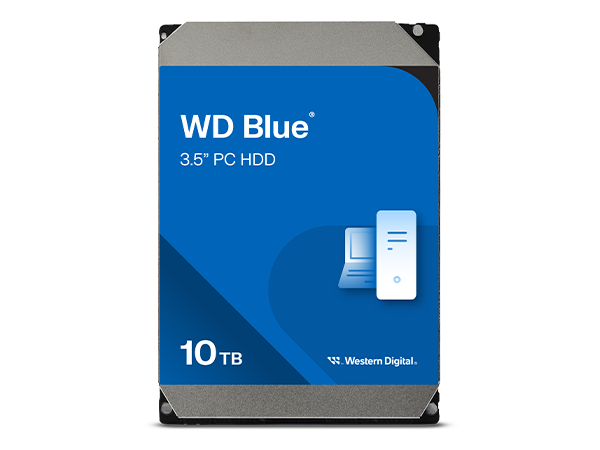
Buy anything from 5,000+ international stores. One checkout price. No surprise fees. Join 2M+ shoppers on Desertcart.
Desertcart purchases this item on your behalf and handles shipping, customs, and support to USA.
💼 Elevate your desktop game with WD Blue — storage that works as hard as you do!
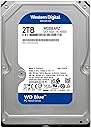
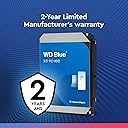
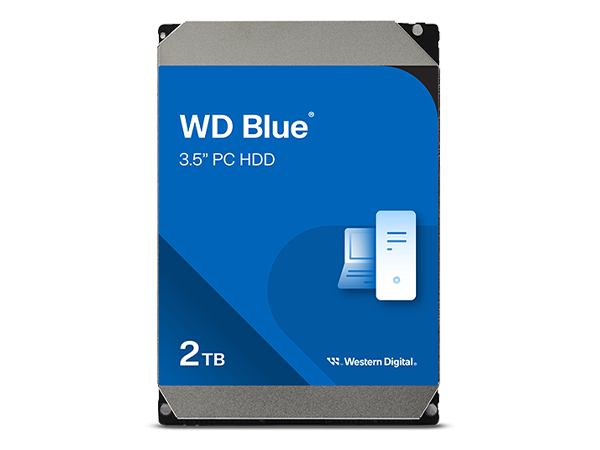
The Western Digital 2TB WD Blue internal hard drive combines reliable 5400 RPM performance with a spacious 2TB capacity and a speedy SATA 6 Gb/s interface. Featuring a 64MB cache for enhanced data handling and plug-and-play ease, it’s designed for professional-grade everyday computing in desktop PCs. Backed by Western Digital’s trusted quality and a 2-year warranty, this drive is the smart choice for millennial managers who demand dependable, quiet, and efficient storage.


| ASIN | B0C4X1JLD4 |
| Additional Features | Portable |
| Best Sellers Rank | #364 in Internal Hard Drives |
| Brand | Western Digital |
| Built-In Media | Internal Hard Drive |
| Cache Memory Installed Size | 64 |
| Color | Blue |
| Compatible Devices | Desktop |
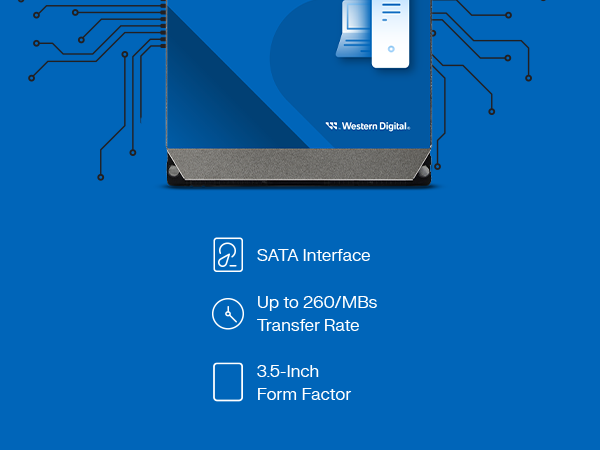
| Connectivity Technology | SATA |
| Customer Package Type | Standard Packaging |
| Customer Reviews | 4.7 out of 5 stars 6,829 Reviews |
| Digital Storage Capacity | 2000 GB |
| Enclosure Material | polycarbonate |
| Form Factor | 3.5-inch |
| Global Trade Identification Number | 00718037900667 |
| Hard Disk Description | Mechanical Hard Disk |
| Hard Disk Form Factor | 3.5 Inches |
| Hard Disk Interface | Serial ATA-600 |
| Hard Disk Rotational Speed | 5400 RPM |
| Hard-Drive Size | 2 TB |
| Hardware Connectivity | SATA 6.0 Gb/s |
| Hardware Platform | WD |
| Installation Type | Internal Hard Drive |
| Item Dimensions L x W x Thickness | 9"L x 6"W x 3"Th |
| Item Type Name | Internal Hard Drive |
| Item Weight | 0.99 Pounds |
| Manufacturer | Western Digital Technologies, Inc. |
| Media Speed | 6 GB |
| Mfr Part Number | WD20EARZ |
| Model Name | WD Blue HDD |
| Model Number | WD20EARZ-SPC5XB0 |
| Number of Items | 1 |
| Special Feature | Portable |
| Specific Uses For Product | Multimedia |
| UPC | 718037900667 |
| Warranty Description | 2 Year Limited Warranty |
S**D
WDs rebranded Green drive, cheap storage, a little noisy head movement and vibration, not too slow, no surface errors
EDIT: I was disappointed and quite frankly upset when I learned more about this drive after purchase. However, it performs pretty well and I can trust it now that I've owned it for a long time. No errors or problems for several years. It outperforms my budget Samsung HDD drive which had less than 100HRs before throwing errors. This WD has thousands of hours with no issues. That's impressive. To be honest I love the drive but I am still upset it is just a rebranded green drive...whatever Original: ITS A GREEN DRIVE NOT BLUE (okay the label is blue and it is as advertised but if you bought WD HDDs before you know what that means) History: WD made cheap and bad green 3.5" drives 5400RPM and in efforts to boost sales they got their label changed to blue and discontinued the use of green labels #marketting SOB's Well anyways, kinda expected that for $99 that I paid. This goes into the PS4 3.5" adapter so not a big deal if it fails. Before the facts, there is GOOD NEWS and it's listed at the bottom and the drive does work fine right now but 3 stars because I'm worried ok, it makes noises (probably normal noises), and it is really a cheap green drive so that worries me too. The current facts: It vibrates, it makes old and somewhat loud pc like noise (head movement) when playing games or when not playing games but transferring more than one file at same time. (downloading 2 or 3 games at once) If it is doing multi file transfer but one after another instead of all at once, then the head doesn't move much so no noise can be heard. The intensity of the noise is no louder than old drives of the 90s so I'm only half worried, as this may be the actual design of this drive. It gets warm almost too warm but not toasty. (granted it could use better ventilation and it is sitting in the adapter thing above a warm ps4) There was one BIG issue (which may have been the ps4 adapters fault) where I lost all data on the 3rd day. It would turn on and spin but ps4 could not recognize it or be able to initialize it (ps4s version of formatting) The fix was to use pc and 3rd party free-ware to rebuid the MBR. Guess something went wrong with ps4. Afterward once MBR was rebuilt it still only worked after I initialized (ps4s version of formatting) the whole drive and started resh again and that was a BIG improvement. 2 weeks and 1.3 TB later it is doing ok. I still don't know what went wrong that day THE GOOD NEWS ( best for last eh?) No surface errors found, tested this right out the package and after I had ps4 screw up the hdd MBR (assuming it was PS4 that did it, or the adapter) Guess i'll keep track of it and re-review if i can once it screws up again and I'll do SMART diagnostics to make sure the drive is not at fault
K**Y
Bought to use in my dedicated Plex media server and it works great! Best bang for your buck hard drive out there!
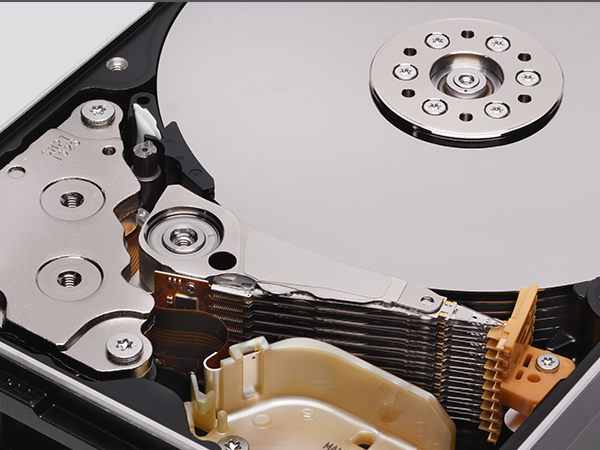
I have a veritable rainbow of WD drives (red, green, blue) between my PC, Drobo and newly built NAS and they are all real workhorses. I have yet to have any of them fail or misbehave even after 8 years. I know certain colors are best suited for certain applications, but I find the blue drives to be the best bang for the buck and most versatile. I bought this most recent 4TB blue to install in an old PC that I turned into a Plex media server/home made NAS. I've been wanting to have a dedicated media server for some time and finally had the chance to do it but needed more storage space. The PC I had has a 1TB hard drive that I wanted to remain dedicated to running software and store all of my movies, tv shows, documentaries, and kiddie crap (haha) on its own drive. I installed this the other day and loaded all my visual media on it (I keep pictures and music on yet another drive) and I still have room to spare. I immediately connected the new server to Plex through my Roku 4 and watched a movie (1080p) on the TV while streaming another to my phone and had no trouble whatsoever! I know a lot of the buffering problems stem from inadequate CPU and mine is good, but just in case you're wondering, these blue drives have no trouble streaming content from when you've got adequate transcoding power in your machine. A lot of people would tell you you need red drives but old blue does just fine in my experience and is so much cheaper! For those of you who are new to installing new hard drives, it's a piece of cake but just be aware that this drive does not come with any cables or mounting hardware, so you'll need to be sure you have your own SATA cable and an available power source cable as well as screws or whatever you need to mount it in your case. Also for the newbies, you can't just plug and use, you'll need to go in to your drive manager and name/format it before you can use it. This is also very very easy to do and only takes a few minutes and then you're ready to go! I don't use these WD drives to boot and run software anymore (it's all about SSD's for that now - buy one, it will change your life) but I use these drives to hold and back up all of my data for me and I love them! You really can't get more storage and a more reliable drive for a better price than this. And don't be freaked out because the picture shows the inside of the hard disk, this is a fully enclosed drive (see pics). Hope this helps! Happy computing! I did NOT receive this for free or at a discount.
E**T
Western Digital is THE brand for platter drives
I only use Western Digital drives, the platter drives that is. Internal as well as external. Why? Well they have just proven to be extremely reliable as opposed to every other brand I have used for decades. I work in the world of IT and have since the early 90's, and WD drives never let me down. I own multiple external Elements drives, WD black drives, blue drives, and so on. I have extremely old drives and they still work fine as well. I am a person who continues to use what "works". These work. This current 2TB WD Blue I am especially impressed with. It appears to have very little to no audible noise. I actually thought for a second for the first time ever I received a bum drive! But no, works great. Good job WD. Thanks for the years and years of data retention!
A**G
Fast 'RMA' WD Blue Still A Great Drive.. But..
Well where to start.. I've own WD Reds & Blues for years. Only hard drive failures were in the first few days or dropped being careless while transferring to another computer. I'd set up a multi media computer last year with mostly used parts but wanted to finalize the set up with a new SSD WD-Blue and a 4 TB WD-Blue hard drive keeping the setup as cheep as possible, WD-Red’s more than I want to spend right now. Both arrived in a box much too big for two small drives & without packing material in it. Both rattling around with plenty of space to get a flying start to the end of the box at each start and stop of Amazon Prime delivery before arriving at my home. I saw the driver pull up from my living room window and while walking the box to the front door shaking it close to his ear ‘great’ a look of disbelief was on his face, the same dreaded disbelief I had upon picking the box up at the door. The SSD WD-Blue survived the long start-stop delivery drive to my house, the WD-Blue 4 TB mechanical drive how ever failed startup BIOS smart-test and I had to F1 passed the error after only 11 hours of struggling use. To confirm my fears I checked Drive on another computer with ‘CrystalDiskMark’ on windows and ‘Disks’ on Linux Mint both confirmed my fears of a bad drive. My belief over the years is most Hard Drive fail from inadequate shipping practices or accidents with handling in the home, usb Hard Drives more susceptible to failure because of this. The RA went well, Amazon sending me a replacement quickly ‘two days’, the UPS Store lucky for me is beside grocery store I shop at. Only issue there was their WIFI pop up on my phone covering the RA shipping code while being scanned. In and out two minutes, tops. The delivery of new drive was much different as the driver carried the box tenderly with mechanical hard drive respect to the front door. New drive powered up and formatted as one would expect from a new drive with no errors. But I checked with ‘CrystalDiskMark’ and ‘Disk’ anyway before using, just to be sure. The new reworked multi media build came together well, the new 4 TB WD-Blue Drive read/write's as they should be and all 2TB of data I had, moved swiftly from old drive to new in about four and a half hours. If I don't update this review within the next two years you'll know new RA drive survived and is still in a running state.
A**N
Good Value For Cold Storage
My drive works well. It is quiet and has a good transfer rate (about 175MB/sec for large files). I use this drive for storing backups. My files are about 30 to 50 GB each. I use this drive externally, in a USB 3,0 cradle. When I am done storing my backup files (and assorted other large files), I spin the drive down, remove it from the cradle and place it in a HDD storage box. For this type of use-case, I highly recommend the drive. As other reviewers have noted, check the warranty status on WD's website immediately after receiving the drive. If the status is anything less than covered for 24 months, return the drive immediately for a refund. Also, make sure you buy this from Amazon and not a third party seller. This will protect you. I cannot recommend this drive for hot storage. Spinning all the time that your computer is on, the drive may not last as long. For constant spinning, I use my WD Red drives. They are more reliable and have a longer warranty. Of course, you will pay more for them, but that is worth it to me. I have concerns about the technology in the WD Blue drives. They are more prone to data loss. For me, this is not a problem as I verify my backups immediately. But, I would be concerned if I were using them for hot storage. For cold storage, I care more about price/GB. WD Blue 4TB is hard to beat in this regard. Finally, if you are thinking of using this as a system drive, don't. Just don't. A 1TB or 512GB SSD is affordable, reliable, and fast. For this, I recommend Adata SX8200 pro. They are a great choice if your motherboard has a NVME M.2 slot. I hope this was helpful.
M**S
Great drive for mass storage
I have purchased several of these over the past few years for use in a home file server. These are reliable drives. I am running four of these in a file server, soon to be five, and have been running them for around three years with zero failures or SMART warnings. No drive lasts forever, but so far these just keep trucking along. When the inevitable drive failure occurs, I will likely replace the drives with the same model if it is still available. I highly recommend GSmartControl. It runs in both Linux and Windows, is free/open source, and will provide a full SMART report including the usual indicators of a drive that is going to fail: bad sectors, and number of reserve sectors available. Once a drive has bad sectors and starts remapping reserve sectors, it is time to start migrating data before the inevitable data loss occurs. So far, three years in, I have not a single bad sector across four of these drives. Speed-wise, they are what you would expect from a 5400 RPM spinning hard drive. Nowhere near the fastest, but fast enough for what I need them to be. Install an SSD for your boot/OS drive, maybe a WD Black 7200 RPM drive for programs, and use these for storing your media files. The important thing to do is gauge what level of performance you need for a particular task and how much money you are willing to spend. For mass data storage where speed is not a requirement, these drives work very well and I highly recommend them. If you need performance, look at SSDs. If you need speed but also size and do not want to spend a ton of money on a large SSD, look at the WD Black 7200 RPM drives.
J**E
Great drive so far.
This is doing really good for gaming. Using this HD and the other parts listed here, getting spectacular performance and game-play on: DCS, World of Warships, and many other Steam games set on high or max. Plenty of room. Also used with Blender 2.8 & DaVinci Resolve. My setup below was easy, go into bios to set clock and boot drive, save & exit, reactivate windows and load new drivers etc. which was very easy to get done. Build List: MSI MPG X570 GAMING PLUS Motherboard (AMD AM4, PCIe 4.0, DDR4, SATA 6Gb/s, M.2, USB 3.2 Gen 2, HDMI, ATX), AMD Ryzen 5 3600 6-Core, 12-Thread Unlocked Desktop Processor with Wraith Stealth Cooler, 2x (32GB) Thermaltake TOUGHRAM Black DDR4 4400MHz C19 16GB (8GB x 2) Memory Intel XMP 2.0, MSI RX Vega 64 AIR Boost 8G OC Computer Graphics Card, WD Blue 4TB PC Hard Drive - 5400 RPM Class, SATA 6 Gb/s, 64 MB Cache, 3.5" - WD40EZRZ, Redragon K551 Mechanical Gaming Keyboard with Clicky Cherry MX Blue Switches Equivalent Steel Aluminum Series Vara 104 Keys Wired Computer Keyboard for Windows PC Games (Black RED LED Backlit) , Kingston A400 240G Internal SSD M.2 2280 SA400M8/240G, Thermal Grizzly Kryonaut Thermal Paste, 1g. Apevia ATX-JP800W Jupiter 800W 80 Plus Bronze Certified Active PFC ATX Gaming Power Supply, Supports Dual/Quad Core CPUs, SLI/Crossfire/Haswell,
S**Z
EXCELENTE PRODUCTO
LLEVO 5 AÑOS Y NO LE DUELE NI UN PELO
P**R
An excellently built storage device
An excellently built storage device. I haven't had a single WD hard disk failed at me. This is probably my 20th Western Digital storage device. See the attached technical details which are not available even on the product manufacturer page. Its very technical but hope it helps you / someone who really wants to know in depth technical properties. By the way the hard disk works flawlessly. I purchased 3 months back and filled it with full 3.63 TB data. Yes that what you will get 3.63 TB instead of actual 4TB (this is accepted standard now). Would i suggest you to buy? Yes go on! One of the best HDD you can get at this price point. Stay away from Seagate!
D**Z
SMR / CMR ayrımı önemli
Öncelikle ürünü "amazon.com.tr" satıcısından aldım. Üzerinde "arena bilgisayar"(WD Türkiye dağıtıcısı) adına kayıtlı garanti belgesi çıktı. Seri numarasıyla WD'nin kendi sitesinde kayıt yaptırınca 2 yıl + 1 ay garantisi başladı. Yani görünürde bir sorun yok. Ürün retail değil OEM (zaten retail mağazalarla arasındaki %25 fiyat farkının kaynağı da bu) ama garantide bir sorun çıkmıyor. Öte yandan HDD seçmek sandığımdan daha zormuş arada bir tane seagate iade etmem gerekti. HDD alırken SMR mi yoksa CMR mi olduğuna dikkat etmenizi öneriyorum. Ben ilk başta umurasamadan 2tb smr bir hdd söyledim fakat 1 tb'dan sonrasında saç baş yolduracak derecede yavaşlayınca konuyu araştırdım ve SMR disklerin gerçekten sıkıntılı olduğunu farkettim. WD Blue'da sonu "AZ" ile bitenler SMR, diğerleri CMR. 10 yıldır hala çalışmaya devam eden WD Blue'ma da biraz güvenerek bu arkadaşı aldım. Umarım ileride sorun çıkartmaz.
A**E
Zuverlässig und sicher
Wie von Western Digital zu erwarten eine Festplatte die für die Größe angemessene Geräuschpegel hat nicht zu laut und nicht zu leise für HDDs schnellen speicherzugriff und eine große Menge an Speicher und viel Dateien zu speichern und zu sichern
A**R
تقيم الهارد
منتج جيه مظبوط وجديد
P**┬
Excelente HDD
Una de las mejores marcas, ya pase por Seagate por sus mejoras, técnologias y tentaciones, pero casi todos han terminado mal, tuve WD que termine regalando por que nunca dejarón de funcionar, más en cambio de Seagate vi muchos caer poco a poco perdiendo mi información y clásico error de que tu HDD esta a punto de morir, solo tengo un Seagate de 1 Tb aún vive. Por otra parte WD tengo el 1 TB para sistema operativo y el de 4Tb WD para almacenamiento certificado además de uno pequeño de una lap de 500Gb para descargas legales, WD tiene años y años de vida, funcionan como deben hacerlo, son SATA3 con los cables SATA3 son muy rápidos y si tú tarjeta madre tiene soporte para hacerlos más rápidos le das vuelvo a estos dispositivos sin ninguna duda, OJO ( -Recomendación-) solo tienes que agregar el disco duro a tu sistema (Administrador de Almacenamiento) ya que no lo detecta automáticamente a menos que le des formato cuando instales el sistema operativo. Espero sea de tu ayuda esta referencia, gracias.
Trustpilot
3 weeks ago
3 weeks ago