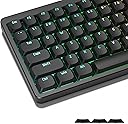
⌨️ Elevate your typing game with low-profile style and radiant RGB flair!
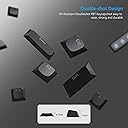
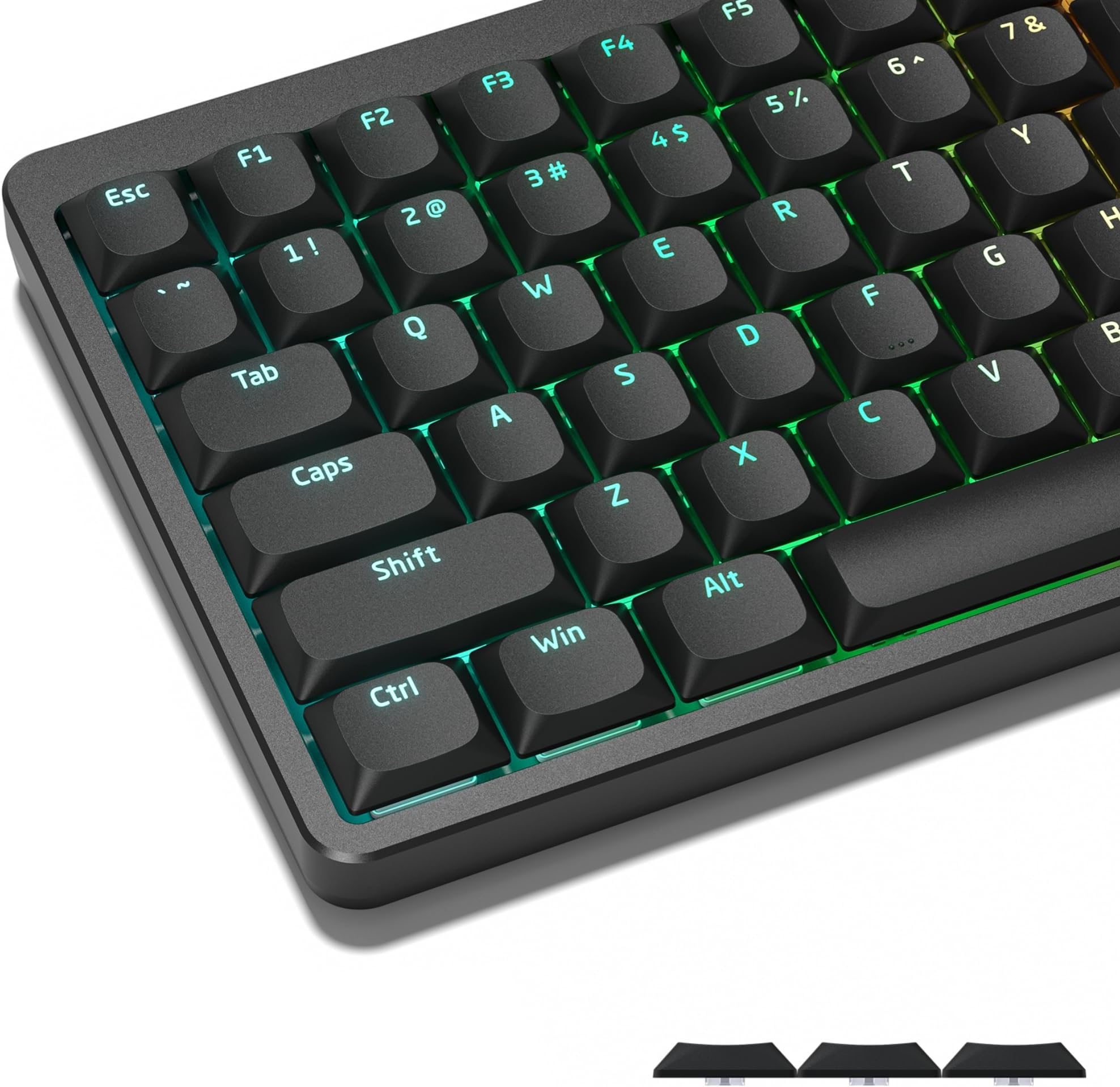
Womier Low Profile Keycaps are precision-engineered PBT keycaps designed for mechanical keyboards with Cherry MX and Gateron switches. Featuring a half-height profile for enhanced typing comfort, durable double-shot construction for lasting texture, and shine-through legends to showcase vibrant RGB lighting, this full set fits a wide range of keyboard layouts from 60% to 100%. Ideal for professionals and gamers seeking a sleek, high-performance upgrade with reliable warranty support.


| ASIN | B0BVYV67QS |
| Additional Features | Backlit, Keycaps for Mechanical Keyboard, Low Profile |
| Antenna Location | Gaming, Office |
| Best Sellers Rank | #16 in Keycaps |
| Brand | Womier |
| Built-In Media | Keycap Puller |
| Button Quantity | 118 |
| Color | Black |
| Compatible Devices | Gaming Console, Keyboard |
| Connectivity Technology | USB |
| Customer Reviews | 4.3 out of 5 stars 585 Reviews |
| Enclosure Material | Polybutylene Terephthalate |
| Hand Orientation | Ambidextrous |
| Keyboard Backlighting Color Support | RGB |
| Keyboard Description | Gaming |
| Keyboard Layout | QWERTY |
| Manufacturer | XVX |
| Model Name | TC-xinDPX-H |
| Model Number | TC-xinDPX-H |
| Number of Keys | 134 |
| Power Source | USB powered |
| Recommended Uses For Product | Gaming, Office |
| Special Feature | Backlit, Keycaps for Mechanical Keyboard, Low Profile |
| Style Name | Modern |
| Switch Type | Mechanical |
| Theme | Letters |
| Warranty Description | 1-year warranty |
| Water Resistance Level | Not Water Resistant |
P**K
Good feel, nice shine-through, great profile, nice sound
The keycaps feel great to type on, the tactile feel is smooth and pleasing. The sound is a pleasing echo that tends towards bass. The lower profile makes typing much more pleasing if you're into the lower profile. The colors are nice quality, I wish there were a bit more variations but you can't knock it for that. Using them on a Keychron Q3 HE. The south facing LEDs on that keyboard aren't great. There is still light bleed between the keycaps just because of the nature of south facing LEDs but the legends do light up but you really have to push up the brightness on the backlight to get the edge keycaps to shine through. In other words, its good enough for south facing LEDs.
D**.
Excellent! Perfect mod for my RK84
I've gone down this rabbit hole recently of trying to find the perfect keyboard. I ended up really liking the Royal Kludge RK84 with mechanical blue switches (I am a heavy typist, programmer/IT pro) except for one thing... the keycaps were WAY WAY too tall. Instead of sending it back, I decided I would keep the keyboard and get a set of low profile keycaps. Enter these... They came really nicely packaged in a two-layer tray that was laid out like a keyboard would be. There were keys for anything I could imagine needing (different sized Alt/CTRL/Function keys for different keyboard layouts, etc.). The finish is matte with just a little bit of texture. Overall feel is 4/5 (I prefer the soft-touch feel of my keychrons a little better). I had no problems whatsoever installing these and the fit was perfect. My keyboard has north-facing LEDs so shine-through is adequate, although some of the larger legends (Caps/shift) aren't completely uniform. Not enough of an issue to bother me. Again, 4/5. There is no legend for media keys or any of the specific shortcut functions for my keyboard (of course). While I think this makes for a really nice, clean look, you're going to have to refer to your keyboard manual for anything other than standard use. I don't tend to use media keys, and I've memorized the important shortcut functions (like connecting my keyboard to a different device) so it isn't a big deal to me. YMMV. I'm a big fan of the profile and the typing experience is superb. Even though they sit a little higher on the key switches, you can see the huge difference in height in the pictures I provided. They have a nice wide crown with narrow shoulders that make it easy to get an accurate keypress without accidental activations. I did some objective measurements using the stock keycaps, these, and my Keychron K5 and K3 keyboards (both low-profile). These consistently produce the highest WPM and accuracy scores for me. Again, YMMV. Keyboards are extremely personal, but if you are looking for a low-profile keycap, I would absolutely recommend giving these a try. I only wish they came in more colors so I could customize a little bit (even if it did cost me an extra $20).
A**A
Caps work and look great, except for the spacebar.
These actually look pretty good with the Keychron K3 Max 75%. Feel good and are lit pretty well. Only thing is the spaceman doesn't fit properly and wobbles. The caps feel like decent quality and were simple to pop on.
J**Y
Better than expected!
They are a perfect fit & they give you enough variety to make sure you have all the keys! Its really easy to setup as ive never done it before, i was worried that they wouldnt fit cause maybe got the wrong format. Other than that imthey feel pretty nice & i wanted something shinethrough because i mainly type & game in the dark. I have the Nuphy Air75 v3 & the color just makes it pop more. They air a hair taller than the oem keycaps & the sound signature has changed slightly, with the original sounding more creamy even with the brown switches i have. I think the height & material has given it a more thock or clacky like a red switch. 10/10 though they look amazing!
T**M
Dissapointing Shine-Through
These key-caps are of decent quality at first and come with lots of different keys to suit your specific keyboard, but the whole reason I (and I imagine most people) bought these was for the shine-through aspect on their low profile keyboards, which is pretty terrible on my Nuphy Air75 v2. Though these are north-facing and so line u p decently with the Nuphy Air75 v2, most of the keys have little black bars RIGHT where the symbols are supposed to shine through, making the lighting across each symbol inconsistent. If this was a necessary step for double-shot molding, I have no idea why these wouldn't be put on the opposite side of the key so that the letters are not obstructed. This gets worse as you view the board at off-face angles, and the transparency of the material used for the shine through does not allow much light through. The sound seemed fine/similar compared to the original Nuphy key-caps, but as a disclaimer I don''t have a sensitive ear for that sort of thing. I can't speak to their durability, but they do not look good as shine-through key-caps and I'm quite disappointed, so I'll be returning these as soon as I'm able.
M**X
A Very Good Replacement KeyCap Product Needing a Slight Improvement
I have a Keychron K3 Pro keyboard that I thoroughly enjoy. It is a low profile compact keyboard with no number pad. It's very slim compared to the original Keychron K2 mechanical keyboard I purchased several years ago that is still today going strong. I wanted a more of "black" look to my keyboard for black is sleek and modern making your desktop look cutting edge. I did my research and found the WOMIER Low Profile Keycap Shine Through Keycaps for Cherry Gateron MX Switches. They are doubleshot PBT design, oil resistant, and durable. These keycaps are 4.5mm in height compared to the 11mm full height keycaps. The finish I would prefer to be a "smooth" matte black. The finish on these keycaps is good, but could be better. They don't need to be shiny. Let's see how they work out in the long run. What is essential for good long term wear is to keep the keycaps clean of any oils and debris collected after use. I clean my keyboard several times a week with a simple damp rag. Twice a month, I use a rag dipped in Dawn dishwasher soap, and clean the caps followed by a damp rag. This usually gets the job done for long term wear. The one thing I noticed is that the caps lock keycap was designed with just the "plus" insert which is normal, but for my keyboard, it had "three" catches as noted in the attached picture. This is not a deal killer and I understand the vendor designed these keycaps to be generic for all types of low profile keyboards. However, they could have made one of the "caps lock" keycap with THREE catches. Again, not a deal killer, but if this one particular keycap gives me problems, I still have the original keycap as a spare. The included orange keycap removing tool was not of much use. It was too short compared to other keycap pullers that were longer and easier to use. In summary, this is a decent product that gets the job done with a couple of nuances that is no big deal, but warranted mentioning in this review. This is a value based product. I recommend them.
T**M
(Almost) Fantastic for Keychron K5 Max
Do you have a low-profile Keychron K5 Max? Are you also frustrated Keychron never stocks the low-profile, shine-through keycaps for a keyboard with RGB back lighting, or just wanna customize? Have I got (almost) good news for you. I picked up the Gray set of these Womier caps simply wanting to have my backlit keyboard be back lit! The good: 1. The small, *single post* key caps fit nicely. 2. The key feel is very good and sound is similar. 3. These are north lit caps and the K5 is a north lit keyboard, so the shine through works very well! See photos. 4. They really give a full set of key caps, including options for the size and colors of different auxiliary keys, like different size and color return keys. Very nice. Some draw backs. These are not the fault of Womier, the Keychron caps are just different: 1. The wider caps are the right size, but any secondary posts are slightly too long. They work but make an unsatisfying click when you type on them as a result. This might be fixable by very carefully cutting down the secondary posts a little, but I didn't try. 2. The spacebar has a similar issue and does not sit or tap evenly as a result. 3. Minor: These caps run parallel to the board surface. The stock ones run in a stair step pattern and as a result these are slightly thicker at the north side of each cap than stock. See side photo where the white keys are these and the orange and gray are stock keychron. That said, I just swapped most of them to enjoy the back lighting as I like to dim the lights at night. For now I left all the top row keys which had special secondary symbols, and I left most of the large caps stock (as shown) so they actuate smoothly. The result is satisfying enough! Again, they feel great and the shine through is quite good. Will see if the bigger caps being not totally level motivates me to try trimming the Womier stems a bit. Overall I feel Womier is redeeming my keyboard with this one.
V**K
Best Low Profile Keycaps - missing media symbols
These are TERRIFIC keycaps that I can easily recommend. I used them to replace the original Keychron LSA keys that came with my K3 Max low profile keyboard; as well as a set of Nuphy NSA shine-through keycaps. The Womier keys are quality double shot PBT with very sharp lettering and excellent shine through By contrast, the Nuphy keys are dye sublimated PBT; the key symbols are fuzzy and the shine through is washed out. I especially like the tables on the Womier keys. They have deep spherical tops, similar to SA keys, that snuggle my finger tips for better comfort and typing accuracy. By contrast the Nuphy NSA have very large shallow tops that easily catch finger nails causing miskeys. The Keychron beat the Nuphy for comfort but doesn't match the Womier for accuracy. That said, I wish Womier included common media symbols on their Function Keys. I switch between working on Mac and Windows machines and having media symbols clearly inscribed on the Function keys makes my life much more convenient. I ended up leaving the Nuphy Function keys on my keyboard specifically because Womier lacks media symbols. Lastly, the stems on the Womier keys fit loose on the Keychron stabs. I found that squeezing the stems with a pair of needle nose pliers tightens them up nicely. But for the above two nits, I would quickly give these keycaps 5 stars.
Trustpilot
2 months ago
1 month ago