Buy anything from 5,000+ international stores. One checkout price. No surprise fees. Join 2M+ shoppers on Desertcart.
Desertcart purchases this item on your behalf and handles shipping, customs, and support to USA.
🔥 Dominate your day with power, speed, and style! 🖥️
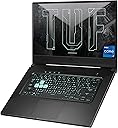
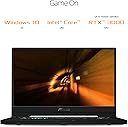
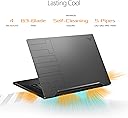
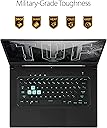
The ASUS TUF Gaming A17 (2023) is a robust 17.3-inch gaming laptop featuring a high-performance AMD Ryzen 7 7735HS CPU and NVIDIA GeForce RTX 4050 GPU. It boasts a smooth 144Hz FHD display with Adaptive-Sync, 16GB DDR5 RAM, and a spacious 1TB PCIe 4.0 SSD. Designed for intense gaming and multitasking, it includes advanced cooling with dual 84-blade fans and smart MUX Switch technology for optimized performance and battery life. Military-grade durability and Windows 11 complete this powerhouse, making it ideal for professionals and gamers who demand speed and reliability.


| ASIN | B08XPC3WFQ |
| Audio Output Type | Headphones, Speakers |
| Audio Recording | Yes |
| Automatic Backup Software Included | Microsoft Office 365, Windows 10 Home |
| Battery Cell Type | Lithium Ion |
| Battery Life | 16.6 Hours |
| Best Sellers Rank | #14,306 in Computers & Accessories ( See Top 100 in Computers & Accessories ) #2,006 in Traditional Laptop Computers |
| Bluetooth support? | Yes |
| Brand | ASUS |
| Built-In Media | Power Adapter & Cord, TUF516PE-AB73, User Guide, Warranty Card |
| CPU Model | Core i7 |
| CPU Model Number | Intel Core i7-11370H |
| Cache Memory Installed Size | 12 MB |
| Cellular Technology | WiFi |
| Color | Eclipse Grey |
| Connectivity Technology | Bluetooth, USB, Wi-Fi |
| Control Method | Touch |
| Customer Reviews | 4.4 out of 5 stars 1,418 Reviews |
| Display Resolution Maximum | 1920x1080 Pixels |
| Display Technology | LED |
| Display Type | LED |
| Form Factor | Traditional |
| Graphics Card Ram | 4 GB |
| Graphics Coprocessor | NVIDIA GeForce RTX 3050 Ti |
| Graphics Description | RTX 3050 Ti |
| Graphics Ram Type | GDDR6 |
| Hard Disk Description | SSD |
| Hard Disk Interface | Solid State |
| Hard Disk Size | 512 GB |
| Hard-Drive Size | 512 GB |
| Hardware Interface | 3.5mm Audio, Ethernet, HDMI, Thunderbolt 4, USB 3.2 Gen 1 |
| Has Color Screen | Yes |
| Human-Interface Input | Keyboard |
| Item Dimensions L x W x Thickness | 9.9"L x 14.2"W x 0.78"Th |
| Item Type Name | Gaming Laptop |
| Item Weight | 4.41 Pounds |
| Keyboard Description | Gaming |
| Keyboard Layout | QWERTY |
| Lithium-Battery Energy Content | 76 Watt Hours |
| Manufacturer | ASUS |
| Memory Clock Speed | 3200 MHz |
| Memory Slots Available | 2 |
| Memory Speed | 3200 MHz |
| Microphone Form Factor | Built-in |
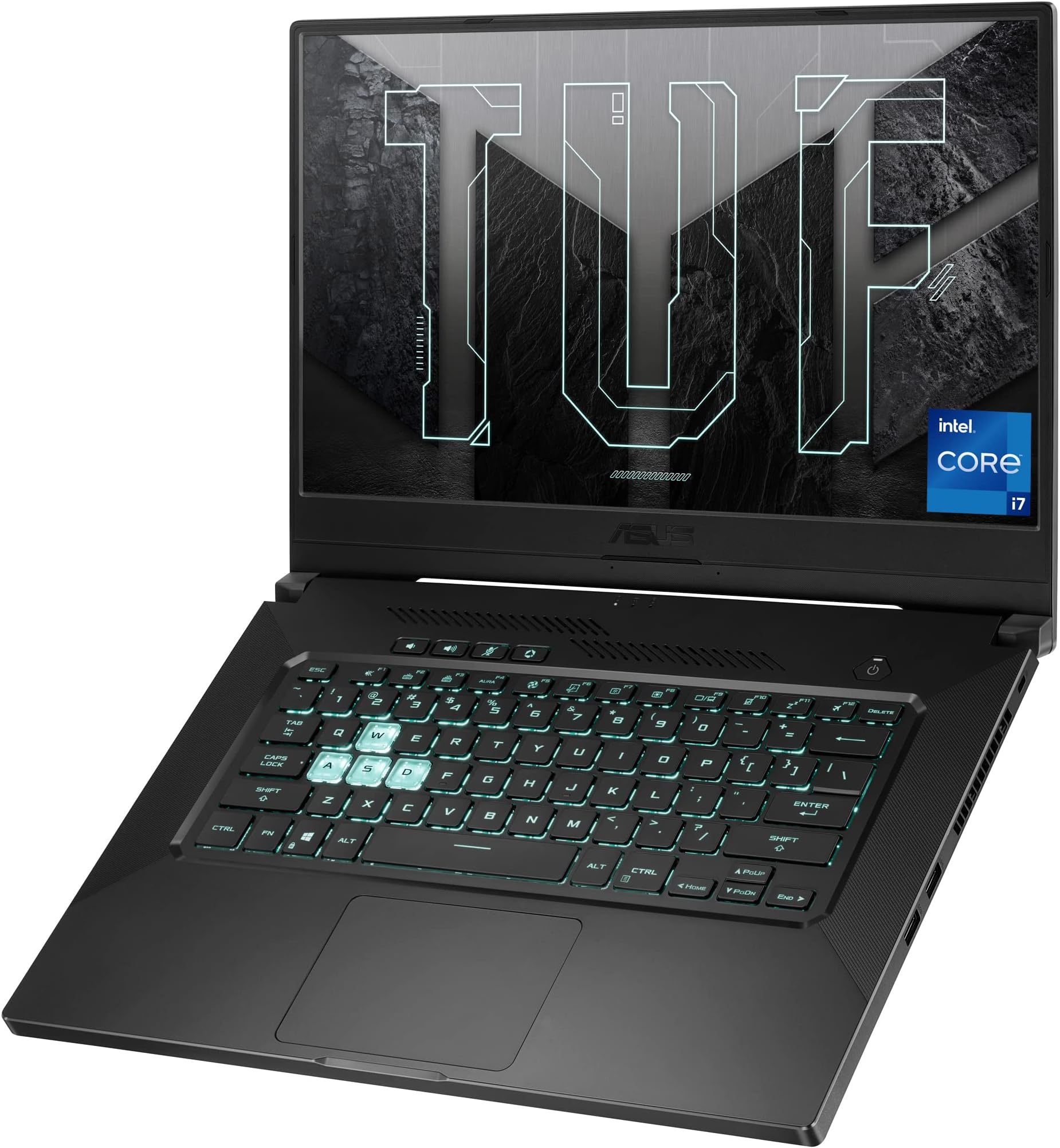
| Model Name | TUF Dash 15 (2021) |
| Model Number | TUF516PE-AB73 |
| Model Year | 2021 |
| Native Resolution | 1920 x 1080 pixels |
| Notebook Pointing Device Description | Touchpad and keyboard |
| Number of Ports | 5 |
| Operating System | Windows 10 Home |
| Optical Storage Device | No Optical Drive |
| Other Special Features of the Product | Backlit Keyboard |
| Processor Brand | Intel |
| Processor Count | 8 |
| Processor Series | Core i7 |
| Processor Speed | 4.8 GHz |
| RAM Memory Installed | 8 GB |
| RAM Memory Technology | DDR4 |
| RAM Type | DDR4 SDRAM |
| Ram Memory Maximum Size | 24 GB |
| Resolution | 1080p |
| Screen Size | 15.6 Inches |
| Speaker Description | Built-in |
| Specific Uses For Product | Business, Gaming, Personal |
| Total Number of HDMI Ports | 1 |
| Total Thunderbolt Ports | 1 |
| Total Usb Ports | 4 |
| UPC | 195553164863 |
| Video Processor | NVIDIA |
| Virtual Reality Ready | No |
| Voltage | 20 Volts |
| Warranty Description | 1YR International*/Eligible for 1YR free Domestic ADP upon registration with 1-way free shipping/2-way FREE shipping for standard hardware warranty repair |
| Webcam Capability | Yes |
| Wireless Compability | 802.11ax, Bluetooth |
| Wireless Technology | Bluetooth, Wi-Fi |
S**Y
Solid laptop that mixes productivity and gaming.
This laptop is for someone who wants a laptop to take around and do productive work on and also play modern games at high settings. There are others with faster GPUS, but hardly any that can claim 6-9 hours of battery life like this one. There are tons of battery saving features, like a dedicated key to change what power profile to use. The 144hz screen auto sets to 60hz on battery so save battery life. Gaming on a AAA game at high settings, 30 fps, I get around 2-3 hours of battery life. Less demanding games can go more. Other contemporary laptops i've used can really only game for an hour or so while on battery. You can also set the battery life to be capped at 80% or 60% to extend it's usable life. I usually keep it on 80% and still have long battery life. And it comes in at a hell of a competitive price. #CPU The cpu is a bit lacking when compared to other 6-8+ core laptops, but it's a good tradeoff for the lower TDP (and less power consumption). It is more than capable for most peoples work though. It cannot be undervolted like any new intel chip, which I did not know until researching it. #GPU The 3050ti has been able to run any game I throw at it on high settings, and older games can be ran easily on my 4k monitor and the native 4k resolution. It can get fairly loud when gaming at high performance for awhile, I game with headphones so I don't notice it when i take them off. But this will be an issue for really any gaming laptop, especially one this thin. #Ports Thunderbolt 4 can be connected to external docks and external GPUS. Allows 100w usb c charging so you can run laptop off one cable, but keep in mind this is less than the 180wpower brick, and if you are gaming at high performance, it will slowly drain the battery unless you also have the power cable connected. I also got a 50$ external 20000 mah battery with 65w usb charging which can bring the laptop from 10-80%. Nice! It is annoying how the ports are all at least half way down the machine, as the top half is for the fan outputs. I am able to drive two 4k at 60hz monitors, an external HDD, mouse and keyboard, and charge the device all from a single cable. For those whose primarily use a laptop at a desk setup like me, and occasionally like to take it off to go work on the couch or bed or something, this makes it super easy just having the one cable. #Upgradeability There are 8gbs of ram soldered onto the board, and an additional slot, which I throw a 16gb stick in for 24gb. There is an additional m.2 slot which I put another 512gb ssd in. Speaking of which, the SSD is crazy fast. While looking up benchmarks for other laptops, this one easily beat them all. I don't remember exact numbers but it's there. #Display 1080p, 144hz. Good color reproduction, and clear sharp images. Does not look washed out or anything. Not the brightest for working in sunlight though, but it's usable. The screen cannot tilt back 180 degrees, more like 140 ish? I use a laptop stand so I cant have it as vertically tilted as I like, but for 99% of people this is a non issue. The hinges feel solid and don't seem like they will crap out or break off like other. #Keyboard & Trackpad The backlit keyboard (one color, changeable brightness with keyboard keys or using software, also has different modes like breathing) is solid. Key travel is not shallow and has a good click. I do not notice a difference in quality with my Mx master key keyboard. The trackpad is average. Not glass, but precise and not an annoying texture. Not much to say on it. It gets the job done. #Design and build It is marketed as a 'tough' laptop and while it doesn't feel much different from a normal laptop (and isn't metal, it's some sort of hard plastic polymer), I have had 0 damage in the year i've owned it. The Tuf Dash f15 is solid, yet lightweight and not annoying to lug around. It is thin and not too heavy, and has similar dimensions and weight of most high powered ultrabooks. It has an attractive design that reminds me of a razer or macbook, I wish it didn't have the 'TUF' on the lid though it is very subtle coloring thankfully #Bugs Glitches & Software This is the first laptop i've had where I have not encountered really any bugs or glitches. I have had BSOD but I am almost postive these are from the Dell TB16 thunderbolt dock i'm using. Even these have only happened 2 times in 3 months. The laptop is ran off of Asus Armory Crate service, which has features such as profile switching, game optimziation, system tweaking and more. It can be accessed via a dedicated key. It is not super lightweight of a program, but not overly consuming either. You can close the program in task manager and the laptop will not have any issues, just some features are closed off.
C**M
Pretty good.
I tested this with a few games, all unmodded unless otherwise stated, and here are my results: Resident Evil 2 - runs fine on mid to high settings, does NOT run fine on max settings due to low VRAM Skyrim VR - runs fine on max settings, but I suspect that it will struggle with a lot of mods. Subnautica (MODDED) - runs fine in both flat screen and VR. Karnage Chronicles - runs fine Alien Isolation - runs fine on max settings Arizona Sunshine - runs fine on max settings Blade and Sorcery - runs fine on high settings, does NOT run fine on max settings Half Life: Alyx - runs fine on max settings CPU intensive programs that I've tested: FL Studio - runs fine Blender - run fine That should probably be enough to give you an idea of how well this thing performs. The fan does get a little loud, but I wear headphones, so it doesn't bother me. There is only 4GB of VRAM, which is not very much at all and seems to be the primary bottleneck on this system. I must admit, I was a bit disappointed that RE2 Remake wasn't able to run on max settings for this reason despite being a 4 year old game. I suppose it still looks good on mid to high settings, but I was expecting more from a 3000 series graphics card. Basically, it doesn't run games any better than my 1070ti did with 8GB of VRAM. Overall though, despite that minor gripe, I'm happy with it. It does what it's supposed to do.
P**S
A purchase that works
Asus TUF Gaming laptops are known for their durability, performance, and affordability. The Asus TUF Flash 15 is one of the latest models in the TUF series, and it offers a range of benefits for users, particularly for students. Here are some of the benefits of buying an Asus TUF Flash 15: Pros: Performance: The Asus TUF Flash 15 is powered by a 11th Gen Intel Core i7 processor, making it a powerful machine that can handle most applications and multitasking needs. Durability: The Asus TUF Flash 15 has a tough and rugged build quality, making it resistant to accidental drops, spills, and other mishaps. This makes it an ideal choice for students who need a laptop that can withstand frequent travel and everyday use. Affordability: Compared to other high-performance laptops, the Asus TUF Flash 15 is relatively affordable, making it an attractive option for students who are on a budget. Graphics: The laptop comes with a dedicated NVIDIA GeForce RTX3050 graphics card, which means that it can handle most graphics-intensive applications and even some casual gaming. Cons: Battery Life: The Asus TUF Flash 15 has a relatively short battery life, which is a common drawback of most gaming laptops. This means that users may need to carry a charger with them or stay close to a power source. Portability: With a weight of around 2.15 kg, this laptop is heavier than some other ultrabooks and may be less portable. Overall, the Asus TUF Flash 15 is a great laptop for students who need a durable, high-performance machine that can handle demanding applications and multitasking needs. While it may have some limitations, its strong points make it a solid choice for students who don't want to sacrifice on performance or build quality.
G**I
A Very Good Machine with A Couple of Issues
The Dash F15 is a very good machine with a top-notch 144hz IPS panel display and excellent built quality for the price, but it has one bad and one good+bad point to consider. The Bad: Like the built-in display, the Thunderbolt 4 with Displayport and PD is wired to the CPU integrated graphics, not the discrete GPU. Only the HDMI is wired to the GPU. This can be a problem. The Thunderbolt 4 can indeed run an ultra wide WQHD 3440x1440 @ 165hz/144hz in Windows desktop, but it causes a myriad of issues in games, such as flickering and black screens. I tried several USB-C to 8k Displayport cables, converters, and hubs from different manufacturers like Cable Matters and others, in addition to all manners of setting and BIOS tweaks on different BIOS versions, all to no avail. Everything works perfectly fine hooked up to the HDMI, which is wired to the GPU, but the HDMI 2.0b is of course limited to 100hz on 3440x1440 resolution. I can understand wiring the built-in FHD display to the CPU for Optimus, but why is the Thunderbolt 4 port wired to the CPU? It makes no sense! Half the point even to have a Thunderbolt 4 port is to connect high refresh rate high resolution monitors the HDMI 2.0b cannot handle. ASUS effectively cripples the Thunderbolt 4 port on the Dash F15 for connecting monitors by wiring it to the CPU. Keep that in mind if you intend to use the Dash F15 as a desktop replacement running high frequency high resolution gaming monitors from time to time. If that's important to you, spend some more to get a ROG Strix instead. The Good+Bad As one comes to expect from an ultra slim gaming laptop, this machine can get quite warm (probably why you don't see too many gaming laptops with ultra slim form factors). The Dash F15 handles the heat quite a bit better than the others I've seen. It doesn't get crazy hot like, say, the MSI Stealth series. When you exit to desktop from a game, it only takes a few seconds for the machine to be completely cool to the touch. The keyboard can still get uncomfortably warm under heavy load, which is an issue you can solve by setting the fans to full blast. However, the fans on this ASUS machine's "Anti-Dust Self-Cleaning System" are very loud on full blast. There doesn't seem to be an intermediate noise setting. It's either silent or very loud. That's a trade off to consider if you are sensitive to fan noise.
M**O
Gaming laptop that performs well
I’ve been using the ASUS TUF Dash 15 and it’s been a solid experience so far. The laptop feels lightweight and easy to carry, but still powerful enough to handle games smoothly with the RTX 3050 Ti. The 144Hz screen makes gameplay look sharp, and everyday tasks run fast thanks to the SSD. The keyboard is comfortable, and Wi-Fi 6 keeps the connection stable. Overall, it’s a reliable machine that balances performance and portability really well.
S**R
Laptop works great for basic live streaming.
My old laptop was struggling to keep up with all the live streaming software so I decided to get a new one. I guess since gaming and video rendering need a good graphics card, I found this laptop to be very affordable for performance and durability. I've had this laptop for about a month now. Since I've had this laptop, it runs all my software without a problem. Software: OBS, iVCam, PowerPoint, MyPoint, Touch Portal. The fan is always silent in performance mode and the connection to YouTube is always excellent. There is a slight high-pitched (probably electrical) noise when I turn on the laptop. Most probably won't recognize this except with those with extremely sensitive ears. The upgradability of this laptop is a plus. And I'm still learning how to use the laptop's software to provide a better sound for music. But the software is there. As with the other aspects of this laptop, there is a fair amount of software to help with customizing your laptop performance to get the most out of it. But not too much customization in that I was able to my live stream software up and running rather quickly. I would recommend this product to other small churches who are looking for a decent laptop to livestream their worship services.
E**.
Nice Laptop
Nice laptop for the price. My last Asus lasted almost 8 years of daily usage and it's still going, but some keys started to fail. I used it for part business and part home. You just can't beat the quality build of an Asus and this Tuf-15 is no exception. The first thing I did was to uninstall Windows 10 and switched the operating system to Linux (Pop!_OS) and works flawlessly. Microsoft has become so intrusive into our privacy. I just ordered more memory and a second M.2 NVMe hard drive from Amazon. I will run Windows inside of VirtualBox, so I can run programs I need. Don't hesitate to grab this one while they are still available, you won't regret it.
P**S
UPDATE: Garbage.../strikethru=on/Great Features/strikethru=off/, Poor Quality Control
EDIT 09/25/2024 Well, today the NVME drive failed. Nine months after purchase. I've never had an NVME drive die on me. Fortunately, I had a spare from another computer but now I'm buying a fresh copy of Windows. Do not buy this laptop. _________________ As I write this, I'm am now one day out of the return window. There is a lot of information in other reviews about this laptop so I'll only focus on our experience. Pros: Fast shipping. Solid build - this laptop is something of a tank. Screen resolution and graphics ability are excellent. Overall operational speed is excellent. Keyboard quality is solid (I know, that's very subjective) Cons: Build quality is poor or maybe careless. Out of the box, the 3.5mm headphone jack did not work. Minor but annoying feature. My son ended up using the Thunderbolt port anyway so this was something of a minor issue. 8GB of RAM. Barely adequate for the task. ASUS probably skimped here to keep the costs down by $20 or so. The SSD drive is by TimeTec and it has failed ... just outside of the return window. Basically, the drive lasted 31 days or so. Obviously, ASUS skimped here as well as this is a very average drive. Compare the read/write speeds with a WD or other brand. Trying to install a fresh OS on a new drive has been difficult in the extreme. Overall, it's an average machine built to a price point. Be aware that you might end up swapping out parts or adding RAM eventually. We did and our laptop is only 31 days old +/-.
P**A
Es un equipo excelente ,hay parametros que configurar para usarla con monitor externo
Es un equipo excelente para jugar en modo ultra ,pero algunos juegos muy exigentes como RE7 y RDR2,y juegos de mundo abierto solo alcanzan configuaciones medias para no perder FPS , para jugar en ultra a todo sin limites se necesita un GPU3090y quizas i9 pero si hay mucha diferencia de precios al dia de hoy como 40000 pesos mas o menos , su desempeño con emuladores es casi perfecto . Contrario a algunos comentarios los 8 gb de ram son mas que suficientes para la mayor parte de los juegos si optimizas y no haces multiples procesos a la vez , Mis unicas quejas hasta ahora son que la garantia que viene incluida para proteccion contra accidentes por 30 dias solo aplica en USA y Canada(muy injusto considerando que yo tambien soy humano y pague por ella ,deberia tener el mismo derecho que los ciudadanos de esas ciudades para usar ese beneficio considerando el costo del producto pero me siento discriminado por ello ,no se en que basa Asus que alguien de Mexico no tenga derecho a exigir lo que en teoria viene incluido) las politicas de devolucion del vendedor no son muy alentadoras tampoco por que no ofrece un 100 de devolucion a menos que el equipo se haya dañado en transito y este sin abrir , si lo devuelves abierto puede decidir el porcentaje que quiere devolverte , que no puedes jugar con la laptop cerrada y un monitor externo(tienes que dejarla abierta) por que las rejas de ventilacion estan en la parte superior del teclado y si no bloqueas el flujo de aire , y finalmente que en modo turbo el CPU aun con base enfriadora alcanza 93* C de temperatura (revisando en internet dice que el i7 puede operar hasta los 100* y no he tenido problemas de crashes ni nada por el estilo pero si es intimidante que se caliente tanto .Para conectar a un monitor externo hay que configurar por triplicado para que la imagen sea buena y no se distorsione o pierda FPS , se configura en la laptop primero(colores , graficos ,brillo etc) ,luego la resolucion de el monitor conectado a la laptop por hdmi desde el menu de configuracion (resolucion ,color ,frecuencia HZ)y finalmente solo en el monitor externo encontrar que configuracion funciona correctamente yo tuve que cambiar la de16.9 que venia por default por "solo por buqueda " y reajustar los colores en el menu de imagen . Fuera de eso es de lo mejor que hay en Amazon mx para gaming en 2022.
M**.
Lo mejor que se puede obtener por $22,000 MXN o menos
Después de 3 semanas de uso, definitivamente es la mejor laptop que se puede obtener con respecto a calidad-precio cuando el precio se encontraba a $22,000 o menos. Por los $30,999 actuales estoy casi seguro que se puede encontrar algo mejor. Siendo una lap gamer, les puedo dar como referencia que corre Warzone, con gráficos bajos (pero sin perder esa sensación de juego de penúltima generación), a 50/60 fps. Probablemente agregando más RAM mejore un poco, pero no gran cosa. El resto de los juegos los corre sin ningún esfuerzo ya que son menos demandantes. Pros: - El audio es bueno. - La tarjeta gráfica es un gran salto desde las GTX hasta las RTX serie 3000. - Contiene 1 slot para agregar más memoria RAM y otro para agregar más almacenamiento (SSD). - La pantalla tiene muy buen brillo y es de 144 Hz de refresco. - La estética es modesta, pero muy agradable a la vista. - Muy buena ventilación para las tarjetas y no tan ruidosa como otras laptops gamer. - Tiene WiFi 6 que es un gran boost y plus en México debido a que los modem de los proveedores de internet son malísimos. (Si tienes un router gamer, no notarás mucho la diferencia). Contras: - El procesador, a pesar de ser 11a generación, se queda algo corto por ser de sólo 4 núcleos. Hay procesadores de 10a y hasta 9a generación que lo superan. - No tiene cámara web (esto es algo más de decisión de cada uno). - Es difícil esquivar una de las salidas de aire caliente con el cable de alimentación de corriente, lo que provoca que el cable se caliente por el aire y, a la larga, pudiera dañarlo.
A**R
Faulty and extremely difficult to return. Be aware when buying laptop from Amazon.sg (ie DON'T)
Previously I would have probably ignored one star reviews on Amazon; I've been buying from them worldwide and generally found customer service to be satisfactory. BUT: Don't buy a laptop, or anything similar from Amazon.sg, unless you are willing to take the risk that it won't work, and a return (to the US) will cost you hundreds of dollars. This is the situation I face. Pay extra - sometimes not much - and buy local so you can return it if faulty. That's what I'll be doing, after paying shippers SG200+ to return this faulty item and get my refund. Not to mention all the time and hassle.
C**H
La mejor compra en años que hago.
Excelente calidad de piezas, buen rendimiento, expansión sin problemas, no hay perdida de garantía por expandir, memoria, disco duro. Calidad de pantalla muy buena. El teclado es lo más limitado porque hacen falta teclas directas, se usan con tecla función, siendo un poco molesto, comprendo el diseño para tener más espacio para las teclas de acción al momento de jugar. El color de iluminación es muy sobrio, muy agradable, no molesta. Sonido, wow, sin perdida de calidad muy envolvente, ambiental. Cuando conectas un dispositivo, te indica que pasa algo en la pantalla, cambia de color.
M**S
Muy buena relacion especificaciones-costo
Buen equipo con buena respuesta de rendimiento. El touchpad es muy sensible (a pesar de ajustarlo) y se presiona solo como efecto de click. Me hubiera gustado más efectos rgb. Muy buena relación de especificaciones-costo. La cámara es emulada con software del mismo asus ya preinstalada en la laptop, para tu cell (no tiene webcam integrada)
Trustpilot
2 weeks ago
1 week ago