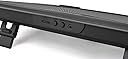
❄️ Light up your game, cool down your rig — stay ahead in style!
The Thermaltake Massive 20 RGB cooling pad features a large 200mm silent fan and steel mesh surface for superior airflow, supporting laptops up to 19 inches. With 256 customizable RGB colors and 5 lighting modes, plus 3 ergonomic height settings, it combines performance and style to keep your gaming sessions cool and comfortable.


| ASIN | B077974X66 |
| Best Sellers Rank | #12,140 in Computers & Accessories ( See Top 100 in Computers & Accessories ) #105 in Laptop Cooling Pads |
| Brand | Thermaltake |
| Built-In Media | Manual, Notebook Cooler, USB Cable, Warranty Card |
| Color | RGB |
| Cooling Method | Fan |
| Customer Reviews | 4.2 out of 5 stars 1,664 Reviews |
| Enclosure Material | Mesh + Plastic |
| Global Trade Identification Number | 00841163000878 |
| Item Dimensions L x W x H | 18.54"L x 13.96"W x 1.83"H |
| Item Type Name | Thermaltake Massive 20 RGB Steel Mesh Panel Single 200mm Fan 10"‐19" Laptop Notebook Cooling Pad Cl‐N014‐Pl20Sw‐A |
| Item Weight | 3.4 pounds |
| Manufacturer | Thermaltake USA Direct |
| Material | Mesh + Plastic |
| Mfr Part Number | CL-N014-PL20SW-A |
| Model Number | CL-N014-PL20SW-A |
| Number of Fans | 1 |
| Number of Items | 1 |
| Number of Packs | 1 |
| Product Dimensions | 18.54"L x 13.96"W x 1.83"H |
| UPC | 841163000878 |
| Unit Count | 1 Count |
| Warranty Description | 2 Year Warranty |
J**N
Fantastic Looking Cooling Pad for the price
Fantastic Looking Cooling Pad for the price. This is the first ever cooling pad that I had purchased for my Alienware 15 R4 (2018) laptop. Anyone who owns an Alienware laptop will know they tend run on the hotter side. I keep the fan on the high mode which is still very quiet, so quiet I worry it stopped working. Being that this is my first laptop cooling fan ever, I am wondering if its strength is too low when its running. I have nothing to compare it too, so it could be working just fine. it blows air, just mild which could be normal for what these products do. I do have it turned up all the way as well. Its cut down my temps from 55-65 c at idle to 45-55 c. I also love that its the only laptop fan that I seen that comes with a power adapter option to plug in (you have to supply your own plug). I bought a universal adapter by SoulBay ( 30W Universal AC/DC Adapter Switching Power Supply with 8 Selectable Adapter Tips & Micro USB Plug, for 3V to 12V Household Electronics and LED Strip - 2000mA Max) (seen here: https://www.amazon.com/gp/product/B01N7RS0NG/ref=oh_aui_detailpage_o01_s00?ie=UTF8&psc=1 ) that works wonderfully for it if you do not want to keep it plugged into your USB port on laptop. If anyone is curious, yes I use it on my lap, yes I use it on my bed, Yes it holds my tank of a laptop that's heavier than most laptops without even flinching (alienware 15 R4 is 8 pounds of heavenly joy) I am confident it will handle its 10 pound brother the 17 R4 or more. This cooler fan is built like a tank, to hold a tank. No slipping or sliding of my hearty beast of a system. yes its amazing and absolutely worth the price. I would recommend to anyone who wants the freedom of an optional power supply without having to feel tethered to your laptop. This model gives you the freedom of picking up your laptop to walk away with it if you use your own power adapter. I would give it 10 stars if it came with its own adapter. The RGB lighting can be turned off so your not stuck with it on. This to me is another bonus. I have it on when I want flashy eye candy, and shut off the lights with the button in the back that will not effect the fans speed at all. You can even control the colors with the buttons as well as the lighting effects. Over all I love this product! Thank you for making such a great piece of equipment. This fan is great for gaming or high intensity graphic users when designing your projects. Its generous size fully covers my laptop and could easily hold bigger. Its solid full black design of metal top/plastic bottom is great for those who want their laptops to shine against its dark surface. Even better for when your using the RGB features. I recommend this product to anyone who wants the options of the most versatility of a cooling pad with something that feels that its its going to last for a very long time to come.
C**.
Keeping Cool with the Thermaltake Laptop Fan: A Gamer's Delight
As someone who spends considerable hours on my laptop, either gaming or handling resource-intensive tasks, finding a reliable cooling solution has always been paramount. The Thermaltake Laptop Fan has proven to be an excellent choice, seamlessly blending functionality with innovative design. Firstly, the build quality of this fan is impressive. Thermaltake has consistently delivered on durability, and this laptop fan is no exception. It’s robust and feels sturdy, which reassures me of its longevity. The design is sleek and modern, ensuring it doesn't look out of place in a gaming setup or a professional environment. Performance-wise, the Thermaltake Laptop Fan excels. It features adjustable fan speed settings that allow for customized cooling based on the intensity of the laptop’s usage. This is particularly beneficial during long gaming sessions or while running heavy software, as it effectively disperses heat, maintaining an optimal operating temperature for the laptop.
O**S
mostly as advertised, has a few quirks that make me unsure about it
This does what a cooling pad should do, which is elevate the laptop and provide some additional airflow. It won't result in a drastic heat reduction, but it will help out a little bit. It's large enough to fit a 17" laptop (in my case, an MSI GE76) with space to spare all around. It also feels pretty well made, fairly sturdy while not being particularly heavy. Overall I'm not unhappy with it, and I'd kinda like to keep it. But it has some issues, which have me wondering if I should've gone for something cheaper, which might also have issues but wouldn't have cost this much. [POWER CORD IS VERY SHORT] I get that this is intended to be used with the laptop sitting on top of it, but the cord's shortness means I have no choice unless I buy an extender or a compatible power adapter, or maybe a powered USB hub. This cooler is large enough that I might not actually bring it outside of my room, unless I expect to be settling down in full portable desktop mode wherever I'm going, so being able to plug it into a wall, or even into the desktop PC that shares this desk, would be convenient. [POWER CORD USES 2 USB SLOTS] Again, I get this is intended for a laptop, but laptops in general have limited USB options. Mine has 5, but 2 of the are type-C, leaving me with 3 type-A to use. I regularly have 2 of those occupied by a mouse and a controller, and 1 of them I keep free in case I use my wireless headset. At most I'll have 1 type-A slot open, and this cooler asks for 2. Does it need 2? I'm assuming it does to fully power the fan, though the lighting and fan both work with 1, and and they both seem to function the same when plugged in separately. [FAN SEEMS A BIT SLOW] I appreciate that it's pretty quiet, but my laptop isn't, and there would be no downside to allowing it to go faster since the noise would be easily drowned out while gaming. Maybe this is because I'm only plugging it into 1 USB slot, but that's all I can do without, as mentioned, spending more, so eh. [NO BAFFLES TO HOLD LAPTOP] Most coolers have 1 or 2 baffles to ensure laptops don't slide off when they're inclined. This cooler relies on 2 rubber bumps, as well as whatever rubber feet laptops have. The bumps are wide, probably enough to catch the feet of most laptops (they do for mine), which is nice, but they don't inspire confidence when using the inclines. It's just a few pieces of rubber and some friction keeping a $2k laptop from sliding onto the floor, and that's why I've only used it flat. [CREAKS WHEN TYPING] When I type on my laptop I constantly hear creaking coming from the cooler. This makes it seem a lot flimsier than it looks and feels, and a lot cheaper than what I paid for. It's not my laptop, and my desk isn't uneven, the cooler is just creaky, I'm not sure if it's a defect or just a design issue. [MOST LIGHTING OPTIONS ARE MEH] The rainbow lighting options were the most appealing to me while shopping around, but the implementations of both are disappointing. The wave mode is kinda jerky due to the number of LEDs used. The spectrum mode, which looks much nicer, includes white, which is a bit out of place when going through the colors. Blink is just distracting. Pulse and static are probably the best all around, with the only remaining issue being the lack of brightness control. All options are way brighter than any other device on my desk, it would've been nice if I could turn it down a bit. [KINDA OVERPRICED] $60 is a bit much, 2-3x what many others cost. I'm skeptical that they're noticeably worse in quality, and even more skeptical that they cool noticeably worse. It's possible that this bump in price is due mostly to the LED lighting, which isn't really worth it. I would've expected much less creaking while typing, none really, so that's also disappointing. Some of these issues I was expecting (like the baffles and lighting), and I got it at a discount, but I'm still feeling a bit of buyer's remorse and that's not a good sign. If the creaking goes away, or there's something I can do to fix it (tighten some screws maybe), that would go a long way since it's always there when I type, always making me think about my purchase. There aren't many options this large, and whether my laptop can comfortably sit on them is a pretty major factor.
O**E
Perfect cooling rig for my Apple II Plus!
Wow, this is a big laptop cooling pad! But unlike pretty much everyone else here, I bought it for not my laptops but my… Apple II Plus! A couple weeks ago my Apple’s PSU smoked after I moved it and neglected to pay attention to heat dissipation— so that fiasco made me aware of the cooling problem which had always plagued Apple II’s due to Steve Jobs’ insistence no fan be installed in “his” computers. The Apple II Plus measures 18 by 16 inches, so I was so happy to find a Chinese company actually making and selling here in Amazon.com this gigantic cooling pad! It has a single but large fan, and at the highest speed it’s really quiet, so quiet that I often wonder if the fan is spinning. (It is.) One issue for me (but not for everyone else who buys this) is the pad is not level even with the two feet retracted. So I ended up doing a simple rig to level it out so my Apple II wouldn’t sit there tilted. I’m now really happy with the pad! I can feel the air flowing under my Apple II, and that’s a good thing. I myself don’t care for the LED lights but my roommate think they are cool. You can set the mode (cycling, flashing, steady, etc.) and also color via two buttons. Even though I don’t use it for laptop cooling, it’s tilted angle and two rear feet and the nice build make it a pretty nice cooling pad for people with large laptops. (Product description has it’s dimensions.)
R**I
Not So Cool As Stated
I guess I expected a little more information (one might call is "truth in advertising" for such an expensive product (and this is pretty expensive, more so than say, an entry level laptop cooler). From reading the product details I thought I was getting a very strong cooling system, but indeed, I got a lukewarm "cooling system". In fact, I decided eventually to just unplug the fan and lights, and use the stand alone for allowing more airflow below my gaming laptop. The problem was that my system was getting very hot very quickly while playing Bethesda's Starfield pc game (I've never had this problem with any game out there before; this is a first), and then crashing to desktop, sometimes within seconds of launching. I've read a lot of online comments about this same thing happening to a lot of gaming desktops AND laptops (actually, hundreds of comments - since I was searching for a solution - and also folks who have the same system as I who experience either less crashes, or no crashes at all). Eventually, I discovered my ram was faultly (but not the only problem with the game's crashing), which is frustrating, because I had to purchase replacement ram, and ultimately, it hasn't completely cleared up the "crashing to desktop" that is so much a problem with this game. I doubled the ram to 64 gigs, and the new ram seemed to have fixed it, until it ultimately didn't. I can now play for anywhere from an hour to say, three hours, at which time something happens to crash the game. The laptop cooling pad was here to help keep my cpu and my gpu under the range that can cause exactly this type of crashing. When I set up the Thermaltake Massive 20 RGB Steel Mesh Panel Single 200mm Fan, the first thing I noticed was it takes two usb ports; most gaming laptops do not have an extra usb port so that both can be plugged in. So I had to use a hub plugged into my laptop. In any case, plugging both usb connectors isn't necessary for the fan to work; I at first thought the reason the fan was so weak was that it needed both connectors plugged in to operated efficiently. Not the case. In fact, the lights AND fan both will work with only one usb plugged in, and apparently the fan itself doesn't get any stronger using two plugins. In any case, the temperature still rises, and the fans for some people work, and for others (just read some of the reviews) don't seem to have any affect at all. I was so frustrated by how little it changed my internal readings that I decided it wasn't doing anything at all. I've had the Thermaltake Massive 20 RGB Steel Mesh Panel Single 200mm Fan for a few weeks now, and it is not a magic bullet for gaming laptops. Gaming laptops run hot due to cramped spaces that don't allow the heat to dissipate like gaming desktops can. I would ask for a refund and send it back, but honestly, at this point it doesn't seem worth the effort, not with needing to package it back up, putting it back into the original box, and driving to a station to return it (right now it's the middle of winter, below zero, and just, nope). I will say that the one thing it does seem to have going for it is the wide amount of space for heat from the laptop grills to go through, and with the ability to position the surface of the cooler to a higher level, I think it will help most player increase air circulation. Still not worth the buying cost though, when you can do the same thing with a much cheaper cooling pad (I say this because the fan power is fairly meh) after the fan either gives out or you decide lifting the laptop is more beneficial than the fan ever was. If you do decide to buy this brand, I would keep my expectations low for the fan power, so that like myself, you aren't disappointed. Good luck!
A**N
Solid Gaming Laptop Cooler
First one made a terrible clicking sound; Amazon replaced it (super easy process) now the new one works great. Keeps my CPU temps 5-15 C degrees cooler under load depending on ambient room temperature. LED lights accent nicely with my keyboard and add just enough light to a dark room to help prevent eye strain. Adjustable fan speed (I just keep at highest setting for max cooling, plus my laptop fan noise are loud and cover up the sound of the cooling pad) and pad tilts at two levels. The only thing that sucks is that the pad can take up 2 USB slots on some computers. It works fine with just one on mine, but both USB plugs are tethered together so I use them both. Good buy, would recommend.
D**G
This thing takes 2 USB ports to power
Without anything in the product listing to indicate it, when unboxing the product the power cable has a DC Jack on one end, and two USB on the other. My laptop has two ports. One for the mouse dongle and one for the extra video output. To use this pad I won’t be able to use my laptop in the manner to which I’m accustomed. Plus, being that the USB ports are on opposite sides of my laptop and this cord is so incredibly short, it’s just not going to work unless I power it from some other source. Frustrating that this information wasn’t included in the listing. Had to revise this and take it down to a one. Got it home and hooked it up. Would not attach to my laptop due to the design of the cord. When I did get attached to a different usb power source (x2) it makes a horrible knocking sound unless it’s at a 30 degree or more angle. Laying relatively flat it makes constant racket. Poor quality.
M**N
Perfect solution - non traditional
I was seeing higher than desired temperatures on most of my older external drives. Of course that shortens the life of those drives and increases potential data loss. I was searching for a fan that was large enough and powerful enough to go under all of the drives. (I have 5). This unit is perfect! Large enough to support and cool all 5 of my drives! It drove the temp of my drives down by nearly 10 degrees. A perfect solution! Overall, the unit is really quiet for the size Dan, I really don’t notice it’s running. It allows for several color schemes and I love the rainbow sequence, it fits in with the rest of my system.
S**H
Alles perfekt
Macht was machen soll
M**D
À ne pas acheter, sauf pour le côté esthétique
J’ai acheté le produit pour le tester, parce que la température de mon avoisiner les 90° CPU pendant le Gaming, je t’ai jeté avec ce produit aucune amélioration donc ça sert absolument à rien à part le côté esthétique
V**M
5-Year Strong: The Ultimate Laptop Cooler for Your Setup
Bought it almost 5 years ago, and it still works like a champ! Perfect for anyone looking to grab a laptop cooler for their setup.
S**E
Great
Could do with a little more poke in my opinion, but its definitely a good unit and does work. Noticeable difference to temps on a AW X17 I9
A**N
It's a bigass fan that does a bigass job of keeping things cool!
Surprisingly quiet. Thankfully the LEDs have control buttons. Exceeded expectations.
Trustpilot
3 weeks ago
2 weeks ago