🚀 Elevate your game with Alienware’s ultrawide QD-OLED powerhouse!
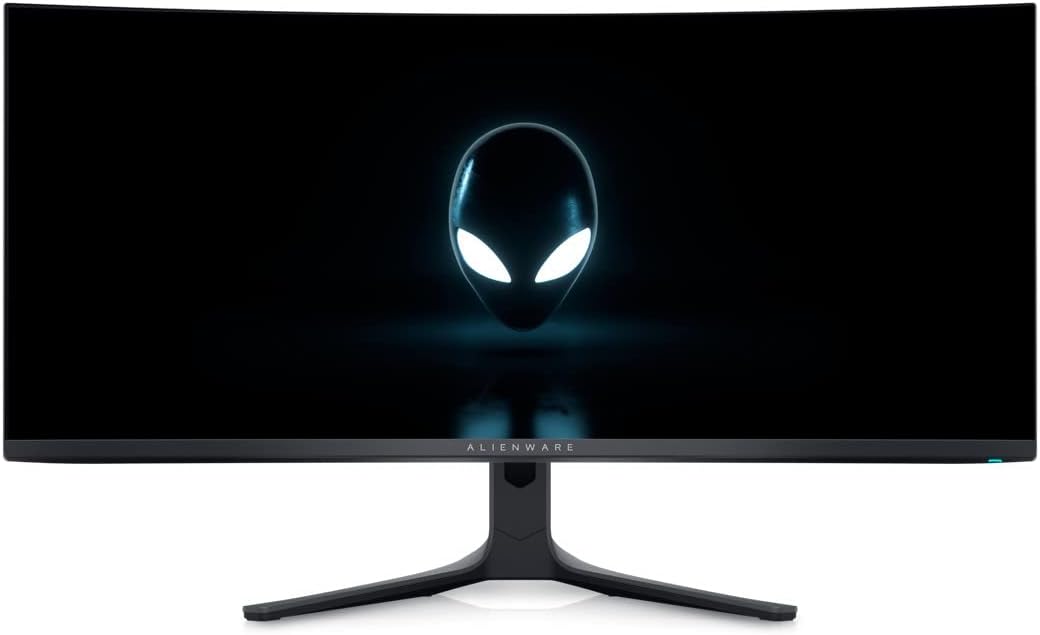
The Alienware AW3423DWF is a 34-inch ultrawide curved gaming monitor featuring cutting-edge QD-OLED technology, delivering a 3440x1440 WQHD resolution with a 165Hz refresh rate and an ultra-fast 0.1ms response time. It supports AMD FreeSync Premium Pro for smooth gameplay, covers 99.3% of the DCI-P3 color gamut, and offers VESA DisplayHDR TrueBlack 400 for exceptional contrast and HDR performance. Equipped with multiple DisplayPort, HDMI, and USB ports, it’s designed for immersive gaming and professional multitasking with a sleek matte finish and a 3-year warranty.
| ASIN | B0BHTDDMDN |
| Adaptive Sync | FreeSync Premium Pro |
| Additional Features | Curved, High Refresh Rate, AMD FreeSync Premium Pro, VESA AdaptiveSync Display |
| Aspect Ratio | 21:9 |
| Aspect ratio | 21:9 |
| Best Sellers Rank | #3,718 in Computers ( See Top 100 in Computers ) #125 in Computer Monitors |
| Brand | Alienware |
| Brightness | 250 cd/m (typical); 1000 cd/m (peak) |
| Color | A wide spectrum of colors |
| Color Gamut | 149 |
| Compatible Devices | Gaming PCs, Laptops, Game Consoles |
| Connectivity Technology | HDMI, DisplayPort, USB Type A, USB Type B, Audio Out |
| Contrast Ratio | 1,000,000:1 |
| Customer Reviews | 4.5 out of 5 stars 525 Reviews |
| Display Resolution Maximum | 3440 x 1440 |
| Display Technology | oled |
| Display Type | OLED |
| EU Spare Part Availability Duration | 3 Years |
| Global Trade Identification Number | 05397184657157 |
| Hardware Connectivity | DisplayPort, HDMI, USB 3.2 Gen 1 |
| Has Color Screen | Yes |
| Image contrast ratio | 1,000,000:1 |
| Included Components | 1 X USB 3.2 Gen1 (5 Gbps) upstream cable, 1 x 1 x USB Type-C to DP cable, 1 x DisplayPort (DP to DP) cable, Monitor panel, Power cable (varies by country), Quick setup guide, Safety/Environmental/Regulatory Information, Stand (riser and base) |
| Is Electric | Yes |
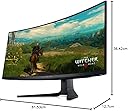
| Item Dimensions D x W x H | 30.6D x 81.5W x 41.6H centimeters |
| Item Weight | 6.27 Kilograms |
| Manufacturer | FALLER |
| Model Name | QD-OLED de 34- AW3423DWF |
| Model Number | AW3423DWF |
| Mounting Type | Desk Mount |
| Native Resolution | 3440x1440 |
| Number of Component Outputs | 2 |
| Picture Quality Enhancement Technology | QD-OLED, Quantum Dot Display Technology, DCI-P3 99.3%, AMD FreeSync Premium Pro |
| Pixel Pitch | 110 |
| Power Consumption | 34 Watts |
| Refresh Rate | 165 Hz |
| Resolution | QHD Ultra Wide 1440p |
| Response Time | 0.1 Milliseconds |
| Screen Finish | Matte |
| Screen Size | 34 Inches |
| Screen size | 34 Inches |
| Screen surface description | Matte |
| Shape | Flat |
| Specific Uses For Product | Gaming |
| Total Number of HDMI Ports | 1 |
| Total USB 3.0 Ports | 5 |
| Total Usb Ports | 5 |
| Unit Count | 1.0 Count |
| Viewing Angle | 170 Degrees |
| Voltage | 240 Volts (AC) |
M**I
Perfect and works amazingly.
Perfect packaging, 100% authentic and works wonderfully.
B**L
Bad text clarity
The monitor is very nice Good colours Very fast response and everything in the reviews Only downside its not good for productivity The text clarity is not good
G**S
Great product
This LED is amazing, colors are so vibrant, recommended
I**R
Oyunların içinde detaylara takılıp kalacaksınız...
Öncelikle paketlemesi gayet güzel ve sağlam yapılmıştı Ebrar bilgisayar'a teşekkürler! Kurulumu gayet kolaydı ve içinden çıkan talimatlara göre kurulum yaparsanız hiç sıkıntı yaşamadan tek başınıza kurabiliyorsunuz. İçinden Display port kabloları çıkıyor ilave kablo almanıza gerek yok. Ölü piksel testinden de sıkıntısz bir şekilde geçtik :) 42' Samsung M7 akıllı monitörden bu canavara geçtim tabiki QD OLED farkını dibine kadar yaşattı diyebilirim. Renkler son derece net ve parlak. mat siyah ekran gerçekten yansıtmasız tam mat siyah ekran. yansıma, gölge vs yok. Oyunlara yeni bir keyif getirdi, detaylar harika bir hal aldı. Gönül rahatlığı ile alınız ;)
S**K
Une révolution après un IPS
Je suis passé d’un écran 2K IPS 165Hz avec un module G-Sync physique à ce Dell Alienware AW3423DWF, et c’est une véritable claque ! Pour la première fois, je vois un vrai noir – un contraste incomparable avec l’IPS. La différence de qualité d’image est immense, les couleurs sont incroyablement riches et fidèles. Bien que ce modèle ne soit pas certifié par NVIDIA, il suffit d’activer G-Sync dans le panneau NVIDIA, et tout fonctionne parfaitement en mode adaptatif. Aucun problème de compatibilité à signaler. Enfin, après avoir goûté au format 21:9, je ne reviendrai jamais au 16:9 ! L’immersion est totale, que ce soit pour le gaming ou le travail. Un écran au top, je recommande à 100 % !
C**N
Alienware AW3423DWF, immagini spettacolari e fluidità.
L'Alienware AW3423DWF è un monitor gaming che punta dritto al cuore degli appassionati di videogiochi che non vogliono compromessi sulla qualità visiva. La sua caratteristica principale è il pannello QD-OLED da 34 pollici con risoluzione 3440x1440 (ultrawide 21:9). Questa tecnologia è un vero salto di qualità rispetto ai tradizionali pannelli LCD: offre neri perfetti e profondissimi, un contrasto eccezionale che fa risaltare ogni dettaglio e colori incredibilmente vividi e accurati. Le immagini sembrano prendere vita sullo schermo, rendendo l'esperienza di gioco e la visione di contenuti multimediali davvero immersiva. Dal punto di vista del gaming, l'AW3423DWF non delude. La frequenza di aggiornamento di 165Hz (che può arrivare a 165Hz in overclock) garantisce un'immagine fluidissima, essenziale per i giochi d'azione frenetici. Il tempo di risposta di soli 0.1ms (GtG) elimina quasi completamente il motion blur, rendendo i movimenti nitidi e reattivi. La compatibilità con le tecnologie di sincronizzazione adattiva AMD FreeSync Premium Pro e NVIDIA G-Sync (lo uso con una 4070) previene lo screen tearing e lo stuttering, offrendo un'esperienza di gioco ancora più fluida. Anche il design del monitor è curato, con un look moderno e aggressivo tipico della linea Alienware. La base è solida e permette una buona regolazione dell'altezza e dell'inclinazione. Sul retro troviamo diverse porte, tra cui HDMI, DisplayPort 1.4 e USB, offrendo una buona connettività per collegare diverse periferiche. Tuttavia, ci sono anche alcuni aspetti da considerare. Il prezzo dell'AW3423DWF era decisamente elevato, posizionandosi nella fascia alta del mercato dei monitor gaming. Inoltre, come tutti i pannelli OLED, esiste un potenziale rischio di burn-in (ritenzione permanente di immagini statiche sullo schermo), anche se le tecnologie moderne cercano di mitigare questo problema (comunque il pannello è coperto da 3 anni di garanzia).
C**S
Écran gaming exceptionnel !
**Achat vérifié - Une expérience visuelle impressionnante** Cet écran Alienware 34" QD OLED a dépassé mes attentes ! La qualité d'image est tout simplement bluffante. **Les points forts :** - **QD OLED** : couleurs éclatantes et noirs parfaits - **165Hz + 0.1ms** : fluidité parfaite pour le gaming - **WQHD 3440x1440** : résolution idéale pour ce format - **AMD FreeSync Premium Pro** : aucun déchirement d'image - **Format 21:9** : immersion totale dans les jeux et films - **Courbure** : confort visuel excellent L'écran est imposant mais la qualité est au rendez-vous. Les couleurs sont vives, les détails nets et le gaming devient vraiment immersif. La technologie OLED fait toute la différence comparé à mes anciens écrans LCD. **Excellent investissement pour le gaming et le multimédia !** Je recommande vivement pour ceux qui veulent passer au niveau supérieur.
A**N
Perfect once sorted
Had the monitor for a week now, made a review of it on day one but there's a lot I've learned about it since then, so adjusting my review. The monitor uses 30-50w at idle depending on what you're doing, obviously white screen will have it use more power. Not had time to game due but will test it in an SDR game and HDR game with both the True Black and 1000 HDR settings and update this with my findings. Measuring the power draw, I used the Tapo Smart Plug, so these are approximates. Gaming used between 40-60w at HDR 1000 and 40-50w with HDR 400 depending on how bright things were and they were pretty bright, especially when looking directly at the sun in game. To get to that 200w of peak draw would require the brightness to be maxed out and have the entire screen as white. Whilst in standby it's 0.5-1w. SInce doing the power testing, I've found I prefer HDR 1000 in games that support HDR and have left it on over HDR 400 True Black but this is a preference thing. This mounts straight to a 100x100 Vesa mount. If your vesa mount is bigger than 100x100, you will need an adapter, as there's just enough space for the 100x100 vesa mount. This sits firmly on a dual monitor arm with a 1080p monitor in portrait mode beside it of which previously supported but struggled to support an Acer Predator X34p (2017) wityh tilting which is meant to be about 6-7 KG, this is meant to be 6 KG but felt far lighter than the X34p and tilting is pretty easy and doesn't just go "limp" when trying to arrange the perfect angle. HDR is not enabled out of box so make sure to enable it through the monitor settings to HDR True Black or HDR 1000. Turn brightness and contrast to 70-75 (I've gone for 70 on brightness and 75 for contrast and left sharpness at 50 and then once you've done that, enable HDR in Windows, as some games such as Cyberpunk2077 won't allow you to enable HDR if it's not enabled in Windows and this is from my own experience. You can adjust the brightness of SD content in Windows. I have mine at 41 but adjust yours to whatever you prefer and then get the colour profile from RTINGS and apply it through Colour/Color Management (Need windows 10/11 to follow this). I had a custom resolution of 10 bit at 150 Hz and the colouring was amazing, going to 8 bit with dithering at 165 Hz, there is a slight tone difference but it's hard to notice it unless you're actively looking for it in game and in some cases would need to have 2 of these monitors side by side to actually see a difference. Outside of games, I don't see any real difference aparft from what might be my imagination. I don't have 2 of these monitors to compare sadly haha.
Trustpilot
3 weeks ago
2 weeks ago