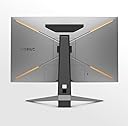
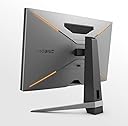
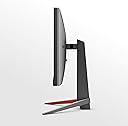
🎯 Level Up Your Game with BenQ MOBIUZ EX270QM – Where Speed Meets Stunning!
The BenQ MOBIUZ EX270QM is a 27-inch QHD gaming monitor featuring a 240Hz refresh rate and 1ms MPRT response time on an IPS panel with 98% P3 color gamut. Equipped with HDMI 2.1 and FreeSync Premium Pro, it supports next-gen consoles like PS5 and Xbox Series X/S. Enhanced by VESA DisplayHDR600 and BenQ HDRi technology, it delivers vivid visuals and immersive audio through built-in treVolo speakers. Its ergonomic stand and USB 3.0 hub ensure a professional, clutter-free gaming or work setup.


| ASIN | B0BF97T79N |
| Are Batteries Included | Yes |
| Batteries | 1 Lithium Metal batteries required. (included) |
| Best Sellers Rank | #16,816 in Computers & Accessories ( See Top 100 in Computers & Accessories ) #275 in Monitors (Computers & Accessories) |
| Brand | BenQ |
| Colour | Grey |
| Customer Reviews | 4.5 4.5 out of 5 stars (6,555) |
| Date First Available | 26 December 2022 |
| Generic Name | Monitor |
| Importer | BenQ India Pvt. Ltd. 9B Building, IIIrd Floor, DLF Cyber City, DLF Phase III, Gurgaon, Haryana, India -122002 |
| Included Components | 1.8m Power Cord 16 amp, 1.8m DP to Dp cable, HDMI2.1 cable 1.8m, USB3.1 Gen1 upstream cable 1.8M, remote control, Adapter, QSG, Warranty Card , Safety Instruction, Regulatory Statement |
| Item Dimensions LxWxH | 19.4 x 60.9 x 42.2 Centimeters |
| Item Height | 42.21 Centimeters |
| Item Weight | 7 kg 600 g |
| Item Width | 60.9 Centimeters |
| Item model number | EX270QM |
| Lithium Battery Weight | 3.01 Grams |
| Manufacturer | BenQ |
| Net Quantity | 1 Piece |
| Number of HDMI Ports | 2 |
| Number of Lithium Metal Cells | 1 |
| Number of USB 2.0 Ports | 2 |
| Number of USB 3.0 Ports | 2 |
| Packer | BenQ India Pvt. Ltd. 9B Building, IIIrd Floor, DLF Cyber City, DLF Phase III, Gurgaon, Haryana, India -122002 |
| Product Dimensions | 19.4 x 60.9 x 42.21 cm; 7.6 kg |
| Resolution | 2560 x 1440 Pixels |
| Screen Resolution | 2560 x 1440 |
| Series | EX270QM |
| Speaker Description | 2.1 Channel (2Wx2 + 5W woofer) |
| Standing screen display size | 27 |
| Voltage | 240 Volts |
S**E
Best Gaming monitor
Best 27" monitor for gaming. You can use upto 4K resolution with this but the only drawback is beyong 1080P the refresh rate is limited to only 60 HZ max
S**R
Awesome!!! The best 165hz IPS monitor for this price point.
Writing this review after a week of usage. I was a bit confused between acer VG series, LG ultragear series and HP x24ih monitor and after researching and increasing the budget by a bit i bought this mobuiz 24 inch monitor for 18k and believe me it is totally worth the extra couple of thousands. Coming to the pros and cons - Pros: - This monitor uses the AU electronics panel which is much better than the usual panda panels used on other monitors at this price point. - The viewing angles and the colours on this monitor are great and as it is 99% sRGB it is a treat to watch videos, play games and edit photos and videos on this monitor. -I do not have a CPU i am using this monitor with my HP omen 15 laptop and i am easily getting 165hz through the HDMI cable provided in the box. I haven't tried the DP part yet but will update the review once I do. - There was very little to no backlight bleed on my monitor unit and that is a pro for me. - The speakers available on this monitor are actually pretty good. They aren't like the speakers available on other monitors at this price range. The speakers are actually pretty clear and loud for a small to medium room like mine. - One of the most important reasons for me to buy this monitor was it's stand the stand on this monitor is not that bulky or big it fits easily onto my not so deep desk and not forget the easy adjustments you can make. Other monitors at this price point like acer VG series and LG ultragear series have a huge stand that take up half the space on your desk. Cons: - The 16amp power cable provided in the box is a minor inconvenience I don't know why they have provided a 16amp cable as the monitors don't consume that much power. So unless you have a 16amp power socket near the monitor you will have to buy a 16amp to 6amp adapter which would cost you around 60rs or you can also buy or use the 6amp power cable from your old monitor if you have any. - HDR on this monitor is just for namesake it's not actual HDR. It's just an emulation of HDR which adjusts the colours and brightness. And keep in mind it's just a 8bit panel. - There is no USB port on this monitor which is a bit disappointing A USB hub at this price point would've been a cherry on top. All in all this is one of the best 165hz IPS monitor for this price range. And i would highly recommend anyone to go for it. Hope this was helpful.
K**E
Received replacement unit
The first unit i received on 15th October had some power issues where display was flickering few hours after use. Complained to customer support and received a replacement unit on 12th December. The replacement unit looks much better and hasn't caused any problems so far . Keeping aside all the interactions with customer support and engineer visits, the product is very good. Display is top notch and would recommend it to anyone looking for a new monitor. It's value for money. Highly recommend if you are a gamer or video editor it fulfills both the criterias with flying colours. Deducting 1 star because of the hassle I've been through getting this replaced but all is well that ends well.
H**.
Probably the best Full HD IPS monitor for its price range.
This monitor is exactly what I was looking for in terms of picture quality and build. The product's been amazing so far in terms of gaming and overall viewing experience. Although I wish the packaging was done more carefully for fragile products like this, but my unit was fine. Pros: - Great Colors out of the box. I'm using sRGB mode right now and its great, haven't tinkered with color settings yet. This is a good quality panel used by BenQ here which offers more brightness and vibrance than most other monitors at this price point which use a cheaper panda panel. In third picture you can compare the colors of wallpaper to my QHD Dell S2716DG 144Hz with TN Panel. - Decent HDR modes although its not true HDR but its emulation. - Gaming profiles are actually great, specially FPS mode as it lights up darker corners. - Great speakers for what it's worth, compared to speakers on Acer Nitro VG240YS(165Hz) and other similar monitors like AOC 24G2. They are not surround speakers so don't expect that kind of quality from them, best I could describe is they are similar to those you'd find on high-end gaming laptops, which is pretty good. - Non-existent backlight bleeding and minimal IPS glow compared to Acer Nitro VG240YS which I ordered earlier and had to return for the above mention issue.(More on my Acer's review) - Great Motion Blur reduction. - Height, tilt and swivel adjustability which was one of the reasons I ordered this. - BenQ's quality control is better compared to other products out there like MSI and Acer for similar monitors. Cons: - No Portrait mode with the stand that comes with it. - Lack of USB hub for this price point kind of stings. - No Display port cable but HDMI 2.0 Cable instead. Overall I'm satisfied with this monitor. And If any issues occur in future I'll update the review. So if you're on the fence as to which monitor to buy(<170 Hz category) in AOC 24G2U, Acer Nitro VG0 series, MSI Optix and BenQ, that extra price of BenQ makes it worth it as long as its less than 21K.
K**A
Beautiful device with hdr
Amazing monitor
K**H
Great image quality
Nice crisp images, great to watch movies and working. The audio output is also great, loud and clear.
T**C
Awesome
Ç**N
Piyasaya ASUS, GIGABYTE, PHILIPS, SAMSUNG, AOC vs.markalar hakim görünse de resmen "underrated" bir monitör çktı. Öncelikle hoparlörü gayet yeterli. Basları bir tık yüksek geliyor başta ama kulak alışıyor çok geçmeden. Hoparlörlerinin bu kadar iyi olması hem masada yer açılmasını sağlıyor hem kablo karışıklığını ortadan kaldırıyor. Monitörün asıl özelliklerine gelecek olursak: Ben duvara monte ederek kullanıyoum ancak ayakları da gayet şık görünüyor. Sağ, sol ve üst çerçeveleri ile ekran arasındaki boşluk çok az. Çok şık olmuş. Alt çerçevede biraz boşluk var ancak o kısmı da güzel bir tasarımla çözmüşler. Oranın neden kalın olduğununa birazdan değineceğim. Arka kısımda kabloların takıldığı yer kapaklı yapılmış. İyi düşünülmüş. Duvarda kullananlar için işe yarar tek yanı kabloların tek bir delikten çıkması ve duvarda tek bir kablo gibi görünmesini sağlaması ama masaüstünde kullanacak olanlar için güzel düşünülmüş. Daha şık bir görünüm sağlıyor. Ayrıca 2 tane USB 3.0 çoğaltıcısı var. Kablosuz ve klavyeniz ayrı ayrı alıcılara sahipse gayet kullanışlı oluyor. USB 3.0'ı klavye ve fareye harcamak istemiyorsanız başka işler için de kullanabilirsiniz elbette. USB 1.0 bile olabilirmiş aslında zira arka kısma bir şeyler takıp çıkarmak çok kullanışlı değil. Ama her ihtimali düşünüp tercihi kullanıcıya bırakmaları güzel olmuş. Monitörü HDMI ile kullandığım için 144 Hz'de çalıştırıyorum. 145-165 Hz arasında aman aman bir fark olacağını düşünmüyorum zaten. Kutu içinde hep DP hem HDMI kablosu geliyor. "Acaba versiyonu kaç?", "Kablo almam gerekir mi?" diye düşünmenize gerek kalmıyor. İster dizüstü ister masaüstü bilgisayar kullanın, kutuyu açtığınız gibi kullanabiliyorsunuz. Benim gibi yıllarca 60 Hz kullananlar için resmen bilgisayar hızlanmış gibi bir his yaşatıyor ama uzun sürmüyor merak etmeyin. :) HDR özelliği konusunda pek bir şey söyleyemeyeceğim. Gerçekçi olmak lazım. HDR filmlere erişim kısıtlı. Olmasa bile "Görüyorum, görüyorum. Kuşlar, ağaçlar, böcekler, yeniden görüyorum." hissi yaşatmıyor. Arkadaşlarınıza "Bak, bak; ne izleteceğim şimdi sana, izle." demekten fazlasına yaramıyor bence HDR. :) (Belki bir gün fikrimi değiştirecek bir şey izlerim, o zaman düzenlenebiliyorsa düzeltirim bu yorumu.) Ama Youtube üzerinde açtığım videolarla yaptığım denemeler üzerine şunları söyleyebilirim: Özellikle gökyüzü ve parlak renklerde kendi belli ediyor ve cidden bazı zamanlar güzel görüntü veriyor. İzlediğim bir kaç belgesel tarzı videoda özellikle yılanlarda ve bukalemunlarda çok fark ettiğini gördüm. HDR kapalı olsa dahi HDR simulasyonu özelliği var. O özelliği günlük kullanımda ya da filmlerde değil de bazı oyunlarda zevkinize göre açabilirsiniz. Standart olacak bir özellik değil. Yenileme hızı gayet güzel. Ghosting azaltıcı modu ekran parlaklığını kısıyor ama işe yarıyor. Ufotest ile yaptığım testte fark edilebilir düzeyde sonuçlar aldım ama bu da zevkinize ve kullanımıza göre açılabilecek bir özellik. Benim hiç ihtiyacım olmayacak muhtemelen. QHD çözünürlük konusunda şüpheliydim. Acaba UHD ekran alıp PPI değeri daha yüksek olacağı için daha net bir görüntü mü alsaydım diye çok düşündüm ancak 27 ekranda UHD PPI'ı artırsa da hem ekran kartını çok yoracaktı, hem de simgeleri çok küçültecekti. Windows üzerinden DPI değiştirebilirsiniz elbette her uygulama ona müsait olmuyor, Windows'un bazı sistem programcıkları bile net görüntü sağlamıyor DPI değişiminde. O yüzden bu monitör ile emin oldum ki RTX 4070 ve üzeri ekran kartınız ile sadece oyun oynamak için almıyorsanız 27 ekran QHD yeter de artar son kullanıcı için. Hatta biraz daha net görüntü için 26-25 ekran olması gerekir ama standartların dışında olduğu için üreticiler pek yanaşmıyor. Araştırmalarımda 24 ekran QHD gördüm fakat 144 Hz değildi. O yüzden çözünürlüğü beni fazlasıyla tatmin etti. Çözünürlük nedeniyle gidip gelen varsa düşünmeden alabilir. Renkleri çok canlı ve güzel. Arkada bulunan joystick ile ayarları değiştirebiliyorsunuz. Her çeşit mod konulmuş içine. Üreticinin sitesinde detayları fazlasıyla verilmiş. Renk konusunda IPS farkını hemen görünüyosunuz. Bilenler zaten farkındadır ancak bilmeyenler için yazmak gerekiyor: IPS ekranlarda ışık sızması ve "IPS glow" denen parlamalar olur. Bunlar oldukça normaldir. Kiminde az olur, kiminde çok olur. Işık sızmasının önüne geçilebilir aslında üretim sırasında ama o kadar özen gösterilen bir monitör bu fiyattan satılmaz. IPS glow ise IPS'ın yapısından kaynaklı gelir tıpkı AMOLED'lerdeki burning sorunu gibi. Bu bahsettiğim olaylar sadece koyu renklerde, özellikle siyahta belli olur. Ekranın tam karşısına oturduğunuzda köşelerde turuncumsu parlamalar glowdur ve normaldir. Korkmayın, bu nedenle iade etmeye çalışmayın. (VA panele geçmek istersenizo başka tabii.) Işık sızması ise çoğunlukla beyaz renkte olur ve ekrana çok baskı uygulanmış da ekran bozulmuş gibi görünür. Diğer renklerde bu bozukluk fark edilmiyorsa ve ekrana vurmadıysanız ışık sızmasıdır. Rahatsız edici düzeyde değilse normaldir. İnternetten fotoğraflara bakarak kıyas yapabilirsiniz. Her ne kadar aynı model olsa bile üründen ürüne fark edebilir. Benimkinde ışık sızması sadece sol üst köşede yukarıda ve solda biraz var. Bu da beklediğimden az geldi. Özetle; aldığıma pişmam etmemiş bir monitördür. Hem oyun, hem grafik çalışmaları, hem fotoğraf düzenlemeleri için birebir. Albette bir Asus Proart seri değil ancak amatörler için çok iyi bir seçenek. Aldıktan sonra kendi sitesinden güncellemesini ve sürücüsünü kurmayı unutmayın. Kendi renk profili geliyor sürücü içinde. Çok bir fark göremedim ama ne olur ne olmaz diye siz yine de kendi profilini kullanın. Düzenleme: İmla.
S**3
Per quello che costa non penso si possa trovare di meglio HDR 1ms e l'alta frequenza di aggiornamento rendono il pannello di questo monitor molto performante per il gaming soprattutto se si giocano fps competitivi io l'ho accoppiato ad un Xbox serie s e mi trovo benissimo avevo un Samsung g3 in precedenza e ritengo questo parecchio superiore nonostante costi di meno inoltre ha anche due casse audio integrate che non hanno una ottima qualità però almeno si sentono bene e sono molto utili ed apprezzare come porte ha uscita jack audio HDMI e display port per 80€ è stato un affare lo consiglio a chi non ha grosse pretese sulla grafica. Si comporta bene anche sui film e serie TV e contenuti multimediali regge in maniera ottima il riflesso del sole lo tengo in una stanza molto illuminata e vedo comunque senza problemi
م**ط
الشاشة للي يبي 2K ممتازة جدا انا جاتني مغلفة صح ومافيها اي مشكلة
D**S
Zunächst verwende ich den Monitor ausschließlich fürs Gaming (Ps5 + XSX). Gewohnt war ich zuvor auf einen TV mit 65 Zoll zu spielen und als Familienvater rückt dieses Hobby in den Hintergrund. Um gewisse time slot für das Gaming zu finden entschied ich mich für einen solchen Monitor. Zugegebenermaßen war ich skeptisch, ob die Größe mit 27“ ausreichen würde. Nun, da es mein erster Bildschirm ist verlief die Installation bzw. der Aufbau recht zügig, 2.1 HDMI Kabel wurden angeschlossen und die erste Inbetriebnahme konnte durchgeführt werden. In den Einstellungen der Konsolen wurde VRR und das HDR aktiviert, ebenso sollte das RGB mit voller Unterstützung eingestellt werden. Mit etwas Geduld und Tuning an den Farbeinstellungen des Monitors zaubert der BenQ ein kontrastreiches, homogenes Bild. Die Bewegungen sind flüssig und die Ausleuchtung der Farben sind brillant. Beim Edge LED mit Local Dimming zeigt die Technik kleinere Schwächen im Schwarzbereich. Diese sind dann zu sehen, wenn der Bildschirm komplett schwarz ist, dabei sind an den Ecken des Monitors kleinere Aufhellungen zu sehen. Doch das tut dem Bild keinen Abbruch, denn solche Momente findet man während des Spielens so gut wie gar nicht. Als Testspiel wurde Uncharted 4 mit mehreren Stunden angezockt. Ganz egal ob im Dschungel, in Höhlen, die Leuchtfackel oder unter Wasser, es fühlt sich alles stimmig an. Die Lautsprecher und dem Bassmodul an der Rückseite bieten für ihre Größen ein gutes Klangerlebnis. Dennoch sollten Kopfhörer für ein intensives Gaming nicht fehlen. Alle Signale werden erkannt und unterstützt; HDR / VRR / FreeSync und eine max. Auflösung von 3840 x 2160 mit 1ms Reaktionszeit und bis 144 Hz lassen dem Gamer-Herz keine Wünsche offen. Für die nächste Gen-Konsole sollte man keine Probleme damit haben. Übrigens testet den SDR Modus (HDR bei den Konsolen deaktivieren), hier könnt ihr ein wenig mehr mit den Farbeinstellungen des Monitors experimentieren. Wie ist es jetzt mit der Größe? 27 oder 32“, hängt zunächst von eurem Budget ab, zweitens für die Vorliebe größerer Bildschirme. In einem Open World Game kann die Dimension eines 32“ besser dargestellt werden, bei einen Shooter hingegen kann der 27“ von Vorteil sein. Das Auge erfasst bei einem korrekten Sitzabstand das gesamte Bild und es entstehen weniger Augenbewegungen auf der horizontalen Ebene. Warum ist bei mir der 27 Zoll geworden, eben aus genannten Gründen, ich sitze mit etwa 60 cm vom Bildschirm entfernt. Bedenkt also vor dem Kauf eure Präferenzen. Unter dem Struch ist der BenQ 2710u ein hervorragender Bildschirm für eure Konsolen. Wer noch mehr ausgeben möchte sollte sich evtl. nach einem OLED umschauen. Aktuell liegt der Preis bei Amazon um die 584 Euro. Wer Freude am Zocken hat und die reife Überlegung tätigt sein neues Spielzimmer einzurichten, der sollte sich dieses Modell genauer anschauen.
Trustpilot
1 week ago
3 weeks ago