🔐 Elevate your entryway with smart security that’s as sleek as your lifestyle.
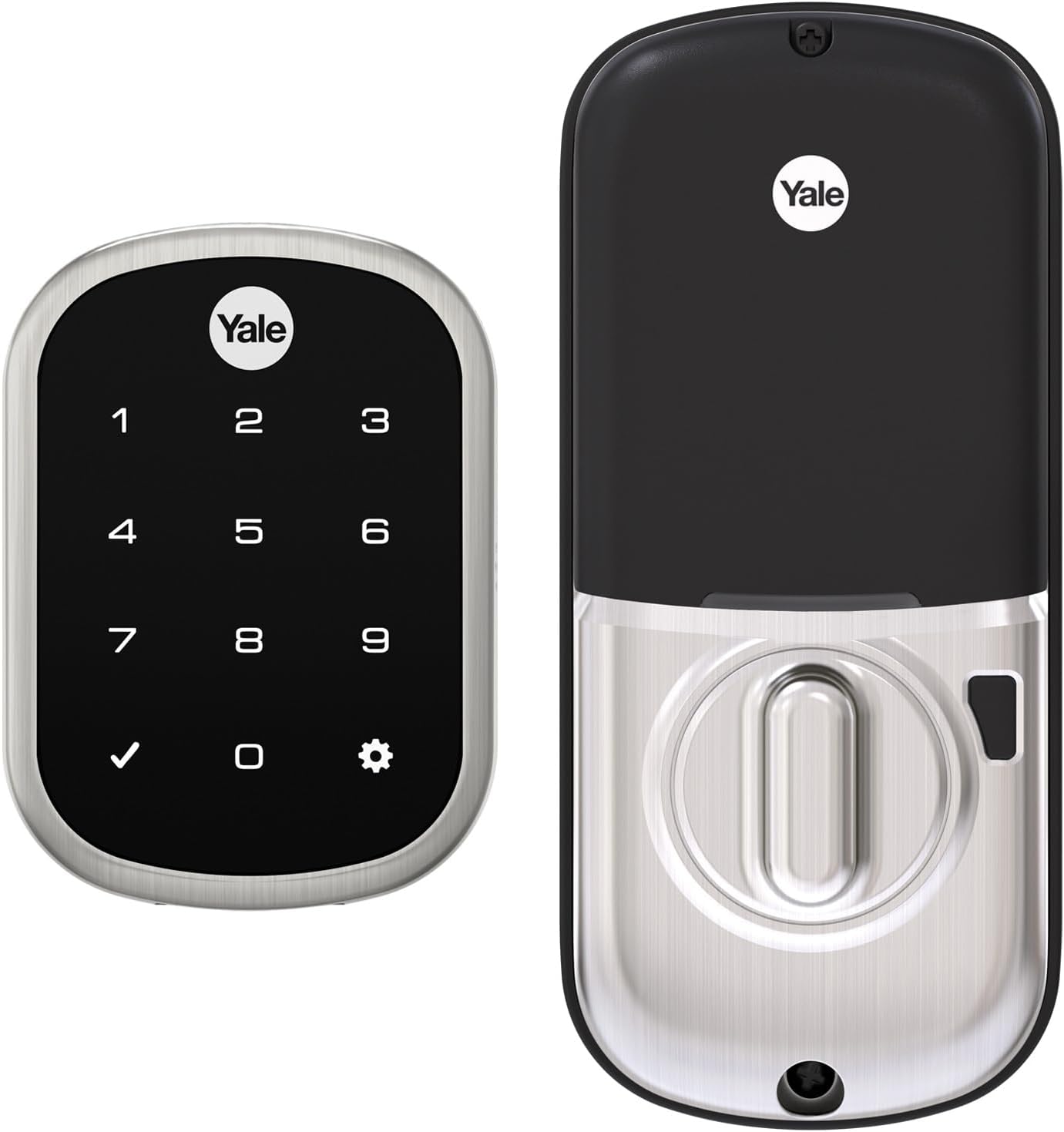
The Yale Assure Lock SL with Z-Wave is a satin nickel, keyless touchscreen deadbolt designed for modern smart homes. It offers secure, key-free access via a backlit keypad and integrates seamlessly with popular Z-Wave hubs like Samsung SmartThings and Alexa for remote control and monitoring. Featuring easy installation on standard doors, auto-lock functionality, and a 9V battery backup to prevent lockouts, this lock combines convenience, style, and peace of mind for the tech-savvy professional.


| ASIN | B076WZT4VD |
| Batteries | 4 AA batteries required. (included) |
| Batteries Included? | Yes |
| Batteries Required? | Yes |
| Battery Cell Type | Alkaline |
| Best Sellers Rank | #432,630 in Tools & Home Improvement ( See Top 100 in Tools & Home Improvement ) #1,212 in Deadbolts |
| Brand | Yale Security |
| Color | Satin Nickel |
| Connectivity Protocol | Z-Wave |
| Control Method | Voice |
| Controller Type | Nexia, SmartThings, Vera |
| Customer Reviews | 4.2 4.2 out of 5 stars (1,441) |
| Date First Available | October 26, 2017 |
| Display Style | Touchscreen |
| Finish | Brushed |
| Finish Type | Brushed |
| Global Trade Identification Number | 00081023000048 |
| Head Style | Lock Only |
| Included Components | Yale Assure Lock SL Lock, Z-Wave Smart Module, Deadbolt Strike and Mounting Hardware, 4 AA Batteries, Installation Manual and Door Template |
| Is Discontinued By Manufacturer | No |
| Item Package Quantity | 1 |
| Item Weight | 3 pounds |
| Item dimensions L x W x H | 5.5 x 5.5 x 10 inches |
| Item model number | YRD256-ZW2-619 |
| Lock Type | Keypad |
| Manufacturer | Yale Security Inc. |
| Material | Stainless Steel, Zinc |
| Model Name | Yale Assure Lock SL with Z-Wave in Satin Nickel (YRD256) |
| Number of Pieces | 22 |
| Part Number | YRD256-ZW2-619 |
| Pattern | Lock |
| Power Source | Battery powered |
| Product Dimensions | 5.5 x 5.5 x 10 inches |
| Recommended Uses For Product | Security |
| Shape | Rectangular |
| Size | Touchscreen |
| Special Feature | Auto-Lock |
| Special Features | Auto-Lock |
| Style | Key-Free Touchscreen |
| UPC | 081023000048 |
| Usage | Outside;Amateur |
| Warranty Description | Lifetime limited warranty on Finish and Mechanical. One year on Electronics |
J**P
YRD256 Not app based But it was a great Black Friday buy! I would recommend
Con- the model YRD256 isn’t app based. This won’t link up to the Yale app on your phone. It’s a $100 upgrade (AYR202-CBA-KIT), knowing this I would have just bought the Nest+Yale model. -Package didnt come with detailed install instructions, set up guide and key pad menu option. I had to figure it out and look online, to compete the install and the set up. It almost felt like a refurbished unit but everything looked new. -You can’t mix n match colors. My door came with bronze hardware on the outside and silver on the inside. I opted for silver based on the interior look. The outside doesn’t look that bad. -keypad light tends to turn off quickly but this is probably to preserve battery life. Pros: easy install onto my door. - the key pad is a perfect size for the front. - backlit key pad and the black screen is super sleek. - speaker quality is good. - good integration with SmartThings and Alexa app. - good response time when asking alexa to lock or unlock. -good response to asking alexa the status of the lock. -quiet -cool privacy feature, but you have to do this at the unit vs. being able to use the Yale app. - multiple users / access codes - you have options for indicator light, volume, and other settings, configured at the lock. I wonder how long the batteries will last 🤔
J**B
So far so good
So far I have really liked this lock and it has functioned flawlessly. I like that it is a one press lock and you don't have to enter the code to lock. The lock moves smoothly with no issues. The zwave functionality has been working well for the most part. It is directly connected to Smartthings with no issues, but I also have it connected to Home Assistant (via ST). Whenever HA restarts it always thinks the lock is unlocked even though it is not. That is not a lock issue, just mentioning for others that may be looking for a HA integration. With that said though, these locks do seem to be overpriced for what they are. A simple combo powered lock runs less than $50 these days, not sure why manufacturers think the zwave connection part is worth another $100.
B**D
Great Lock!
Bought this to replace our old Kwikset that was going through batteries every 3 months. Have had this one installed for two years and only replaced the batteries once! Easy to install and setup. Love the sleek design and keypad too.
M**G
Will not connect to app
I literally bought 2 of these (Yale Assure Lock SL) because I though the first one must be defective. But no, it just does not work. First of all, the instructions are unclear as to WHICH Yale app to even install (because there are several). Once I installed Yale Access, it asks me to scan a QR code. THERE IS NO QR code. Well, that's not true. There is one QR code on the PCB circuit board, but that's not the one it wants. Alternatively, it asks for the serial number. There is a barcode (not QR), but of course the app is not smart enough to scan it. But it does allow you to manually enter the serial number. Unfortunately, once entered, the app cannot find any device matching that serial number. Next, there is an option to skip the serial number altogether and add a device by type. The Yale app actually doesn't have a full listing of exact product models to choose from. The closest item in the list was "Yale Assure Lock". Once selecting that, it tries to scan for the device. Of course it cannot find it. I factory reset the lock and re-established a master code and tried again. I also tried by going into options 7, then 1 and scan with the app WHILE the lock is in network mode. No difference. I tried another app: Samsung SmartThings. This app actually has a full listing of Yale products, including an option for "Yale Assure Lock SL". However, SmartThings cannot see the device either. I watched a YouTube video of someone going through the EXACT steps to detect this lock on SmartThings and my locks simply cannot be detected. Remember, I purchased TWO of these. Neither can be detected. This product is total garbage. Even if it did work, which it does not, the Yale app is terrible, unintuitive, and should be completely redesigned. I am so pissed at this company. The actual physical part of the lock works fine and functions well. However, the product I purchased is supposed to be usable with my smart home app, and that is where the problems come in.
G**S
This was such a great deal. I was worried it would be a disaster as it was used but it was in perfect condition. Obviously someone did try to install it. I am missing a small screw but fit 100 bucks off, I’m good. It installed very easily. Yale offers a 3D version of the install in an app. It’s amazingly simple to install. I used this with my ring system. I was a bit nervous so I called customer support, very knowledgeable, very helpful, 40 second wait, my system found it fast and alexia with some preferences allowed on the device is opening and locking my doors on voice command! Very cool, works great! Total install 20 mins. It also arms my system and disarms it if I use my lock code.
A**)
We have this on our front door. It was a bit scary going keyless but after 6 months of use, the lock hasn't failed us yet. It is sleek and stylish. It is also very responsive to touch. This was a replacement for a competitors product and I can enter an 8 digit code on this look in less time than it took to enter a 4 digit code on the other. I also love the capability to integrate with home automation systems.
R**D
The manufacturer describes an easy installation that could be done in minutes. I cannot help but notice that the installation of this device was frustrating to the point where I initiated a return, and then decided to drill the wider bore hole in my door, so I could install the lock. I can confirm that this device is compatible with the Ring base station.
H**M
So the lock is well made and once you have it installed sits very nicely (I had issues as the lock stroke length was quite long so I had to take a fair bit of wood out of my previous lock stroke entry thing. Also connecting to ring was a PITA, i half connected it and stopped halfway through so it just had a problem lock device on my ring list. I then did a hard reset on the lock and removed it from the ring list and tried again which worked (but took me the good part of a day to figure this out). All in all its pretty good, but pretty expensive was expecting more information somewhere on how to integrate it with ring tbh
D**C
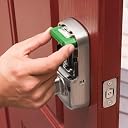
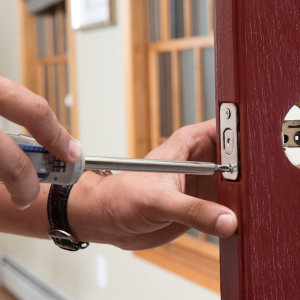
As expected the product is a high quality one. Very good protection against rain and freeze. The installation instructions are very good but installation on a door already installed with a regular lock is a bit cumbersome. If you have carpenter talent's and tools, you can install it easily. If not, you have to hire a specialist to install the new lock. Last things : This lock doesn't have a regular key lock just a keypad. Also, this model doesn't have Bluetooth to unlock the door with your phone. But if you purchase the SmartThings Samsung hub, you can lock and unlock the door with your phone and an Internet connection.
Trustpilot
1 week ago
1 month ago