Desertcart purchases this item on your behalf and handles shipping, customs, and support to USA.
🎮 Power your play, future-proof your rig!
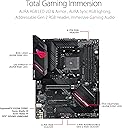
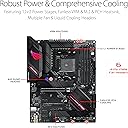
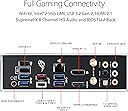
The Asus ROG Strix B550-F Gaming WiFi II motherboard is a high-performance ATX board designed for AMD Ryzen 3rd Gen and newer processors. Featuring PCIe 4.0 support, WiFi 6E, and 2.5Gb Ethernet, it delivers ultra-fast connectivity and data transfer. Its robust 12+2 power stage design ensures stable overclocking, while HDMI 2.1 and Aura Sync RGB headers provide stunning visuals and customizable lighting. Bundled with a 60-day AIDA64 Extreme subscription and an intuitive BIOS, it’s a top-tier choice for gamers and professionals seeking reliability and style.


| ASIN | B09GP7P1XS |
| Best Sellers Rank | #2 in Computer Motherboards |
| Brand | ASUS |
| CPU Model | Others |
| CPU Socket | Socket AM4 |
| Chipset Family | AMD B550 |
| Chipset Type | AMD B550 |
| Compatible Devices | Personal Computer |
| Compatible Processors | AMD 3rd Generation Ryzen |
| Customer Reviews | 4.6 out of 5 stars 3,280 Reviews |
| Global Trade Identification Number | 04711081453314 |
| Graphics Card Interface | PCI Express |
| Item Dimensions L x W x H | 10.75"L x 2.76"W x 13.39"H |
| Item Type Name | computer motherboard |
| Item Weight | 1000 g |
| Main Power Connector Type | 24-Pin |
| Manufacturer | ASUS |
| Memory Clock Speed | 2133 MHz |
| Memory Slots Available | 4 |
| Memory Storage Capacity | 128 GB |
| Mfr Part Number | ROG STRIX B550-F GAMING WIFI II |
| Model Name | ROG STRIX B550-F GAMING WIFI II |
| Model Number | ROG STRIX B550-F GAMING WIFI II |
| Number of Ethernet Ports | 1 |
| Number of Items | 1 |
| Number of Ports | 11 |
| Platform | Windows 11 |
| Processor Socket | Socket AM4 |
| RAM Memory Technology | DDR4 |
| Ram Memory Maximum Size | 128 GB |
| S/PDIF Connector Type | Optical |
| System Bus Standard Supported | SATA 3 |
| Total Number of HDMI Ports | 1 |
| Total PCIe Ports | 5 |
| Total SATA Ports | 6 |
| Total Usb Ports | 11 |
| UPC | 195553453318 |
| USB 2.0 | 1 |
| Unit Count | 1 Count |
| Warranty Description | 3 Years |
B**G
Beautiful and Affordable Motherboard!
Love Love Love Asus Motherboards. I upgraded from a B450-F Gaming to the B550-F and the quality and ease of use are all still there. I switched because of the ARGB header that is included at the bottom of the board. It was super easy to put together, especially with the use of ChatGPT and it is a very forgiving board (throwing it around and sliding around the case). It is also such a good deal for this board, It makes sense its the Amazon Best Seller. Just be careful when you're swapping MOBO's and make sure to download it's BIOS onto a thumb-drive so you can update the bios via usb before you do your first boot. Also make sure you're downloading the right name from the support site as there are like 3 different versions of the b550-f like the just gaming and this one that says B550-F Gaming Wifi II. Otherwise beautiful motherboard, and so far its been running super smooth!
Z**S
Very well-rounded motherboard
This board replaced a dying X470 Asus Crosshair VII Hero motherboard. I would have liked to buy an X570 chipset board, but they are out of stock everywhere, overpriced, or used and as a personal rule a motherboard is the only part of a build I won't purchase used. With a 5950x the board out of the box with PBO enabled ran TDC-156, EDC-190, PPT-230. The VRMs were warm but not out of spec or concerning so this board can handle any AM4 CPU you throw at it. It can't match the raw power output of my Hero VII board but unless you have the ultimate golden sample 5950x with a custom loop you should be able to get the clock speeds you want without burning up the VRMs assuming you have solid airflow in your case. I run custom PBO settings that have been thoroughly tested on my old board, I put my old settings in the BIOS on this board and all benchmark scores were matched or slightly improved. One big benefit with going to a B550 chipset from X470 is now I can run my memory at 3600MHz without any stability issues. My old board didn't like anything faster than 3200MHz. Also jumping to PCIe 4.0 for M.2 and GPU is great to have. I moved a 2TB Samsung 980Pro from my old board to this one and while the raw speed difference isn't noticeable the latency is. I saw a lot of complaints about the onboard LAN controller and so far, I haven't had any connection drops or speed issues. I have multiple mapped network drives connected to my PC and move a large number of files back and forth daily and I haven't picked up any dropped packets while monitoring the connection. Asus and Intel just released a new driver in late September 2024 so maybe that resolved some of the issues, but I will update my review if any problems occur. The Wifi and Bluetooth seem fine with my light testing. I have the antenna on my desk in a large open room with a Unifi AP about 25ft and 1 wall away so signal is not an issue. I always use a hard-line connection over Wifi but it is nice to have anyway. As of now my only complaint is the onboard audio, it is a step down from my Hero VII, while they share the same codec, but the Hero VII had an ESS ES9023P chip, and this board it seems does not. I'm in the process of replacing my old external DAC so that issue with resolve itself. I got this board on sale and so far, am very happy with it. I will update my review if any issues pop up. For the price (on sale) it is very hard to beat. Good luck with your builds!
D**G
Oh, when it posted the first time booting up, that is what we want, lol.
Well, it came on time but the packaging was really skimpy, just one piece of a thick brown paper that was laid on top of the motherboard box. Didn't even cover it completely. There was no protection on the bottom below the motherboard. Other then that the only other thing was it came without any motherboard screws, I had to rob a spare motherboard and a case. Good thing I kept all the unused stuff. The ROG board went in without a hitch, and posted first try, I was also doing a clean install of windows 11 iot ltsc. Everything worked, and the boot time, being a fresh install was super fast. My memory came off a Asus Tuff gaming board, and i also checked and found that the memory was also on the ROG'S QVL list, so yea, that worked. Now after a week and some installs, Steam, WOW, apps, and games, the boot time is still like 10 seconds or so. Am running m.2 NVME'S in both slots, a 2 TB in the gen 4 slot, a 1 TB in the gen 3 slot, as well as a SATA 1 TB drive. Have had no issues with it at all. The BIOS it came with was only 2 back from the current latest listed on Asus website. I flashed it to the latest and greatest, flash went well, checked a few settings in BIOS, and had no problems or hiccups with TPM or secure boot. I love it when it just works. This ROG board is registered and performs perfectly so far. I use the optical out to a DAC (smsl su-1), sounds great. Can't comment on the supreme fx audio since am not using it. The heat shields for the M.2's are very premium. BIOS is same as the Tuff gaming was so everything was familiar already. I highly recommend this board by ROG Republic of Gamers. I give it 5 stars regardless of the missing screws.
A**H
Beast of a B550 board
I was recently mistaken SOMEHOW (stupid on my part) about the RZ608 Wi-Fi 6e support. I must have been using Channel 100, which is in the range the RZ608 doesn't support. Most people don't use that range. Many routers don't support it, either. I got this motherboard in May 2023. Figured I'd throw a final update review out about it. Short and sweet. I killed an Asus B450-F Gaming Wi-Fi with my 5900x and PBO settings that were too much for that board's VRM. So, I have a CPU that can draw enough power to stress a board's VRM setup. From May of 2023 to today (Jan 2026), I've had my PC running 24/7. I am running a 5900x (PBO 1000w PPT/1000a TDC/180a EDC) with per core CO tweaked and tuned in. I have 4x8GB DDR4 3600 14-14-14-28-42 with fully tuned sub-timings. 100% stable, passes all memory tests, all stress tests. I have 2x M.2 NVME drives, 3x S-ATA drives, 3x HDD's. I've had the 6700XT 12GB in this rig and have been running the RTX 5070 Ti for a few months. I am running a different Wi-Fi card that I wanted to use that has the Intel AX210 chipset. The onboard RZ608 is Wi-Fi 6e but 80mhz, I just wanted the ability to use 160mhz width 6ghz channels. I also have a S-ATA card for 2x hard drives that are also running in RAID 0. The B550 chipset has some limitations. If you have use the lower M.2 slot, you lose S-ATA 5/6 OR you can have both run at half speed. This is why I am using a S-ATA PCI-e card. If you use any single PCI-e x1 slot, the PCI-e x16 length @ x4 slot (the second/lower x16 length slot) turns into x1. The Intel I225-V 2.5 Gbps Ethernet is fantastic. I've read nothing but horror storries, however, I've had absolutely zero issues. My router has 2.5 Gbps Ethernet and that's what I'm using. I've never had one single issue. I've updated my BIOS several times without issues. In addition to my listed settings above, I'm also running a +125mhz boost on my 5900x. I'm using a 360mm AIO. I hit 4.85ghz to 4.95ghz in the majority of games. If they are heavily multithreaded, I'll average 4.75ghz. This is more of how my CPU acts. It pulls 110 watts on lighter CPU threaded games and can average 155-160 watts in the heavier ones like BF2042. With my 180a EDC limit (that's what Asus Performance Enhancement sets it to for me), I pull 170-180 watts at 100% during a stress test (SSE) or during shader caching. 100% AVX2 pulls 200 watts. I've had 170 watt loads run for 16 hours once, 12 hours many times and more doing encoding before I had the 5070 Ti. I preferred the quality of CPU x264 at that time. If anyone is looking for a B550 board, look no further. Power delivery is top notch and has been put through the ringer in my case. Memory support is as good as it gets. 4x8GB DDR4 3600 14-14-14-28 with a Zen 3 CPU? That's rare. This board is built like a brick house.
K**I
Great
No issues perfect am4 motherboard, boot up is quick and reliable
T**Y
Perfect if you want to OC but with some cons.
I've used it about 3 weeks now for reference. The main components in the build are a 5800x3d CPU, MSI RX 6950 XT GAMING X TRIO GPU, 2x16gb Corsair Vengeance 3600 c18 memory, and just because I also mention a small software/bios default config that does increase CPU temps my CPU cooler is the deepcool lt720 (that I'm using as a top exhaust since it is pretty overkill for a 5800x3d) and the case is the dynamic evo with 6 ml120 case fans for intake and one for exhaust on the back so the case airflow isn't the issue. Positives: -Loved the bios design and how its organized. best ive used so far. small but is a nice touch. -The bios does make overclocking any (Yes even for the 5800x3d even if ryzen master wont let you in windows) also can be negative if you don't know your way around in bios since default it was overclocking my CPU in multiple different bios settings some you cant see unless you select advanced bios instead of the "EZ" one. -Overall Aesthetics -Has most of the quality of life upgrades (the GPU Pcie slot guard, built in wifi 6, bios flashback, m.2 heat shields, the ram "safe slot" (I honestly didn't see how it was any safer or easier than the other 2 standard locking thats on other boards other than maybe it being easier for someone whos never seated ram before), gen 2 argb, the preinstalled I/O shield, pretty good looking audio ports if you do plan on using a 5.1 or 7.1 surround setup (don't use any of them so idk if they're good quality or not), 2.5g lan port, plenty of usb 2 and 3 ports, some like the software asus provides if you want it like armory crate and the AI thing was a negative IMO but i also prefer other software options instead but if your the kind of person that likes to set and forget the things like fan control then seems like it would be good if not for the crazy amount of bloatware that comes with it and no I didn't see any option of keeping only the essentials of armory crate without them EXCEPT for asus Aura to control the motherboard rgb on the IO shield. Negatives: -The Default BIOS settings was the main negative i have with this board but you can workaround it so that's why I gave it 4 stars instead of 5. The settings I'm talking about are like I mentioned earlier where it was overclocking my CPU before i changed anything in the bios. Which can be a positive if your kind of new to OCing and just want a little extra performance but I personally didn't want to overclock my CPU since it can shorten the lifespan of your CPU and possibly other components that are affected by OCing the CPU but also because it wouldn't really increase game performance in my setup enough for me to make that trade off. The main setting ive found causing it was the Asus performance enhancement setting in bios but it also does still seem to be providing a little too much voltage to my cpu even with it off but not by enough to worry about so no it wont make your 5800x3d explode like their newer high end board did with the 7000 series x3d CPUs lol. setting a -30 offset in bios did help some as well though with temps and power usage. with default settings the temps would get up to 90-92C in the OCCT 2hr CPU benchmark. After adjusting the bios it doesn't go over 85C. - Again another bios default setting...... I would highly recommend turning off the armory crate automatic download in bios if you don't it'll not only install armory crate which already is full of bloatware it'll also automatically download other software automatically which you may or may not want like the AI thing, the "Free 60 day" subscription to aida 64 extreme which is worth absolutely nothing since it doesnt give you a 60 day subscription it just downloads the free version of aida 64 extreme which yes is FREE TO ANYONE the difference is with the paid version it comes with more tools and removes the "Trial version" logo on anything you make with it which the "Free 60 day subscription" Asus claims to gratuitously bestow unto you doesn't include. IMO i would say that's fake advertising and they should remove that from the product page. anyway back to the bloatware... I made the mistake of downloading armory crate and let me tell you it is the absolute hardest software I've ever seen to completely remove once you install it. I have used the uninstall executables that come hidden in the folders, ive tried using deep cleaners/uninstallers that even removes small traces left after in the windows registry and ive still not removed all the bloatware that uses system resources for basically nothing i use. I've seen people say armory crate bloatware but seriously wtf it installs random drivers that run in the background just in the off chance you have ANY of the other hardware asus or im guessing third party hardware they work with?? im talking multiple background processes running and waiting to detect if you ever install a specific brand of memory , SSD, HD, Keyboard, mouse, headset, controllers, router, speaker, and some others I haven't bothered google searching for. i do admit they're not using hardly any resources on their own but combined it can be a decent amount so depending on your hardware you might be wasting 5%+ of your cpu and memory on something that doesnt benefit you in the slightest. the only option i can think of to completely rid my life of it is to format my SSD and do a fresh windows install which i would do if i had made a backup that doesn't include it. If anyone does have a different solution PLEASE post it on a review because you'd be a hero. anyway rant about the bios/armory crate over. Would i recommend the motherboard? Yes absolutely. Would i recommend asus's bs "Free" subscription and software? No fk you asus and your automatic bs software downloads. and if your living the hell that is uninstalling it like me, HMU if you know of a Alcoholics anonymous like support group for it.
M**S
Good motherboard
Love this board. It's a bit older, but I had an older cpu. So I tried it. One of the mvme slots didn't work, but I ended up having to upgrade the cpu and after that everything worked great!
L**S
ASUS The best
I will always choose ASUS products. They are the best in my opinion. Has not failed me yet! Amazing features!
M**R
Great AM4 motherboard!
Works great! Plenty of connections. I only wish it had more usb plugs in the back, but I think it's a limitation of the B550 chipset. I like the fact that it has fast wifi on board. Don't really care about the look, but it looks sleek.
R**O
Excelente producto
Al principio tenia mis dudas sobre el producto por algunas reseñas malas, pero era mas por la paquetería que por el producto, pero definitivamente a mi me fue genial, completamente nueva, sellada y con una entrega muy rapida, la instale con un ryzen 5700X y no tuve que actualizar la bios para que funcionara, se ve genial y funciona muy bien; fue una gran compra sin dudarlo.
J**O
Best B550 motherboard
One the best B550 mobo, and it is the only ROG strix item that is within many purchaser’s budget
R**A
Very good
Very good and reasonable.
T**N
Very bad motherboard. Asus service is also very baf
Stop working within three hours and service center provide me very old and defective motherboard. So please don't buy this
Trustpilot
3 weeks ago
2 days ago