Desertcart purchases this item on your behalf and handles shipping, customs, and support to USA.
🎮 Level up your game with the AGON AG271QG — where pro-grade speed meets stunning clarity!
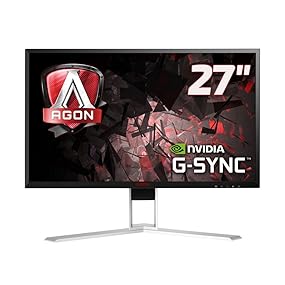
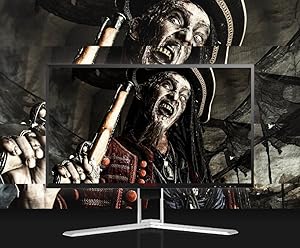
The AOC AGON AG271QG is a 27-inch QHD (2560x1440) IPS gaming monitor featuring a blazing 165Hz refresh rate and 1ms response time. Equipped with NVIDIA G-Sync and AMD FreeSync, it delivers tear-free, ultra-smooth gameplay. Its ergonomic height-adjustable stand and VESA mount compatibility ensure personalized comfort, while built-in speakers and a USB 3.0 hub enhance connectivity. Designed for serious gamers seeking premium visuals and performance, this monitor balances cutting-edge tech with practical features for an immersive experience.


| ASIN | B01GTODWPU |
| Adaptive Sync | G-Sync Compatible |
| Aspect Ratio | 16:9 |
| Aspect ratio | 16:9 |
| Best Sellers Rank | 74,059 in Computers & Accessories ( See Top 100 in Computers & Accessories ) 1,312 in Monitors |
| Brand | AOC |
| Brand Name | AOC |
| Colour | Black/Red |
| Compatible Devices | Gaming Console, Laptop, Desktop |
| Contrast Ratio | 500:1 to 1000:1 |
| Customer Reviews | 4.0 out of 5 stars 265 Reviews |
| Display Technology | LED |
| Display Type | LED |
| Global Trade Identification Number | 04038986185844 |
| Hardware Connectivity | HDMI |
| Has Color Screen | No |
| Image Brightness | 350 cd/m2 |
| Image contrast ratio | 500:1 to 1000:1 |
| Is Electric | Yes |
| Item Type Name | AGON 271QG Gsync Gaming monitor |
| Item Weight | 7 Kilograms |
| Manufacturer | AOC |
| Maximum Display Resolution | 2560 x 1440 Pixels |
| Model Name | AG271QG |
| Model Number | AG271QG |
| Mounting Type | 100 x 100 mm |
| Native Resolution | 2560x1440 |
| Network Connectivity Technology | HDMI |
| Picture Quality Enhancement Technology | [INFERS] Picture Quality Enhancement Technology |
| Pixel Pitch | 0.233 |
| Processor Count | 1 |
| Product Features | Adaptive Sync, USB Hub |
| Product Warranty | 3 year manufacturer swap out |
| Refresh Rate | 165 Hz |
| Resolution | QHD Wide 1440p |
| Response Time | 4 Milliseconds |
| Screen Finish Type | Matte |
| Screen Size | 27 Inches |
| Screen size | 27 Inches |
| Screen surface description | Matte |
| Series Number | 1 |
| Shape | Rectangular |
| Specific Uses For Product | Gaming |
| Total HDMI Port | 1 |
| Total USB 3.0 Ports | 4 |
| Total USB Ports | 4 |
| Total Video Out Ports | 2 |
| Viewing Angle | 170 Degrees |
| Voltage | 240 Volts |
A**R
Great Alternative To ASUS / Acer Offerings
With all the negative reviews I was a little anxious as to how this monitor would turn out. I need not have worried. No dead pixels, fantastic picture out of the box (could do with some minor tweaking which I will get around to), gorgeous colours - this really is a fantastic monitor at the price point. Coming from a 1080p monitor with a TN panel, the step up to 1440p with an IPS panel is a big one. So too is the availability of 165hz refresh rate; I'd always been sceptical about the personal benefit I'd see from anything over 60, but it really is just like people say it is. Everything just feels better. I've not had a chance to give G-Sync a good workout just yet but I've got a very good feeling judging from the rest of this package, I'm going to be happy. It isn't a perfect monitor for sure; there is bleed in all 4 corners, but (at least on this one) it is very minor and I'd really have to go out of my way to even get a little bit worked up about it being there. It is such a non issue. Also, if you like plenty of scope to plug in every single console / PC / media device you own into this monitor at the same time, you are going to be disappointed as there are just two ports; Display Port and HDMI. I'm really struggling to pick any more meaningful faults with it though. With a great feature set and attractive pricing, I see no reason to pay extra for the ASUS or Acer alternatives. Edit: Several months on and I have to say this monitor has not disappointed. G-Sync is incredible; I now understand when people say they could never go back to a non G-Sync monitor after using it. Games look and feel sensational. Given the current price (around £650) there are monitors that outdo this one, but if you can get it for £500 or so, you will not regret this purchase.
G**2
Impressed !!
Ok. I've only used this monitor for one day and so far i'm liking it. There is a bit of black light bleed but you are going to get that with the vast majority of IPS displays. All the photo's you see online of people complaining are overexposed and taken with a crappy phone camera and are not representative of real world conditions. You should play games in a well lit room if you're that picky. The unit i got has no dead or stuck pixels which would have been an issue for me if there where. Games look amazing and the colour accuracy is very impressive. My last monitor was a TN panel at 60hz but the IPS with a very high refresh rate is what makes a difference. It's a pity about black light bleed on IPS panels but that's just the way unfortunately and you'll not even notice it in game, only if you look for it.
D**S
Great value, and arguably best-looking, high refresh-rate IPS 1440P display
I will start this review by saying I was looking exclusively for an IPS, G-Sync and 144Hz+ 1440p monitor. There isn't a whole lot of choice when you're that specific, so realistically I was either going to get this AOC, the Acer XB271HU or the ROG PG279G. Given that all the panels are basically the same thing, I went for this AGON due to the swish-looking stand and was not disappointed. It is easy to put together, a fair bit cheaper than the alternatives and offers great image quality with a high refresh-rate (plus g-sync.) My monitor did not arrive with any dead pixels, and there is only a hint of backlight bleed in the bottom-right corner. Considering the price, this does not bother me at all. So, all-in-all, this is a great monitor for those looking for good colours, high refresh-rate and an increase in pixel density over a 1080p display. Very happy.
D**.
Poor Quality
Cons: - Speakers had an issue where they buzzed/crackled when the monitor was off - Dead Pixel - Intrusive bleed in one corner Pros: - Strong spec for the price Having seen the high proportion of negative customer reviews on here, I decided to chance my hand anyway on the panel lottery. That was a mistake as the panel had a dead pixel and bleed. The dead pixel was dead, not stuck on one colour, and was unnoticeable in gaming; however, it was very visible when doing anything that had a light background e.g. writing in MS Word. The bleed in the bottom right corner might have been tolerable for some people, though probably wouldn't have been for me as part of the upgrade was to enjoy games that happen to have quite dimly-lit scenes. In the attached images, you can see this. The photos actually exaggerate the bleed in the other corners, but what the photos show in the bottom right is more or less what it looked like to the naked eye. I didn't get to make a decision on whether the bleed was really a problem for me, however, as the fault with the speaker was enough to make me send it back; the terrible QC was just a bonus. There was IPS glow, but it was largely unnoticeable even in darker scenes, unless sitting at an angle to the monitor. The package arrived with some damage to the box. The tape sealing the box, I noticed after opening it, appeared to have been cut once already and then resealed. The power cable and the power brick were both unwrapped. The gsync worked fine, though there were occasional drops in signal, with the screen flicking black for a moment. I didn’t have the inclination to troubleshoot on a faulty monitor e.g. to rule out driver issues, so simply note I experienced this, I’ll stop short of laying the blame on the monitor. The image quality was very solid, with rich colours, and a major upgrade over my budget 1080p 60hz IPS monitor (AOC i2352vh). There screen occasionally looked grainy, but it was only occasional and generally quite hard to perceive. Had it not been faulty, I’d have kept it. However, I can’t give anything but 1 star to a £550 monitor that had so many issues. Amazon refund process was successful and, barring a slight hiccup where the tracking did not update properly on my account, without incident.
K**N
27 inch big enough
Great, 27 inch sweet spot for 2 k pc gaming
D**.
Worth the money
According to other reviews, these panels can be hit or miss, but I can say personally that my monitor looks and performs great. I don't use the 165hz, but instead stick with 120hz and ULMB (for gaming at least), and I find that the ULMB works very well. It's a better experience compared to my previous monitor at least. The IPS panel was the main reason I bought this, and I'm so happy I did. Going from 1080p with a TN panel, to 1440p with IPS, it's a world of change. If I had to complain about this, it would be the price. But all the fun stuff is always expensive. I have had a minor recurring issue with this monitor where it will disconnect randomly, but this has only happened shortly after startup and it reconnects fairly quickly. It also only happens once after turning it on, if it happens at all. Not enough of a nuisance for me to subtract a star.
A**R
Its a nice monitor, but i mean for the price it should be!
I've been using this monitor for a few days now. Minimal bleed on my particular monitor, a slight bit in the bottom right corner. Only really visable via my phones camera. I'm not currently using G-Sync, but even just the leap from 60 Hz is crazy noticable, and it really makes the difference in fast paced shooting games. The colours are beautiful, as to be expected with a IPS panel. One gripe is the fact it is quite bright, and i did feel a bit funny for the first hour or two, adjusting the settings is a good idea! Update : I got home from work today to find a few dead pixels, i don't remember see those yesterday, it seems i'm going to have to try a new one. Update 2: So i got a second monitor the otherday, finally got chance to test it. The bleed on this one was hella worse, i mean 3 corners were just awful, and it also had a dead pixel. I've amended my initial star rating, as the monitor i first had seemed to be spot on, bar the dead pixel a week after. Amazon as always have been smashing the whole time. As a warning, if you are buying this, it's awesome, but be prepared to send a few back, check for bleed and dead pixels, as that sucks.
S**.
Great 165hz monitor (while it lasts), otherwise good 60Hz monitor
I've had this monitor for around 3 years now and it has stopped liking 165Hz output. The full screen will have somewhat noticeable horizontal lines on it (including over the OSD) and some pixels will fail to switch on scene transitions. However, switching to 60Hz makes this monitor work properly again, at the cost of its biggest and most expensive selling point. Hardware failure aside, I will describe how this monitor functioned before the 3-year mark. One of the hidden blessings of this monitor is its fast input switching. Having a PC and console hooked up at the same time is much less hassle with this than with other monitors, since it takes about a second to switch between the two at a press of a button, unlike many other monitors I have used which take a fairly long time to adjust themselves. Otherwise I would say this is about what you'd expect from its specs, with very crisp picture quality and wide viewing angles, support for an sRGB-accurate colour profile, and built-in speakers and a USB 3 hub.
G**D
Una maravilla.
El monitor es espectacular. La fluidez y la calidad con la que se ve todo es alucinante. Los materiales y el diseño son muy buenos y el brazo para reposar los auriculares todo un detalle. Muy recomendable. En el mio no hay pixeles muertos y solo un ligero bleeding al ser IPS en la esquina inferior derecha pero con el brillo al 90. Yo uso el brillo al 50 porque al tener 350 de brillo si lo tengo muy alto al rato me molesta la vista, al 50 se ve perfecto y el ligero bleeding desaparece.
M**K
1440p IPS 144hz G-Sync 27"
AGGIORNAMENTO Siccome aveva 2 pixel mezzi bruciati/spenti ho chiesto la sostituzione, il nuovo (che è arrivato in 2 giorni) sembra perfetto, sempre un po' di bleeding nel famoso angolo in basso a destra ma tutto sommato è accettabile....perlomeno, per ora, non ha pixel bruciati! -------------------------------- monitor eccelso, i colori sono bellissimi e il 2k,o meglio il 1440p, a 144hz con g-sync consentono un'esperienza di gioco nitida e fluida. Peccato per il prezzo (gonfiato dal fatto che g-sync è proprietaria di Nvidia) e la non perfetta qualità del pannello (visti i soldi spesi e la fascia del prodotto), nel complesso è ottimo ma non merita le 5 stelle proprio perché a livello di pannello si nota un po' di back light bleeding, nel mio caso nell'angolo in basso a destra e un po' in alto...sempre a destra. Altra piccola pecca è il supporto, che va fissato dietro, che non combacia proprio perfettamente.
J**N
Sehr solider Gaming Monitor
Vorwort Nachdem ich mir vor kurzem einen neuen Gaming PC zusammengebaut habe, wurde es ebenfalls Zeit, meinen in die Jahre gekommenen 24“ FullHD-Monitor mit 60 Hz und TN Panel gegen etwas Adäquates auszutauschen. Nach langem Suchen und Lesen von Testberichten ist meine Wahl auf den AOC Agon AG271QG gefallen. Dieser besitzt ein 27“ IPS-Panel in WQHD-Auflösung (2560x1440 Pixel) mit 144 Hz (165 Hz mit Übertaktung) Bildwiederholrate und G-Sync. Noch vorweg: ich habe dieses Produkt als Amazon Warehouse Deal im Zustand „sehr gut“ erworben. Sprich die Produktverpackung wurde schon einmal geöffnet und der Monitor kann auch schonmal im Einsatz gewesen sein. Verpackung Der Monitor wurde wie von Amazon gewohnt schnell geliefert. Das Paket scheint auf den ersten Blick sehr groß, dies ist der guten Verpackung des Monitors geschuldet. Bevor man den Monitor begutachten darf, fallen einem erstmal das ganze Zubehör in die Hände. Mitgeliefert werden ein DisplayPort- und HDMI-Kabel, sowie ein USB-Kabel für den integrierten Hub, das Netzteil, eine Treiber-CD mit etwas Papierkram, ein Vesa-Adapter und ein Mikrofonkabel. Danach kommt dann die Polsterung des Monitors, das man am besten mit Hilfe einer zweiten Person auspackt, da zwischen Karton und Styropor quasi keinerlei Platz ist. Die Polsterung besteht aus zwei Hälten, zwischen denen der Monitor sicher eingepackt liegt. Eine Hälft dient darüber hinaus als Verpackung für den Standfuß. Alles in allem bekommt man ein sicher und gut verpacktes Gerät. Aufbau Der Standfuß kommt in zwei Teile zerlegt an. Die Montage erweist sich jedoch als sehr simpel, es muss nur eine Schraube mit der Hand festgezogen werden. Der Monitor wird mit Hilfe von 4 Schrauben am Standfuß befestigt. Hierfür wird ein kleiner Kreuzschlitzschraubendreher benötigt, im Lieferumfang ist keiner enthalten. Sollte man sich für den Vesa-Adapter Entscheiden, müssen insgesamt 8 Schrauben am Monitor montiert werden. Das Netzteil fällt mit ca. 17 x 7 x 4 cm recht üppig aus, da das Anschlusskabel für den Monitor jedoch recht dünn und lang ist, kann es gut versteckt werden. Es findet an der rechten Rückseite Platz. Die hochwertig verarbeiteten DP- und HDMI-Kabel finden an der linken Rückseite des Geräts Platz. Der Aufbau geht sehr schnell und einfach von der Hand. Alle Schritte sind logisch und wer keine zwei linken Hände hat, der darf in unter 5 Minuten den Monitor betrachten. Wer Ordnung liebt kann am integrierten USB-Hub noch Maus und Tastatur anschließen. Eine stabile Headsethalterung ist an der rechten Seite angebracht. Erstbenutzung Ich sollte hier nochmal erwähnen, dass mein vorheriger Monitor nichts Besonderes war. Daher stand mir beim ersten Starten des PCs erstmal der Mund offen: Groß, hell, satte Farben. Alleine das Windows-Startbild war eine Wucht. Aber damit war noch nicht gut. Als erstes sollte man in die Systemsteuerung seiner Grafikkarte gehen und die korrekte Auflösung mit entsprechender Bildwiederholrate von 144 Hz einstellen. Wird der Monitor auch noch für Gaming benutzt, sollte G-Sync in den Grafikeinstellungen aktiviert werden. Sind diese Schritte erledigt, fällt einem zuerst der Mauszeiger auf: er bewegt sich viel direkter und flüssiger als bei 60 Hz. Ich hätte nie gedacht, dass der Unterschied so extrem ist. Der nächste Schritt war die Überprüfung des Monitors auf Fehler. Man hört natürlich immer wieder, dass IPS-Panels unter Backlightbleeding (starkes Leuchten in den Ecken bei dunklem Hintergrund) leiden. Also wurde als erstes in YouTube ein schwarzes Video abgespielt. Und ich muss sagen, ich war hellauf begeistert. Es war so gut wie kein BLB zu sehen. Minimale Lichthöfe sind schon vorhanden, allerdings sind diese minimal und fallen wirklich nur bei dunklem Raum und schwarzem Bild leicht auf. Sobald man sich normal Tätigkeiten wie Surfen oder Gaming widmet, ist davon quasi nichts mehr zu spüren. In den weiteren Schritten habe ich den Monitor noch auf Pixelfehler überprüft (was soll ich sagen: kein einziger Pixel war defekt, ergo hatte ich ein quasi perfektes Display) und Helligkeit sowie Farben auf meine Bedürfnisse in einem leicht fummeligen OnScreenDisplay eingestellt. Gaming Nach all dem Testen und Einstellen wollte ich dann den Monitor in seinem Haupteinsatzgebiet testen: Gaming. Da laut einigen Berichten der Input Lag im Grenzbereich der maximalen Bildwiederholrate stark zunimmt, habe ich die Ausgabe meiner Grafikkarte auf 140 fps beschränkt. Gaming auf dem AG271QG ist eine absolute Wucht. Egal ob es die grandiosen Farben bei Assassins Creed Odyssey oder The Witcher 3 sind oder die maximalen Bildwiederholraten bei CS:GO. Man merkt einfach, dass der Monitor hier sein Spezialgebiet hat. Ich bin allerdings ein Durchschnittsspieler und kann daher nichts über Wettkampfqualitäten des Bildschirms sagen. Man sollte sich im Klaren sein, dass das System sehr potent sein sollte, um die über 3,6 Millionen Pixel zu füttern. Ich schaffe mit einem i5-8600K, einer GTX 1080 und 16GB RAM bei Assassins Creed Origins bei nahezu höchsten Einstellungen zwischen 60 und 70 fps. CS:GO ist durchgehend bei den maximalen Frames bei höchsten Einstellungen. PUBG bei ca. 100 fps (höchste Einstellungen, Gras und Schatten niedrig). Da ich eine Nvidia GTX 1080 in meinem System verbaut habe, nutze ich natürlich G-Sync. Ich bin sehr empfindlich, was Tearing angeht und mich hat es bei meinem alten Monitor unglaublich gestört. Mit G-Sync ist das Tearing wirklich komplett passe. Ich will es nicht mehr missen und es ist mir auch den Aufpreis gegenüber einem FreeSync Monitor wert. Fazit Wie wahrscheinlich schon aus meiner Bewertung zu lesen ist, bin ich hellauf begeistert vom AOC Agon AG271QG. Ich muss jedoch auch dazu sagen, dass ich wohl nicht bereit wäre, den regulären Preis zu zahlen, weshalb ich auch zu einem WarehouseDeal gegriffen hab, der ein absoluter Volltreffer war. Gefühlt steht bei mir ein neuwertiges Gerät. Alles in allem kann ich den AG271QG nahezu uneingeschränkt empfehlen. In der Übersicht: Positiv: + IPS Panel mit satten Farben + 144 Hz (bzw. 165 Hz) + Keine IPS typischen Bildprobleme (kann jedoch von Gerät zu Gerät variieren, ich hatte Glück) + G-Sync (kein Tearing mehr) + Schnelle und leichte Montage Neutral: o Bedienung des OnScreen Display (leicht fummelig, macht man aber normalerweise nur einmal) Negativ: - Neupreis (würde daher raten, mal die WarehouseDeals ins Auge zu fassen, Konkurrenz ist allerdings genauso teuer)
J**L
Came well packaged inside.
It came like new , just as described.
A**R
Llego en mal estado no sirve el display
Era un producto re manufacturado , al parecer sin control de calidad. No funciono la pantalla, se pintaban unas líneas solamente. Desepcionado.
Trustpilot
2 months ago
1 month ago