Buy anything from 5,000+ international stores. One checkout price. No surprise fees. Join 2M+ shoppers on Desertcart.
Desertcart purchases this item on your behalf and handles shipping, customs, and support to USA.
🎯 Elevate your desk game with precision, power, and style.
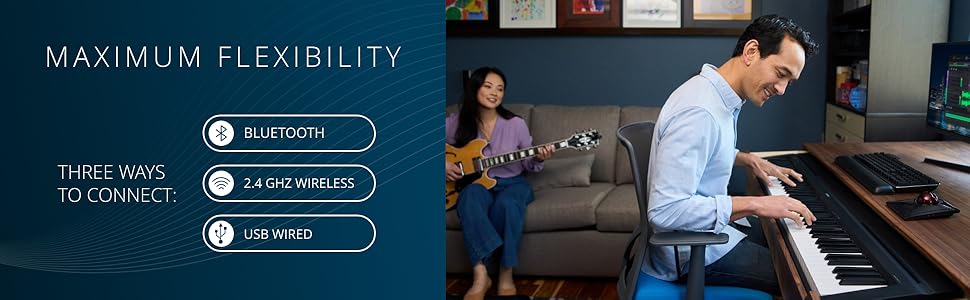
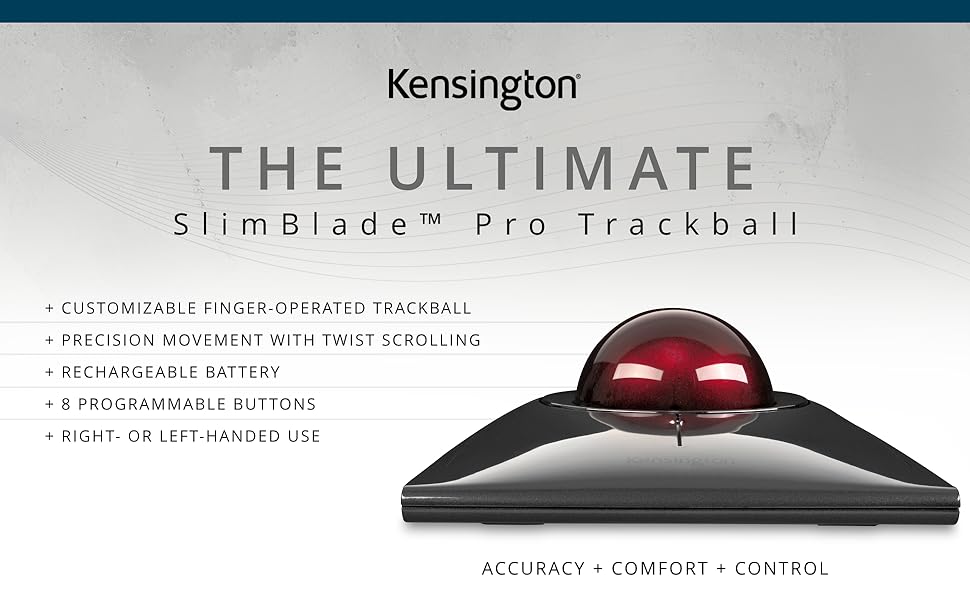
The Kensington SlimBlade™ Pro Wireless Trackball combines advanced dual-sensor technology with a large 55mm finger-operated ball, offering superior precision and ergonomic comfort. Featuring rechargeable battery life lasting up to 4 months per charge, and versatile connectivity options including Bluetooth, 2.4GHz wireless, and wired USB-C, it adapts effortlessly to any workspace. Ambidextrous design and customizable buttons via KensingtonKonnect software make it the ultimate productivity tool for professionals seeking accuracy and comfort.


| ASIN | B0BLRQ4116 |
| Additional Features | Ergonomic Design, Programmable Buttons, Rechargeable, Wireless |
| Antenna Location | Office |
| Are Batteries Included | No |
| Are Batteries Required | Yes |
| Battery Average Life | 4 months |
| Best Sellers Rank | #7 in Computer Trackballs #323 in Computer Mice |
| Brand | Kensington |
| Built-In Media | Item |
| Button Quantity | 4 |
| Color | Black/Red |
| Compatible Devices | Personal Computer |
| Connectivity Technology | Bluetooth, USB |
| Customer Reviews | 4.2 out of 5 stars 988 Reviews |
| Enclosure Material | Plastic |
| Finish | Glossy |
| Global Trade Identification Number | 00085896720805 |
| Hand Orientation | Ambidextrous, Right |
| Hardware Platform | PC, Mac, Linux |
| Item Dimensions L x W | 8"L x 6"W |
| Item Weight | 0.24 Kilograms |
| Manufacturer | Kensington |
| Mfr Part Number | K72080WW |
| Minimum Required Operating System Version | Windows 1 |
| Model Name | Kensington SlimBlade Pro |
| Model Number | K72080WW |
| Movement Detection | Trackball |
| Movement Detection Technology | Trackball |
| Number of Batteries | 2 AA batteries required. |
| Number of Buttons | 4 |
| Operating System | Windows, macOS |
| Pattern | Trackball |
| Power Source | Battery Powered |
| Range | 1.5 meters |
| Special Feature | Ergonomic Design, Programmable Buttons, Rechargeable, Wireless |
| Style Name | Finger-Operated |
| Theme | Video Game |
| UPC | 085896720805 |
| Unit Count | 1.0 Count |
| Warranty Description | 3 Year Warranty |
S**E
SlimBlade maybe the best Kensington trackball - battery charge does not last, support replaced it
Having used the traditional trackball for more decades than I can easily remember I decided to switch to the slimline version about 3 months ago. The "wheel" on the traditional always made an annoying sound and the weakest point on it. The "wheel" on the slimline is not physical but senses when your finger is close to the circular area around the ball, meaning there is no ring anymore and you simply get close to or touch where it used to be and spin the ball to get the same effect, and it works well once you realize how to control it. It is smooth and easy to use. The track ball is the same size and are interchangeable. The socks the ball its in has some nice improvements, gone are the tiny balls use to give it a smooth roll and always collected dead skin and dust and replaced with simple indents doing the same without as much collection. Then at the bottom you now have a hole where dust will fall out through. This makes it less sensitive to collecting particles and easier to clean. You have a choice to use bluetooth or USB cable. The buttons can be harder to click on since you now have to click closer to the center unless you press a lot harder than normal. Not a huge deal but a change. The only real issue I've started to run into namely battery life. The specs lists 4 months or charge, that was good until 2 weeks ago and now it drops to 25% and gives a flashing red-light to let me know the charge is low. Now I charge it once a week. Though annoying it does charge up pretty fast. For all that use this brand of track ball you know they are well made and this is no different and maybe even better. Inserting the USB C connector does require a much harder push, something probably made to ensure it does not fall out easily. And for everyone else, if you ever had an issue with your mouse, try a track ball mouse but one with a large ball. Small ones do not give the same control (more sensitive). --- UPDATE: Called support and they are shipping a new one, can't complain about that!
J**S
The Perfect Merging of a Keyboard. & Mouse!!!
I came across the Kensington Trackball about 35 years ago and it was just a very simple plug-in device. I have not gone back to using a regular mouse, or a trackpad since I started using the Kensington Trackball. It cuts down on hand fatigue, is much more precise in its movement and I’m sure it helps to prevent future issues surrounding carpal tunnel syndrome. The Trackball remains stationary and you gand works the ball & buttons. Everything is faster & easier with the Trackball. The Trackball has two left-keys & two right-keys, which can be programmed as left-click/right-click, with the remaining keys able to be programmed to snap to websites, email, etc. This is a very versatile product and as I said, I’ll never go back to using a regular mouse or a trackpad again. They are a pain. It’s the perfect merging of a keyboard and the ability to move your cursor around your page , highlight, cut/paste, etc. with speed and precision. FIVE STARS FOR THE PAST 35-YEARS & MOVING FORWARD.
C**N
Overall, it is quite an improvement over the older Expert Mouse (trackball).
I've used variations of the original Kensington Smart Mouse (trackball) since the mid-90s and have been hesitant to make the change to this model because of the change in the scrolling mechanism compared to the current Expert Mouse, with a mechanical scroll ring. I did not know if I could adapt or would like the change, but I immediately found the SlimBlade intuitive, and it had even better performance than the old scroll ring. My biggest fears were dispelled. Overall, it is quite an improvement over the older Expert Mouse (trackball). This trackball can be directly connected to the computer, and the cable is a standard USB-C variety. I have two old cabled trackballs in the junk drawer due to cable shorts. I also have a couple of the older versions with the dongle that are worn out, too. I preferred the dongle version in the older Expert Mouse, but they went through batteries and did not always work correctly. I was excited to read that the SlimBlade can last months on a single charge using the dongle, so it is like the best of both worlds. The construction of the SlimBlade is a big improvement over the old Smart Mouse. It is sleek and less prone to clogging, which was a constant cat-hair problem in the past. To me, the buttons are easier to click, and it is much quieter. One of the things I notice most is that it is less bulky than my old favorite, the Kensington Smart Mouse; it is a pleasure to use.
K**Z
Works well with a couple of issues.
Update 03-03-25 I have purchased several SlimBlade Pro trackballs now. My wife has switched to the Nulea trackball as she finds the ball placement more comfortable (the ball sits closer to the buttons). I prefer the SlimBlade, but I do have an issue with the balls. Two of the balls have a flaw (a small bubble in the plastic perhaps) a small cavity maybe 2mm in diameter that catches in the bearings. This is very annoying. I replaced one ball with a LYDD replacement. The LYDD ball is smooth with no flaws (yet, at least). I will probably buy another LYDD ball but I should not need to. --- Update: One problem with the scroll wheel on the Expert is that design means stuff can get into the mechanism. My current Expert has a balky scroll. I decided to give the SlimBlade a second look. This one has a stable frame so that is good. The scroll on the Expert, when not gritty is better. I hope that the open bottom under the ball on the SlimBlade means that grit falls through and not into the trackball. The older ball from my Expert works better for me on the Slimlade, it is not so slick. Some people hate the scroll click, I do not mind it but it would be nice to have an option in KensingtonWorks. The lower profile of the SlimBlade is preferable for me. The buttons on the Expert are a little stiffer which I prefer. The built in battery on the SlimeBlade is a nice feature. It has been five days and I am comfortable with the little differences between the SlimBlade and the Expert. I think the scroll is slightly better on the Expert (so long as grit is not in the mechanism. Since the Expert can get gritty it is a toss-up with the SlimBlade giving a slightly less capable but more consistent feel. The clicky noise does not bother me like some others. The buttons are too soft, lots of miss-fires. But I like the lower profile a lot. You cannot make a lower profile for a 55mm ball. I also like the built in battery. The Expert was a battery eater. I will see how long the SlimBlade runs on a charge. I can run the SlimBlade on a cord if needed the Expert will not do this. With Expert, I would occasionally lose the point with the computer wakes up. This usually required a power cycle to fix. I have not seen this with the SlimBlade (this may be a function of the latest KensingtonWorks). --- I have used an Expert wireless for years. But I never liked that high ball placement. I thought that I would give this a try. Well, the lower ball placement is great but the scroll is so-so. I live in NV which means dry, and a dry finger tends to slide on the ball rather than scroll the window. This is not a problem with normal tracking since I can get two or three fingers on the ball. The other annoying issue is that the frame in slightly twisted so the whole thing rocks (in a bad way). A 1mm shim solves this but for such a pricey device, this is not a reasonable solution. I returned it.
A**R
Not for everybody
I was excited to try this because I've read that trackballs are much more beneficial for shoulder pain than even the most ergonomic mouse. I compared it with the Logitech Lift ergonomic mouse and ultimately chose the mouse. I'm a long-time mouse user; you might react differently if you're a long-time trackball user. Pros: Comfortable to rest hand on, even with big hands. Looks sleek. Rolls smoothly. Easy to reach buttons. Worked immediately in MacOS Tahoe without installing Kensington software, including adjusting sensitivity and scrolling speed via normal Mac settings. Cons: Extremely clicky/noisy buttons, more so than any mouse I've used. Pretty sure these buttons would be painful over time. Very awkward scrolling compared to a mouse; it's too slow to switch between pointing and scrolling. By comparison, the Lift mouse is even more comfortable (upright hand position and nice materials), buttons are very quiet but still tactile, and scrolling is seamless.
G**.
Huge improvement over my old wired Slimblade!
As an owner of a much older, wired Kensington Slimblade trackball (the one with the little tab for magnetic attachment to the Slimblade keyboard), this is a major upgrade! I was hesitant at first, thinking "how much better can it be"? Well, I can say it is a LOT better. The trackball looks better, cleaner, and just looks more quality than the first one. No ugly tab sticking out, the trim ring around the ball is a darker color, just all around better appearance. I had the old one in the wired version, I've always been cautious about wireless peripherals, but I went ahead and tried this one in 2.4 Ghz wireless, with the provided dongle. I will say, at least in my case (24" iMac, Ventura), it has been absolutely flawless. No delay when waking from sleep, no skips, just perfect, one would not even think it is a wireless connection. I will also mention that the 4 buttons have a much better feel, and click, not so obnoxious and clunky as the original. Now for the best part. I never got used to the twist to scroll action on the old one, it seemed most of the time, it would be an annoying mix of scrolling, and moving the cursor around. I'm not sure what Kensington changed, or if there was something wrong with my old one, but this trackball is lightyears better than the old one in this regard. I use the twist to scroll all the time now, and it has become my favorite trackball, and I have a LOT of them, Kensington Expert, X-keys L-trac, and a host of Elecom, HUGE, Deft Pro, etc. I will mention that I do not use Kensington's software, but rather an excellent program for mice and trackballs called "Steermouse". It allows for much customization, and works very well with this trackball. I can say I am 100% satisfied with this purchase. Given some of the other reviews, I was hesitant. SO glad I tried this one out, despite having owned the older one. My confidence in Kensingon products has been 100% restored!
W**R
Great trackball, Very smooth rotation and twist scrolling works great
Outstanding trackball. Great touch and feel. Amazing smoothness and the ergonomics are spot on. Top tier build quality. Highly recommend. I switched because I have limited space on my studio deck and kept hitting a traditional mouse on things. This is a perfect replacement for a traditional mouse. I was a little skeptical about how well the twist scrolling work work, but is really really good. Very easy to get used to. Very responsive and solid feedback. One of my favorite features now. First unit I received started skipping and studdering after a few days, but the replacement has been spectacular. No complaints at all. Simple replacement and probably just a bad unit or connection. Excellent replacement service by Amazon as always.
C**J
A work of art that can also function as an inconvenient and frustrating trackball
Difficult product to review. On the one hand it is new, fresh, an exciting departure from the norm, an attractive piece of tech that looks stunning and gets interest from anyone who hasn't seen it before. On the other hand it is a very flawed computer peripheral that isn't good at doing the job it is actually designed for. In summary, what could have been the best pointing device I've ever used turns out to be one of the worst. It is let down by small overlooked functionality issues, that should have been obvious during testing before releasing the product, and should easily be rectified by the devices software. Poor design choices regarding the location of settings buttons on the trackball are just that, very poor functional design. It is almost as if it is a BETA version prior to the official release. Setting up the Slimblade is easy. Plug in USB and it's detected and usable immediately, or pressing the Bluetooth button connects just as quickly. I have not tried the 2.4Ghz wireless. The trackball is usable without installing Kensington Works software but to take advantage of button programming the software is required. BTW I am using Windows 11. Buttons can be assigned different actions within Kensington Works, allowing up to 8 user programmable actions. However, this does little to alleviate the biggest issues with using this trackball especially as the software doesn't have any way of disabling, either temporarily or permanently, the twist ball scrolling system. That is just plain stupid, and I cant help thinking that no one at Kensington has even tested their own product! Twisting the ball delivers a very annoying and again totally uncontrollable artificial speaker generated click click click noise. WHY? and why can it not be turned off? On top of that the Twist to scroll cannot be disabled making the trackball useless in environments that require consistent accurate movement of the cursor. The Trackball will often interpret a diagonal slight rotation of the ball as a twist and start scrolling, totally ruining the current design being drawn on screen, for instance. When playing 1st person shooter games, again the trackball will interpret your input as a request for scroll, destroying gameplay. You are just trying to look around or navigate a character when all of sudden the view point changes or zoom changes or head up display appears, or whatever is assigned to the scroll function within the game happens. This is NOT acceptable. It renders the trackball unusable and quite frankly unfit for purpose. There should be a software switch, as Kensington have not provided a hardwired switch on the device itself, to suspend the scroll twist function in addition to turning off that incessant click click click click click etc. so the trackball is of no use in most user cases already, but it gets worse........ The buttons on the side of the unit to select DPI or pair bluetooth could not be in a more inconvenient position. Again, I believe there is no way anyone properly product tested this before release otherwise it would have been addressed. In order to pick up the large footprint trackball unit your hands/fingers grab the unit exactly where the DPI button is located. Instantly changing DPI settings or worse, messing up bluetooth connection. It is disappointing that an expensive and often assumed quality brand Kensington is happy to sell this beautiful ornament as a trackball when it clearly isn't ready for use, despite being available for years now. I cannot use this trackball, neither can my partner nor my work colleagues and all for the same reasons. It is not just me being difficult! This trackball really is a waste of money, effort, time etc. A quick bit of software development to enable useful features such as disable the DPI switch and disable the twist scroll and associated click click click click click click click would completely change this useless trackball into a very good product. WHY has it not been done? My more than 20 year old Logitech Cordless Trackman is way better than this Kensington effort. I do not recommend this Kensington Slimblade Pro at all. The only users likely to be happy with it as a pointing device are ones that are wealthy and don't mind overspending on a useless device and would very rarely use it, or have another pointing device anyway. There are more issues with the trackball but enough is enough, this is just a quick Amazon review.
M**Ł
Najlepszy trackball
Wygląd kosmiczny, niski profil, duża kulka, precyzja użytkowania bardzo duża, a scroll wheel jako Ruch kulą to game changer.
J**S
Comfort, comfort, comfort ...
This trackball is simply top notch, as far as I am concerned ! Very comfortable to use, low profile, ball is so easy to spin and use, I love the way to scroll while spinning on its axis the wheel while my fingers turn around the base, switches are lovely, nice click, nice sound, nice feeling, glossy finish is nice to touch in the hand ... Bluetooth works great for me (better than my previous 2,4GHz dongles for my older trackballs). Everything on it has been well thought out and the result is an excellent product, well worth its price. Highly recommended (for trackball lovers) !
M**I
Good quality
Durable , and also satisfying to scroll with
A**K
Eccellente scorrevolezza, tante funzioni assegnabili, ottima ergonomia
Recensione riferita al modello Slimblade Pro Wireless (ricaricabile, wifi / bluetooth). Trackball estremamente scorrevole e piacevole da usare: trovando l’equilibrio giusto tra software Kensington, risoluzione dpi e settaggi mouse del computer, si raggiunge un’esperienza d’uso senza pari. I tasti ampi si raggiungono e si cliccano agevolmente, con grande naturalezza: la mano è chiamata a fare movimenti organici, mai forzati. Comoda la possibilità di assegnare funzioni a combinazioni di 2 tasti: non solo tasto Sx + tasto Dx superiori e inferiori, ma anche tasti superiore e inferiore su ciascun lato, per un totale quindi di 8 funzioni assegnabili. Questo è un aspetto che non ho trovato illustrato in modo chiaro mentre valutavo l'acquisto, quindi allego schermate (a rischio di essere ridondante). In qualsiasi momento durante l’uso, ruotando orizzontalmente la sfera si entra nella modalità di scroll (con aggiunta di rumore meccanico sintetico, a simulare il cliccare di una ghiera). Il passaggio tra la modalità di tracciamento e quella di scorrimento è liscio come l’olio, il suono di clic è l’unico segnale che si è passati da una modalità all’altra. Lo scroll ha luogo sia ruotando la sfera con due dita come fosse la manopola di una cassaforte, che facendola scorrere con un solo dito. La naturalezza con cui si torna al tracciamento (e viceversa) è davvero sorprendente, il tutto si svolge nella massima scorrevolezza. Il design forse è un pochino troppo futuristico e al contempo la scocca è molto plasticosa, ma la sfera sembra di ottima qualità, con un bel peso e piacevole sensazione al tocco. Il prezzo è sicuramente elevato (si trova spesso usato se si vuole risparmiare qualcosa), ma sono molto soddisfatto dell’acquisto.
J**.
El mejor para trabajar
Esta de lujo
Trustpilot
3 weeks ago
1 month ago