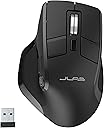
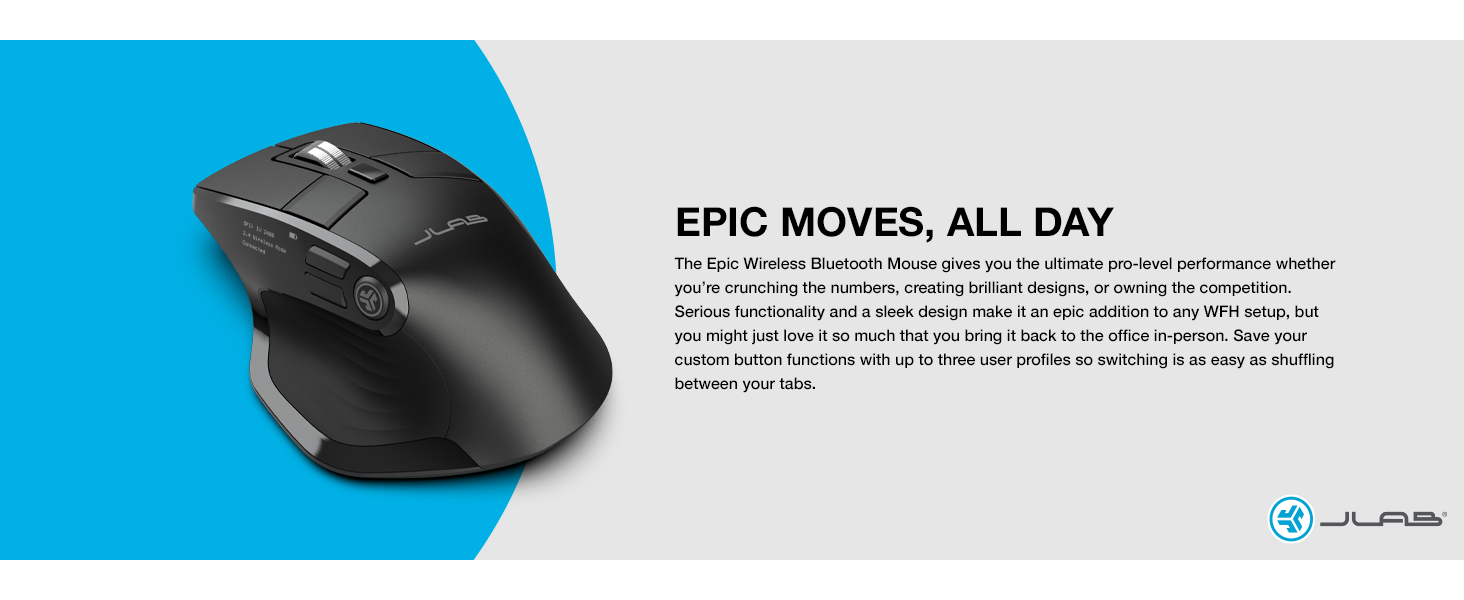
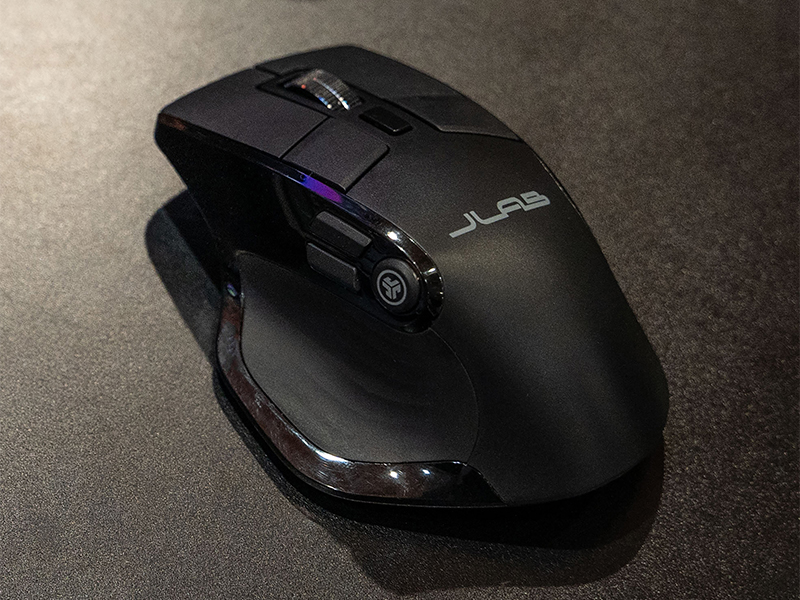
🖱️ Elevate your workflow with the Epic Mouse — where precision meets productivity in style.
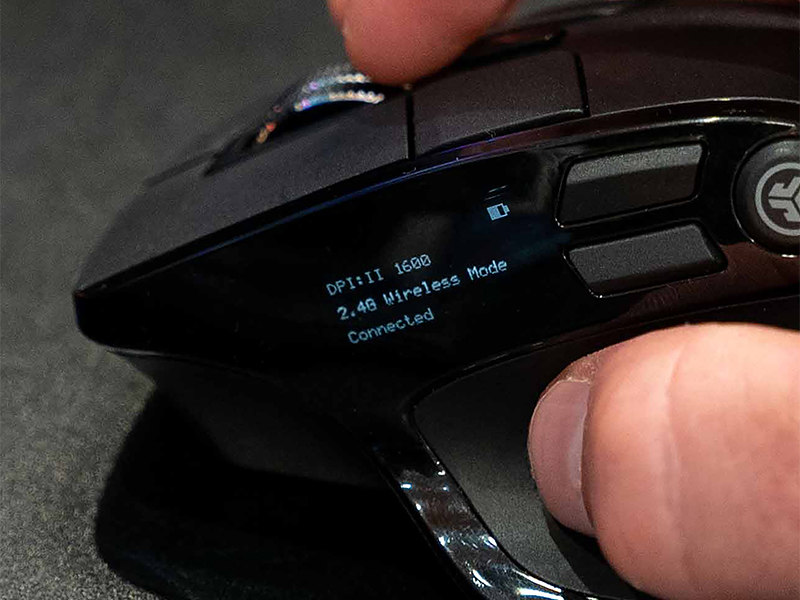
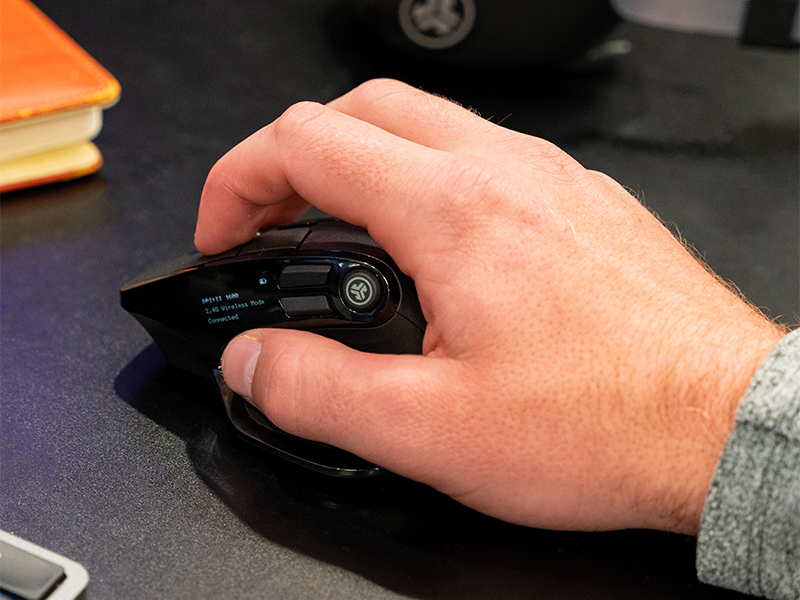
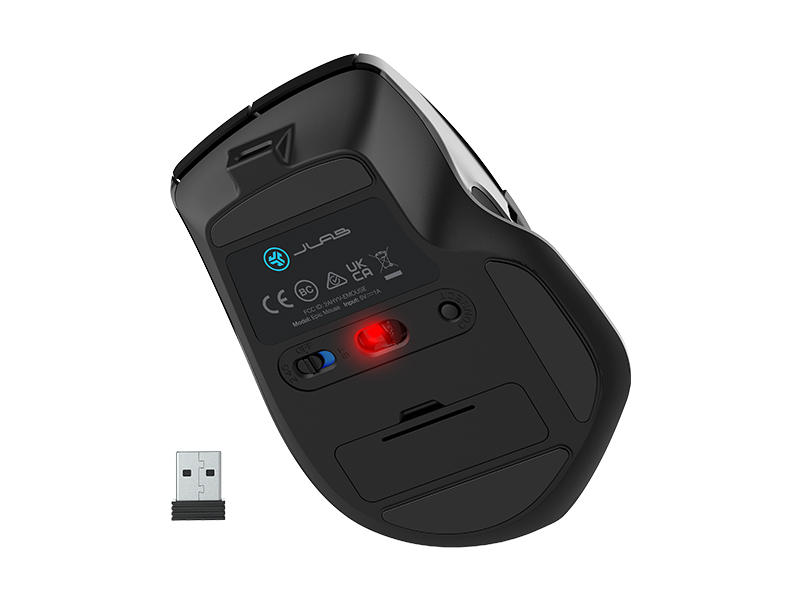
The JLab Epic Wireless Mouse is a full-size, ergonomic wireless mouse featuring multi-device connectivity via Bluetooth 5.2 and a 2.4GHz USB dongle. It supports up to three custom user profiles programmable through the JLab Work App, adjustable tracking sensitivity, and an OLED display showing battery life, DPI, and connection status. With a rechargeable 800mAh battery, silent clicks, and a comfortable design optimized for extended use, it’s engineered for professionals balancing multiple devices and demanding workflows.


| ASIN | B0BFJYPZYF |
| Additional Features | Wireless |
| Antenna Location | Office |
| Are Batteries Included | Yes |
| Are Batteries Required | Yes |
| Best Sellers Rank | #514 in Computer Mice |
| Brand | JLab |
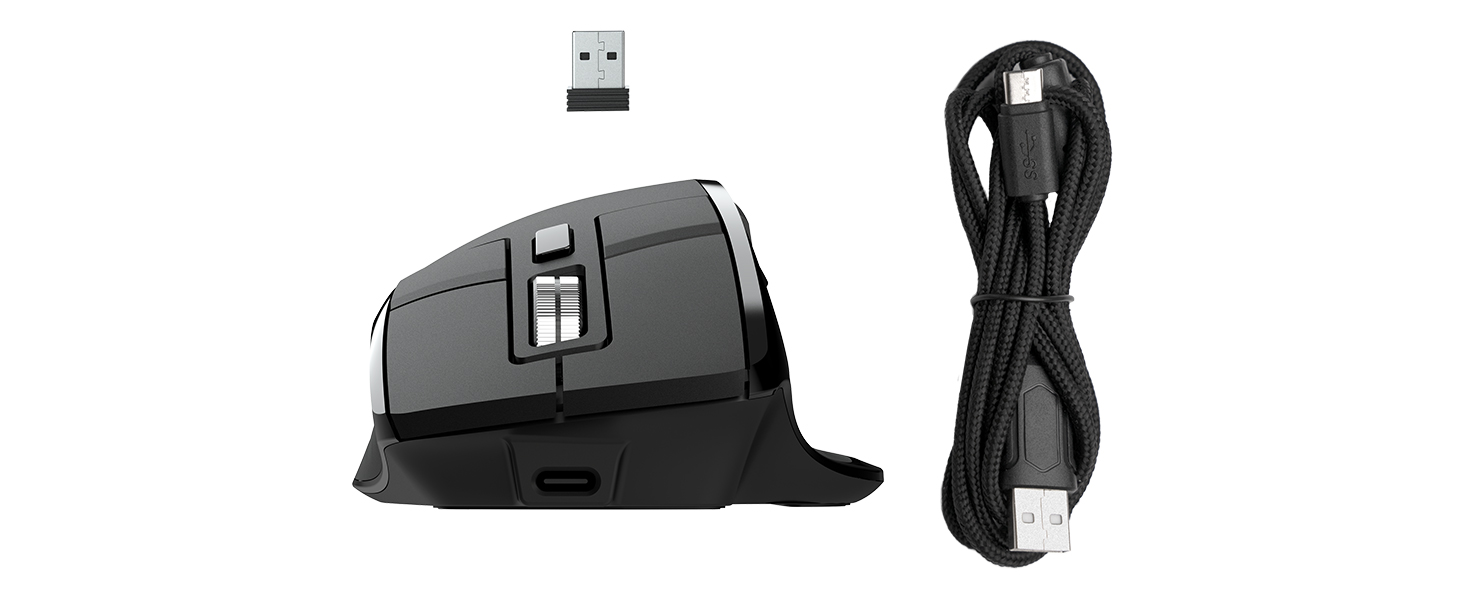
| Built-In Media | Epic Mouse, Charging cord – USB-C to USB-A, 2.4GHz dongle, Quick Start Guide |
| Button Quantity | 9 |
| Color | Black |
| Compatible Devices | Personal Computer |
| Connectivity Technology | Radio Frequency |
| Customer Reviews | 3.9 out of 5 stars 277 Reviews |
| Enclosure Material | Plastic |
| Global Trade Identification Number | 00812887017510 |
| Hand Orientation | Right |
| Hardware Platform | Linux |
| Item Dimensions L x W | 4.4"L x 2.1"W |
| Item Type Name | Wireless Mouse |
| Item Weight | 137.6 Grams |
| Manufacturer | JLab |
| Model Name | Epic Mouse |
| Model Number | MEPICMOUSERBLK124 |
| Movement Detection | Optical |
| Movement Detection Technology | Optical |
| Number of Batteries | 2 AA batteries required. (included) |
| Number of Buttons | 9 |
| Operating System | Chrome OS |
| Power Source | Battery Powered |
| Range | 10.0 meters |
| Special Feature | Wireless |
| Style Name | Modern |
| UPC | 812887017510 |
| Unit Count | 1.0 Count |
| Warranty Description | JLab Two Year Warranty |
J**L
Great mouse, for WORK
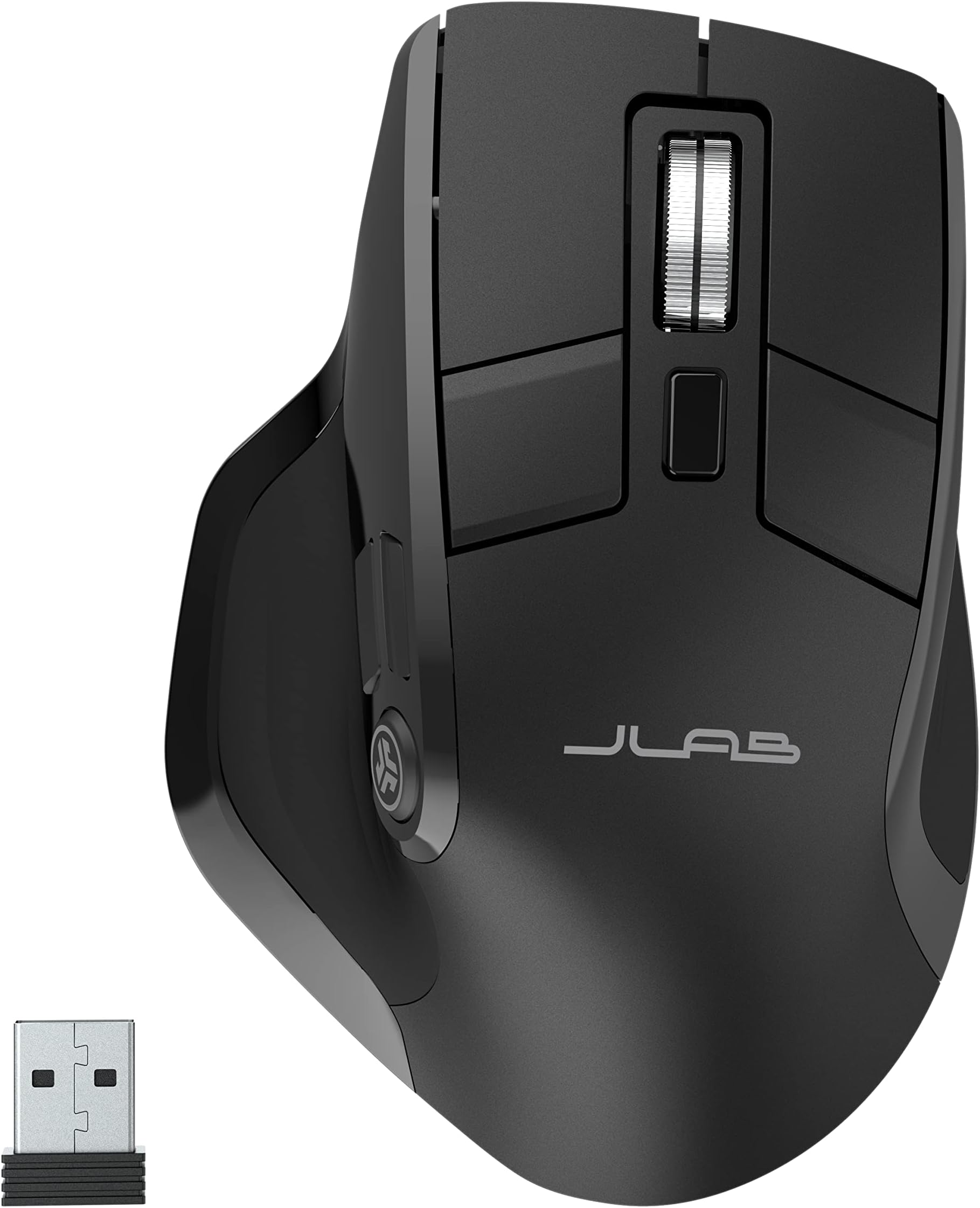
i freaking love this mouse, so this will be a detailed as hell review broken out into sections lol. been using it for a few weeks now, and its my new fav mouse for general use! *Note from after original post* I'm currently having issues with this mouse, my other jlabs products still work fine but my epic mouse doesn't reassign key binds anymore. Likely specific to my mouse based on my other jlabs stuff. ill start with my usecase for this mouse: i purchased this to see if it would work for gaming. i am a gamer, and most of my computer work that isnt gaming related is very basic and short term stuff. im not spending hours on word or excel, not editing documents from my cubicle, i play video games. means anything i say here in refrence to "work" is extrapolation based on what ive seen in terms of computer based work. and ill list the one major issue i have with this mouse first, as its easily solvable. this mouse is made with a completly smooth plastic shell that is INCREDIBLY slippery. makes it hard to grip. however, if you have any form of grip tape, silicone sealent (what i use personally) or any other type of paintable rubber this issue is completly solved. i simply put a very thin layer of marine silicone sealent on it via a small paint brush while avoiding the buttons and it totally fixed the issue! took about 5 mins to do, and about 1 day to dry. battery life: the only "con" is that the only indicator of battery life is an icon on the little display screen, theres no accurate % displayed in the jlab work app. and said icon is about 1/8" long on the display IRL, so i hope you have good eyes! the good news? your almost never gonna need to charge this thing! ive been using the 250hz refresh mode to intentionally use more power to see if i can run into a battery life limit but after two weeks of using this as my main mouse (about 2 hours a day average, gaming days 10 ish hours) the battery indicator has gone down by A SINGLE PIXEL. the little display: suprisingly high resolution! considering it measures 1" wide by ~3/8" tall, the resolution is high enough to easily read all the information displayed on it. granted, if you have poor eyesight you will struggle as the information is SMALL, but still. if you have decent to good eyesight at close range the info is all very readable and the display is a nice touch. displaying the current DPI, wireless mode, connection status and battery life is useful. general button layout: for a mouse thats styled after a gaming mouse in my opinion, the button layout is mixed. the thumb buttons suck for gaming, as the vertically stacked buttons arent as easy to press in the heat of the moment. having three thumb buttons is nice however. and what is espicially useful is the two smaller buttons at the base of the primary and right click buttons. easy to trigger! also, buttons are QUIET, which is sooo nice for someone who gets annoyed by the "clicky" meta that is everywere with gaming hardware. mouse wheel is ribbed and very responsive without slippage, so that wont screw you over. general hardware/internals: i like the innerds of this mouse. its got a decent sensor, i havent noticed any major slippage or lack of tracking accuracy, i havent been able to glitch it out or mess it up, and in general i havent noticed anything that feels super cheap. nice for a mouse of this price. the software: the jlab work app is great for people doing computer based work. buuuut very much not so for gamers lol. it lacks macro support, and you only have presets for DPI instead of a slider. no display of the exact battery charge is a bit annoying but the battery lasts long enough for that to be a non issue. the fact the apps page isnt resizable means i cant dock it to the side of my screen on a second moniter is also a minor inconvience, but for someone using this for its intended purpose of WORK, that also wouldent be an issue. you wont be messing with keybinds alot lol. a super nice feature is the inclusion of several inherent windows functions, email functions, word processor functions (basic ones), and other features that i would LOVE if i had to use my computer for work. the ergonomics: this mouse is suprisingly comfterble. its a larger mouse, the thumb wing is a must have feature on all my mice, and the tilt of the mouse means its halfway between a true ergonomic vertical mouse (those i love) and a flat mouse that gives me hand/wrist pains. you dont need to stretch anything to hit any of the buttons, and overall its a very comfortable mouse to use for hours on end. wireless experiance: this mouse can connect either via 2 bluetooth profiles (so you can have it connected to two different computers at once in a way, having profile one linked to your main machine and profile 2 linked to a backup) or a dedicated wireless dongle. the dongle is a better experiance as you dont have to do the usual bluetooth pairing dance. all in all? this isnt a perfect mouse, but man it it close. if jlab adds macro support to their software that would be AMAZING, and if there was a way to get rid of the LED screen and rearrainge the vertical thumb buttons to be next to eachother for easier reaching, it would be a 10/10 gaming mouse. currently its just a 8 or 9 out of 10 though. for casual use? easy 10/10. highly reccomend, hence the overkill review lol! also a small feature that initially might go unnoticed is there is a slight divot where your pinky finger rests. its not enough to fully support your finger but it makes moving and gripping the mouse much easier.
E**O
Mostly great
The mouse is mostly great. The mouse clicks are silent, and it has multiple buttons that are programmable. Tracking is great for office work (haven't gamed with it). The reason for the 4 stars is the mouse will rarely but randomly "hold on" to a mouse click when dragging a window (or really just when doing a long click). So you sometimes end up with moving things where you don't expect them, or clicking something you didn't mean to. It almost seems like there is a momentary break in communication and mouse will just continue doing the last thing it was doing. This is with the USB connector which is on an extender (one of the ones Logitech mice provide to not have connection issues). USB connector is maybe three feet from the mouse. The issue happens rarely enough that it won't cause me to return the mouse, but happens enough to be slightly annoying. UPDATE: I did try connecting to the Windows laptop via BT (instead of the 2.4 connector) and so far it seems to be performing better in terms of not randomly losing connection. If it continues to work as such I'll update rating to 5 stars. Though it would be nice if the connector worked better.
P**M
Mighty mouse is EPIC
This mouse is sleek. It matches the epic keyboard with the black shiny/black matte and silver accents. It feels very comfortable in the hands and has extra buttons for better functionality. It feels very durable and high quality and feels good in the hands. The movement is very smooth. The side panel display is.a plus and innovative. Joan is brilliant.
P**8
Terrible quality and worse warranty support!
This was my favorite mouse until it started to act all crazy. It will jump from one side to the other while in the middle of something,it lags all the time and I have to turn it off and on to get it to work again. The battery drain is crazy now and doesn't last long at all. Warranty support is bear minimum that makes you pay to ship back a $40 mouse to them maybe get a new one if the feel like giving you one. Otherwise you're out the shipping and the mouse. Bad brand stay away! This is the winner for me. Best mouse I have purchased to this date. I've tried a lot and this one has beat em all. All buttons are silent. I love that. Battery life is incredible I haven't had to charge it yet and have been using it for weeks. It's accurate and easy to use and has so many connection options it crazy. Great value when on sale especially but even at its normal price this things rocks!
M**W
Promising, but some fatal flaws
I was very excited to receive this mouse. I loved how it felt in my hand, and how quiet the buttons were. However, it had two major flaws that caused me to return it: 1) There was a noticeable lag between my movements/clicks on the mouse and actions on the computer. Regardless of how much I tried to tweak the settings, I could not eliminate it. I even tried using the USB dongle instead of Bluetooth. The Jlab software did not help. Just to make sure I wasn't imagining things, I did a test along with my trusted (but noisier) Logitech M510. The logitech was snappy, and flawless. 2) The center scroll wheel, which I use A LOT, was not as smooth as I would have liked. It makes discrete movements, rather than a continuous smooth scroll. This made scrolling through to read documents on my screen a jarring and less than pleasant experience. So, as much as I wanted to love this mouse, it did not work out and I had to return it.
J**T
Great mouse overall. connect with USB dongle for strongest connection.
Using this mouse with a MacBook Air M4 is an absolute delight. However, there’s a crucial step you need to take before you can program the customized buttons. You must connect the mouse to your MacBook using the USB dongle that comes with it. If you download the JLab customization software and attempt to click on the customization section, the software won’t recognize the connected mouse. Even if you’re using the mouse to select the customization software, you must ensure that the connection is made via USB, not Bluetooth. Once you’ve set the buttons to your desired configuration and connected the mouse via USB, you can unplug the USB dongle and continue using the mouse via Bluetooth. In this case, the settings will be saved and transferred over via Bluetooth. Personally, I recommend staying connected via USB, as the Bluetooth connection is less reliable.
A**R
More dissatisfied than happy
I am more dissatisfied than i am happy with this mouse. I love JLab Audio earbuds and swear by them as they last all day on a single charge. So i thought this mouse would be great too. I was wrong. The size is great for hand but there are features that are missing from this mouse like free scrolling and left scroll wheel for horizontal movement. I mean why add right horizontal but not left. The two (2) additional shortcut buttons are a nice touch. The mouse has Bluetooth connectivity issues. It will randomly disconnect from my laptop and I have to turn the Bluetooth off then back on to get the mouse to repair to my laptop. The pros do not outweigh the cons for me and i will not be recommending this product until those features are added like the advertising says the mouse has. MxMaster 3 or G502X here I come in the meantime.
W**N
I love this mouse!
I recently upgraded from a cheap, unbranded mouse I found online to a more ergonomic and functional one as I started using my mouse more for work than just internet browsing. Choosing this mouse was a great decision as I could tell right away from unboxing it that it was much better made and sturdier than my previous one. The description of its functions and capabilities matched what I needed and it has performed exceptionally well so far. What impressed me the most was its comfort! The ergonomic shape of the mouse and its overall size were perfect for my large hands. It was comical to think about how much I had to curl my fingers to use the clickers on my old mouse, but with this one, I can just rest my hand on it and it fits perfectly. While I do need to curl my fingers quite a bit to use the secondary click buttons, I don't need to use them all the time, so it doesn't bother me. If you find yourself having to curl your fingers even a little bit to use your mouse, I highly recommend investing in a bigger mouse like this one.
Trustpilot
2 weeks ago
2 months ago