🎮 Unlock pro-level control with every tap — don’t just stream, dominate your digital domain!
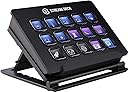
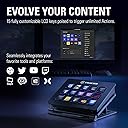
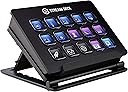
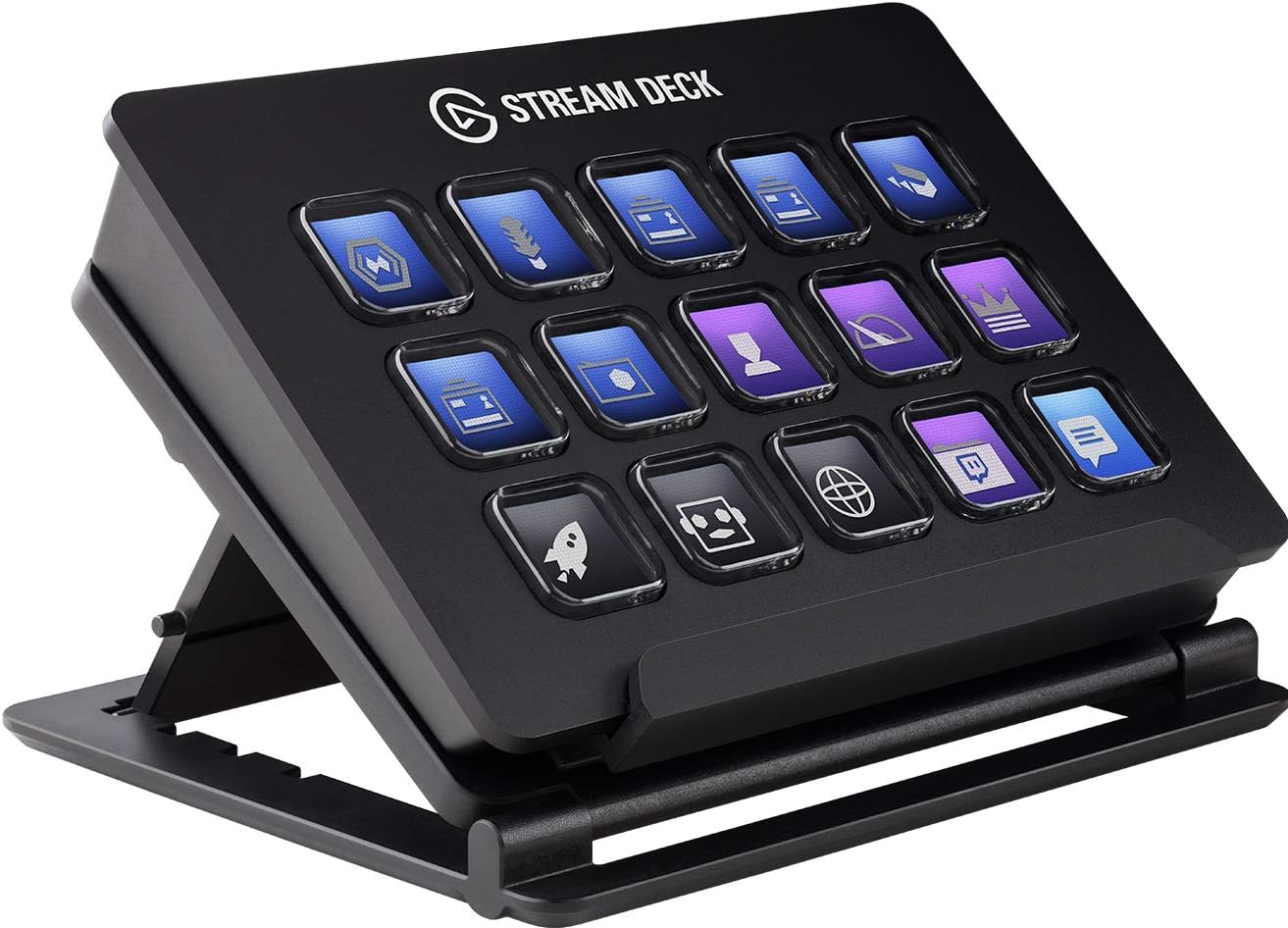
The Elgato Stream Deck Classic is a compact live content controller featuring 15 customizable LCD keys that trigger unlimited actions, including multi-action sequences and smart profiles for app-specific configurations. Compatible with Windows and macOS, it integrates seamlessly with popular platforms like OBS, Twitch, YouTube, and Spotify, making it an indispensable tool for streamers, content creators, and productivity enthusiasts seeking streamlined control and enhanced workflow efficiency.


| Asin | B06W2KLM3S |
| Best Sellers Rank | 55,686 in Musical Instruments & DJ (See Top 100 in Musical Instruments & DJ) 246 in MIDI Controller |
| Box Contents | 1 product |
| Brand Name | Elgato |
| Colour | Black |
| Compatible Devices | Personal Computer, Laptop, Television, Tablet |
| Connector Type | Micro USB |
| Controller Type | App Control |
| Customer Reviews | 4.8 4.8 out of 5 stars (11,791) 4.8 out of 5 stars |
| External Testing Certification | Não aplicável |
| Form Factor | TV Box |
| Global Trade Identification Number | 04260195391437 |
| Item Dimensions L X W X H | 11.8L x 8.4W x 2.1H centimetres |
| Item Type Name | Elgato Stream Deck - Live Content Creation Controller with 15 customizable LCD keys, adjustable stand, for Windows 10 and macOS 10.11 or later |
| Item Weight | 8.85 Ounces |
| Manufacturer | Corsair |
| Manufacturer Part Number | 10GAA99901 |
| Memory Storage Capacity | 16 GB |
| Model Name | Stream Deck |
| Model Number | 10GAA9901 |
| Network Connectivity Technology | USB |
| Number Of Items | 1 |
| Number Of Packs | 1 |
| Other Special Features Of The Product | 412511031 |
| Product Warranty | 2 year |
| Resolution | 1080p |
| Supported Internet Services | Twitch, YouTube, Mixer and more |
| Unit Count | 1.0 count |
| Upc | 813180020481 |
| Video Codec | H.264, H.265/HEVC, VP9, AV1 |
| Video Output Resolution | 1920x1080 |
User
It's expensive. But for what it does it's unique.
The XL version is absolutely great, although I started with two 15 key stream decks. Whatever size you go for, these are amazing little devices, that are versatile, fairly easy to set up, and can add value to so much more than streaming.I haven't stopped finding this invaluable. It's one of the best gadgets I've ever bought. I don't use this for streaming at all. With some basic functionality, I'm able to create custom buttons for anything that can have a keyboard shortcut. I was even able to work out how to get it to do more complex things. For example, I highlight a phrase in a digital book, hit one of my buttons, and it will do a search for that exact phrase. So incredibly useful and powerful.The XL version provides 32 keys, but it's easy to run out. But there are so many ways of organising to give you more (e.g. different profiles).The only thing I don't much like, is that it doesn't start up when the computer starts, despite being on the list. When I start it manually, it opens up in configure mode, which prevents it from switching profiles automatically depending on the app I'm using. Just closing the config screen resolves this.It's cool that it can be associated with a specific program and switch automatically. As I usually set up a few profiles for some complex apps, I have to go to the Streamdeck menu to switch manually. It would be great if I could tell it which profiles are associated with which apps, then configure a key to automatically cycle through these profiles, so I don't have to go to the menu each time.Overall this is an absolute lifesaver. I just wish I had time to create beautiful icons for ever function rather than do a quick copy and paste from the app I'm using.
User
You don't realise how much you need this until you have one. Difficult to work without one.
A year ago I never knew what one of these were, I'm happy to admit. I got encouraged to start doing some videos for YouTube, which in turn led to streaming, buying a new computer, new camera, microphone etc and suddenly you've got all the kit (and, yes, no idea). Sitting there on camera trying to control various operations (often in the dark) is quite a difficult undertaking. And then you discover the Elgato Streamdeck.It does everything. I'm not over-egging that pudding, it does everything. I've got shortcuts set up for pretty much every action I can think of. To start using a Streamdeck is to open a massive can of worms, it gets everywhere. You can customise every button to do whatever command you can think of, and not just for gaming and streaming. I've got shortcuts set up for all kinds of applications, and functions within those applications. I'll press a single button and Streamlabs opens, along with my Logitech camera app, Youtube, Facebook Live and Twitch. I'll press another single button and all my editing apps open such as Photoshop, Lightroom, Premier and Audition. I control my microphone mute button, the speakers mute button, shortcuts to certain web pages. And because every button is so customisable there's a seemingly infinite number of operations. You may only have 15 buttons but you can configure them to open the next set of 15 buttons, and then the next set. You're limited only by how much time you want to devote to setting it up.It works so well with Streamlabs too. I've got a button set up for my most used games (Street Kart on iOS, Dirt Rally 2.0, GT Sport and F1 2020 on PS5) because when I'm streaming I have the page set up differently with the number and position of cameras changing depending on the game. I press one button and Streamlabs defaults to my Street Kart layout with cameras all to one side of the screen, and another press and GT Sport moves my cameras to a different location and my pedal camera comes on. It's genuinely fantastic and I'd be lost without it now.The Stream Deck software is a solid app, allowing you to do all of you customisations. You can set the buttons up to do pretty much any action you can think of. Put in the directory location of any software and it can open apps. Link video or audio files, and even link your Philips Hue bulb actions to it...whatever takes your fancy.My only criticism is that in hindsight I perhaps should have gone for the 32 button version. The 15 button one is great, and can be configured to do as much as the 32 buttons, but I can really see the benefit of having more buttons available at one time rather than going into sub-menus.
User
Still going strong after 4 years, and still worth it
🎮 Gaming & Streaming UseI picked up the Stream Deck Mk.1 about four years ago and it’s been an absolute blast to use. Toggling music, switching stream scenes, or triggering a soundboard full of meme audio clips mid-game, it just works. It’s become second nature in my setup - quick, responsive, and fun to customise.🛠️ Productivity BoostIt’s not just for gaming either. I’ve found it really useful in creative workflows, especially with tools like Photoshop or DaVinci Resolve. Assigning shortcuts to keys makes a big difference when you’re juggling lots of commands and don’t want to memorise every single keybind. It’s helped speed things up quite a bit for me.🔄 Reliability & Software SupportEven after years of use, mine still works perfectly - all buttons function like they did day one. What’s impressed me even more is how Elgato has continued to support the Mk.1 with regular software updates. The software today is way more powerful than when I first got it, and it's great to see long-term support like that.🎨 Custom Animations & Fun ExtrasOne of the things I’ve enjoyed most is the ability to personalise it. I’ve even downloaded some animated screensavers, like a little Pac-Man scene that plays across the buttons when my PC is locked - gives it a nice retro vibe and keeps it looking lively even when not in use. I’ve uploaded a short video to go along with this review so you can see it in action.💷 Value in 2025With the Mk.2 now out, I do think the Mk.1 should be priced a bit lower at retail. That said, the convenience and flexibility you get from this device still makes it a worthwhile purchase in my opinion - especially if you’re into custom setups or want to streamline your workflow.
User
Excellent programmable keypad
There are people out there who will tell you the stand is rubbish, the buttons aren't to their liking and a hundred and other complaints.I bout the stream-deck to help me speed up my audio and video editing and because I have always wanted a separate programmable keypad so I could open programs cut / copy / paste with the click of a single button. It covers this perfectly, even better still, it allows you to assign text or an image to the buttons - this means that you can be in Adobe Premiere for example and just glance down to see the actions you have available. In Word it is perfect for complex commands like Format Copy / Paint. Whatever you can do on your keyboard or with the mouse can be assigned to a single, identifiable button and it's very simple to do.You can create profiles and have each one appear when a certain program is open so once it's set up the whole thing works seamlessly.As far as using it for streaming goes - I don't at the moment BUT I can see that it is the perfect partner for online streamers.Why people are picking on the stand is way beyond me, it works well and has numerous angles and heights.The LCD display is a single LCD panel - not individual screens as most people seem to think. The buttons just appear to have their own screen as the frame masks the LCD that way.I bought this on Black Friday for a knockdown price but even at full price, if you know what you want it for, it is worth every penny.The case is a nice, sturdy metal and the buttons have a stiff gel feel to them.Personally, I love it and use it all the time now.
User
Extremely useful macro device. --- faulty after couple days
--- 02/04/2019 updateReplacement arrived, so far so good, everything is working, no artefacts or lines.I am very happy with it and works great during software development. (great for pretty much anything else).----Update after few days.Obviously device stopped working correctly. Today morning I was welcomed by a line through 4 buttons on a top row.I have tried different USB ports and the I've tried to connect it to my laptop. Unfortunately it looks like a bad quality control from Elgato manufacturer :/Probably the LCD cable wasn't properly installed.I have ordered replacement from Amazon, so please read the rest of the review.--------------------------I’ve bought it first in 2017, however, I have returned it back then due to double click issue, that supposed to be solved in further firmware updated.I’ve bought again recently, and I have to admit that it is finally the device that I’ve hoped that it would.I am a heavy user (working as software engineer contractor) so I use a lot for software like VS Code, Visual Studio 2017/2019, often some Adobe software in order to create psd/images/animations.Normally I was using keyboards like Corsair K95 RGB or others in order to be able to create macros.With Elgato Stream Deck you can not only create unlimited number of folders (which be consistent of macros, actions or other folders, so you can create folder for your development applications, then folder for each application, and then macros (unlimited number)) but also finally Elgato software can now recognise focused app and switch profile respectively. Basically, you can select one of both approaches.I prefer a mix of those two.Anyway, can’t see any issue with a double click, everything seems to be working nicely, and finally, I can ditch those macro keyboards that a very limited segment of keyboards.I would recommend it, for whatever you’re doing on your PC (gamers, graphic designers, coders, software engineers, etc.).
User
The best purchase a streamer can make
I'll start by saying this; read the headline again.The Stream Deck (15 key) is a fantastic bit of kit, albeit quite expensive and the software is intuitive and simple. Want to enable a particular source in OBS while streaming? Change scenes? Cue adverts? Mute certain audio channels? Create clips of your stream? Launch several programs with a single button press? Open webpages? Shortcut keys for photoshop/vegas etc? Macros? Soundboard? Monitor CPU usage?Each button can also be configured as folders each containing it's own 15 buttons.The software offers almost endless customisation along with personalising each button so you know exactly what you're hitting and when, and profiles can be set to load a particular set of buttons when the specified program is running/focused. Photos are just some taken during my set-upI've been using it primarily as a launcher and control panel for my streaming, but I've barely scratched the surface of the device's flexibility.The only subjective downsides for me are that the USB lead is quite short (I have a large desk) and the rubber feet don't grip all that well.Yes it's expensive for what is essentially a separate keypad, but the QOL improvement is huge and you can always wait til it's on sale.
User
Brilliant
This is easily one of the best things I've bought and I'm shocked at just how much this can do. I first had the intention of using this while streaming and recording videos. But there's so much more it can do, it's unreal. I've now got buttons that open different apps and open websites ect ect, it's so intuitive.Build qualityBuild feels sturdy enough. It's made from plastic but it doesn't feel flimsy at all. Macro pads also feel great. Usb is also a nice length.SoftwareSoftware is amazing and very simple to learn. The amount of things it can do is brilliant and overall just makes life that little bit easier.OverallI can see myself really enjoying this is as I use it more. For £95 on sale, I must say I'm very impressed. For anyone who streams or records videos this is an absolute god send and will save you loads of time and effort.
User
An Amazing Tool For Your Computing Experience!
The Stream Deck is such an amazing tool! I cannot believe how useful this item is. Before buying it, I never understood why getting it since its mainly for streaming and I don't happen to stream. I can gladly confirm that this *Doesn't* just work for streaming, I have used this for literally everything I used my computer for such as: Photoshoping shortcuts, Premiere Pro shortcuts, After Effects shortcut, Google shortcuts, Nanoleaf switch, media shortcuts (next, previous, pause) and other app shortcuts. This has significantly increased the rate at which I work on in any projects and has made the usage of opening apps for typical PC usage such a pleasure.In addition to the functionality of the Stream Deck, the looks of it is absolutely amazing on any desk when customized to your liking. The small icons that you use are very appealing with absolutely mind blowing detail - no the screen isn't like a monitor or high quality screen, however you can definitely put somewhat detailed images as icons and still clearly see them.Lastly the software, I must say, very good but Very confusing at the start! I highly recommend watching a YouTube video on how to customize it to your liking. I say it's confusing because they express their streaming compatibility on a highly overwhelming level which makes it hard to spot where all the other compatibility's are. What I mean is that the other uses to this item outside of streaming is going to require some digging in the app to find them.Overall, I extremely recommend using this for Everything that maybe easier to use with macro's. I really believe that this is something everyone Needs to increase productivity. *Highly Recommend*
User
Muy recomendable y versátil
En relación con el envío, a tiempo y sin problemas. Con respecto al producto, ya desde el empaquetado se ve que es un producto bien cuidado. A nivel de funcionalidad, permite añadir funcionalidades de los principales programas de streaming, además de permitir configurar teclas de acceso rápido del sistema operativo, por lo que las funcionalidades que se cubren con el StreamDeck son amplias. Además, permite configurar macros que pueden afectar a varios programas al mismo tiempo por lo que, aún más, permite automatizar muchos procesos en el PC, ya no sólo a nivel de streaming, sino de funcionamiento en general.A nivel hardware, el StreamDeck es lo suficientemente pesado como para asentar bien en el soporte que adjunta y en la mesa, por lo que no hay que preocuparse de moverlo con un golpe tonto. Los displays de los botones tienen distorsiones cromáticas debidas al diseño del botón y de la calidad del display, pero no es algo excesivamente achacable ya que la información que quiere transmitir la transmite perfectamente.El software para la configuración del StreamDeck es completo y muy intuitivo, por lo que cualquier usuario medio verá (con una curva de aprendizaje asumible) que puede sacar el mejor partido del producto.En resumen: un grandísimo producto con un hardware muy cuidado.
User
Improve the speed of your work
I can highly recommend this device, but I can also highly recommend LoupeDeck which is more feature rich.Pros:+ This is a great tool and simple to create new key shortcuts and add your own created pictures to the buttons.+ You can create sub-levels of a new setup of buttons etc.+ The size and amount of button works very well for me in e.g. Cubase and DaVinci.Cons:- The only thing I'm missing is mouse commands e.g. left/right click on a certain screen coordinate which I sometimes need. For the moment I use Auto Hot Key (AHK) to manage this and using Stream Deck to trigger AHK commands, but it is unnecessary messy to do so.
User
Also for smart home!
I love this thing. I use it as a sound board during dungeons and dragons games to easily switch between music themes. You can also hook this up with Philips hue and nanoleaf lighting if you want to, to create the ultimate immersion for your players.Oh yeah it also works pretty well for streaming profiles in OBS but that's not really what I use it for :')
User
Ottimo per Streamers e content Creators ma non solo
Questo prodotto è molto valido se si fa lo streamer, il conten creator o anche solo per essere utilizzato come accessorio dove mettere tutti i collegamenti in modo ordinato senza riempirsi il desktop.onestamente fare una recensione qui risulta scomodo, tuttavia a dispetto del costo elevato, come purtroppo tutti i prezzi di Elgato, la qualità del prodotto è buona, per una cerchia ristretta di persone, il software è semplice e viene aggiornato frequentemente, le interazioni con varie applicazioni di terze parti sono molte.se lavorate nel mondo dell intrattenimento digitale vi suggerisco di cercare recensioni del prodotto per una spiegazione approfondita.tuttavia vi garantisco che ad esempio nello streaming semplifica di molto varie interazioni, sopperendo a mancanza di moderatori o persone che vi aiutino nella regiae non solo
User
Créez un Flux de Production en Direct Personnalisé
J'ai eu l'opportunité de tester l'Elgato Stream Deck Classique, un contrôleur de production en direct avec 15 touches LCD personnalisables. Voici mon avis sur cet outil qui permet de personnaliser votre expérience de streaming :Tout d'abord, l'Elgato Stream Deck Classique est un compagnon essentiel pour les créateurs de contenu, les streamers et les professionnels de la production en direct. Les 15 touches LCD personnalisables offrent une flexibilité exceptionnelle pour configurer des raccourcis, des commandes et des actions spécifiques, ce qui facilite grandement la gestion de votre flux de travail en temps réel.La personnalisation est l'un des points forts de cet outil. Vous pouvez attribuer des icônes personnalisées aux touches LCD, les organiser en dossiers et créer des configurations spécifiques pour différents logiciels ou scénarios de streaming. Cela vous permet de gagner du temps et de rester concentré sur le contenu, plutôt que de vous perdre dans des menus complexes.L'Elgato Stream Deck est compatible avec de nombreuses applications populaires de streaming, d'édition vidéo et de diffusion, ce qui en fait un choix polyvalent pour ceux qui utilisent divers logiciels dans leur flux de production en direct.Cependant, le principal inconvénient de cet outil est son coût. Il peut être relativement cher, en particulier pour les créateurs de contenu ayant un budget limité. Il est important de considérer votre utilisation et vos besoins spécifiques pour déterminer si l'investissement en vaut la peine.En résumé, l'Elgato Stream Deck Classique est un contrôleur de production en direct puissant et hautement personnalisable, idéal pour les créateurs de contenu et les streamers. Si vous recherchez un outil pour simplifier et améliorer votre flux de travail en direct, il est un excellent choix. Cependant, son coût peut être un facteur limitant pour certains utilisateurs.
Trustpilot
1 week ago
4 days ago