🖥️ Elevate your Mac setup with the quiet power of precision.
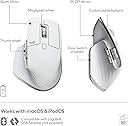
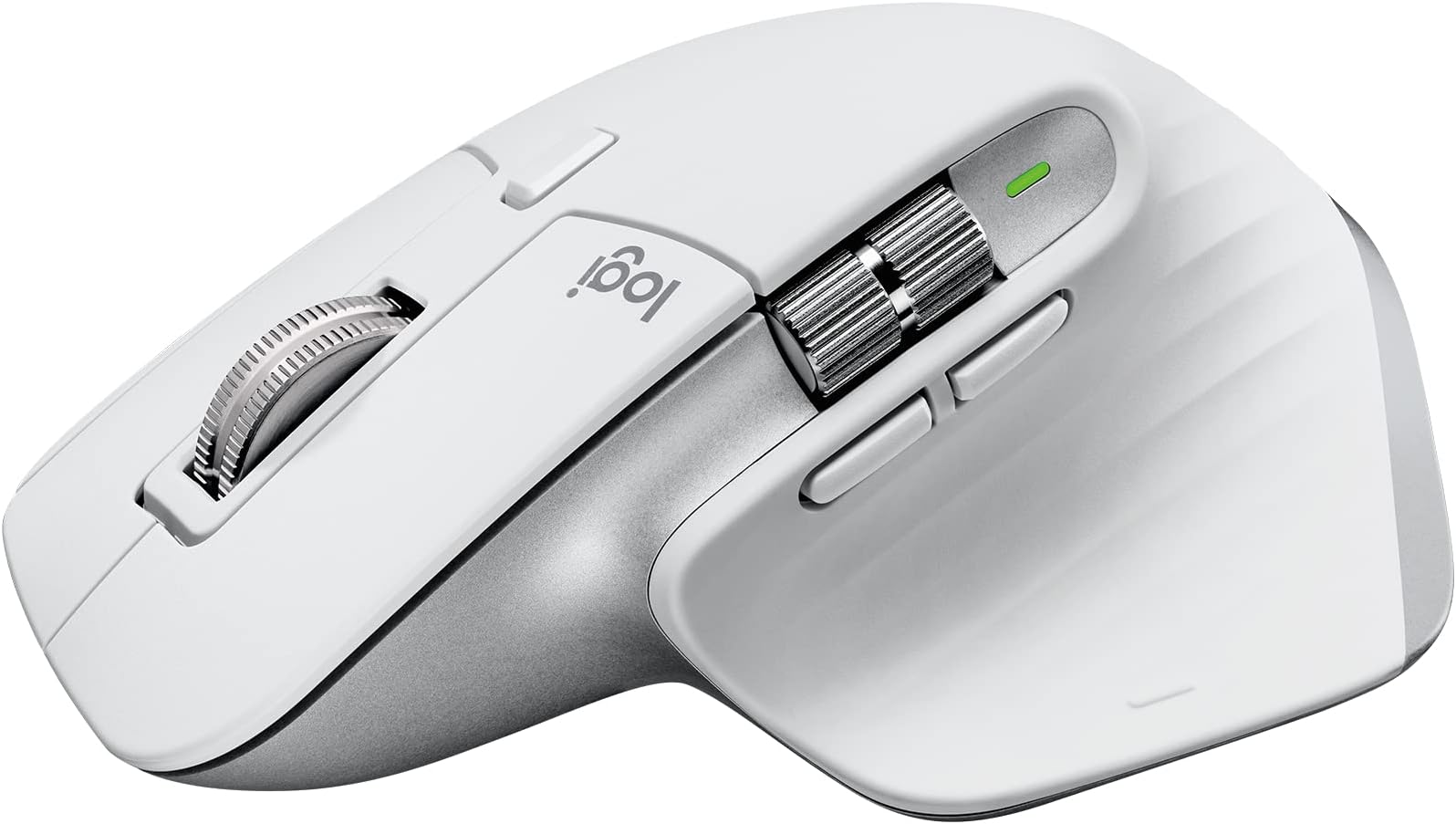
The Logitech MX Master 3S for Mac is a premium wireless mouse tailored for macOS and iPadOS users, featuring an ultra-precise 8K DPI sensor, 90% quieter clicks, and MagSpeed scrolling for unmatched speed and accuracy. Its ergonomic design supports natural wrist posture, while multi-device pairing and app-specific customizations streamline professional workflows. With up to 70 days of battery life and eco-conscious recycled materials, it’s the ultimate tool for the modern Mac professional.


| ASIN | B09KWXZ1HW |
| Additional Features | Wireless |
| Antenna Location | PW |
| Are Batteries Included | Yes |
| Are Batteries Required | Yes |
| Battery Average Life | 1 months |
| Best Sellers Rank | #26,890 in Computers ( See Top 100 in Computers ) #773 in Computer Mice |
| Brand | Logitech |
| Built-In Media | MX MASTER 3S Mouse, USB-C charging cable (USB-C to USB-C), User documentation |
| Button Quantity | 7 |
| Color | lightgrey |
| Colour | lightgrey |
| Compatible Devices | Mac, iPad |
| Connectivity Technology | Bluetooth |
| Connectivity technology | Bluetooth |
| Customer Reviews | 4.4 out of 5 stars 898 Reviews |
| Embellishment Feature | Gesture Support, Silent |
| Enclosure Material | Plastic |
| Finish | Natural |
| Hand Orientation | Left |
| Hardware Platform | Laptop |
| Item Dimensions L x W | 12.4L x 8.4W centimeters |
| Item Weight | 141 g |
| Manufacturer | Logitech |
| Mfr Part Number | 910-006570 |
| Model Name | MX Master 3S |
| Model Number | 910-006570 |
| Mouse Maximum Sensitivity | 8000 Dots per Inch |
| Movement Detection | Optical |
| Movement detection technology | Optical |
| Number of Batteries | 1 Lithium Polymer batteries required. (included) |
| Number of buttons | 7 |
| Operating System | macOS |
| Power Source | Battery Powered |
| Range | 33 Feet |
| Special features | Wireless |
| Style Name | Modern |
| Theme | Productivity |
| UPC | 097855174802 |
| Unit Count | 1.0 Count |
M**A
Very good
Very good
5**E
MX Master 3S mouse is working great
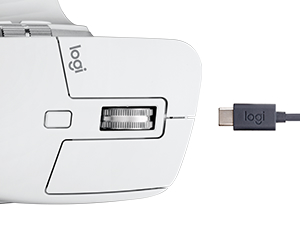
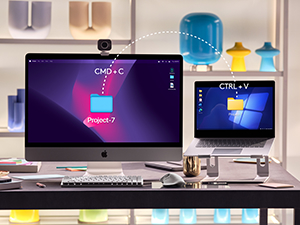
I've been using this Mac Version of the Logitech MX Master 3S for about a month now, every day, all day, and with lots of activity. I bet I click this thing 1000x a day or more. My experience has been flawless, a very nice mouse that does what it's supposed to do, and is the right size and shape for my large hands to reduce operator fatigue. I'm using the mouse on both a Windows 11 laptop and a 2017 Mac Book Pro both via bluetooth, and selecting with computer with the button on the bottom which allows you to switch from one device to the next. Both PCs pick up the mouse immediately. No lag, no skips, no stops, and most importantly no random disconnects. Although this is a "Mac" mouse, it works perfectly on Windows, no downsides, no lost features. If you have only have a Windows computer, I'd recommend buying this version just incase you ever decide to use a Mac with it. I've also tried the software based feature that allows you move your mouse cursor off the edge of the display on one computer, then have it continue onto the other computer, and allow cut and paste between the two. This does require both PCs to be on the network, and the feature does work, although the cursor may not always show up in the place you expect it. Should be noted that I'm using this feature between a Microsoft Windows PC and an Apple Mac PC, and it actually works well. The features work well, the scroll wheels are in the best places, both work very smooth, and are a pleasure to use. I really enjoy the top scroll wheel feature that if you spin the wheel quickly, to detent mechanism releases, and the wheel free spins. (of course you can also push the button on top to keep the mouse wheel in free spin) I also like how this mouse only has 2 extra buttons which can be used as back and forward. Mice that have more buttons are just too confusing to hit the right button. There's also a palm button which can be useful too. All the buttons can be assigned to different tasks using Logitech's driver software. Battery life seems to be great so far. I charged the mouse once when I bought it, and have used it for a month, so far, haven't recharged a second time. Also, nice how you can use the mouse while it's recharging and that it's USB C. My only complaint is that the white rubberized coating is difficult to clean or keep clean. Would be nice if they could make this a smooth material that can be cleaned, or offer skins that can be removed and replaced. Overall, I highly recommend this mouse. Yes, it's expensive, but it's so much better than many of the cheap mice on the market.
M**E
جايلي شمعه مكان الماوس
طلبت الاوردر ودفعت فلوسه وجابلي شمعه مكان الماوس ولما كلمت خدمة العملاء قالولي معلش
M**W
Great, feature rich mouse for both Mac & PC
I've had many mice over the years and this is one of the best. It works well and connects great with multiple devices; if that's as far as you need, then this mouse has got it. The scroll wheel has two modes and one of them is a super satisfying free scroll where the wheel acts like a ball bearing. By itself, it's an amazing fidget tool but will help you get to the bottom or top of your page super quickly. The other buttons are great for shortcuts and commands and is all customizable. This mouse can also be used on almost any surface and is advertised to work on glass. The form is ergonomic and great on the hand. Other mice may have higher DPI but will not have the same connectivity, nor software/customizability, nor features/buttons, etc. The people who whinge about DPI are "gamers" but I game too and this mouse does a great job. For the reviews you see about "the white/gray colorway is easily stained!" are likely the same people complaining about the sheen on the previous models. The feeling of the mouse in this iteration is pleasant and softer than hard plastic. If you eat Cheetos and DON'T WASH YOUR HANDS yes it will stain. I mean, just look at their review photos; it's gross and so obvious! I'm surprised that people here haven't learned how to wash their damn hands before using the mouse (or many other things for that matter). Even still, wipe the mouse down after you eat Cheetos if you can't help yourself. Their problems are larger than the choice in material for the mouse. TL;DR it's a very well designed mouse with great features, software, and connectivity all while feeling great.
M**M
Amazing performance + significantly reduced elbow/wrist pain!
I’ve worked in marketing & creative fields for 13 years and have never upgraded my mouse until this purchase. For context, my setup includes an iMac (stock apple keyboard & mouse), an iPad Pro with Apple Pencil, and a MacBook Pro. Though I’m primarily a manager now, I have worked for years as a designer, illustrator, and in content generation/post-production, and the years of poor posture and disregarding the importance of ergonomic tools finally caught up with me. I had chronic elbow & shoulder pain, and it took me forever to realize that there was no amount of yoga, exercise, or massage therapy that would solve this problem; I needed to change the way I worked (quite literally). After some research I purchased this mouse (among making several other changes) and WOW I can’t recommend this more. It’s super comfortable, the battery lasts FOREVER, and you can dial in the settings to make it work perfectly for your style/needs. It usually takes a heartbeat for it to Bluetooth connect to my apple devices when I first start them, but it’s super brief and doesn’t bother me at all. My elbow/shoulder pain has significantly reduced to the point of almost disappearing most days, so that alone makes this thing worth every penny. Add in the great performance and I couldn’t be happier.
Trustpilot
5 days ago
1 month ago