Buy anything from 5,000+ international stores. One checkout price. No surprise fees. Join 2M+ shoppers on Desertcart.
Desertcart purchases this item on your behalf and handles shipping, customs, and support to USA.
🔐 Elevate your entry game—smart security that keeps you connected and in control.
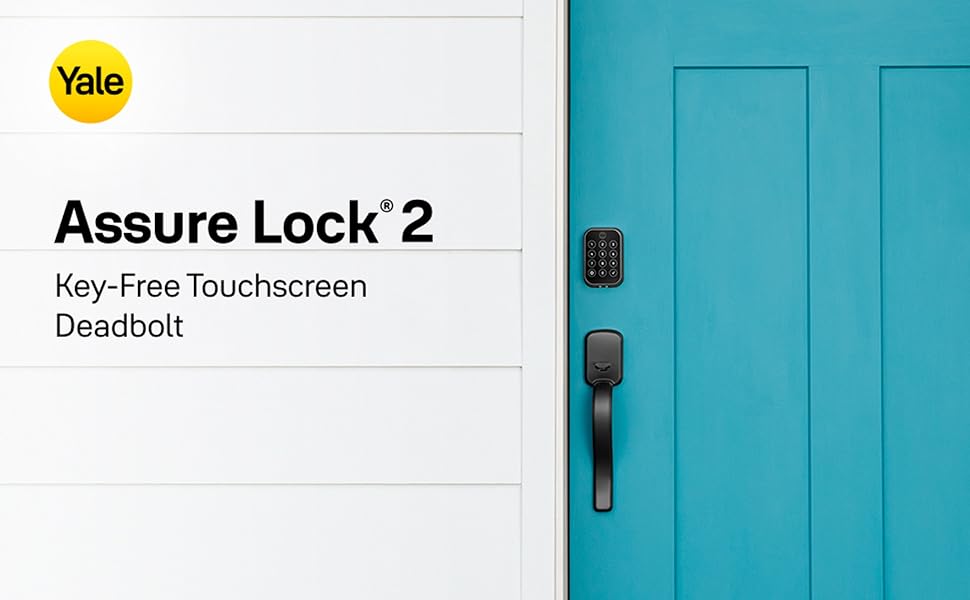
The Yale Home Assure Lock 2 is a premium keyless deadbolt featuring Bluetooth connectivity, a backlit touchscreen keypad, and app control via smartphone or Apple Watch. Designed with Auto-Lock and Auto-Unlock capabilities, it offers seamless, secure access without Wi-Fi dependency. Finished in elegant black suede powder coating and built from durable zinc, it combines modern convenience with trusted Yale security for your front door.


| ASIN | B0B9HXY7H3 |
| Additional Features | Auto-Lock, Auto-Unlock, Back-Lit Keypad, Battery Indicator, Keyless |
| Best Sellers Rank | #1,789 in Tools & Home Improvement ( See Top 100 in Tools & Home Improvement ) #8 in Deadbolts |
| Brand | Yale Security |
| Brand Name | Yale Security |
| Color | Black Suede |
| Connectivity Protocol | Bluetooth |
| Control Method | App, Touch |
| Controller Type | Android, Apple HomeKit, iOS |
| Customer Reviews | 4.2 out of 5 stars 276 Reviews |
| Finish Types | Powder Coated |
| Global Trade Identification Number | 00081023091268 |
| Included Components | Yale Assure Lock 2, Yale DoorSense, Deadbolt, Strike Plate, Mounting Hardware, Installation Manual |
| Item Dimensions | 2.5 x 3.7 x 2.3 inches |
| Item Type Name | Touchscreen Deadbolts |
| Item Weight | 1 Pounds |
| Item dimensions L x W x H | 2.5 x 3.7 x 2.3 inches |
| Lock Type | Keypad |
| Manufacturer | Yale |
| Manufacturer Part Number | YRD450-BLE-BSP |
| Manufacturer Warranty Description | 1 year limited |
| Material | Zinc |
| Material Type | Zinc |
| Model Name | Assure Lock 2 |
| Model Number | YRD450-BLE-BSP |
| Number of Pieces | 2 |
| Recommended Uses For Product | Entry Door, Front Door |
| Shape | Rectangular |
| Special Feature | Auto-Lock , Auto-Unlock, Back-Lit Keypad, Battery Indicator, Keyless |
| Style Name | Bluetooth |
| UPC | 081023091268 |
T**D
LOVE this lock! Very convenient to use! Easy to install.
Wonderful lock! Was easy to install (replacing a previous lock where all the holes/measurements were the same), and instructions were easy to follow. Lock looks stylish. Numbers respond well when punching in codes. But the biggest benefit is if you choose to allow it access to your location in the app settings, the unit recognizes when you arrive home. and when you get within blue-tooth range, it automatically unlocks. No need to even punch in your code. NOTE: key thing to know regarding installation. When you exit the house, you simply push the "Y" on the top of the outside lock and the unit locks itself. If you hear the lock trying to repeatedly lock itself, it could be an indicator that the depth in your door jamb is not deep enough to allow the bolt to insert all the way into the jam. So you just need to chisel out a bit more on the door jamb side to provide that space. Nothing in the manual warns you about this as one piece of troubleshooting.
J**Q
Great lock and easy to use
I bought 3 of these and they work great. Only bought one with backup key for one of the doors. I can actually see the pad even with my worsening vision. So easy to add delete codes using app. I have been creating a lot of codes and deleting for workers in house. This lock was recommended by NYT Wire and has a higher security rating.
B**A
works great - reads fingerprint very quickly, good value, I bought 5 of them!
I replaced all my doors with these locks. I originally bought a much more expensive name brand keyless lock for the front door, which worked fine, but wanted to replace all the other doors, (garage, back doors, storage room, etc.) with a keyless fingerprint lock. This lock is faster reading my fingerprint than entering in a 4 digit code. Batteries work well even in sub-zero winter in Chicago, you can easily set codes to allow other people to access our house, and delete them when no longer needed.
G**R
Wrong installation guide and dead batteries
The installation manual that came with this lock was for a different model. I managed to install it anyway, but when I put the batteries that came with it in, they wouldn’t work. I tried installing new batteries and got some lights and sounds to work. I checked several tutorials and instruction books, but could find none that told me how to program it, so I called the Yale assistance number. The person who answered my call, guided me step by step to program it. My one star review is because of the lack of the correct installation guide and the included dead batteries. Hopefully the lock will work correctly now.
I**H
Hope yours arrives with instructions!
There was no installation manual in the box. It was listed as one of the included parts. The phone app did show all the steps. There is definitely supposed to be written instructions because the videos from the app showed a paper sizing guide (also missing). Luckily the lock fit exactly without needing to size anything. The app leads you through connecting the phone, but doesn't explain how to create a numerical code for the keypad. Luckily the Yale website is good and I'm sure I'll be able to use it to figure that out. So far the phone is controlling the lock well, but it's only been one day!
P**O
Easy set up
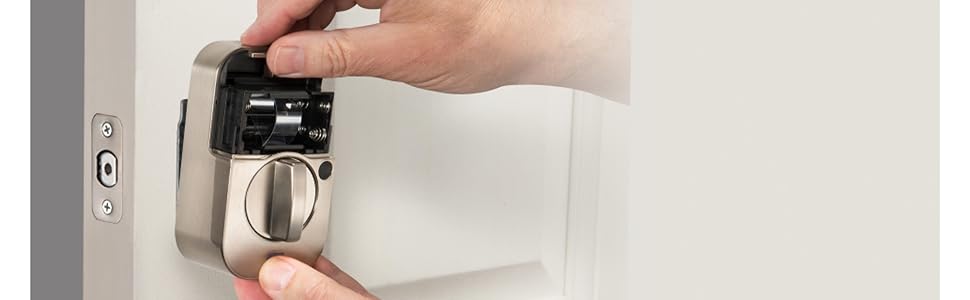
It came with all the screws and bolts to be easy to fix. It took a couple of minutes and it was all set up.
S**S
Easy to install, quiet and reliable
I bought this lock to replace a previous electric lock. I had made the mistake of getting a cheaper brand and paid the price. This Yale lock is so much better. It locks and unlocks from the keypad, has an app for code management, and is quiet and doesn’t have the loud gear noises of the cheaper lock. Worth every penny, get it! Don’t make my mistake of selecting a lower price model, this lock is the best.
S**T
Drains Battery - Major step down from Assure SL
I bought three of these locks in December 2022 after having owned two Assure SL locks for three years before that. The Assure SL worked well and its programming was intuitive. I installed it, and forgot about it because it worked so well. Not these new Assure Lock 2 locks. I bought three of them in December, and two of them have so far worked reasonably well. The third lock drains the batteries within literally a week - more below. The good - these are good looking locks. A bit slicker even than the SL. Nice black matte finish. They work with Ring, which I use. They feel solidly built. They are easy to install. When you call Yale support, you get a person. The bad (or why they aren't as good as the original SL) - the programming is just not intuitive. It's all done through the app now. Before it was done on the keypad, and that worked great. Once you connect the Yale locks to Ring, it gets even less intuitive. The big benefit of the lock is being able to quickly program in a temporary code - for contractors etc. Now that's really challenging. The keypad - with this lock you have to touch the little Yale icon with one finger at the top instead of just placing your hand over the whole touch pad. Seems like a small issue - but it worked so well before, why change it!? It took them MONTHS to get the z-wave module so that I could connect to Ring. The really bad - the one lock that drains the battery is a major issue. It's not clear to me if it's the lock or the module. Yale is aware of this issue and you can find the link to help you fix the issue. I did all the fixes, and when that did not work called Yale. I got a lot of push back, and they finally told me that my Ring base station was too far away (this lock is closest to the base station, which is within the 15 ft they recommend). I *think* they finally agreed to send me a new lock, though that's not clear from the emails I've received from Yale. Bottom line - I'm not sure the issue is a deal breaker, but I would consider other locks given that the Assure 2 has glitches that the much more basic design of the SL simply did not have. I'll update if the new lock fixes the problem (hoping it's not the module). UPDATE March 2024: I communicated a great deal with Yale about the lock battery drainage issue. They sent me a new lock - against my request, which did the exact same thing. The battery continued to drain. They finally finally sent me a new module. After installation, the battery life has been great. No complaints. So - if you have battery life issues with this lock, it is the MODULE. Fix the module, and you fix the battery life.
S**E
Almost Perfect
Installed the SL2 with a new door. Programming the lock with the app was a breeze after needing a little help from support. Support was extremely helpful and friendly. Never had an issue in the first 3 months, works well every time. The only reason I say "Almost" perfect is the delayed release of the Matter wireless/connectivity module and the absence of Apple key. Otherwise, about as good as you can get!
P**E
Nice lock - works well for me
Easy to install, was a retrofit for dead bolt, plays well with our apple devices. Will look to get one more but will need to save up for that.
T**O
Agradable diseño
Un dolor de cabeza por que el instructivo no indica claramente que solo funciona con una aplicación de Yale que se tiene que rebuscar, lo demás muy cómoda para mi mamá de 75 años
E**D
Awesome product that works well!
We bought the Yale Assure Lock 2 due to its smaller size and sleek design. We knew that Yale hasn’t released this product to the Australian market so we took a gamble on whether it would work or not. The shipping was super fast and the installation was a breeze, however the Yale Assure Lock 2 was not compatible with the Yale Home app. We read a few reviews about changing iPhone App Store location but this was not possible as we needed a US bank card and address to change. In the end, I managed to download the Yale Access App from the US AppStore by creating a US iCloud account which worked no issue. All you need to do is create a new email address that will be used with iCloud, set the location the United States, use a public US number to receive the verification code that’s available online (I used temporary-phone-number.com), then follow the prompts. Once your iCloud is created, you’ll need to login into iCloud on your iPhone (remember the temporary phone number to receive the verification code again) and once login proceed to download the Yale Access App on the AppStore. REMEMBER to logout and delete all information for that iCloud account given that it’s linked to a public phone number. This process was a hike but it worked so I’m not complaining.
C**N
AMAZING Lock
Fairly easy to install, you just have to take your time, I watched some YouTube tutorials prior to commencing, to my amazement it installed perfectly and once I loaded it into Apple HomeKit I now really enjoy the locks amazing features
Trustpilot
1 month ago
3 weeks ago