Desertcart purchases this item on your behalf and handles shipping, customs, and support to USA.
🎬 Control your streaming kingdom with precision and style!
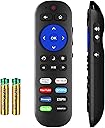
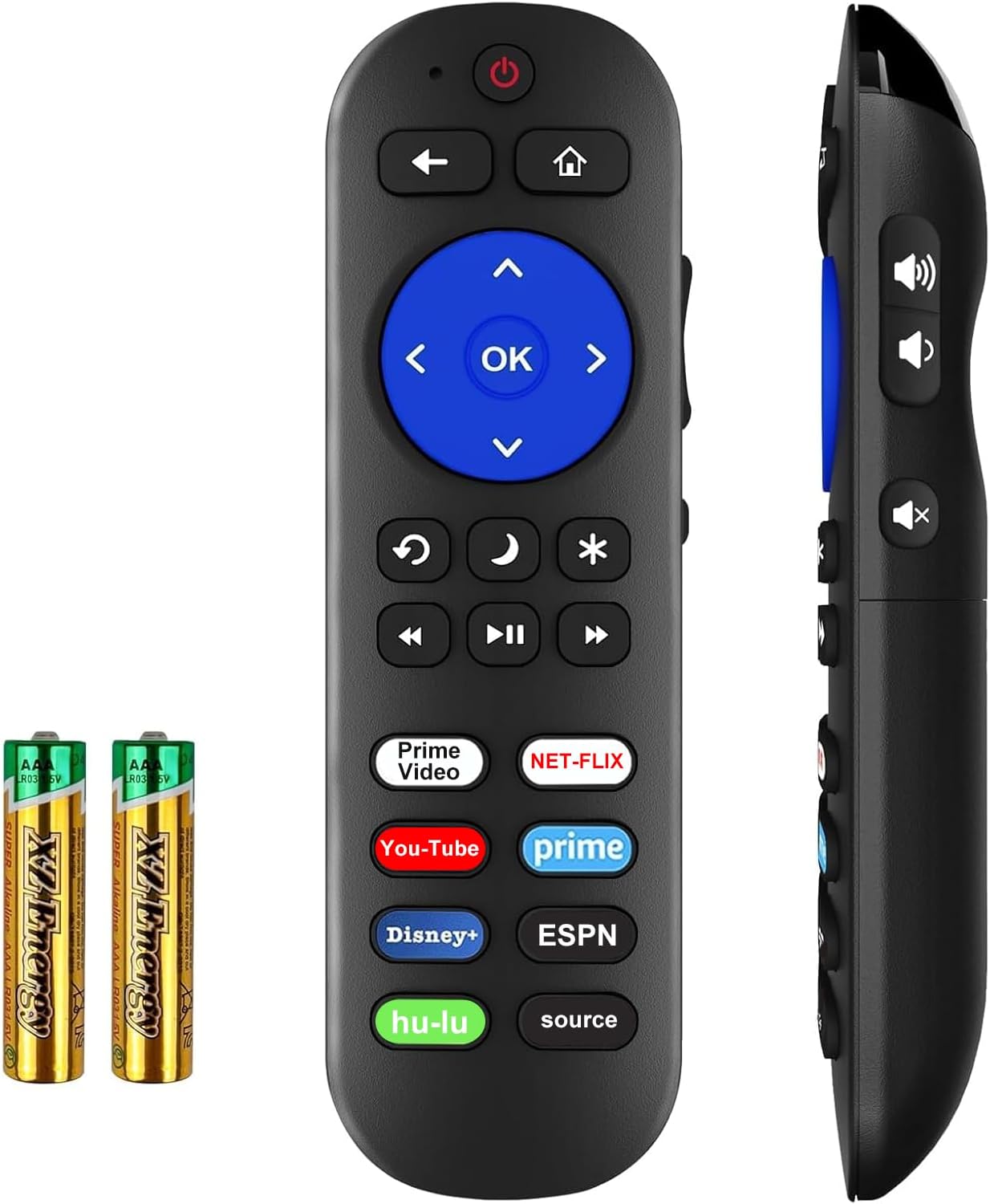
This IR remote is engineered for Roku players (excluding Roku Stick) and built-in Roku TVs, featuring a 10-meter infrared range and lightning-fast 0.2-second response time. It offers 8 dedicated shortcut keys for popular streaming apps and requires pairing your old TV remote to enable power and volume controls. Ergonomically designed and compatible with a wide range of Roku models, it’s the ultimate replacement remote for seamless, efficient streaming control.


| ASIN | B0BDFDS7BF |
| Additional Features | Ergonomic, Need to Setup for Roku box ultra express premiere soundbar, No Programming Required for Roku TV, Not for any Roku Stick |
| Battery Type | AAA |
| Best Sellers Rank | #7,389 in Electronics ( See Top 100 in Electronics ) #319 in Remote Controls (Electronics) |
| Brand | Yimaut |
| Button Quantity | 8 |
| Color | Remote with Battery |
| Compatible Devices | ['Television', 'Roku Box', TV', Soundbar'] |
| Connectivity Technology | Infrared |
| Controller Type | Button Control |
| Customer Reviews | 4.1 out of 5 stars 3,173 Reviews |
| Item Weight | 0.07 Kilograms |
| Manufacturer | Yimaut |
| Max Number of Supported Devices | 1 |
| Maximum Number of Supported Devices | 1 |
| Maximum Range | 10 Meters |
| Model Name | fd447714-5f15-48b3-93c2-4df9ef75223d |
| Model Number | fd447714-5f15-48b3-93c2-4df9ef75223d |
| Special Feature | Ergonomic, Need to Setup for Roku box ultra express premiere soundbar, No Programming Required for Roku TV, Not for any Roku Stick Special Feature Ergonomic, Need to Setup for Roku box ultra express premiere soundbar, No Programming Required for Roku TV, Not for any Roku Stick See more |
T**S
Works, but hard to set up for some TVs
Our Roku remote suddenly stopped working so I purchased this one as a replacement. (Included pics are the OEM remote compared to this one.) This is one of those items I'd like to use half stars on because I'd really like to give it 4.5 stars due to the difficulty of setting up the remote with our TV. The remote worked immediately with the Roku, which was good, but we had trouble linking it to the TV. The main reason we purchased this specific replacement remote was to get the power button and volume controls that were not present with our original Roku remote. The instructions with the remote explained the setup process for several common TV brands, but not ours (which is not an uncommon brand at all). It turns out there *is* a way to set it up with other TVs as long as you have the original remote, but that is not explained in the rather skimpy manual that came with the remote. We messaged the seller, but found the answer deep in another person's review before we heard back from them. Long story short, we eventually did get it to work with our Roku and our TV, but it was way more difficult than it needed to be. I believe this remote is also IR rather than radio control as we have to be pointing it in the right direction to make it control the system. Overall the remote works, but they made us work for it.
A**A
Perfect
Works even better than the original. I love the volume and mute buttons the side
F**S
It works as it says it does.
I have purchased 4 of this remote. All work with my tv and Roku if I sync it correctly. This current one is not going well but not because of the remote. I forgot to say the reason I have purchased 4 replacement remotes is because I have a puppy who thinks it is cute to chew up anything I try and keep from him. This last remote he chewed up the on/off button and I am having issues. Except for my dog chewing them up, they are pretty great remotes. I actually like them better than the original ones that came with the Roku. The replacements have all of the channels I stream so I do not have to go to the main screen and scroll to it, I just hit the button and bam! The app shows up. How easy is that?! It is easy to set up if you have a little patience. The first one I had I did not have patience the first time I tried to set it up, but tried again later and realized the problem was me, not the remote. It is not too expensive unless you have bought 4 but tvs will not work without them. If you need a remote to replace an original Roku, I would give this one a try.
D**L
Excellent Remote And Works With TV (Read Full Review To Understand How)
This is an excellent replacement universal remote for Roku. I have a Roku Express with a Sanyo TV. 4 of the attached pictures (all 4 that have the black keyboard in background) were the ones that came with the remote. Upon hitting all those despite not showing my tv, worked out of the box with my Roku Express. Unfortunately, it did not program the remote to work with my Sanyo tv in terms of other functions like power button, volume buttons, and etc. Upon reaching out to the seller (who were quick to reply), they sent me the "Function 4" instructions (also attached image). Upon following these instructions, the remote now turns the power off on my tv, volume up and down buttons work, mute button works, and the source (input) button works. YOU NEED YOUR OLD TV REMOTE FOR FUNCTION 4 TO WORK BTW (I wanted to emphasize that, as some people may not be aware of that). I am unsure if you already have a universal remote for your tv, if that would work also (I had my original Sanyo tv remote). But that's why I gave this 4/5 stars due to the function 4 instructions not included with the remote upon purchase. However, I am very pleased with this remote thus far, and the extra app buttons are so much nicer than the default 4 on Roku remote (Prime button, Youtube button, and etc). EDIT: It would be so much better if it already had a loophole built into the remote to attach strings and/or keychains to easily attach remote finders to the remote. I used one with a sticky adhesive but that didn't work so I drilled a small 1/16 of a hole through the back plastic remote battery cover to create my own loophole (attached pics).
R**E
Learning to Program the new remote is key! Once you got it down…pretty sweet remote.
Great remote for the price. Programming for a regular TV is a little tricky but it does work once you figure out the steps. I will share, that once the new Roku Remote is in learn mode you have to push the power button, then power button on original tv remote, volume up- volume up on original, volume down-volume down and lastly the mute button …then push mute on the original remote. Took me about 25 minutes to figure out what I was doing wrong, but once I learned the right steps..I was literally done and using the new Roku Remote in about a minute.
W**I
Good remote in terrible package
This remote works very well with my two Roku Ultra LT boxes and two different Samsung TVs. I stopped watching cable TV 25 years ago and OTA TV 10 years ago. The main source of news for me is now YouTube and Rumble on Roku. To limit the exposure to obnoxious and tasteless advertisements, I use the mute button that is located on the side of the remote and close my eyes for about 5-10 seconds before checking again. This remote has the mute button that works perfectly with my TVs and I could not be happier. I consider the original Roku Ultra LT wireless remote (with alkaline batteries and a built-in connector for headphones) absolutely the best because I can watch TV when my wife has a teleconference and I can replace batteries immediately, without waiting for the device to be recharged. Unfortunately, one of those LT remotes stopped working and I could not find exactly the same (non-rechargeable) replacement. The second best remote for stand-alone Roku players is, in my opinion, a device that uses line-of-sight infrared (IR) signal and sends correct IR codes to TV-s to mute sound or adjust its volume. Obviously, such a remote will not accept headphones but no pairing will be required to make it work. This remote is exactly what I was looking for. One important warning. This remote is very poorly packaged by the manufacturer. The remote is not put in a rigid box for protection; everything is shoveled into a zipper bag. Unsurprisingly, the first remote I ordered arrived with the IR window chipped. The replacement arrived without this defect but no batteries were present in the plastic bag. The bag was slightly opened and I guess batteries slid out of the bag somewhere. This is not a good customer experience. I did not want to initiate the second replacement request so I used my own AAA batteries. The remote is very easy to program for a specific TV. This is done in two steps: * First, press a combination of two buttons: the power button plus some other button described in the attached instructions for your TV brand (Samsung TVs are supported by the device but Samsung is not mentioned in the Amazon product description). A small hole next to the power button is not a microphone but a tiny LED. After 2 seconds, this LED should be lit continuously. * Next, you need to press the blue “OK” button to complete programming. It appears that this configuration procedure needs to be performed only once. No need to repeat those steps after batteries are replaced. The remote has a less rounded profile and it is less comfortable to hold than the original Roku device. The remote is remarkably light. The battery cover is quite thin. I hope the device will hold up somehow. I am not a fan of dedicated shortcut buttons on Roku remotes. I prefer not to have this feature because I accidentally press those buttons from time to time. The “source” button pops up a menu on my Samsung TV and there is not way to get rid of this menu, except for turning off the TV set.
J**N
Works great with roku player, no instructions on how to make it work for TV volume/power
Right out of the box it worked to control my roku player, which was great. I have an Element TV, and it says it is compatible with that, but there are no instructions on how to make this new remote work to the TV power or the volume buttons. The little half page user guide that came with the remote really has no information. I do have the TV remote, but it's nice to have one remote that controls it all. I got the new remote to replace the one that came with the roku player as the buttons were getting very sticky and hard to push. Hopefully I'll be able to get it to work for the tv volume and power. Otherwise....
J**O
Product works great; instructions unclear, but customer service terrific.
Product did not work for me right away for Roku 3. Instructions were not clear that (1) first put in default mode, (2) press left arrow and home button [to which there is no reaction or feedback], and then (3) program it to the TV. I assumed it would work after the arrow/home button, but it will not. Has to be programmed to TV. They way to reach customer service is through the help box if you go to Amazon, orders, and then the product. Get past the AI/virtual attempt to help, and there is an option to contact seller. Note these options appear on PC, but not iPad for some reason. Then, I contacted them again for the instructions to program other buttons, which they sent me. But very easy: Hulu+source (bottom buttons) for 5 seconds and light goes green. Push button you want to program, and light goes red. Then put nose to nose with TV remote control and press the button on the TV control. Light then goes green. That means it is still in program mode and you can proceed immediately to other programming. Worked perfectly. So my rating is that the product is great, but the instructions are confusing. Customer service is terrific, but it is not clear at all how to contact them. Good luck!
Trustpilot
1 month ago
1 month ago