Buy anything from 5,000+ international stores. One checkout price. No surprise fees. Join 2M+ shoppers on Desertcart.
Desertcart purchases this item on your behalf and handles shipping, customs, and support to USA.
๐จ๏ธ Elevate your home office game with pro-quality prints and wireless freedom!
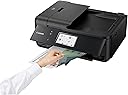
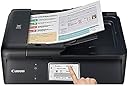
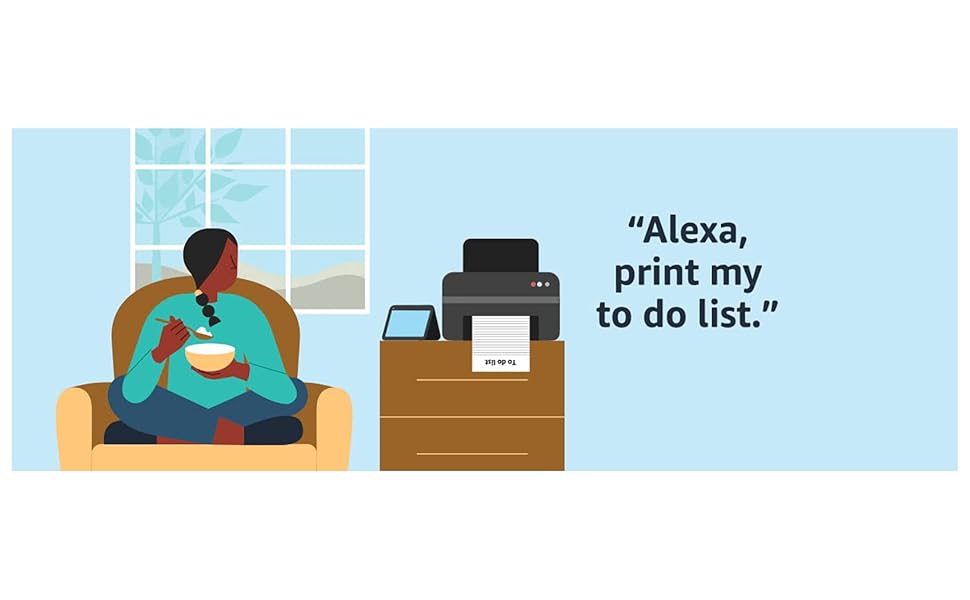
The Canon TR8520 is a versatile all-in-one wireless inkjet printer designed for the modern home office. It delivers high-resolution prints up to 4800 x 1200 dpi using a 5-color individual ink system, supports mobile and cloud printing, and features a 20-sheet auto document feeder with automatic duplex printing. Compact and user-friendly, it integrates voice control and multiple connectivity options, making it ideal for professionals seeking efficiency and quality in a stylish package.


| ASIN | B074VFW3VX |
| Additional Printer Functions | Fax |
| B&W Pages per Minute | 1 |
| Brand | Canon |
| Built-In Media | Full Set of Standard Ink Tanks, PIXMA TR8520 Wireless Home Office All-In-One Printer, Paper, Power Cord, Setup CD-ROM, Telephone Cord |
| Color | Black |
| Color Depth | 24 bpp |
| Color Pages per Minute | 1 |
| Compatible Devices | Printer |
| Connectivity Technology | USB |
| Control Method | Voice |
| Controller Type | Amazon Alexa, Vera |
| Customer Reviews | 4.1 out of 5 stars 4,048 Reviews |
| Display Type | LCD |
| Dual-sided printing | Yes |
| Duplex | Automatic |
| Global Trade Identification Number | 00013803290745 |
| Hardware Interface | USB |
| Ink Color | Cyan, Magenta, Yellow, Black, Gray |
| Is Electric | Yes |
| Item Dimensions D x W x H | 14.4"D x 17.3"W x 7.5"H |
| Item Type Name | Canon TR8520 Wireless Office All-In-One Printer, Black |
| Item Weight | 17.5 Pounds |
| Manufacturer | Canon USA Inc. |
| Maximum Copies Per Run | At least 20 |
| Maximum Copy Resolution Black and White | 4800 x 1200 dpi |
| Maximum Copy Resolution Color | 4800 x 1200 dpi |
| Maximum Media Size | 8.5 x 14 inch |
| Maximum Print Resolution Black and White | 4800 x 1200 dpi |
| Maximum Sheet Capacity | 20 |
| Maximum print Resolution Color | 4800 x 1200 |
| Model Name | Canon PIXMA TR8520 Wireless All in One Printer | Mobile Printing | Photo an |
| Model Number | 2233C002 |
| Model Series | TR8520 |
| Number of Drivers | 4 |
| Number of Trays | 2 |
| Other Special Features of the Product | Enjoy printing from your devices using Canon Print App and Airprint, Quick to print your photos from SD Memory Card |
| Print media | Glossy photo paper |
| Printer Connectivity Type | USB |
| Printer Output Type | Color |
| Printer Type | Inkjet |
| Printing Technology | Inkjet |
| Processor Count | 1 |
| Resolution | 4800 x 1200 |
| Scanner Type | Sheetfed |
| Series Number | 2233 |
| Specific Uses For Product | Home, Office, home office |
| Total USB 2.0 Ports | 1 |
| Total Usb Ports | 1 |
| UPC | 013803290745 |
| Unit Count | 1.0 Count |
| Warranty Description | 1-Year Limited Warranty with Instant Exchange Program. |
| Warranty Type | limited warranty |
| Wattage | 15 watts |
N**W
Excellent printer - photos wonderful, loves to eat ink
I gave this top stars even though it is an ink hog. BUT before you stop reading, when pro to g photos on โ bestโ as I often do, very few printers are not! For a home office this is spectacular. Itโs very compact, it comes with an automatic document feeder, which is very RARE in this price range. Faxes ( YES, some still use faxing), scans, copies. Got good Consumer Report scores. I have seen negative reviews. Mostly on flimsy construction, cost of ink and slowness of printer. Ok I disagree. Why? Yes, the plastic made in this Pixma is not a thick as printers of years past but that said, it doesnโt make one bit of difference! Unless you are particularly rough it will NOT affect ANY functions. I LOVE that this has TWO paper holders. I love that unlike my last non Cannon printer, this DOES co it is to print when other cartridges are out of ink. Thatโs a big deal for me!!! Again hard to find anymore in this price range AND I paid $ $70 more in December 2020 than its being sold at many internet stores now 4-20). On the cost of ink. I used the Cannon ink XL packs twice and was dismayed at putting out $120 every 46-60 days ( again I do print lots of photos). I researched non Cannon ink. In the past, I had trouble with smearing for DAYS later, color distortion, etc. I decided to try one more time and found an internet company called Comp and Save. I took a chance. The cartridges were an immediate given that this firm produced quality Non OEM ( original equipment mfg) products. The price for all 5 XL cartridges was slightly 50% less than Cannon. The real test came in my print test. I printed 4 different photo types ( landscape, portrait etc) with Cannon ink. Then printed the same photos with the Non OEM ink. IF you were looking closely, you could find a tad difference. ( Blue suit in Cannon print, came out more brown. Whatโs hilarious is that we NEVER noticed that the actual suit is not BLUE but brown mixed with blue weaves. Our faces were a very TINY bit lighter. I thought it made us look better to be truthful. The point is that the differences would be speculative at best, and too small to pay the full Cannon ink costs. Beautiful fall landscape? No difference! ALSO, using non manufacturer ink does NOT void any mfg warranty. Also make sure you buy from a QUALITY ink company as cheap ink does clog up printers often! BUT since these printers really donโt last like they used to, I strongly recommend you always buy the extra warranty if available. I bought my last printer at Best Buy with a 3 year extra warranty for $34.99. Thank heavens as the printer broke after 2 years. They refunded my purchase price and I bought a different printer. Bought another 3 year warranty and this printer went after 15 months. Unfortunately the Assurion Warranty I bought from Amazon does not refund your money but only gives you an Amazon gift card. None the less, still worth buying with electronics and are really inexpensive these days.
B**R
Very simple to add to a Chromebook!
I am so happy with my new printer and I am glad I didn't listen to the reviews that it's hard to wirelessly connect to a Chromebook because it was simple. All I did was goole how to add it to Chomebook and all you have to do is go into your settings, search printers, go to add printer manually and put in the IP address. To get the IP address just click on the internet icon on the printer. I am not very tech savvy and even I thought it was amazingly simple to add. Regular set-up was also simple. First I followed directions from the book it came with, however when it came to adding to my phone I downloaded the app and then the book became hard to follow so I just followed what the printer said because it was much simpler than trying to follow the instructional book. I was very surprised at how much ink it came with since everyone said it was only starter ink but the printer ssys that they are almost full. Not that I have to print a lot but I printed 3 pictures and about 10-15 colored pages and the level has not moved. About the pictures I printed, I think they are wonderful, way better then the ones I print from a store. I loved them so much that I quickly ordered picture paper from Amazon! And can't wait to download the canon picture editor app to see what it has to offer. Onto the people calling it flimsy. I don't believe it to be flismy to me but I do understand what maybe they meant. Since it has so many things you can do with it and so many places to add the paper from it does have folded up plastic pieces that fold out and in depending on your printing needs at that time, so they are on the thinner side but all and all I believe it's very sturdy. If I find out otherwise I will add to my review because I know I highly cosider the reviews when buying something. All and all I believe this Canon printer would be a great choice. I am only using it for household printing so I'm not sure about for home office use but I don't see why not. The only issue I could see might be an issue for a home office would be that you can't load a lot of paper into the tray, it might have fit 50-60 pages into the tray. Oh and you barely have to touch the screen for it to work, I read some reviews that it was a problem. It was also very simple to add the ink, none got on anything, all I did was read the directions and it clicked right in. I also like that you only have to replace the color that is empty.
G**S
Good basic inkjet printer, no problems
My old Canon Pixma printer died on me. It worked fine for many years and I would have been happy to buy the same model. Of course, the model numbers change like fashion so I had to pick a new one. I went looking for a replacement and was stunned at all the negative reviews - of pretty much every modestly priced inkjet printer out there, not just Canon. So I crossed my fingers and ordered this one. It's great. It works better than my old one, was easy to set up, connects easily to my laptop and to my mobile devices, and the print quality is fine for my everyman kind of use. Why not 4 stars? The Canon "Garden" app is clumsy to use on my laptop, but I can push through what I need on it. It needs a complete overhaul to be user friendly and intuitive to use. A quirky part is that the printer turns off quickly, and then when you print you're told "Printer offline." You just need to turn it back on but I am surprised that a request to print can't be set up to activate the printer getting back online. These are minor nits. I'd buy this printer again.
J**B
it's there when you need it!, no fuss
a good buy, reliable!
D**S
Unreliable, Terrible Firmware & Software, Overpriced Ink
Owned this for less than a year, and the scanner is already failing due to software glitches (scanner utility won't connect to our computers even though printing works just fine--except sometimes it does connect, but only for a page or two). WiFi connectivity is awful--the printer is literally ten feet from the router and drops the signal sometimes. Printing is decent but slow and the paper jams rather easily. They designed this printer so that it won't accept third-party ink cartridges that worked fine on the previous version and fit perfectly in the new one. Troubleshooting is a joke--diagnostics are useless, and the Canon boards are so bad that when I tried to complete the survey explaining how they had not solved my problem--you guessed it--the survey failed to submit due to an "unexpected error." I had to laugh. The "TR" in the name must stand for Trash. I'll be reenacting the highway Printer Scene from "Office Space" with this device when the printing function inevitably gives out. UPDATE 4/23/20 It's managed to get worse. Now it just refuses to print documents roughly half the time. It fails with Macs, PCs, iOS cloud printing, Android--it is truly egalitarian in its shortcomings. It shows documents in the print queue, tantalizing you with the promise that they might emerge as printed hardcopies. Alas, as often as not, they will simply sit there. On occasion when you restart the printer it decides to spit out a page it hung on a day or two earlier, having apparently decided it is safe. Just an all-round terrible purchase. Beware if someone tries to give one of these to you. UPDATE 10/10/22 They need a rating lower than 1 star. After minimal use in the past year, the printer suddenly stopped recognizing the ink cartridges that were already sitting inside of it. Just prints blank sheets of paper. Was fine last week. Installed new cartridges. Nada. Cleaned the contacts. Unplugged and restarted. No dice. And Canon's Remote UI that you can access? Looks like it was programmed in the 1990s and offers nothing more than options to waste more ink with test prints--except, of course, it won't print. Ever seen the printer scene in Office Space? This printer will be suffering that fate shortly.
J**W
Works great. Just what I needed.
Iโm moving from a canon mx870 which I mostly loved. But it had a few glitches that, when it finally died, Iโm hoping will be resolved in this newer printer. I just set up the printer. First impressions: โข this feels much flimsier than my old canon. The fact that you have to have this control panel pulled out in order for it to operator feels like itโs an accident waiting to happen. The paper tray feels even more breakable than the one in the mx870. But the ink cartridges installed just as Iโm used to, and so far, so good. And no, nothing broke. โข I told it to find my wireless lan and voila - it connected. This was far easier than with my old printer. โข Thanks to comments I found here, as soon as I got the printer connected on our wifi, I updated the firmware. Easy to do and I havenโt had any problems at all. โข The setup instructions say to go to a URL that no longer exists. I canโt use the CD because my laptop doesnโt have a CD drive. So I searched google on โCanon TR8520 installโ , found the page to install it on windows 10, and voila โ all went well. Using via AirPrint. Yippee. This is my first AirPrint printer. One note - if I print a photo directly from my pictures library, only a blank page is printed. I have to use the Canon app to print a photo. But that worked fine too. Scanning: works great, but I miss scanning and saving the file onto a USB flash drive. Still, I can use an SD card ok. I just have to put it in VERY firmly to get it to register. Iโve scanned from the printer to put the file onto an sd card, and scanned directly to my pc using the included software. It has options to scan several resolutions (expected) and to do normal and โhighโ compression of PDF files (unexpected and welcome). Using ADF: Great. Works flawlessly. Just remember to put the paper in face up. I scanned a paper stack of mixed full pages and half pages with no hesitation. Havent yet tried to see if this printer drops from our wifi system when unused for a few hours to a day (*sigh*). That was a pain with my MX870. The one thing I dislike: I leave the printer all shut up rather than leave various trays and panels sticking out. When I printed to my old printer, the paper tray automatically opened and all was well. With this one I get an error message saying to โopen the operation panel and pull out the output tray. Oh well, itโs simple enough.
C**N
Count on two years and done (b200 or 1403 error is inevitable) - also, how to do wired LAN
My original review is below and is still accurate, but I wanted to note that my experience with wireless for this printer was miserable ... as much as 5 minutes wait time for my computer to make the wireless connection and print. That being simply unacceptable, I changed the printer settings to wired LAN and cabled it (ethernet) to my router. This invalidates the TR8520 printer installed under the Windows Control Panel Deivices and Printers since the install assumes wireless. The MS trouble shooter won't correct the install. The solution is to delete the existing install and re-install the printer. I found it necessary to use the ip address you get from the LAN settings list given via the printer's Device settings panel. After doing that I now get instant printer response. It's a simple procedure, but Canon has no mention of it being needed if you switch from wireless to wired. It may or may not be necessary if you switch from wireless to USB, but that's for someone else to check. Incidentally, wireless worked fine for my previous Canon model, so it's pretty clear there has been some change that may make wireless problematic, depending on your equipment. Original review: This is my 4th Canon printer. My progression has been an MG5320 which lasted 3 years, an MG6620 lasting 2 years, an MX922 good for 2 years, and now this one, a TR8520. I suspect it will go the way of the others in 2 or 3 years. Why do I keep buying Canon printers? It's all about bang for the buck, you just have to figure about $50 per year for being able to print and scan. Print quality and scan quality are excellent, much better than I experienced with various HP printers and on par with a good Epson. After market ink is cheap. Just expect to eventually get the dreaded b200 error, which with a bit of messing around can usually be cleared (and if not, the printer is toast). For my last go round the b200 error eventually morphed to the even worse 1403 error which says "The type of print head is incorrect. Install the correct print head". Never mind your printer still has its original print head, and never mind the videos on the web showing people "fixing" Canon printers having this error by destroying them. I did blow a few hours trying all the things others have suggested, like cleaning what was still a rather clean print head, reseating it, etc, only to yet again get the b200 error, which once cleared led to the 1403 error again. Replace the print head? They're too expensive compared to the price of the printer, so the best bet, short of changing to Epson or HP, is to just buy whatever budget version Canon is now selling (which seems to be the TR8520). The printer does come with a modest amount of ink. Setup can be a bit painful, depending on whether you want to network via wireless, Ethernet cable, or dedicated USB. Setup did not play nice with my Google mesh wireless setup, but I eventually got it to behave, albeit after blowing a few pages and some ink to do so. The setup is via an app you download from the web or get from a supplied CD. You have to agree to some obnoxious stuff if you run it, never mind the questionable junk Canon includes with the install. If I had it to do over, I would try to bypass the Canon setup and just install the driver and basic utilities to see if I could get it up and running without all the detritus. Canon makes really good toner-based copiers, but doesn't seem to have mastered making ink jet printers that last. If I wanted a printer likely to hold up for the long haul, I would go with Epson. I was shocked at how poorly the low end HP's perform, so if you are budget challenged and want good output, Canon may be your best bet. Just factor in that it is going to fail for you within a couple of years. I'm quite sure Canon would blame my issues on after market ink, but I don't believe that. When my first Canon failed, I had used only Canon ink. I even ponied up for a new print head but still got the same errors. I'm sure they would say I should have had a pro do the job, but that would have run the ante well past the cost of a comparable printer. From that experience I decided the best option was to plan on replacing it every couple of years. This is a 5 star printer for output, 3 stars for speed, and 1 star for durability; i.e. a 3 star printer.
B**R
Great purchase-like new item
Seemingly in very good condition, like new even much. Ink cartridges were included, The printer is working well. I feel that I made an excellent decision with the purchase. Thanks to the person that put this item up for sale.
G**7
Su diferente modo de conexiรณn
Excelente impresora la recomiendo para oficina y casa
J**S
It great overall
The fact that it shuts down is not good as one has to walk to the printer to put it on from his working station, I have not figure out yet how to configure it so that it stays on,
T**.
La mejor compra
Super manejable adaptable a todos los dispositivos
J**T
Very versatile machine.
Works very well, hi quality printing and is compact.
B**U
Simply does not print
The worst printer I have ever had. It simply refuses to print sometimes (in fact many times)! And we do not know why sometimes it prints and sometimes it does not. I just decided to discard it and buy a better printer.
Trustpilot
2 days ago
4 days ago