Buy anything from 5,000+ international stores. One checkout price. No surprise fees. Join 2M+ shoppers on Desertcart.
Desertcart purchases this item on your behalf and handles shipping, customs, and support to USA.
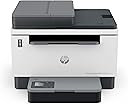
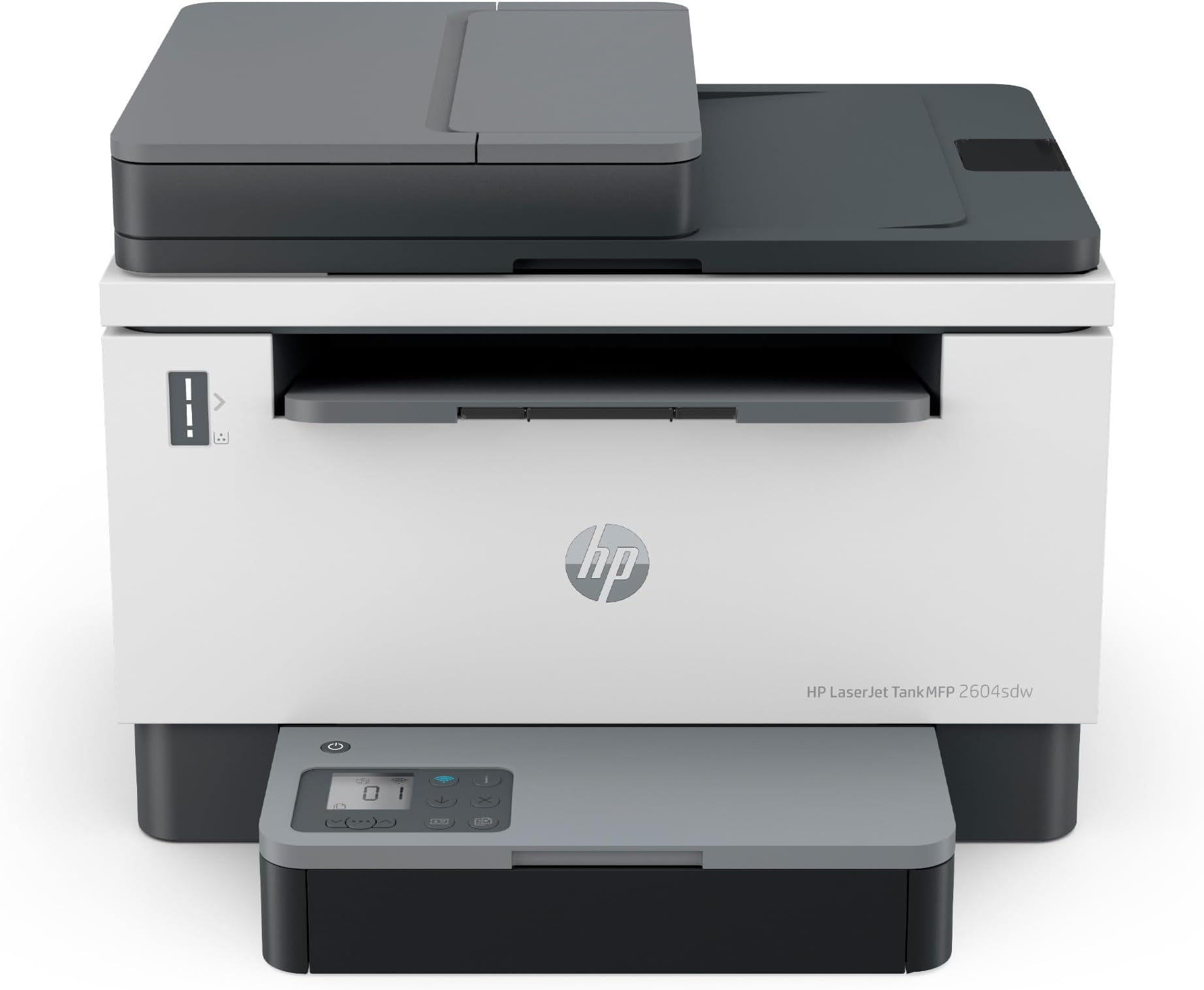
๐จ๏ธ Print smarter, not harder โ stay ahead with HP LaserJet Tank 2604sdw!
The HP LaserJet Tank MFP 2604sdw is a compact, high-volume black-and-white multifunction printer designed for small businesses. It delivers fast 20 ppm printing with automatic duplexing, comes prefilled with up to 2 years of original toner (5,000 pages), and supports wireless and Ethernet connectivity. Featuring mess-free toner refills and HP Wolf Essential Security, it balances productivity, cost-efficiency, and data protection in a sleek, ENERGY STARยฎ certified package.


| ASIN | B09ZVQCF4M |
| Additional Printer Functions | All In One |
| B&W Pages per Minute | 20 ppm |
| Best Sellers Rank | #89,850 in Office Products ( See Top 100 in Office Products ) #662 in Computer Printers #2,207 in Printer Toner Cartridges |
| Brand | HP |
| Built-In Media | Getting Started Guide, Power cord, Toner Cartridges, Warranty Guide, printer |
| Color | white |
| Color Depth | 1 bits_per_pixel |
| Compatible Devices | Laptops, PC, Smartphones, Tablets |
| Control Method | App, Remote, Touch |
| Customer Reviews | 3.7 3.7 out of 5 stars (1,716) |
| Dual-sided printing | Yes |
| Duplex | Automatic |
| EU Spare Part Availability Duration | 2 Years |
| Hardware Interface | Ethernet, USB |
| Initial Page Print Time | 7.9 Seconds |
| Ink Color | black |
| Item Dimensions D x W x H | 12.26"D x 16.46"W x 13.58"H |
| Item Type Name | Multifunction Printer |
| Item Weight | 20.9 Pounds |
| Manufacturer | HP |
| Maximum Copy Resolution Black and White | Up to 600 x 600 dpi |
| Maximum Copy Speed Black and White | 20 ppm |
| Maximum Media Size | 8.5 x 14 inch |
| Maximum Print Resolution Black and White | 600 x 600 dpi |
| Maximum Sheet Capacity | 250 |
| Model Name | LaserJet Tank 2604sdw |
| Model Number | 2604sdw |
| Model Series | 381V1A |
| Number of Drivers | 4 |
| Number of Trays | 1 |
| Other Special Features of the Product | Network-Ready |
| Output sheet capacity | 250 |
| Paper Size | 4 x 6 to 8.5 x 14 |
| Power Consumption | 390 Watts |
| Print media | Envelopes, Labels, Paper (plain) |
| Printer Connectivity Type | Wi-Fi |
| Printer Output Type | Monochrome |
| Printer Type | Laser |
| Processor Count | 1 |
| Resolution | 600 x 600 |
| Scanner Type | Flatbed |
| Series Number | 381 |
| Specific Uses For Product | Small businesses with high volume black-and-white printing needs |
| Total Usb Ports | 1 |
| UPC | 195908729327 |
| Unit Count | 1.00 Count |
| Warranty Description | 1 year |
| Warranty Type | limited warranty |
| Wattage | 5000 watts |
M**W
Very Good Printer and More...
Let's Face It. This printer/scanner does everything it promises it does. Still I don't love it, but I like it. It's my first Wi-Fi Printer and cost me $300. I really like the refill method it has and it's not expensive, at least on Amazon. First you have to set it up. Difficult first time even by instructions. Once set up when Wi-Fi goes down the printer goes down and I haven't been able to configure LAN connectivity directly without Wi-Fi. As long as your Wi-Fi is up this works fine. When Wi-Fi goes down sometimes the printer is right where it left off when Wi-Fi goes back up. Other times your in for a bit of frustration to re-establish a Wi-Fi connection. I have to give it credit though, when it's up it works very well with all my android devices. Last Item: The construction of the printer is super, super cheap. They make paper with more integrity than the construction on this printer. Paper thin plastic all the way. Drop any part of this and the item is done. Basically, super super cheap construction. Feels like a bunch of technology stuffed into a house of cards. 40 years of HP products in my home and this is the cheapest construction I've ever seen.
S**D
Piece of Junk
I purchased this printer as a replacement for my old HP OfficeJet 8620. That printer was a workhorse, never had a problem, I loved the Instant Ink program. So when the printerhead died, I thought, well, I've gotten my money out of this one so I'll upgrade rather than replace the part. That was the wrong choice. I had a few requirements for a printer - Duplex, autofeed printing, scanning, and copying. Isn't too crazy for a 3-in-1 printer in 2020. Nope, only 1 home printer fit that requirement. BE CAREFUL on the HP site. They will say it will scan doublesided, but that means it will scan one side and then it will scan the other side separately and you can shuffle them into the order you want in the app. Fine for a couple of pages, not fine for 50+ pages of scanning. Once I figured that out and got this printer I bought it, got it quickly. 2 DAYS later, the printhead failed. I should have taken that as a sign from the universe that this was the biggest joke of a printer and an absolute piece of junk. I didn't. I went through amazon and got a replacement. This printer does not talk to half of my programs on my computer. So i have to save documents as a .pdf or something and then open them and print them that way. It disconnected from the network daily, so much so, I finally hardwired it to my computer just so I could get work done without restarting my printer all the time. It cannot tell when it is out of paper. It just keeps trying to pull from the tray. For all eternity. So you can't open the tray to add paper. If you do manage to slide the tray open between the pulls, it assumes there is a paper jam, will half the time become unresponsive and have to be restarted. The paper tray is an absolute joke. So flimsy and requires superhuman strength to get it wiggled back in when you add paper. It cancels prints just whenever. The 8620 could take multiple jobs and save them in its memory so you could just put it all in, then walk away while it works. Copying or printing or both - just get it all queued up and it will get it all printed. This one - a NEWER version - will do one job at a time. You must stand there and put in each job as the previous one finishes. The 8620 would do scanning 100% on the printer. It would scan and send the pdf to the computer. Easy peasy. There was a program to edit or whatever, but for 99% of scan jobs, that was adequate. This one will do zero scanning without the program being open and INTERNET AVAILABLE. Not a big deal for most people, but I live in the country and sometimes the internet is out. And apparently, even though my printer is hard wired, it needs internet to scan. The little screen is in a stupid location. It sticks up in front of the scanning bed so if you need to scan a book, it is right in the way of where the book could lay flat. I hate this printer so much I want to throw it out the window almost daily and I will NEVER buy a HP printer again unless I can find an 8620 somewhere to refurbish. I should have written a review in 2020, but I wanted to see if maybe it was just the "newness" of it and it would be better once I got used to it. 3.5 years later, I pray daily for a meteor to come through my roof and obliterate this printer.
A**E
Update firmware
I bought 2 for my office. They print fast and clear. Took hrs to get up and running the first time. Kept getting an error and then lock out. Couldnโt complete setup. Was on the phone with tech support for almost 3 hrs trying different drivers and installing different ways. I asked at the beginning about firmware update and was told it didnโt matter. It did. After everything failed I asked for a firmware update again and the tech agreed to update it. As soon as updated and restarted the printer finished installation and was working great! The second printer install was easy. Did the update first thing and was installed in 5 minutes, up and running.
H**N
Great, easy to install and use, great print quality!
A**K
On HP site is fake tech support. They call you from India and ask to install SUPPORT program on your computer to help with WIFI installation of your printer than you have to agree to access to your computer. At this moment I have erased the program and scan for virus. HP site was down for ink- ( powder ) refill. No support from original HP site for installation and software update.
S**B
The printer works well. Quality is good. No issues other than still unable to get it to work wirelessly with my computer. I can print to it from a mobile device as well but nothing works if it is not connected via a usb cable to my pc. I know it should work and I am pretty technically savvy, will have to try full setup again for the third time. Besides that, I like it.
2**K
Constant restarts no support. I hate this thing. Itโs in my office and waisted countless hours when all I want to do is print !!! So frustrating. Never another hp product again. Got another error message while typing this review. Buy a cannon much better imo.
F**D
There is one bad thing for this printer. For print on both side of printer, you yourself should change the side of paper and it is not automatic
Trustpilot
3 weeks ago
1 week ago