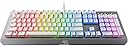
🌈 Elevate your game with clicky precision and dazzling RGB — don’t just play, dominate in style!
The Razer BlackWidow X Chroma Mechanical Gaming Keyboard features tactile and clicky Razer Green switches rated for 80 million keystrokes, customizable Chroma RGB lighting with 16.8 million colors, and a military-grade metal construction for durability. Designed for gamers and professionals seeking precision, responsiveness, and a visually immersive experience, it offers full key remapping via Razer Hypershift and a sleek mercury white finish that fits any modern setup.
| ASIN | B072JWR7Y5 |
| Additional Features | Lighting |
| Antenna Location | Gaming |
| Best Sellers Rank | #95,318 in Video Games ( See Top 100 in Video Games ) #4,066 in PC Gaming Keyboards |
| Brand | Razer |
| Built-In Media | Keyboard |
| Button Quantity | 87 |
| Color | RGB Mercury |
| Compatible Devices | Gaming Console |
| Compatible Operating System Family | Linux, Windows |
| Connectivity Technology | USB |
| Customer Reviews | 4.6 out of 5 stars 1,021 Reviews |
| Enclosure Material | Metal |
| Global Trade Identification Number | 00814855024346, 08148550243460 |
| Hand Orientation | Ambidextrous |
| Item Dimensions L x W x H | 7.17"L x 18.07"W x 1.57"H |
| Item Type Name | Razer RZ03-01762000-R3M1 Black Widow X Chroma, Click RGB Mechanical Gaming Keyboard, Military Grade Metal Construction |
| Item Weight | 3.11 Pounds |
| Keyboard Backlighting Color Support | RGB |
| Keyboard Description | Gaming |
| Keyboard Layout | QWERTY |
| Keyboard Plate Material | Metal |
| Manufacturer | Razer Inc. |
| Mfr Part Number | RZ03-01762000-R3M1 |
| Model Name | BlackWidow X Chroma |
| Model Number | RZ03-01762000-R3M1 |
| Number of Keys | 104 |
| Number of Sections | 3 |
| Power Source | Corded Electric |
| Recommended Uses For Product | Gaming |
| Special Feature | Lighting |
| Style Name | Keyboard |
| Switch Type | Clicky |
| Theme | gaming |
| Total USB 2.0 Ports | 1 |
| UPC | 814855024346 |
| Unit Count | 1.0 Count |
| Warranty Description | 2 Years |
M**.
Razer's new Green Swtiches are incredible! Clicky Click liker cherry blue's with awesome LEDs
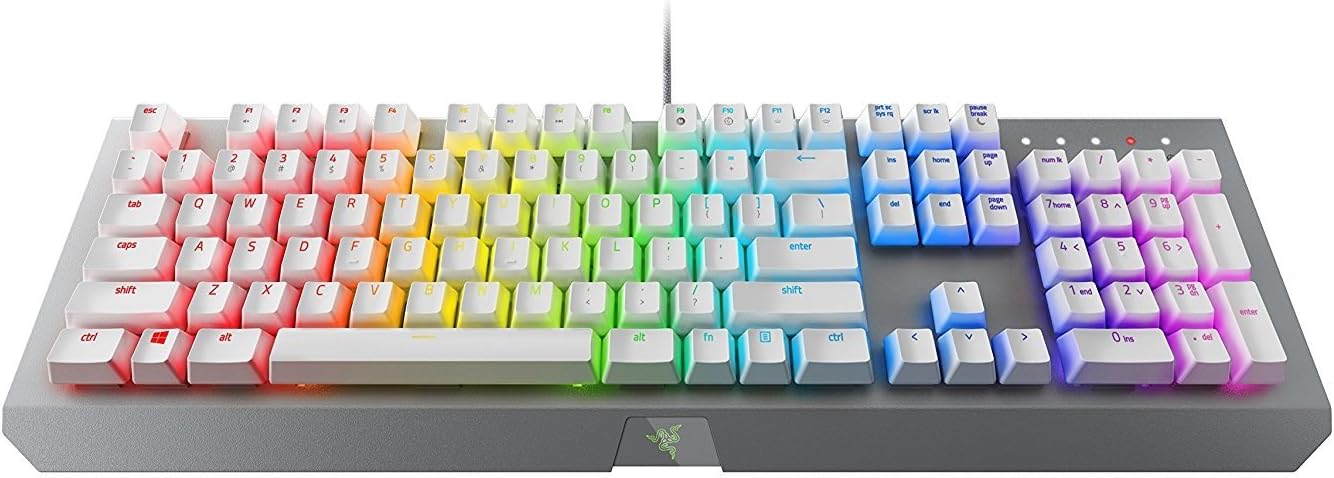
Razer BlackWidow X Chroma. I have to say, this is possibly the best keyboard I have ever used. I love the RBG lighting effect, the clicky sound of the newly revamped Razer green switches is something I definitely cannot live without; they sound almost identical to MX cherry blues. Once you go blue, you can never type on a non clicky keyboard again. Razer recently changed their switch supplier and has made incredible strides in terms of quality and performance. I actually returned my Corsair K70 RGB keyboard because I couldn't stand how terrible the clicks were. I actually made a mistake when I was at the store buying it; I confused the key-switch 'click' with the actual key bottoming out. Corsair used a grey style switch which gave a 'tactile' response; tactile means mushy to me. I prefer a clean 'snap' of the switches. As far as this keyboard goes, here is what I love about it: - Awesome clicky keys - Heavy, strong built metal frame - Incredible RGB's (better than my Corsair K70 lights ever were) - Smoothly, light, and crisp keystrokes - Cable management trenches in the back of the keyboard Here is what I didn't particularly like: - No wrist pad; I have seen some Razer products with magnetic wrist pads and that would've been awesome - Super small font on some keys, making the RGBs more difficult to see (the 'alt' button has very minimal light that passes through, but I would still consider the RGB effect to be much better than competition) The price for this is also very fair. For about $100 dollars, you get the best RGB's in the market with switches that go head-to-head with the legendary cherry mx blues; how can you beat that? Other manufacturers will typically be much higher, and I don't think there is any price that can compare to this quality. But really, this is by far my most fun keyboard to use, code, type, and game with. In fact, I'm writing this review with it right now, this has been my longest review of a product I have ever written.. coincidence? I think not! :) I have a Das Pro also, but I use that one for work. I would have to rank them nearly the same in terms of typing performance. They Das pro is a little bit better in terms of keystroke performance, but not by much. BUT, the Das pro doesn't have LEDs. Which is why I use the Das Pro at work while keeping the Razer BlackWidow X Chroma at home. I really enjoy this keyboard, I made the switch to mechanical boards about a year ago and to be honest, it changes my perspective. I love this keyboard, and I'm sure you will too!!!! If anything quality related happens, I will be sure to update this post as to what happened. (Note: for the picture, I did purchase some PBT white plastic keycaps which really seem to help the RGB's shine through even more!!!!)
U**R
Great Keyboard, feel nice once you get used to mechanical, no real complaints
Cant' think of any complaints for this thing. It feels pretty comfortable. It did take about 2 weeks to get used to a mechanical keyboard considering I've used a standard keyboard for almost 20 years, but now that I'm using this, it feels just fine. Admittedly I rarely actually use the special color coded features of the keyboard (for example, in Overwatch, your keys light up if your ults or special attacks are available [or unavailable, too, I supposed]) since realistically, if you are looking at the keys while playing, you're playing wrong. It's more of an eye candy thing for when friends are watching you play, I suppose. Like... I've set my keyboard right now to show "rainbow colors", but I only realize I've got that feature on like once every 10 minutes or so when I actually take a peek at my hands. I used to have it to where clicking on a key would shoot out pretty ripples of colors, but it did admittedly get annoying, so now it's just statically colored like a rainbow with no interaction (except for the custom games that do stuff - it's not noticeable though when you're actually 'in the heat of battle'). Still, though, it's nice having the customizability, so it's not a con in the least. I suppose my only two mini gripes about this product are a distinct lack of USB ports on the side. My much cheaper steel series keyboard that I had before this (I think it was the Z-Steel?) had two USB ports on the side that I could use to attach a mouse receiver or whatever (I know the obvious answer is to use the back of the computer for my receiver, but I'd prefer to have the receiver within 3 feet of me instead of like 7 so that I get better signal). This freed up USB slots on my computer's front panel that could be used for other stuff like my USB headset that I switch between my laptop and desktop, and my tartarus chroma gamepad, and various other stuff like my phone or USB drives. Not a huge issue though; most keyboards don't have USB hubs built in, so I shouldn't be complaining; just pointing out a nice feature to include. The other mini-gripe is that the FN key is by the right hand side, between alt and the menu key. Most keyboards put their FN by the left hand size between the ALT and windows key or CTRL and Windows key (google 'fn key' and look under images if this doesn't make sense), so this takes some getting used to if you're trying to turn down the volume while in a full screen game or something of the sort. However, those are just gripes for the sake of griping; it's otherwise an AMAZING keyboard that is super customizeable. I haven't tried the "Pro's standard" keyboard, the Corsair K70 RGB, but looking at it visually online, it looks almost exactly the same (even down to the color effects) minus the wrist pad. So I think this keyboard is just fine. One thing a friend of mine pointed out, though, that might bother some people is that it doesn't have any macro keys, both on the left hand side, nor by the spacebar. This doesn't bother me since I don't ever use custom keys (and do have a Chroma Tartarus from Razer anyway), but it may affect some people that are used to using them. Regardless, though, I feel like this is an almost perfect keyboard for me that I see no reason for upgrading from, for at least another five years or so, unless something really huge happens by then.
R**K
My new favorite keyboard for both work & games.
I bought handful of Razer products for my most recent PC build and I am extremely pleased with the quality and functionality of all the products I've used thus far, particularly this keyboard. The BlackWidow X is the first mechanical keyboard I've owned, and I can say with confidence I won't be going back to a membrane keyboard anytime soon. Although this is a gaming keyboard, I do a lot of work on my gaming PC, so my keyboard needs to be typist-friendly as well as gamer-friendly. The BlackWidow servers both purposes flawlessly. The simplistic design, heavy metal frame, Chroma lighting, mechanical keys, & the Synapse software used to configure the keyboard all work together to make this the perfect keyboard for gaming. I particularly like how the keys map to certain games and light up accordingly based on what's going on in the game (Overwatch being my favorite example). In addition, I almost feel as though I type faster on this board. Maybe it's just the clicking of the keys giving me that impression, but for whatever reason, the spacing of the keys and their sensitivity are perfect for my typing style. The metal metal not only gives the impression that the board is very high quality, but the weight of it prevents the board from shifting around the desk accidentally. I really don't have enough good things to say about this keyboard. If I had any complaint, it would be that the white keys (I bought the Mercury Edition) obviously show any dirt that builds up more more quickly than standard black keys. However, I don't even mind that so much as it let's me know it's time for a cleaning.
A**R
Great Aesthetics and Satisfying Keystrokes
This is the first time in over a year that I've used a mechanical keyboard and I am impressed. The main reason I chose this keyboard over others within the same price range was aesthetics. The white key caps on a smooth light metal finish was so refreshing over other boards, I was tired of having the same old black on black finish on all of my tech. There was also the font of the key caps which needed to be considered. This board sports a nice modern font which is easy to see and not over sized and bold like which could be found on most corsair keyboards (some people might like this but to me it was a huge turnoff). The software works flawlessly and the lighting has many configurations to try although i stuck with the static as it is not distracting. The lighting can be dimmed and there are many different colors but the only downside is that some colors pop while other colors, such as pink, are hard to get right. The keys give great feed back in terms of touch and sound(It may be too clicky for some, especially when you are typing for long periods of time), only a little bit of pressure is needed but the resistance is noticeable so it doesn't feel overly sensitive while at the same time you only need to move your finger a bit for the key to register. There really aren't many cons to this keyboard and I think that the design choice made by razer is a step in the right direction. No more over the top black finishes or green logos and cheap plastic. It honestly feels like a whole new brand. I will be looking forward to other name brand peripheral manufacturers to follow suit.
D**.
Black Widow Ultimate 2016 vs Black Widow X Chroma Upgrade Review
I 'upgraded' from the Black Widow Ultimate (BWU) 2016 Razer Keyboard. Lets be clear, they main difference in this keyboard is the full RGB spectrum customization. I got really tired of the razer green lighting up my desk, so I finally upgraded to this keyboard. The differences: 1) The keyboard profile - this keyboard vs the BWU has a lower profile, meaning, it doesn't take up as much desk space. Where they really cut the dimensions is the casing surrounding the keys. (Where the logo is) In other words, there isn't as much 'empty' space around the keys. Makes it look skinnier and thinner. 2) The font - the font on this keyboard is relatively basic. My guess is that this is supposed to be a hybrid keyword (semi-profressional & game ready). The font isn't a deal breaker though, that's just personal preference. I really really enjoyed the 'alien' themed font and arrows and other accents on the BWU keyboard. Side note, the 'F' button icons (for volume up/down, skip track, pause/play track etc) are extremely smaller than the BWU keyboard. 3) The casing - this keyboard doesn't have any surrounding casing,which keeps the keys clutter free and offers a more friendly alternative to cleaning your keyboard when crumbs get in there or hair or other things. There is literally no where for dirt to fall and hide in. This could be the single most important selling point in my opinion. But it's overshadowed by the RGB coloring system. 4) Ports - This keyboard comes with 1 USB cord vs BWU 3 (2 USB & 1 audio) This is a feature I wish they included for a more expensive keyboard, but they didn't. Design can't be an argument, because this keyboard is the same 'height' as the BWU, it's just skinnier as far as casing goes. I will miss the USB port on the BWU as it's much easier to plug something in the keyboard then my tower which is more than arms length away. 5) Button Action - This keyboards button action sucks if you bought the BWU keyboard for it's mechanical and clicky sounds like I did. Upgrading to this one might disappoint you if your looking for the same feel & sound. Coming from the BWU keyboard I find the X Chroma's keyboard action some what stiff. Sometimes, it feels like I didn't press a button so there's this weird feeling in between the next button press. It also doesn't sound Mechanical at all and there is about half 'clicky' noise than that of the BWU Keyboard. I personally like clicky so that's another bummer for me. There still is some noise, but it doesn't translate well if you are coming from the BWU keyboard like I was. If this is your first Razer Keyboard, then you'll probably like it. It's a 'meet-in-the-middle' sound. Even so, the action isn't the same, this is definitely more stiff. I even find my hands hurting because I'm pressing the buttons harder than previously. This will just come with time though, I hope The macros and color customization are the same. You can create profiles, and link programs and macros to buttons / color schemes. So that didn't really change. So overall, this is a great keyboard, it's still built with quality in mind in my opinion. But seriously, your paying more for literally just more colors and less features. You're still sacrificing the mechanical quality you know and love of the BWU, in addition to no plug-n-play USB port built in. If this keyboard had the same action/sound as the BWU then I would love it and give it 5/5. If this is your first Razer keyboard, then you'll love it. Don't let the comparison sway you, because that's all it is, a comparison. It's still a great product and they make it simple to use. It even asked me if I wanted to import my profiles from my other keyboard to this one, but more money for simply more colors doesn't make sense. I would like to say that since the keys aren't enclosed around casing, that this keyboard will be far easier to clean than most keyboards and probably my favorite thing about this keyboard. I think it makes up for it's shortcomings, albeit not that many of them.
S**Y
Best keyboard I have ever used
Holy Crap this this is amazing. I have a bunch of Razer products to use in my gaming even there orb weaver with the I believe cherry MXblue switches an this completely blows them out of the park. I have use countless styles of keyboards in my life from high end to low end even old school typewriters when I was younger. I'm 29 by the way, and this just feels right. From the incredible sound of the clicking best iv heard, to the feel of the press of the keys almost feels as if your fingers glide on the keys. Now the body is a Metal body making it feel nice and sturdy even with intense clicking felt like I was going to beak my table before this keyboard. The wire is long and nice easy to deal with and breaded a vary important thing to deal with as plastic cords just fall apart for me, The lighting on this keyboard is just icing on top of an already perfect cake, with customizable and downloadable lighting with a vary to use software the making it suit your style and tastes is a breeze. You really get what you pay for here and that's rare, and while there isn't any extras like a usb port or dedicated buttons for media the product you end up with makes up for it with solid construction and an absolutely wonderful typing experience. If I could I would put one in every home and business or at the vary least I want to grab another one to take with me anywhere I would use a computer.
L**F
Very, very good.
I've gone through many keyboards before this one, and this one is my favorite. In the case someone actually reads this it's quite likely that you are comparing this to other gaming keyboards. Allow me to answer some of your questions. I have been through the Blackwidow chroma v1, corsair k95 platinum, razer blackwidow v2 (green switches), k70 mk.2 se (speed switches), and now this. The blackwidow v1 should by now have updated razer switches where they're not kailh any longer, so in that case if you are a fan of that blocky gamer font and want those macro keys with the passthroughs, go for it. Personally, I'm not the biggest fan of the font and the audio passthroughs aren't necessary unless you're on a laptop or something without access to those. For the corsair k95 platinum, I'd recommend it only if you are a big fan of brown switches and don't mind the blocky gamer font with the insane price tag, the media keys and usb passthrough came in handy though (that this keyboard doesn't have which is the only thing I kinda miss). The blackwidow v2 is basically this keyboard with a usb passthrough and with a wrist rest, but I will say that the keycaps feel worse quality and also it's not offered in white, which is why I bought the X. The mk.2 is nice for people who want cherry switches and they get the whole spectrum of choices from that keyboard, so it's hard to not recommend it, but in my case I wanted it in white so I was forced to get the speed switches (only switch available for the se) and I missed the click. So here I am, at the page for a clicky white keyboard with honestly a higher quality build in certain areas, such as the spacebar. The spacebar on the mk.2 rattles so bad it's honestly terrible, especially for a $170m keyboard.
R**N
High Tech and Mechanically Well Built Keyboard with Lighting!
Just got the keyboard and setup the colors for the various key-groups. Pretty straight forward. Looks really high tech with the various colors. My function keys are a unique color as well as the enter and other specialized keys. It should help finding them a bit faster. I use many keyboards and there are slight to major differences to key locations. I like the mechanical feel of the keyboard. I find that I type better if I forget about the longer travel and type as I normally would. My table is a bit higher but when I move it to a better location, I think it will feel even better. The quality is top notch. It would really look good against a Mac computer but not bad against my black and aluminum trimmed monitors. Sure any keyboard will work and I have bought some for $4.oo (wired) as many people are pretty abusive. But for the money I have no regrets and look forward to exploring more of the macro features when setting up specialized software.
J**S
AWESOME KEYBOARD. Supported software is amazing.
I love this keyboard, I was weary to drop more than 100 on any keyboard but considering I use my computer for majority of my free time, I didn't mind spending a premium on a this keyboard. The brush metal and popped up keys is awesome, the keyboard has a nice clicky sound (which is quite loud and some people might dislike it) that is satisfying to hear. It has a much slimmer profile, which I welcome. I have limited desk space and I don't use any macros so it doesn't concern me. There are plenty of other keyboards with macros and wrists rests by Logitech, Razer or Corsair if you need it. I honestly dont notice any difference to my wrists, it's slim profile already keeps the keyboard low so long hours of gaming or typing doesn't hurt your wrists. The RGB lighting is what makes the keyboard shine beautifully. The supported software by Razer is pretty cool. For some supported games like Overwatch or LoL, certain keys light up, for instance when your ult is ready. Another example is when you're low on HP, the keyboard would flash red creating this next level immersion. 5/5 would recommend
J**R
Super Artikel.
Tolle Tastatur, jedoch Amerikanisches Layout, was ich der Beschreibung nicht entnommen habe, sonst top.
J**U
挙動がおかしい
キー入力が毎回違う場所で反応しなくなる。USB接続だが無反応になる事がある。大丈夫な時とダメな時があり使えない。
A**M
Disappointing
Should have done my research before purchasing this but shortcuts does not work on iMac. Also, when I try to register this product, it says product not found.
M**O
Excelente teclado
Al ser de una marca reconocida es de muy buena calidad, la capa de personalización rgb es genial y su apariencia me encanto , llego en tiempo y en perfectas condiciones
Trustpilot
2 months ago
3 weeks ago