Buy anything from 5,000+ international stores. One checkout price. No surprise fees. Join 2M+ shoppers on Desertcart.
Desertcart purchases this item on your behalf and handles shipping, customs, and support to USA.
🕹️ Light up your game with pro-level arcade control—because classic never goes out of style!
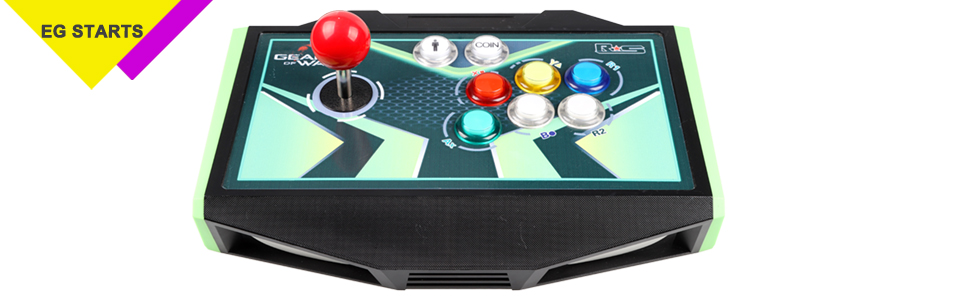
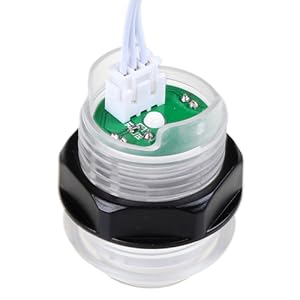
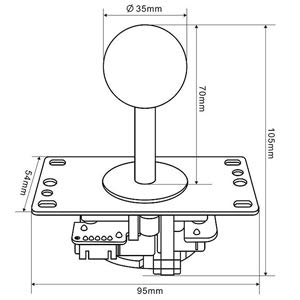
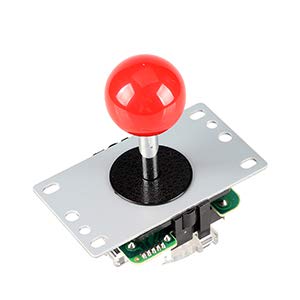
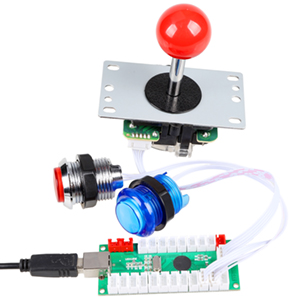
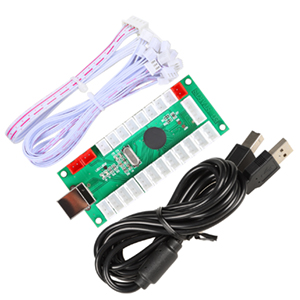
The EG STARTS 4 Player Classic DIY Arcade Joystick Kit offers a complete, high-quality arcade control solution featuring zero-delay USB encoders, vibrant 5V LED illuminated push buttons, and authentic Sanwa-style 4/8-way joysticks. Compatible with PC, Raspberry Pi, and popular emulators like MAME, this ergonomic and heat-resistant kit is perfect for building or upgrading multiplayer arcade setups with easy plug-and-play installation.


| ASIN | B071WC7TGK |
| Additional Features | Ergonomic |
| Best Sellers Rank | #6,973 in Video Games ( See Top 100 in Video Games ) #44 in PC Game Joysticks |
| Brand Name | EG STARTS |
| Button Quantity | 40 |
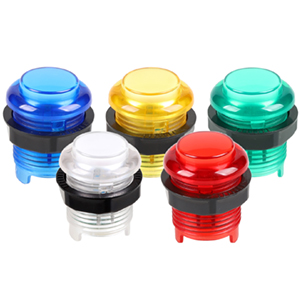
| Color | BLUE, Blue, Green, Yellow |
| Compatible Devices | PC, Windows |
| Connectivity Technology | USB |
| Controller Type | Joystick |
| Customer Reviews | 4.3 4.3 out of 5 stars (332) |
| Hardware Platform | Raspberry Pi |
| Item Dimensions | 10.24 x 5.91 x 7.09 inches |
| Item Weight | 2100 Grams |
| Manufacturer | EG Starts |
| Manufacturer Part Number | EG-4P04 |
| Model Name | RM |
| Package Quantity | 1 |
| Power Source | Corded Electric |
| UPC | 710525507136 |
B**N
Nice buttons and joysticks
Works well for windows but emulators and games need the controller setup on every launch. I worked around this by copying the controller config. I wrote a script that puts the config back every time a game/emulator closes. No way to turn off the LEDs or adjust the brightness. Buttons have a light clicky touch, but not obnoxiously loud. The harnesses make the entire setup really easy. The encoders are not as good as IPAC (ipac allows control over LEDs and remembers controller config), but I feel no delay playing fighting games or driving. It only took 20 min to set everything up. Windows immediately saw all 4 controllers. For price and ease of installation, it cannot be beat. I wish there were more colors and a way to by single buttons. An option for black button plungers/centers for an "eclipse" style button would be nice.
J**V
Arcade1up nbajam raspberry pi mod
After watching a bunch of YouTube videos on how to mod an Arcade1up I waited for an NBA Jam to go on clearance for $225. The led buttons are beautiful when lit up and responsiveness/quality seems the same or better than the original. I drilled all the extra holes in the control deck with a 1 1/8 forestner bit. Every button worked perfect. I was shorted two of the 4 usb a to b cables but I had access to extra cables so no problem there. I do wish the plug-in cables were 4 inches longer to better position the controllers. Also would have been nice to include the pcb risers/feet to properly secure the 4 controllers to the deck. Raspberry pie had no problem configuring the controllers either. Certain games like to automatically choose what buttons/joystick is player 1,2,3 or 4. That part is kinda annoying. Not sure why just yet and if it is fixable. Great quality would not hesitate to buy again.
C**W
A very easy way to get everything up and working!
I'm using this kit on an arcade machine I built by upgrading the Arcade1up Simpsons cabinet. I'm running Retrobat in windows. The only issue I had with software was that all four USB devices show up as the same in RetroBat. I had to use some separate software to setup each USB encoder separately. But it's all working smoothly now. The quality of the buttons is excellent, and the lights are bright. I wish there were a way to turn off the lights. I don't want them on all the time, especially at night. For now, I keep all four USB encoders plugged into a USB hub with individual switches so I can turn them off. (I suppose I could disable the lights by cutting a wire, but that's permanent.) The joysticks are OK. I think they'll hold up just fine for my usage, but if my cabinet were in a public place, I think they'd be destroyed in a few weeks. Wiring was super-duper easy, and plug and play. I just secured the USB encoders to the base of the cabinet board with gorilla double-sided tape.
T**T
Easy to use, great value
From the perspective of a first time MAME builder/user, these were great. It came with one non-functional blue button, but I still had enough for my project (maybe others I haven't tested them all as I don't need so many buttons - or at least I don't think I do). The joysticks are indeed clicky. Though you mostly ignore that while playing especially with game volume. Though if you think you're going to be annoyed by it, you probably will be because you'll be listening for it. I think it's tolerable, but it is present. If you put into a cabinet with loud enough, directed, game sounds you're probably not going to notice. Otherwise you will, but I think it is ignorable for the most part (especially if you know...you're focused on a game). I have very good hearing. The hook up was easy and using it with Lakka/Retroarch was fairly easy. I was new to it, but if you're not it's likely an immediately working thing. It is plug and play for sure. One thing I wish they would have included would be screws. I know they don't know the method by which you'll mount the joysticks or the thickness of material you'll use, but a few short screws wouldn't hurt.
A**R
USB encoders have delay, joystick failed after 1 week
Really easy to wire and get running. I have delay on inputs and first player joystick feels really bad after only one week of use. 2 of the encoders are not recognized by RetroPi anymore. Only reason for 2 stars is how easy they are to connect. I will be returning these!
J**W
Boom-shaka-laka!
Very satisfied with how this all worked out. Buttons have great colour and seem to be good quality. You have to put some work into all this, getting some decent front ends, know how to customize emulators and so on. For the cost, and what you get out of this it’s well worth it.
V**5
Great for DIY arcade cabinet
If this your first time building a arcade cabinet like myself just make sure all your buttions and sticks are configured exactly identical and take very close notice of your usb ports on your motherboad and front panels to make sure they are in the correct order for player 1 through player 4. It can be fustrating trying to put them in the order they should be according to 4 player cabinets. I manually had to use a piece of tape and label each usb port to get them in the right order. Also these work with Steam PC as generic controllers, but again some of my Steam games that support 4 players are not in order either, but that is an issue with Steam not this kit. Mame works flawlessly no issues with what order they read in.
K**F
Great 4 player kit!
The buttons and joysticks all work great and were easy to install. One thing I will share that I've learned is these are Japanese style arcade sticks/buttons which is a bit different than the 'American' style many of us grew up with. So it might take some getting used to - for example, the joysticks freely spin and feel a bit different, pulling off special 'hadouken' moves seems different. In the end I am going to buy 2 different joysticks which are 'happ' style and more like the ones we grew up with in 80s/90s. Especially since we play a lot of the old fighting games like street fighter and such. But overall a great set I'd recommend!
P**I
Ottimo kit joystick Arcade
Fantastico kit di 4 joystick perfettamente abbinabili a 2 cabinati come in foto. Buonissima qualità sia per quanto riguarda i pulsanti che la leva. Facile il montaggio Grazie anche al libricino illustrato. Consegna con prime in tempi brevissimi punto Amazon Prime sempre il top
K**E
Great arcade set!
got these for my arcade cabinet, and they work amazing! the joy sticks feel great, but could be a little longer. And the buttons feel really good for this price point! but if you all about the feel of the button then buy them separately! this is amazing for someone who has a PI and wants to make a cheap mullite player arcade cabinet.
S**U
USB joysticks and buttons
Excellent item easy to install and works great customer service is brilliant when above and beyond ⭐️⭐️⭐️⭐️⭐️
L**L
The buttons get stuck down and feel terrible
The buttons get stuck down. Any slight force from the wires on the buttons will result in binding. Because of this I would not recommend these for anyone, even for a cheap project. The LED lighting looks pretty nice. The encoders support direct input only, no xinput, which means you can use them for most emulators, but lots of more modern games won't work on windows 10. For MAME or most emulators, the encoders are functional, but getting the player order correct requires unplugging them all and plugging them back in for windows 10. With raspberry pi I don't think this would be an issue. The joysticks seem fine and come with a square 8 way restrictor plate.
S**E
Buon prodotto
Facile da cablare..
Trustpilot
1 week ago
3 weeks ago