


Buy anything from 5,000+ international stores. One checkout price. No surprise fees. Join 2M+ shoppers on Desertcart.
Desertcart purchases this item on your behalf and handles shipping, customs, and support to USA.
⚡ Dock smarter, work faster — the ultimate hub for your pro setup!
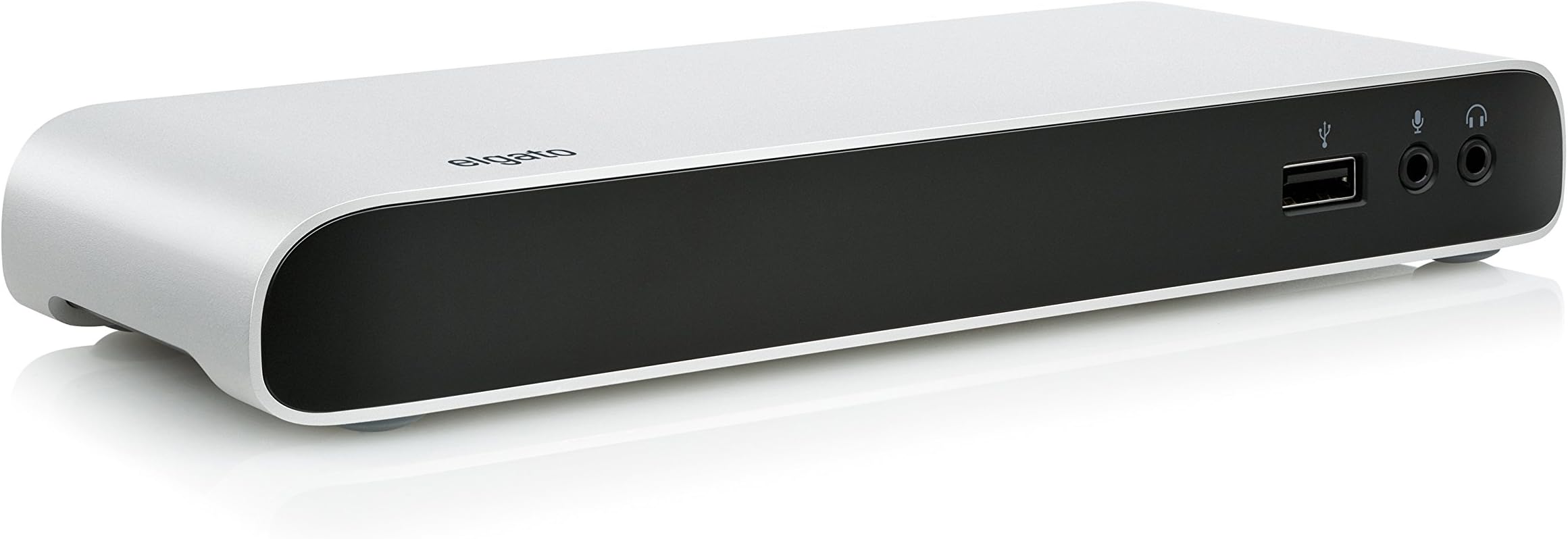
The Elgato Thunderbolt 3 Dock is a powerhouse docking station designed for MacBook Pro and Windows notebooks, delivering 40Gb/s data transfer speeds, dual 4K display support, and up to 85W charging through a single cable. Featuring two Thunderbolt 3 USB-C ports, three USB 3.0 ports, Gigabit Ethernet, and dedicated audio input/output, it streamlines your workspace with a sleek aluminum chassis and robust connectivity options.




| ASIN | B01MZ2ATGK |
| Best Sellers Rank | #49,063 in Computers & Accessories ( See Top 100 in Computers & Accessories ) #1,737 in Laptop Docking Stations |
| Brand | Elgato |
| Built-In Media | Thunderbolt 3 Dock, Thunderbolt cable, power supply |
| Color | Black, Silver |
| Compatible Devices | MacBook Pro, iPad |
| Customer Reviews | 4.0 4.0 out of 5 stars (222) |
| Global Trade Identification Number | 00813180020498 |
| Hardware Interface | Ethernet, Thunderbolt, USB, USB 3.0 |
| Input Voltage | 85 Volts (AC) |
| Item Dimensions L x W x H | 3.2"L x 7.9"W x 1.1"H |
| Item Type Name | Corsair Elgato 10DAA4101 Thunderbolt 3 Dock with 50 Cm Thunderbolt Cable, 40GB/S, 85W MacBook Pro Charging, Dual 4K Support, 2X Thunderbolt 3 (USB-C), 3X USB 3.0, Audio Input and Output, Gigabit Ethernet |
| Item Weight | 300 Grams |
| Manufacturer | Elgato |
| Number of Ports | 3 |
| Total Usb Ports | 3 |
| UPC | 813180020498 |
| Warranty Description | 1 Year Limited Warranty |
| Wattage | 85 watts |
C**N
This is the one you are looking for.....
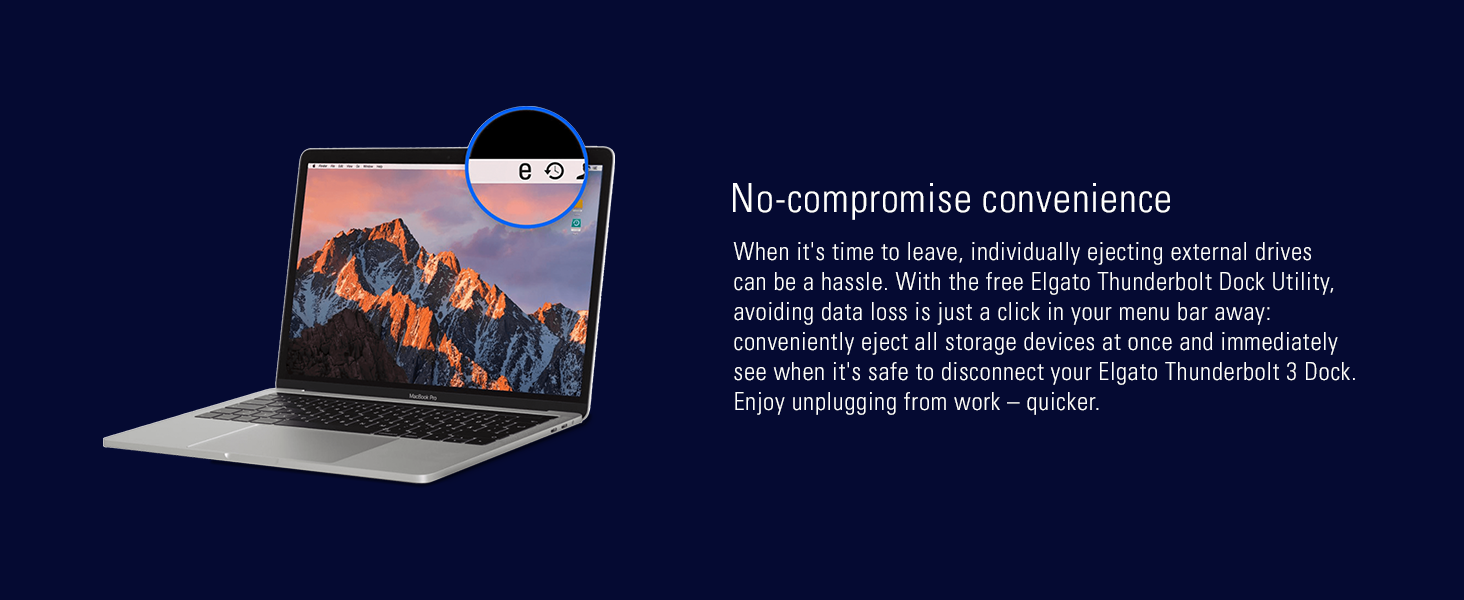
Awesome! I have looked for a decent dock for ages. This one has just the right number of ports and seems to work flawlessly. I like the utility that allows a quick, safe disconnect. It's so easy to forget to unmount drives on a dock. It's powering my 15 TB perfectly, so it saves the need for one power brick. I am feeding my LG Thunderbolt 34" Ultrawide monitor at 3440x1440 from the displayport but I also tried it from the TB3 using the Apple TB3>2 dongle and it worked fine and enabled all the USB ports and dongled I had connected to the monitor previously. At some point I will add a little longer TB3 cable, but I know that .5M is the standard for full bandwidth so I will keep it if at all possible. Only knock would be that I tried it on my Dell XPS 9350 and the monitor worked but it would not charge the Dell. I will not ding the dock as they only show it working on Macs and frankly NOTHING works correctly on the TB3 port on the XPS.
T**L
Best of the TB3 Docks
I carefully researched TB3 docks before buying the Elgato product (other choices were Belkin, OWC, Caldigit and Kensington). On paper all these products all appear similar, but I advise all buyers of a dock to read reviews carefully as some docks seem to have issues with display compatibility and ethernet connectivity. Overall, I'm very pleased with my choice. I am using the Elgato with my 2017 15" MacBook Pro, and have this connected (via the dock) to my 21:9 LG monitor (display port), wired GB Ethernet, and several USB peripherals, including scanners, hard disk drives and a BluRay reader. All works flawlessly, with no glitches whatsoever. The MBP, with it's high power needs, charges with no problems even under heavy load, and it's rather fun being able to dock/undock everything with a single TB3 cable. Goodbye cable clutter! My only real issue is the terse documentation supplied (which doesn't even show which port does what), and the use of tiny dark gray labels on a black background to label the front and back ports (really annoying for the audio in/out on the front). Clearly everyone at Elgato has 20/20 vision in bright rooms, because the labels are totally invisible to my eyes. Also, the audio output port on the front, while functional, feels cheap and I'm concerned about how long it will last.
J**Y
Great but cable is too short
Update 7/20/19: Dock is going strong. The provided thunderbolt cable died after one use. No harm to me because I needed a longer one for my Mac, but it did frustrate me when I tried to use it to connect something else to the Mac. Love everything about the dock except for the way-to-short Thunderbolt cable. Wishes: * Longer cable. The short 50cm thunderbolt cable is way to short to do much of anything with. I have my laptop on a stand and the cable is coming out at an ugly angle because it's not long enough to run along my desk with proper cable management. * Cheaper, but pricing 5ft 100W thunderbolt cables (which run at ~$50 at time of writing) I now know that a significant portion of this dock's price is due to licensing thunderbolt from intel. * SD card reader. OWC's dock has it, and the only thing preventing me from getting that instead of the Elgato is that OWC can't output the 85W I need for my MacBook Pro. * More USB 2 or 3.1 ports. Just two in the back is dumb. I know bandwidth is a thing, but one of those ports is being used by a USB hub with a keyboard and mouse attached. Those are pretty low bandwidth.
E**N
Happy with it so far
Been using this for about a week with a 13-inch Late-2016 MacBook Pro and so far am happy. This replaced an old Thunderbolt 1 dock I had after I upgraded to a 4k monitor since thunderbolt 1 doesn't support 4k. I have the laptop hooked up via a single cable (which charges and acts as the dock connection, very nice), and I'm using an LG 27UD68-W 4k monitor, speakers are hooked up to the monitor with the sound running through DisplayPort and this is working fine. Also have 2 USB hard drives hooked up, one USB 2.0 and one USB 3.0 and both are working well. The front USB port also working fine to charge and synch an iPhone and iPad. I did initially have some issues with the monitor only running at 30Hz (for some reason was only running at 3840x2160 @ 30Hz which was noticeably worse compared to 60Hz), but this seems to have been a problem with the DisplayPort cable I was using and not the dock as it's now working well at 3840x2160 @ 60Hz with a better quality cable. Looks nice on my desk and footprint is small enough that it's not intrusive. My only complaint would be it's on the expensive side but I guess you get what you pay for.
P**U
Now I can use my UB3 and Thunderbolt 1 devices at their rated speeds. Only USB ports (sloooow!) on that old Mac.
T**Y
Exactly as advertised. My desk is more tidy and all new new and legacy devices are connected. As a note the thunderbolt ports do not carry USB-C unlike the MBP. They only carry thunderbolt.
M**.
Funciona de maravilla, solo conectas el dispositivo y mi MacBook Pro lo reconoció de inmediato. Se puede cargar la MAcBook con el mismo cable, y en el puerto USB delantero se puede cargar iPhone / iPad con carga rápida. Costo / Beneficio, el mejor.
A**Z
I've been using this with my Apple MacBook Pro for over 5 years now. It doesn't have the greatest number of ports, but for my needs it's fine, and provides all the power my MacBook needs.
D**7
I've been using this dock for the last year and it just worked flawlessly. It was provided me by the company I used to work for. When I left I had to return the unit and thats when my dock station journey started as I wanted to purchase another dock station for me but didn't want to pay this amount of money to get one. I started with the QGeeM USB 3.0 Docking Station and it was just a terrible experience. It requires an additional driver (DisplayLink) to be installed in the host computer to work and the image rendering in duo 4k monitors is just terribly slow (returned). I then gave a shot on a model that didn't required this DisplayLink thing. I found the Belkin Thunderbolt 3 Dock Plus reasonable but didn't pay too much attention on the negative reviews.. Everything works on this one except for the second display port connection. A few reviews were saying that it just doesn't work and it was sadly true. Will pay more attention to that in the future (returned). At this point I was already super tired with all this low quality (yet expensive) docks and thinking that I was wasting a lot of time researching on the web. I then decided to raise the price point a bit to see if the results were better. Unfortunately didn't find anything that looked good until I reached the Elgato that I already knew it worked. Gave it a deep breath and hit the purchase button. Im not proud of it.. It is way too much money and I wished we had cheaper options as good as this one. Unfortunately I couldn't find one.
Trustpilot
1 month ago
2 weeks ago