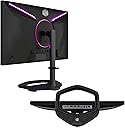
🔥 Elevate your game with the Tempest GP27U – where speed meets stunning visuals!
The Cooler Master Tempest GP27U is a 27-inch 4K UHD Quantum Dot MiniLED gaming monitor featuring a blazing 160Hz refresh rate, 1ms response time, and HDR1000 support. It delivers ultra-smooth, tear-free gameplay with FreeSync and G-Sync compatibility, while covering 98% of the DCI-P3 color gamut for vibrant, true-to-life visuals. Designed for professionals and gamers alike, it offers ergonomic VESA mounting with tilt and swivel adjustments to optimize your workspace.


| ASIN | B09Z6HV9LF |
| Adaptive Sync | FreeSync Premium, G-Sync |
| Additional Features | Adaptive Sync, Blue Light Filter, High Dynamic Range |
| Aspect Ratio | 16:9 |
| Best Sellers Rank | #225,265 in Electronics ( See Top 100 in Electronics ) #4,693 in Computer Monitors |
| Brand | Cooler Master |
| Brightness | 600 nits (SDR), 1200 nits (HDR Peak) |
| Color | Black |
| Color Gamut | 99 |
| Connectivity Technology | DVI, HDMI |
| Contrast Ratio | 50000:1 |
| Customer Reviews | 2.9 out of 5 stars 82 Reviews |
| Display Resolution Maximum | 3840 x 2160 pixels |
| Display Technology | QLED |
| Display Type | LED |
| Global Trade Identification Number | 00884102099243 |
| Hardware Connectivity | DisplayPort, HDMI |
| Image Contrast Ratio | 50000:1 |
| Item Dimensions D x W x H | 10.78"D x 24.32"W x 20.7"H |
| Item Type Name | Gaming Monitor |
| Manufacturer | Cooler Master |
| Model Name | Tempest GP27U 27” MiniLED |
| Model Number | Tempest GP27U |
| Mounting Type | Wall Mount |
| Native Resolution | 3840x2160 |
| Number of Component Outputs | 2 |
| Picture Quality Enhancement Technology | Quantum Dot, MiniLED |
| Power Consumption | 47.7 watts |
| Refresh Rate | 160 hertz |
| Resolution | 4K UHD 2160p |
| Response Time | 1 milliseconds |
| Screen Finish | Glossy |
| Screen Size | 27 inches |
| Screen Surface Description | Glossy |
| Specific Uses For Product | Business, Desktop, Gaming |
| Total Number of HDMI Ports | 2 |
| Total USB 3.0 Ports | 2 |
| Total Usb Ports | 3 |
| UPC | 884102099243 |
| Viewing Angle | 170 degrees |
| Warranty Description | 2 year manufacturer |
S**H
Abysmal support, pretty good monitor
Edit 2: About a year later it now has a nice dead pixel in the center of the monitor. What a waste of time and money. Edit: After nearly 3 months I did finally get confirmation that I'm getting my monitor back! I unpack it and set it up and... Well, it doesn't work. It turns on now but it looks like only the backlight is working. So now I'm also out the $80 it cost to send it back. I'm at a loss for words. CM has had my monitor in for an RMA for over 2 months now without any sort of response other than they received it. I've tried to reach out to them on multiple platforms and cannot get any response. Worse support I've ever received, pretty sure I'm just out $900. Because of the support alone I couldn't recommend. The monitor itself is fine but with flaws. The local dimming is pretty disappointing, some scenes it does alright but others it's very obvious. When swapping to fullscreen you'll lose signal and the monitor will flash a handful of times before finally returning. Nothing major, but also a bit disappointing given how expensive the monitor is.
J**E
Pretty Great
It's good. First one died out of nowhere but return was easy, had this second one now for a couple months and it's been solid. Gets very bright and HDR content especially is awesome.
L**.
Good hardware, buggy firmware, still have high hopes
The display itself is gorgeous. DisplayCal is showing me high-90s for P3 and Adobe RGB coverage (and way, way above those for volume). Used as an SDR monitor with the backlight off, no complaints. BUT ... there are a number of issues that are hopefully addressable in firmware. * Enabling local dimming with SDR mode is possible, but looks horrible on the desktop and in static images. Mid-tones are bright but with low contrast. Brights are so bright they can be eye-searing, and can seemingly clip whites. I'd been hoping for it basically just to boost contrast, with real blacks when using SDR with dimming, but right now, that's a no-go. The same combo does, however, seem to look much better while gaming, especially in a game with a lot of neon lights and high contrast, like Stray. UPDATE: Taking contrast way down helps this considerably. With contrast down to about 20 (from a default of 70) and local dimming set to high, SDR content looks similar to how it does with dimming off and contrast on 70, only blacks are way deeper (which is a good thing). * Enabling HDR disables Adaptive Sync. You can only get dimming and adaptive sync enabled if you enable dimming first, because it greys out the sync control. And sometimes weird things happen -- like if you have HDR disabled in the monitor and enable sync, the screen blanks out for a second, then Windows 11 comes back with HDR enabled (while it's still disabled in the monitor itself), looking horrible because dimming is still disabled. That's at least easily fixed by disabling hdr in windows from there. * The KVM and input select are both handy, but don't have an option to be tied together (see how they work on Gigabyte monitors -- it's great). That doesn't work very well if you have multiple devices plugged in and one goes to sleep. You try to switch from one device (say, a PC), to a second device (say, a Macbook), and the Macbook isn't outputting a signal, so it switches back to the PC. If you think to switch the KVM FIRST to the macbook, you can start hitting the spacebar or wiggle the mouse to get the Macbook to wake up. And if there's no PC awake on the first input but the KVM is still set to the PC? You can't get into the OSD without the computer first finding a signal and showing SOMETHING, so you can't switch the KVM ... * HDR looks very good. SDR content and the UI with HDR enabled in Windows is ... OK. That's more about Windows than the monitor. But the monitor has a noticeable green tint in the HDR setting, with no color control. Grey uniformity is noticeably uneven and there's some flickering when HDR and dimming are enabled, too, which makes that tough to leave on all the time. I'm looking forward to a firmware update a CM rep has promised on reddit, to allow adaptive sync to work with HDR, and to enable color control in HDR. Then I can use SDR mode with dimming off most of the time, and switch selectively into HDR mode for HDR content. I'd love to be able to just leave HDR enabled all the time (like, say, on my macbook's built-in screen, or like works well on OLED screens) but that doesn't seem to be in the cards unless MAYBE CM reworks the dimming algorithm to be less brutal in SDR mode.
C**Y
Very Good So Far (Update: Better with firmware upgrade)
** Update 25-Nov-2022 ** The promised firmware update has been released on the CoolerMaster website. Had to copy MERGE.bin to root folder of a USB flash disk formatted as FAT32 with Master Boot Record (MBR). Firmware update will take a good 5 minutes or so; just need to be patient. Picture quality is significantly improved with local dimming enabled. When moving bright objects around the screen, some local dimming artifacts (such as full screen brightness fluctuations) have disappeared. Haven't tested VRR with local dimming, but the capability is there. Improvements also made to KVM. I've been waiting for a high refresh rate 4K monitor with mini-LED for a long time. Even Apple's recent Studio Display lacks high refresh rate and mini-LED, yet sells for $1599 -- and contains a single video input. By comparison, the Tempest GP27U is packed with all the latest features. Four inputs including one with USB-C (w/90W charging), 160Hz variable rate refresh, mini-LED, quantum dot, IPS panel, HDR, high-accuracy color, speakers, USB ports, etc. And the price? Currently $799, which is $800 cheaper than Apple's -- in other words, HALF the price. I'll provide early impressions now and will update this review as my experience with it builds over the next few weeks. I'm not a gamer so my impressions are based only on productivity applications. I'm using a Mac with two monitors side-by-side: (a) this monitor and (b) Asus 4K 60Hz Designo. This monitor is advertised not only for gaming, but also for productivity workflows because of high black levels with mini-LED, accurate color, and high refresh rate (for smooth movement of windows). Day 1 Impressions: 1. Zero dead pixels. No manufacturing defects of any kind. 2. Monitor is preset to a particularly bright, non-miniLED mode, with too high contrast. It takes a few minutes to experiment with different preset picture modes and discrete picture settings. Reducing contrast to 50%, enabling mini-LED, lowering brightness, and changing the color temperature to 'standard' were some of the adjustments I made right away. 3. Because the Asus 4K Designo is sitting right next to the Tempest G27U, I can make A/B comparisons rather easily. In every color mode the Tempest has punchier, more vivid colors. In dark scenes, not only are the blacks noticeably darker (i.e. blacks are black, not gray), but colors ring through as if HDR were enabled. (HDR is disabled.) 4. Text legibility seems a little off compared with the Asus, but I think a little more tweaking with picture controls should help. Specifically, text appears a little 'thinner' than on the Asus. Each stroke is thinner. **UPDATE** Reducing Sharpness to 50% has fixed this issue. 5. Asus 4K Designo has speakers designed by Bang and Olufsen. For built-in speakers, they are pretty decent. The Tempest's speakers easily lose the contest, but for me, having speakers in the monitor is better than not having them. I'll switch to headphones or desktop speakers whenever I need to, but most of the time it's very convenient to use the monitor's speakers for all the little sounds that macOS makes. 6. Mini-LED makes a huge difference. Blacks are black. It is incredibly refreshing to get rid of the backlight bleed that plagues every standard backlit monitor. I remember the day my Asus 4K Designo arrived. I was so excited to set it up, only to have the grin wiped off my face when the boot screen popped up with the entire background smeared in dark gray. That is the main problem this monitor fixes for me. 7. High refresh rate. My current GPU does not support VRR, so I'll update this item soon -- after switching to a newer card. I often drag large windows across the screen, and know the difference that high refresh rate makes on my 144Hz 1440p monitor. ** UPDATE #1 ** While waiting for the new video card to arrive, I decided to connect my Apple 14" MacBook Pro (Apple Silicon) to the monitor's USB-C port. The MacBook Pro immediately set it to 144Hz. This monitor is a very good match for the 14- and 16-inch Apple Silicon MacBook Pros because: * Both have Mini-LED screens * MBP has 120Hz ProMotion and Tempest GP27U has up to 160Hz VRR * Note: MPB does not support VRR so it sets GP27U to fixed 144Hz, which is fine (see photo) * The GP27U is therefore an ideal external monitor for the MBP's built-in display (they are very well matched) Summary: Pros: 1. Full feature set. It there anything else that compares to this? 2. Mini-LED make a huge difference. 3. Colors are rich and vibrant. 4. Price -- especially when compared to Apple Studio Display (it is half the price of Studio Display) 5. Firmware is upgradeable via USB 6. Fully adjustable (height, swivel, tilt, VESA mount) Cons: 1. Out-of-box picture settings are not ideal. It will take some time to tweak them. Mini-LED is disabled by default so you'll see gray background. 2. Text appears a little thin. Need to tweak settings further. **UPDATE** Fixed by reducing Sharpness to 50%. 3. Speakers are okay, but I would rather have them than not. 4. This would be a home run at 5K resolution Current Picture Settings: Picture Mode: Standard Brightness: 50 ---> **UPDATE** changed to 25 Contrast: 60 ---> **UPDATE** changed to 52 Black Stabilization: 50 ---> **UPDATE ** changed to 45 Sharpness: 50 Current Color Adjust Settings: Color Temperature: Cool ---> **UPDATE** Changed to 'Blueish' Gamma: 2.2 ---> **UPDATE** Changed to 1.8 Color Domain: Auto Color Space: Auto Blue Light Filter: 0 Current Advanced Settings: HDR: Off Local Dimming: Low HDMI Range: Auto RGB Light: Off (LEDs on rear of monitor)
M**E
Monitor will be great once firmware is fixed
The Coolermaster GP27U is very buggy and I’d recommend you avoid getting it until they fix the obvious issues with it. Nice picture and features though! Full Review (From Feb 2023 with latest Firmware): I've been following the GP27U since it came out. When it was offered for a reasonable price, I bought it instantly and waited for it. It came very quickly, and immediately I updated the firmware (The December 2022 Version). Immediately some things struck me about this monitor: - Mini-LED is awesome. It's very bright and HDR really makes games pop - Supplies an amazing amount of power through USB-C - (Can charge my laptop) - KVM feature is handy - I use a M1 Macbook Pro for work and a gaming PC and can share devives between them Now for the issues, which is the reason for my rating. I’m returning this because it's quite obvious a monitor should have never been sold with the monitor and firmware in this state. Simply put, there are bugs galore. Even after the latest firmware: - Monitor wake-up is very, very slow from any input (can take 8-10+ seconds at times) - When waking up the monitor from sleep, it doesn't remember your set brightness for around 1-2 seconds, and blinds you with it's full 1000 nit brightness setting regardless of what you’ve set. It's very intense, especially at night and there's no way to fix it - Waking up the monitor over inputs isn't consistent. (USB-C fails to wake and display port at times) - KVM USB Hub seems to only be 2.0 over usb-c (at least that's what my mac sees it as) making usb 3.0 peripherals impossible to use - A few times, I've had popping sounds come from the monitor at while powering my laptop over usb c. Turning back on and off fixes it - Trying to switch inputs on this thing when it is asleep sometimes just doesn't work. Turning it back and and off is how to fix it. - Firmware update process, while nice you can do it over usb flash drive, is not very refined and you end up with system menus that make you afraid you are about to break the monitor (minor nitpick) I’m instead getting a Gigabyte M28U, which i bought as well to compare. While it’s not Mini-LED and doesn’t have near the contrast of the GP27U - it’s far more reliable and I don’t get blinded every time this thing wakes from sleep. The KVM also works over usb 3.0 and the osd works so much better. At the end of the day, I’d say this display has killer features, but I can’t in good conscience recommend anyone buy it until they fix all the bugs. All hope is not lost- it seems like the manufacturer knows about the bugs and will fix them at some time (there’s a popular reddit thread on it). I sadly can’t buy a product with the hope of one day it’ll work.
T**M
Really good HDR, but very poor mixed usage.
First, the good. The monitor is bright. It will give you a true HDR experience only really surpassed by an OLED (which personally I'd never want to use as a monitor due to eventual burn in). The problems start when you start doing non-HDR content while in HDR mode. Which you wouldn't think would be a problem till you realize basically all your computer software is SDR. Not too many games, although more and more are, support it and most desktop software will only use SDR. SDR content is very washed out. Seems to be a saturation or gamma issue as you can mostly compensate by turning down the Black Adjustment setting, but that starts to dim the high end of the brightness scale fairly noticeably. If that was all, I could make due with enough calibration and other tweaking. However there are two problems I just can't ignore. First, half the time when setting my Refresh Rate to 160 Hz the monitor and my other two monitors just shut off and never recover. I have to hard restart my computer by holding the power button. Then like 50% it'll come back up at 60 Hz or at 160 Hz. And it'll just randomly boot in 60 Hz after having been set to 160 Hz. I also had one time where the Nvidia Control Panel could not detect Adaptive Sync Support. I didn't have these problems when just using 120 Hz or 144 Hz. The final nail in the coffin was the local dimming behavior on SDR content. It was almost like the local dimming logic inverted on SDR content. Watch and HDR video and it is near perfect, but just browsing the web and go on a site with Dark Mode and you see the issue right away. The easiest way to test is to show an image with like a 70% gray. If you mouse over the image you can see as a local dimming zone dims as the mouse passes through it. That's not how that works. The mouse is pure white, you should instead see a halo as the dimming zone is brighter than all the ones around it due to the mouse cursor. That is just unacceptable and the only way to "fix" it is disabling local dimming which ruins your blacks, which is kind of the point with HDR. Ultimately it is this last point that forced my hand to return the monitor. 4/5 for Gaming, only loses the 5th start due to the issue with 160 Hz 1/5 for Picture quality, would be 0 if I could, for the issues with SDR (for the desaturation and local dimming issue) 5/5 for Brightness, because it really does get BRIGHT The other
J**T
Great monitor overall
I already knew the GP27U had some issues and still purchased it anyways, no regrets. It arrived a week early and in perfect condition. Out of the box: -No damage, no dead pixels, color calibration seems fine. (Saw some other reviews mention green/yellow hues but my monitor looks fine if it's referring to the GP27U) -HDR may seem like low brightness but you'll just need to go into your display options and drag the cursor to increase brightness. It now works with local dimming with the recent update. -Blooming, I haven't noticed it much due to the fact that I don't play/watch things in dark rooms. I'll find out soon and update when I get the chance. -4k 160hz with display port, works with Intel ARC A770. You can downsize the resolution but It's lowered to 120-144hz. -Cooler Master is constantly updating the firmware, major reason I still went with it is because I know we'll be able to get support for this product. Best monitor I've ever had for an all-in-one that works with just about anything, coming from a 24.5 inch monitor. (Office, Gaming, Media, Media Creation - Art) There's another monitor by INNOCN named 27M2V. It has all of the same specs but twice the dimming zones compared to the GP27U. I still opted for this one for a quality built monitor that doesn't feel like cheap plastic. The company is also working on firmware updates, I'm not sure how many companies would do that. That's it for now, will update for anything negative or positive that isn't already well known when the time comes.
A**S
Just Like youtube said
Just like youtube reviews said, FALD and adaptive sync at same time introduces flicker. It's very subtle but I can't unsee it. I basically disabled adaptive sync completely and only use HDR and Local dimming on high, then just ensure gaming has a stable framerate so I don't miss adaptive sync. if you are intent on usinga daptive sync then you probabably want to turn HDR and FALD off if sensitive to flicker. Lastly, FALD itself needs work. The way it's working is quite aggressive in a not good way. Lots of color banding occurs on colors of all types (bright or dark). where a solid color is not solid cause the color warps a little around mouse cursor, around text, around borders. I've seen FALD especially mini led work way better than this. Cooler master needs to address this with firmware. Hopefully future firmware update fixes these issues, cause many tvs handle HDR, FALD, and adaptive sync at same time just fine and perform better FALD decisions. Update: I just can't even keep it at a 3 because of the major compat issues these have with macbook pro. On windows it's a solid 3, and would be a 4 if they improve how bad FALD is, but on macOS with a macbook pro it's a 1 because of a major problem where the screen always fails to wake/show picture on a macbook pro upon power on or wake from sleep. it only works if macbook pro was already on when connecting it via thunderbolt, period. So my routine every day when turning laptop on is to first turn laptop on, it finds displays but they refuse to show a picture, then go back into standby until I plug them and replug them, then because they were unplugged the macbook pro forgot their settings so then I have to go into settings and redo layout and even color profiles and HDR settings again. I don't know if this is apples fault or CM, but someone needs to reach out to other and sort this.
D**I
Best 4k Gaming Monitor
I purchased a few 4k gaming monitors and this one clearly outshined the others. The HDR gaming picture is incredible and the colours are very bright. There were some firmware issues early on but those have all been resolved. There are issues with local dimming on HDR if you're working. I noticed heavy blooming using VS Code in dark mode. I use SDR mode for productivity, and HDR for gaming. I have a 27" Asus TUF 1080p gaming monitor I use as a second monitor and the text looks so grainy compared to how smooth the text is on this monitor your think the 1080 monitor had some kind of issue. IMO This is the best 27" 4k gaming monitor on the market right now.
Trustpilot
3 weeks ago
2 months ago