Desertcart purchases this item on your behalf and handles shipping, customs, and support to USA.
๐ Elevate your workspace with power, speed, and style!
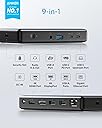
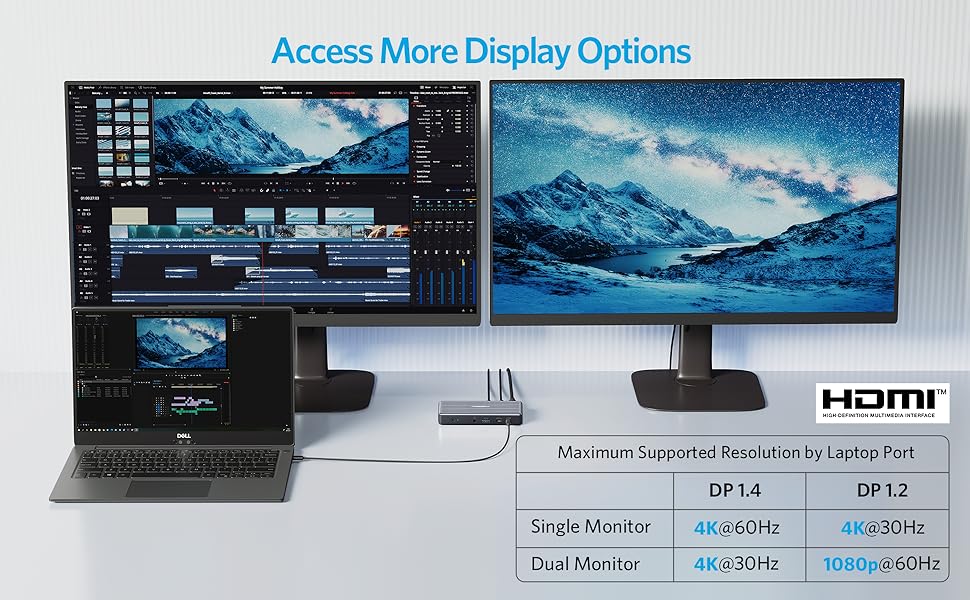
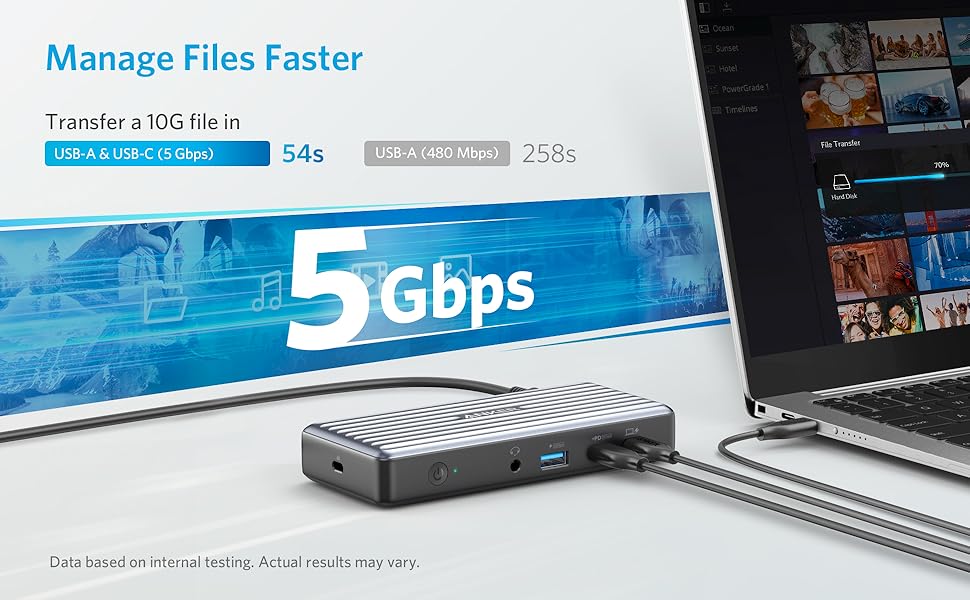
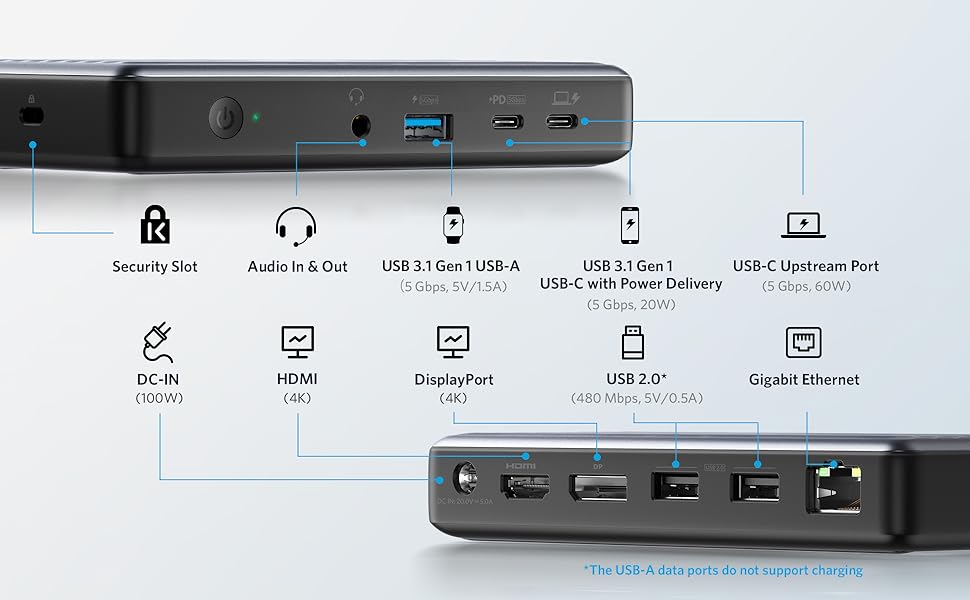
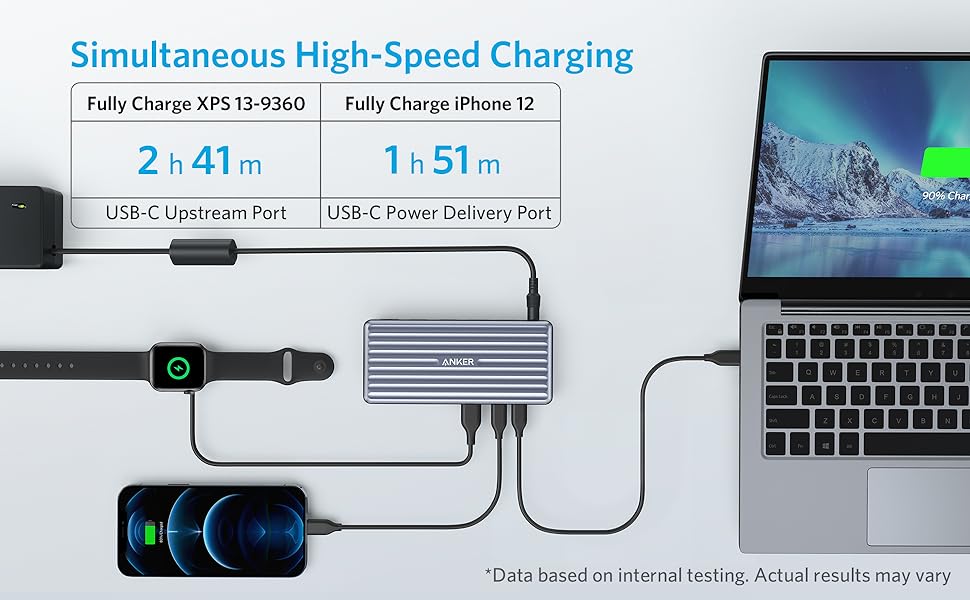
The Anker PowerExpand 9-in-1 USB-C Docking Station offers robust 60W laptop charging, dual 4K display support via HDMI and DisplayPort, and high-speed USB 3.0 data transfer up to 5 Gbps. With 9 versatile ports including Ethernet and audio, it consolidates your workspace into a sleek, compact hub designed for seamless multi-device connectivity and enhanced productivity.


| ASIN | B095YKQBHM |
| Brand | Anker |
| Color | Gray |
| Colour | Gray |
| Compatible Devices | iPhone 12 |
| Compatible devices | iPhone 12 |
| Customer Reviews | 3.6 out of 5 stars 480 Reviews |
| Hardware Interface | USB |
| Hardware interface | USB |
| Item Dimensions L x W x H | 14.5L x 6.5W x 2.4H centimeters |
| Item Weight | 186 g |
| Manufacturer | Anker |
| Mfr Part Number | A83941A1 |
| Model Number | A8394 |
| Number of Ports | 9 |
| Product dimensions | 14.5L x 6.5W x 2.4H centimeters |
| Total Number of HDMI Ports | 2 |
| Total USB ports | 5 |
| Total Usb Ports | 5 |
| UPC | 194644069940 |
| Wattage | 60 watts |
D**E
Works for different models of DELL laptops
9 months of use review: I have used this for DELL laptops without its accompanied power brick whose models are 5 years apart and the dock continues to work, howbeit I would get a USB port under powered complaint from Windows 10 and 11. It would still charge till 100%. I figured I would not get this error if I use DELL's docking station which would cost twice as much. I have also used it to connect to a SAMSUNG 13" laptop that is non-EVO so the SAMSUNG power brick is connected and it is smart enough to not cause power problem. Both back USB ports I am using for a RAZER RGB keyboard and its mouse. I also have a DELL 38" curve monitor connected via DisplayPort. The PD is used to charge my phone while I am at my desk. All these devices are connected simultaneously, no issues. What I don't like: The USB error from Windows. That is my only annoyance.
G**R
works well, fair price
have two setups home and office, this way only need to carry laptop around and one cable to set everything up. need to hit power button to restart if there is a power outage
A**X
No longetivity
I've bought one of those a little over 2 years ago. I really enjoy Anker for multiple other product but this was a bust. From the get-go, the aux wasn't working for my headset. A few months later, I decided to contact Anker because I was getting tired of not being able to use my device completely. After receiving the new unit, everything worked fine for another few months and it's been degrading rapidly ever since. Aux not working again, the front usb 3.0 stopped working not too long after, HDMI stopped working and now the entire thing won't connect. If you need something to use once a month, it might be a good deal, but for daily use, you'll have to plan a budget to replace it shortly after owning it.
C**N
Bought two, first failed in two weeks, other failed this morning. Update: replacement also failed.
I'm updating my review to say one of the replacements has now failed in the same way the first two failed. No power supplied to laptop. Connect a USB-C PD tester, and sure enough: no voltage on the upstream "laptop" port, and no PD signaling. Mains power supply functioning fine at 20.2V. Not going to even bother replacing this. Anker/Amazon know there's a problem with the device, as they've made it hard to find with search, so I'm guessing I'm not the only one. Avoid avoid avoid this device, particularly second hand. --- Original review --- I chalked up the first failure to chance. I reached out to Anker and they were very kind (Ticket 86092346) but required me to ship back the failed unit before they'd ship me a replacement. I sent the initial failed unit out September 17 2021, and received the replacement 11 days later(!!) on September 28th. Oof. But time went on and the second unit, as well as the replacement, both kept going. Until this morning; the second unit has failed in precisely the same way as the first. I'm not waiting two weeks for a new unit this time. Note that if you are reading this and decide to buy it anyway, the power button on the dock is worse than useless. On applying power (say, from a power interruption or a switch on a power strip) the dock defaults to "off". That means no USB, no power to your computer. You need to find that power button and press it to turn on the dock! Why?? This is such a crummy design and is very un-Anker. This product ultimately feels like a bad OEM market grab. Extremely disappointed. The two docks didn't make it through one school year and between the failures and needing to randomly turn the docks back on (I cannot emphasize enough how weird and bad this is) I really wish I had purchased something else... and after writing this review, I am.
C**R
Works great for those who had issues with USB4
I have tried THREE thunderbolt docks. I have a laptop that I use a dock with to connect to my monitors (1440p 60hz and a 1440p 144hz). No real issues UNTIL I try to play games and I get flickering and black screens. I think this is a USB4 issue (still fairly new so drivers are iffy). Anyways, this was my answer! I get no more flickering/black screen while gaming! Also, they say it won't support 1440p 144hz but Im running two monitors 1440p 60hz and 1440p 144hz, soooo guess it does work? Keep in mind my laptop supports USB DP Alt mode 1.4. Anyways so far so good it works great. Wake from sleep still doesn't work but it didn't work with the thunderbolt dock either. Laptop specs: AMD Ryzen 7 7735HS RTX 3050 16Gb DDR5 RAM
Trustpilot
2 weeks ago
2 weeks ago