


🚀 Stay connected anywhere, anytime — your ultimate travel & remote work WiFi companion!
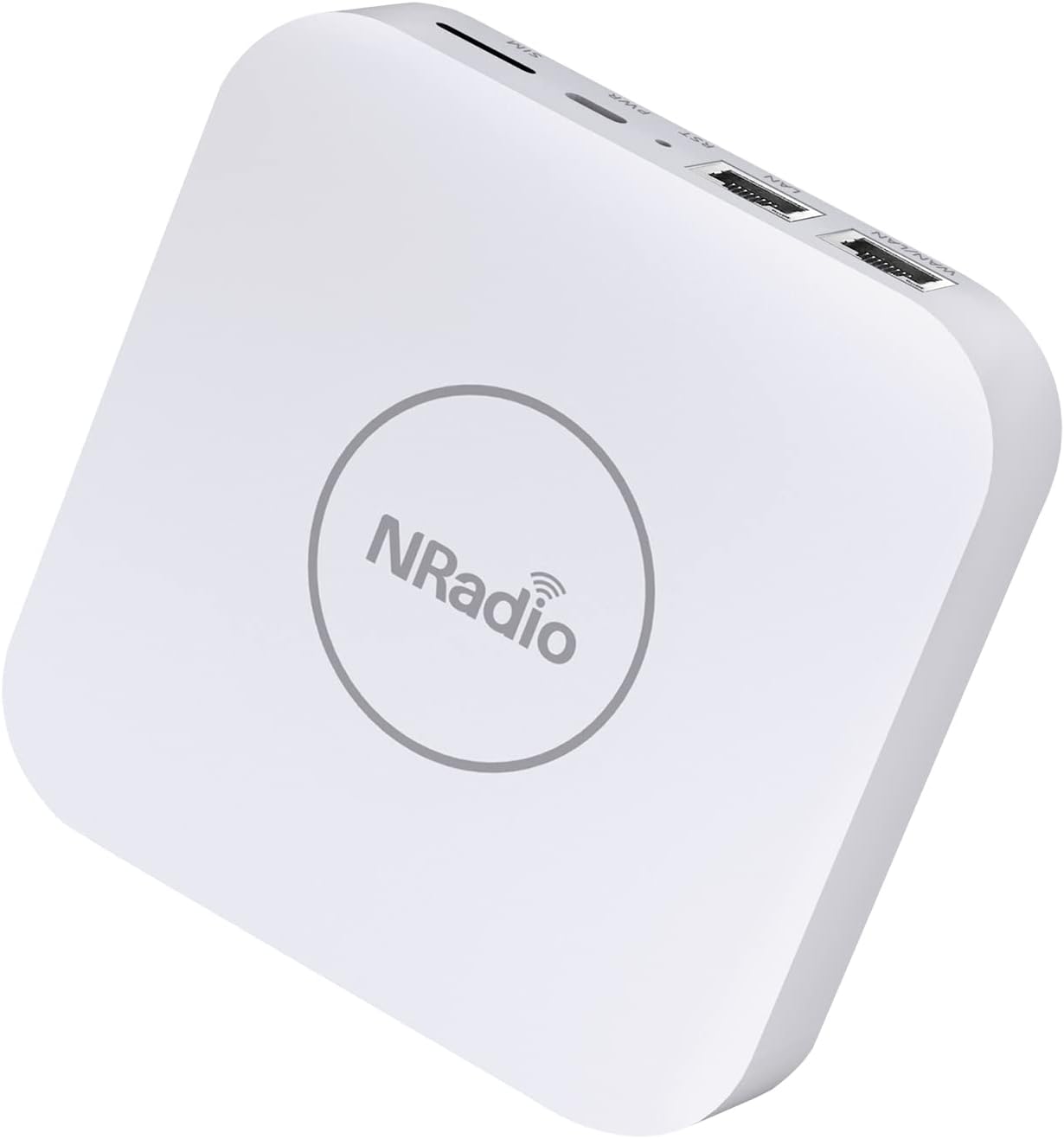
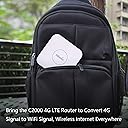
The NRadio Portable AC1200 4G LTE Router offers fast 150Mbps cellular speeds with dual-band WiFi up to 1200Mbps, powered by 6 built-in antennas for superior signal quality. Designed for easy SIM card setup and supporting up to 16 devices, it’s perfect for travel, remote work, or security camera connectivity. With automatic wired and cellular backup, it ensures uninterrupted internet access wherever you go.



| ASIN | B09PBP1F1F |
| Antenna Location | Business, Home, RV, Travel |
| Best Sellers Rank | #174,657 in Electronics ( See Top 100 in Electronics ) #1,171 in Computer Routers |
| Brand | NRadio |
| Compatible Devices | Tablet, Personal Computer, Gaming Console, Security Camera, Smartwatches, Printer, Smart Television, Smartphone Compatible Devices Tablet, Personal Computer, Gaming Console, Security Camera, Smartwatches, Printer, Smart Television, Smartphone See more |
| Connectivity Protocol | Wi-Fi |
| Connectivity Technology | LTE, Wi-Fi, Wireless |
| Control Method | App |
| Controller Type | Switch |
| Coverage | Nationwide (provider and location dependent) |
| Customer Reviews | 3.7 out of 5 stars 303 Reviews |
| Data Transfer Rate | 150 Megabits Per Second |
| Frequency | 5 GHz |
| Frequency Band Class | Dual-Band |
| Has Internet Connectivity | Yes |
| Has Security Updates | Yes |
| Is Modem Compatible | Yes |
| Item Dimensions L x W x H | 4.72"L x 4.72"W x 0.92"H |
| Manufacturer | NRadio Technologies, Co., Ltd. |
| Maximum Upstream Data Transfer Rate | 150 Megabits Per Second |
| Mfr Part Number | C2000 |
| Model Name | C2000 |
| Model Number | C2000 |
| Number of Ports | 6 |
| Other Special Features of the Product | 4G |
| Router Firewall Security Level | basic |
| Router Network Type | cellular |
| Security Protocol | WPA2-PSK, WPA3 |
| Special Feature | 4G |
| UPC | 659252949188 |
| Unit Count | 1 Count |
| Wi-Fi Generation | Wi-Fi 4, Wi-Fi 5 |
| Wireless Communication Standard | 802.11ac |
| Wireless Compability | 802.11ac |
I**O
An effective and cheaper wifi hotspot using a free SIM card
I received a free 5G SIM card for data from my wireless provider, but I hadn't thought of a use for it, especially since our mobile phones and tablets don't take SIM cards. I accidentally came across these wifi routers that run off SIM cards. I selected the NRadio C2000 modem router because it ran on 4G wireless networks and provided AC1200 wireless speeds. My SIM card can run on 5G networks, but the 5G modem routers are too expensive for my needs. Installing the SIM was simple and the NRadio C2000 connected immediately to the wireless network when I powered it up. The on-board user interface worked fine and wireless clients connect without problems. The NRadio C2000 modem router has been great while travelling and it avoids draining power from my mobile phone, which also connects to the C2000 as a client. The C2000 runs better than my old Verizon mobile hotspot. At 4.75 inches square, the C2000 fits in carry-on luggage and it is very light. It doesn't come with a travel case, but I think the Hermitshell Hard Travel Case for ELEPHAS Portable Projector Mini Projector will fit it fine. The C2000 includes a USB-C to AC power adapter, but it also runs well from a USB-C battery pack. A 5000 mA-h battery should run the C2000 for just under 3.5 hours. My only wish is that the C2000 allowed for a VPN/Wireguard server. Perhaps in a future firmware update?
Z**M
Good 4g router & Great service
I had no clue about the product settings, so when I inserted my card and couldn't connect to the network, I mailed nradio technical support team. I told them that the 4g lte router not working after inserting sim card, and after about 3 hours, I received a response. They asked me to provide device logs, following their provided steps to export the logs, I sent them over. The tech support team then informed me that I needed to set up the APN. After connecting to nradio's wifi, I accessed the login IP, opened the Cellular Setting page, enabled APN, and configured the T-Mobile information( I got the T-Mobile APN information from google), entered it, and after submission, I discovered that the network was working fine. I felt a sense of accomplishment after completing the process, and the internet speed is good enough to meet my needs for working.
Q**N
Drops every week
I bought it for a vending machine in a mall. But it drops 1~2 times every week. Sometimes it disconnected from the vending machine and sometimes lost the cellular signal. I have to go to the mall to get it fixed. Now it has been replaced by another brand of router, everything works well.
D**ん
Good Device, But Be Aware First
When this product performs as intended, I would absolutely praise it for being easy to use and having a quick setup time. I did make a few observations during both my setup and use that I would want to share with others. Regrettably, one of those observations may require swapping the device for a replacement if one is unfortunate enough to experience it. SETUP: Let me address the one issue I mentioned earlier that necessitated getting the product replaced: The first product I received was defunct because the SIM card tray—where you insert your nano SIM card—lacked a small hole into which you could insert the SIM tray ejector tool in order to remove the tray. Fortunately, because Amazon shipped the item, they were able to quickly replace it. Having said that, the replacement did come with a SIM ejector tray that had a small hole on it for removing the tray. I used a certain U.S.-based Mobile Virtual Network Operator ("MVNO") that begins with a lowercase "t" that provides a data-only service that advertises hotspot capability with its data plans. IMPORTANT NOTE: When you can get your device connected to the Internet, you'll probably need to do a firmware update. It is always wise to update the firmware, and there appears to have been a significant reorganization of the management interface for both smartphone users and desktop/laptop users. Also keep in mind that the user interface on a smartphone's web browser does not have the capability to perform a firmware upgrade, therefore you can only do so from a desktop or laptop computer. Finally, keep in mind that you're probably performing this firmware upgrade via a mobile data network, so it might take a little while, but I assure you it will probably be worth the wait. PERFORMANCE: It performs most likely identically to a smartphone using a mobile data network with 4G LTE technology. Unfortunately, this device didn't succeed in its goal of helping me reduce the mobile data network congestion that was present at a major event. The throughput of the connections on this device was certainly given less priority by the mobile data network I utilized than it did by the smartphone equivalent. Running the uploading test during a speed test in some areas may completely cut off the device's connection to the Internet or the tower it was previously attached to until the speed test is finished or terminated (although it rarely happens in most other areas.) IMPORTANT NOTE: This device will not be an exception if the mobile data network claims that you have unlimited data through slower speeds after using up your high-speed data allowance and the fine print states that hotspot/tethering is not permitted with the slower speeds. REMARKS: I advise you to look into IoT Data-Only SIM Cards because they are designed exclusively for gadgets like these that don't make or receive phone calls or text messages. Additionally, it lowers costs and might even boost mobile data network speed.
T**Y
works with GOOGLE FI
I recently purchased the NRadio Portable AC1200 Dual Band Unlocked 4G Modem Router and I am extremely satisfied with my purchase. This router is truly a game changer for anyone in need of a reliable and portable internet connection. First of all, the router is very easy to set up and use. The instructions are clear and concise, and it only took me a few minutes to get it up and running. The router supports both 2.4GHz and 5GHz Wi-Fi networks, so I can connect all of my devices without any issues. The router is also very portable and lightweight, making it perfect for travel or outdoor use. It's small enough to fit in my pocket, and the built-in battery allows me to use it for several hours without needing to plug it in.
G**.
Seems to be an ok product
Seems like an OK product but if its not perfect, it's not for me! I bought this to be able to use it in my car with my T-mobile data plan. I tested it at home and it dropped the signal twice in a matter of 10 minutes. I just decided to return it and rather buy a Dash cam with sim card wifi/hotspot capabilities and use that as my internet signal in the car, which is what I do in my other car and has been working fine for over a year. I should've known better! NOTE: The power connector that I received with the unit was part of the wall plug connector, not like a regular usb cable that I could've used in the car. And this is not what the instructions show or the pictures of some people's reviews. The power supply should be a power cable and a little cube with am USB inlet. I don't know why the one I received wasn't like that, so that would've been an issue as well to be able to use it in my car since I don't have any usb C cables on one end and a regular usb connector on the other end.
D**R
The NRadio C2000 Has Great Potential But Needs More Work To Get There
I bought the NRadio C2000 Dual-Band 4G LTE Router to replace my NetGear LM1200 because at first glance it appeared that the C2000 could do everything the LM1200 does but better because it also contains built-in WiFi which the LM1200 lacks. My primary home Internet access is via a somewhat unreliable ADSL link which has frequent outages. Up until now 5G wasn't available in my area but 4G LTE is (assuming one can live with the cost and data limits). My solution to the ADSL dropout problem was to get the NetGear LM1200 and configure it in "failover" mode, meaning that ADSL will be the primary Internet source, with 4G LTE cellular serving as a backup during primary source failure. The Internet Service Provider feeds the ADSL signal via an RJ-11 Cable into the ADSL Port on the ADSL Modem. The modem does its magic and provides Internet access via its Ethernet Port. An Ethernet cable connects this port to the WAN Port on the NetGear LM1200. The LAN Port on the NetGear LM1200 is connected to the TP-Link MR3020 which is programmed as a wireless Access Point to allow my Smartphone, Amazon Echoes, and Firestick to have Internet access via this setup. This arrangement works great and I've had no problems with the NetGear LM1200. Switchover from the primary ADSL Internet to the 4G LTE backup, and vice versa, is smooth and quick. Since this arrangement works great then why did I purchase the NRadio C2000? Because it has a built-in WiFi radio that operates at both 2.4GHz and 5GHz. This would allow me to remove the TP-Link MR3020 wireless Access Point since it's no longer needed. Unfortunately, the NRadio C2000 has some deficiencies that precluded me from using it as a solution. Consequently, I have to remain with the NetGear LM1200 setup. Here's what I found: 1. The first thing you will notice when removing the NRadio C2000 from its packaging is that there's no way to mount it vertically. It would be fine placed on a desk or table, but it can't be mounted to a wall unless you made your own mounting fixture. Compare that the NetGear LM1200 which can be mounted vertically. 2. The NRadio C2000 absolutely will not boot up if a SIM card isn't installed. That's OK because it's intended as a 4G LTE router, but if it could boot up it could perhaps operate as a Wifi Access Point provided a wired Internet source is available on its WAN Port. 3. The NRadio C2000 WAN Internet failover detection scheme appears to be faulty. I don't know how it is supposed to detect Internet access failure on the WAN port but it doesn't appear to work (Naturally if there is no Ethernet cable connected to the WAN port then it will operate exclusively using 4G LTE cellular). 4. But with the ADSL Modem it's quite common for its ADSL link to be down yet its Ethernet port remains active. In this case if the NRadio C2000 just pings the ADSL Modem via its Ethernet port and gets a response then it will mistakenly believe the Internet link is good even though the ADSL link is down. So, the NRadio C2000 will never switch over to the 4G LTE cellular link. I saw this problem over and over with the NRadio C2000 and it defeats the whole purpose of a failover setup because it will never work. 5. The NetGear LM1200 allows you to enter the IP of a device on the Internet itself which it will constantly ping. I entered the address of a Google DNS Server, specifically 8.8.8.8, but just about any site on the Internet that's constantly active should work. So if the NetGear LM1200 doesn't get a ping response from this device on the Internet it will assume the WAN hardwire Internet link is down and automatically switch over to the 4G LTE cellular link. I can't say with certainty that this is the only way the NetGear determines WAN Internet failure, but it works well and switchover is quite smooth and fast. Here are some recommendations to NRadio: 1. Upgrade the Enclosure to allow the user to mount the unit to a wall. 2. Include more LEDs on the new Enclosure. The user should be able to glance at the NRadio to see if a failover has occurred by looking at the LEDs. For example, the NetGear LM1200 has four LEDs: Power, WAN, LAN, and Cellular. Power is self explanatory. Green LAN means its port is connected. WAN green and Cellular green means Internet access is via WAN and Cellular on standby. WAN red and Cellular green means 4G LTE is active. 3. Fortunately the whole failover scheme on the NRadio C2000 can be fixed with a firmware update. As can the bootup problem if a SIM card isn't installed. But I'm not going to wait around for these changes to be made since I need a solution now, and already have it with the NetGear LM1200 arrangement, even though I have to use the TP-LINK MR3020 for WiFi access. Regrettably, I'm going to return the NRadio C2000 to Amazon for a refund. Perhaps in the future if NRadio fixes the aforementioned deficiencies I will purchase a new unit and try again.
A**R
SImple but impressive
I get great wifi and cell reception with it, with a Google Fi data-only SIM for data. It really does a good job at being a simple router. The web UI is clean modern and really responsive. Literally no annoyances using it, which isn't usually the case on a cheaper router. I got it for a portable IoT wifi hub, and it's working great for that. I just plonked it down in the middle of nowhere and very quickly had a dozen wifi lighting effects working together. It supports mDNS which was a very pleasant and convenient surprise.
Trustpilot
3 days ago
2 months ago