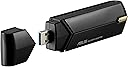
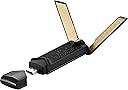
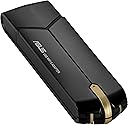
โก Upgrade Your WiFi Game โ Stay Connected, Stay Ahead!
The ASUS USB-AX56 WiFi 6 USB adapter transforms your PC or laptop with ultra-fast 802.11ax dual-band connectivity up to 1800 Mbps. Featuring an external antenna and magnetic base for enhanced signal strength, it supports advanced technologies like MU-MIMO and OFDMA for efficient multi-device performance. With WPA3 security and plug-and-play compatibility for Windows 10 and 11, itโs the perfect hassle-free upgrade for gamers, streamers, and professionals craving reliable, next-gen wireless speed.


| ASIN | B09QQWQS1N |
| Best Sellers Rank | #708 in USB Computer Network Adapters |
| Brand | ASUS |
| Built-In Media | External magnetic base, Quick Start Guide, USB-AX56 adapter, Warranty card |
| Color | Black |
| Compatible Devices | Desktop, Game Console, Laptop, Smart TV |
| Compatible Operating System Family | Windows |
| Customer Reviews | 4.0 out of 5 stars 300 Reviews |
| Data Link Protocol | IEEE 802.11a |
| Data Transfer Rate | 1800 Megabits Per Second |
| Hardware Interface | USB |
| Item Dimensions L x W x H | 4.54"L x 1.18"W x 0.69"H |
| Item Type Name | Adapter |
| Item Weight | 1.44 ounces |
| Manufacturer | ASUS |
| Mfr Part Number | USB-AX56 |
| Minimum Required Operating System Version | Windows 10 |
| Model Number | USB-AX56 |
| Product Dimensions | 4.54"L x 1.18"W x 0.69"H |
| UPC | 195553022163 195553259675 |
| Unit Count | 1.0 Count |
| Warranty Description | 3 Years |
D**H
It works great
Windows 10 didnโt recognize the device first time I plugged in, but after I installed the software from Asus website it worked great. Iโm not aware of any bloatware. I ran some speed tests on my home 1 Gb Ethernet Wi-Fi network and the result is expected for USB 3.x and 802.11 ax adapter. The performance is slightly lower than a PCI express 802.11ax adapter, but itโs convenient and if you run out of PCI express slots. The build quality is great as expected from Asus. Thereโs ventilation and probably heat sink to handle the heat from high speed network. Updated, 9/14/22: It still works great with top speed for Wifi 6 speed. I benchmark it and it's close to 1Gbps speed. Be careful though, you have to push the top of the adapter all the way down to the base for it to work perfectly. If it's not all the way down, the device might be very slow to connect and operate at less than half the normal speed.
J**N
Easy setup and noticeably faster, more stable WiFi
This WiFi adapter worked great right out of the box. Setup was straightforward and it connected quickly without any issues, which was a relief after dealing with unreliable WiFi on a desktop. The performance has been a noticeable improvement. Speeds are faster and the connection is much more stable, even when streaming, gaming, or downloading larger files. I havenโt experienced random drops or lag since switching to this adapter, and it handles dual-band WiFi smoothly. The USB design is convenient and doesnโt take up much space, and the build quality feels solid. It stays cool during use and hasnโt caused any compatibility problems. For something so compact, the performance is impressive. Overall, this has been a reliable upgrade and did exactly what I needed it to do. If youโre looking to improve WiFi performance on a PC without installing internal hardware, this is a great option.
M**L
2022 Review - ASUS getz a Grade A
Let me start with my build specs - many will want this product to work on day one, but: I tested on a ASUS Z590 and Z690 motherboard with a TP Link AX3000 router. I disabled WiFi in the MB BIOS to avoid any conflicts. No special setup for router was needed. And I tested this product successfully in Windows 10 pro and Windows 11 home editions, with the same results across both platforms (approximately 750 Mbps at a distance of 30 feet, no walls or doors, and no throttling after a 10 minute download). The build quality is exceptional. Advice: > Download the latest driver from ASUS Website (ver. 5001.0.13.104). Its a 4MB file, there is no bloatware. Also, the dongle has a small memory that holds a setup file (I don't trust, but you decide) > Make sure to plug the device into a USB 3.0 circuit or higher (ex. 3.1, 3.2 gen 2, etc.). The USB 2.0 circuit will lead to constant disconnects. Refer to your motherboard manual, if not sure. > Make sure the device is set to AUTO for WIFI Mode under the Advance tab in the Device Manager (this is a default setting for most motherboards). If not sure, don't worry about it! Other: > The device is a Realtek Semiconductor product, which can be found in just about 90% of every motherboard communication device since creation. So, compatibility is not the issue - but power at the USB 3.0 port is essential - and make sure the USB circuit is not being shared, which reduces the function (older motherboard problem) > If your router is limited to WIFI AC speeds, then don't expect WIFI 6E speeds (should I repeat this?) Thank you ASUS - this dongle freed-up my PCIe slot for other expansions, and I get to keep the speed.
R**Y
Incompatibility issues with Windows and Linux
Does not work/is not recognized by Linux Distros running kernel 6.8 (pretty much the most recent kernel). So before I decide to return it, I bopped over to Windows to see if it works there. Nope. Not recognized by Windows 11 64 bit until I downloaded the official driver from ASUS's website. Which then because the driver was unsigned and not approved by the Microsoft Gods, Windows 11 tried to block it from installing. I override the block and it does work...but it's a Realtek chipset. Why didn't Linux or Windows recognize it natively? I don't plan to waste too much time on geek magic trying to get it to work before I'll make the decision to send it back to the Zon. Didn't really need this for Windows anyway because my wifi7 card (NEWER TECHNOLOGY) is supported by Windows but not Linux-which is why I purchased this dongle in the first place. I needed wifi for Linux too. Error! And I'm running a $400 ASUS router plus a $1500 MSI gaming desktop. Oh yeah and I've been an IT tech for about 50 years now. Probably not operator error. Definitely not plug and play. But it is cute.
B**T
Underwhelmed
I'm underwhelmed so far. I probably should have done some homework. I was expecting to have better speed than my laptop's internal 11ac adaptor. It's still 11ac speed. Presumably, it uses 11ax features, but I have no way of testing. My router detects it as 1201/1201 mbps speed. It says it's plug and play, so I plugged it in. There's not much in the way of instructions. I performed a speed test in advance of installing the USB-AX56. The internal 11ac adaptor can have speeds anywhere between 40 and 300 mbps. That day, it was 40 mbps. When I plugged in the USB-AX86, the speed was nearly 300 mbps. The interesting thing is that it was still on the internal 11ac adaptor. I suppose that it was the antenna of the USB-AX86. I went into the device manager and turned off the internal adaptor and turned on the USB-AX86 adaptor. I got speeds around 200 mbps. The internal adaptor has inconsistent speeds. The USB-AX86 speed is more consistent, usually between 180 and 300 mbps. The antenna definitely improves the signal. It doesn't seem to matter whether it is on a USB 2.0 or USB 3.0 port. I have to take it on faith that the other features or Wifi 6 actually work. It is all set up to work with the router, but I have no means to test other than a speed test. All I can say it that the connection is very solid. I tried various configurations on my Wifi 6 router. Nothing helps that much. The router started as WPA/WPA2. I switched it to WPA2/WPA3. Some devices started having trouble, so I went back to WPA/WPA2. The USB-AX56 would have none of that. Despite connecting as WPA2, it would not operate with this setting after the change to WPA2/WPA3. It would continually connect and disconnect. The only way it would work after that was with the router set to WPA2/WPA3 mode. My router had been set up the same for 2.4 and 5 gigahertz so that the router could do automatic load balance. The USB-AX56 forced me to separate the networks and do away with the automatic load balancing. Now that the two Wifis are set up separately, all the devices are happy. I set the USB-AX 56 to WPA3 on the 5 gigahertz band. The other band is set to WPA/WPA2. I backup my laptop to a network drive. It frequently had a problem. With the USB-AX56, the backup is rock solid. It's a moderate improvement, but I didn't get much bang for the buck. It's basically 11ac still. It's nothing close to 11ax speeds.
P**R
Works well but not immediate.
While I have to say that the signal is excellent, and the speed is very good as well, it DOES take a few minutes before it will start working. Now, 99.9998% of the time this isn't a problem, but just a minor inconvenience if you want to pop on the computer, check something, and take off. I do have the most up to date drivers, etc, and the computer it's connected to is pretty quick otherwise, so I'm not entirely sure why it takes so long to get it's act together, but once it's up and running it works great.
R**S
A great wifi adapter
I bought this wifi adapter to replace a dying D-link DWA-192 after six going on 7 years of rapid use. The AX56 is awesome, you literally just plug it in, install the drivers and then you are good to go. I wasn't able to connect to a 5ghz connection any longer on my old wifi adapter now I can again and my speeds are amazing. 500+mbs down and 40upload vs 100mbs down on my old device and only 20mbs upload. It is made with quality in mind to as these wifi adapters get very hot over time, it even has heat dissipation vents to help keep the device cooler. All in all if you are looking for a replacement to enhance your wifi connectivity i'd definitely recommend this product. It is awesome for online gaming as well. I'm so glad I came across this adapter. Asus products are solid imo never had issues.
G**G
Great value
I bought an Msi one a year ago, and definitely this one is worth the few extra bucks, consistent and easy to use just make sure to go to asus site and dl a new driver for it
B**E
Solved my poor Wifi reception issue.
I have a compact PC mounted to the rear of a monitor and the Wifi reception was just abysmal in a room where the signal needed to go through 2 doors. I was able to stream 4K videos smoothy once I added this dedicated USB Wifi adapter. Note that you'd need to first install the bundled drivers (they show up on an external drive when you plug this in). I'm running Windows 11.
M**.
Simply the Best! ASUS WiFi 6 AX1800 USB WiFi Adapter (USB-AX56)
I picked up the ASUS WiFi 6 AX1800 USB WiFi Adapter, aiming to give my system a much-needed boost, especially for gaming and streaming. Here's the quick take: Performance Boost: It delivered big time! My system's connectivity is smoother and faster, making everything from online gaming to video streaming a breeze. Easy Setup: Truly plug-and-play. I was up and running in no time without any complicated setup. Features: The support for WiFi 6, MU-MIMO, and Beamforming, plus WPA3 security, means it's not just fast but also secure and efficient at handling multiple devices. Impact: It's significantly improved my system's performance. More reliable connections, better speed, and an overall upgrade to my internet experience. Verdict: If your system needs a connectivity boost, the ASUS WiFi 6 AX1800 USB Adapter is a game-changer. Great for gamers, streamers, or anyone looking to improve their wireless internet experience.
C**D
Almost as good as wired...
Install easy and quickly expands any computer or compatible device without wires and still have a fast and reliable wifi connection.
J**I
User Friendly
Easy to setup and speed is good
A**R
Fast and reliable
Easy to install, plug and play. The speed is very fast, 1.2G, and the connection is stable. Good product from Asus.
Trustpilot
3 days ago
2 days ago