Desertcart purchases this item on your behalf and handles shipping, customs, and support to USA.
🚀 Elevate your workspace with WiFi 6 power and seamless control!
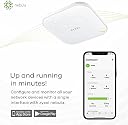
The Zyxel NWA50AX is a dual-band WiFi 6 access point delivering up to 1800 Mbps combined speeds with MU-MIMO and OFDMA for efficient multi-device connectivity. Featuring Smart Mesh technology, it extends coverage without complex wiring. NebulaFlex management offers cloud or local control at no extra cost, while WPA3 security and cellular interference filters ensure a safe, stable network. Powered via PoE+ or included AC adapter, it’s designed for easy installation in small business or home environments.


| ASIN | B09924QS1T |
| Antenna Location | Business, Home |
| Antenna Type | Internal |
| Best Sellers Rank | #76,489 in Computers ( See Top 100 in Computers ) #319 in Wireless Access Points |
| Brand | ZyXEL |
| Built-In Media | CD |
| Color | white |
| Compatible Devices | Personal Computer, Security Camera, Smartphone, Tablet |
| Compatible devices | Personal Computer, Security Camera, Smartphone, Tablet |
| Connectivity Protocol | Wi-Fi |
| Connectivity Technology | Wi-Fi |
| Control Method | App |
| Controller Type | Cloud-Based |
| Coverage | Indoor |
| Customer Reviews | 4.2 out of 5 stars 194 Reviews |
| Data Transfer Rate | 1.8 Gigabits Per Second |
| Frequency | 5 GHz |
| Frequency Band Class | Dual-Band |
| Frequency band class | Dual-Band |
| Has Internet Connectivity | Yes |
| Is Modem Compatible | No |
| Item Weight | 0.6 Kilograms |
| LAN Port Bandwidth | 1000 Mbps |
| Manufacturer | ZyXEL |
| Maximum Upstream Data Transfer Rate | 1800 Megabits Per Second |
| Mfr Part Number | AX1800 |
| Model Name | AX1800 |
| Model Number | AX1800 |
| Model name | AX1800 |
| Number of Antennas | 1 |
| Operating System | ZyNOS |
| Other Special Features of the Product | Access Point Mode |
| Router Network Type | wireless |
| Security Protocol | WPA3, WPA2, WPA |
| Smart Home Compatibility | Not Smart Home Compatible |
| Special features | Access Point Mode |
| UPC | 760559127824 |
| Unit Count | 1 Count |
| Voltage | 12 Volts |
| Wi-Fi Generation | WiFi 6 |
| Wireless Compability | 802.11ax |
| Wireless communication standard | 802.11ax |
S**S
Great OpenWRT WiFi 6 AP option
I purchased two of these access points to create a 3 device OpenWRT WiFi config. Paired with a GL.iNet GL-MT6000 as the primary router, they worked great for this configuration. They fully support 802.11q VLAN tagging, so I was able to extend my LAN and Guest WiFi networks across all three devices. With band steering enabled and DAWN installed, this combo made a perfect alternative to an expensive Mesh setup. They are fully supported in the latest 25.12.x OpenWRT releases.
E**.
Great for multiple AP’s.
I have installed and tried multiple AP’s. These are easily the best for ease of deployment when you require more than one AP for coverage. I currently have 3 installed all wired back to a POE switch. To install first download the Nebula app. Once you have an account, all you do is add the AP by scanning the QR code. Set up your SSID and password. Once it has downloaded its updates and is online, you can scan your next AP. The app will automatically configure it to the same settings. In the picture (from the web based application) you can see that I have multiple SSID’s. I have it set up so that one of them is only 2.4. This helps with all the IOT in the house. When I add something I make sure my phone is on the 2.4 SSID so that it can find and communicate with the new device. In the second picture you can see Zancon Fuel2G covering all the channels from the 3 AP’s.
T**X
Amazing bargain
Switched from a Uniquiti AC-Pro to this AP for AX connectivity and for the money this thing is a real steal. Setup is simple (running mine in standalone mode) and while the web UI doesn’t offer as much visibility as UniFi, it’s still fine for managing AP and client connections. Not sure there is another AX AP even close for $75. And this is coming from a guy that’s been a big believer for many years in the value Ubiquiti provides. If this AP is reliable over the long term - and so far it has been rock solid - then Zyxel APs may be the new value leader.
J**A
Great home access point - with some caveats
This is not a router. I got this access point to improve my internal wifi network speed, instead of buying a router, because I run a standalone firewall (dunning IPfire): Cable Modem <--->Firewall<--->Access Point. Setup using the web application was dead easy, as is setting up and managing multiple SSID's. Because it supports WiFi 6, it also can connect to many more devices simultaneously. In my case the transfer speed just about doubled when compared to to my old 5Ghz router (working as an access point). This will depend on the type of wifi card in your laptop or desktop, of course. Works well with my Intel WiFi 6 AX desktop adapter.
S**N
I must be too dumb to use it, even though I've worked in this business for 30 years!
I ordered two of these for a customer. Since they were for a customer, I did not want to use them from an app on my personal phone, so I made sure that these could be setup from a browser in a stand alone mode, which they say you can. The documentation says nothing about how to do that, so I just had to stick one of them on the network, look for the Mac address to show up in my router, then type in that IP address. Not easy, but that would work. The setup let me choose the stand alone mode, then required I change the password to login. Documentation, or software says nothing about password requirements, so I had to use Chat GPT for that answer. I tried 20 times to change the password, used two different browsers, could never get it to accept any password. Put it back in the box and returned it. A couple of instructions and functioning firmware might be an improvement.
Trustpilot
1 month ago
3 weeks ago