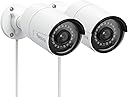
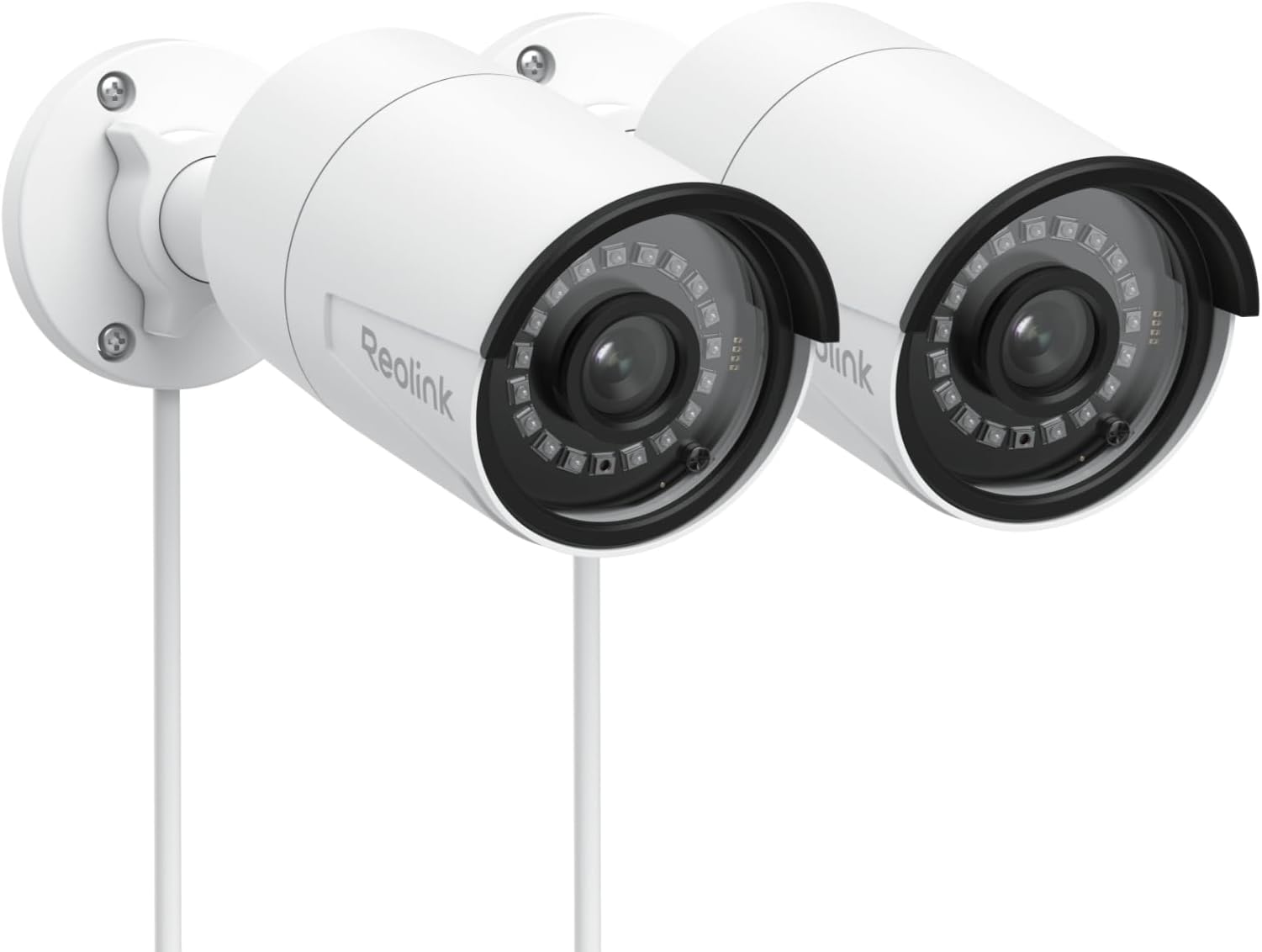
🔒 Elevate your security game with smart, stunning surveillance—because peace of mind is priceless.
The REOLINK 5MP PoE Security Camera Pack of 2 delivers professional-grade surveillance with 5MP resolution at 30fps, advanced AI person/vehicle/pet detection, and up to 100ft infrared night vision. Designed for indoor/outdoor use with IP67 waterproof rating, it supports up to 512GB local storage and offers versatile recording options without monthly fees. Powered via Ethernet for easy installation, it integrates seamlessly with smart home systems and provides remote access through a free, intuitive app.


| ASIN | B09MCN9CZH |
| Alert Type | Motion Only |
| Batteries Required? | No |
| Best Sellers Rank | #81 in Bullet Surveillance Cameras |
| Compatible Devices | Desktop |
| Connectivity Protocol | Ethernet |
| Control Method | App |
| Controller Type | Android, iOS |
| Customer Reviews | 4.6 4.6 out of 5 stars (858) |
| Date First Available | November 22, 2021 |
| Effective Still Resolution | 5 MP |
| Flash Memory Supported Size Maximum | 512 GB |
| Focus Type | Fixed Focus |
| Form Factor | Bullet |
| Frame Rate | 30 frames_per_second |
| Included Components | RLC-510Ax2 with the accessories (2x 1M Network Cable included only for test) |
| Indoor/Outdoor Usage | Indoor, Outdoor |
| Installation Type | Screw In |
| International Protection Rating | IP67 |
| Item Weight | 3.21 pounds |
| Item dimensions L x W x H | 10.08 x 8.2 x 4.6 inches |
| Item model number | RLC-510A 2Pack |
| Light Source Type | Infrared |
| Low light technology | Up to 100ft |
| Manufacturer | ReolinkDigital |
| Material | Aluminum |
| Maximum Webcam Image Resolution | 5 MP |
| Mounting Type | Surface Mount/Wall Mount |
| Night Vision Range | 100 Feet |
| Number of Channels | 1 |
| Number of IR LEDs | 18 |
| Number of Items | 2 |
| Power Source | Power Over Ethernet |
| Product Dimensions | 10.08 x 8.2 x 4.6 inches |
| Room Type | Garage, Hallway, Living Room, Office, Store Room |
| Shape | Bullet |
| Specific Uses For Product | Surveillance |
| Unit Count | 1.0 Count |
| Video Capture Format | MP4 |
| Video Capture Resolution | 5 MP |
| Video encoding | H.264 |
| Viewing Angle | 80 Degrees |
| Voltage | 12 Volts (DC) |
| Water Resistance Level | Waterproof |
| Wattage | 6 watts |
| Wireless Communication Technology | Ethernet |
| Zoom Type | Digital Zoom |
T**S
They work! I'm up to 4 cameras to surround the house
I've had 2 ReoLink RLC-811 for about 2.5 years. The first died last month and they replaced, no issues. First thing I did was paint it black to match the other one. They sit at diagonals of the house to see from corner to corner (a full block). Once in a blue they get glitchy and miss recording a time frame or a day and seems to be when the police need it. Making new aquintances, nice detective from the local precinct. He's stops by and leaves me the details of what he's looking for and if I find the files and I upload to Google Drive, sending him the link. I love ReoLink cameras for their quality, warranty and ease of use. Can't waiting until spring to put them outside replacing the older Eufy cameras. Currently in the basement, testing cameras and the network splitter cables that will be apart of my install project. For as long as ReoLink keeps making quality cameras and NEVER charge a monthly fee, you will have me for life. (hey Wyze, Ring are you listening?) All the benefits that I bought the camera for and I get to use ALL parts of it, free. What a concept. App works with Android.
J**S
Great quality camera at a great price.
So far I've been very happy with these cameras and the PC Software. The picture looks good and has a wide view. See actual picture from driveway camera just taken while writing this review. PC software is easy to setup the camera and give it a name and it has lots of options. I like lots of options on how I want to use the camera. I think my only complaint right now is the Android App seems to have a lot of problems and though it looks like their working on it to fix it I haven't wanted to try it as it seems to mess up the camera configuration. Why, I don't know. So when the reviews get better I may try it. You can view the camera through a browser on the phone but not very well with such a small screen though a very nice feature. You're not required to use their app to view the camera. Though not a real complaint the Privacy blocker only allows square or rectangular blocks and only 4 at that so trying to cover up the neighbors yard which is at an angle with the camera is not very easy. See picture upper left corner. I'd rather them use the method like blocking out motion areas for like wind chimes or trees that move in the wind and cause false movement notifications. Or add triangles to the way to block areas of the camera. Only gave 4 stars for motion detection which is good but I think it is picking up shadows as movement too. I might see if I can try and reduce the sensitivity of the motion. Better to delete files than to miss something right. On the camera picture I blocked out the license plates for privacy. Thanks, Jeffery
D**S
Good camera, with a few gotchas. Installation is fairly easy, but could be better documented.
The camera provides four different resolutions. For each resolution, image quality is good. If you are using these cameras with the Reolink app, you'll likely be fine with any of them. I use the cameras with an NVR solution (Camect). My NVR, which does a lot of AI-based motion detection, limits me to 24 megapixels, which means I have to operate my six cameras at a lower than maximum resolution. That's fine by me, but something to be aware of. These days, it is not all too easy to buy good lower-resolution (1080) cameras! After initially hooking up the camera, you can initialize it in the Reolink app, but it does not advise you or lead you to setting up HTTP and RTSP access, which are turned off by default. You will likely need that for NVR purposes. The settings are nested deeply and may take you some time to find. In older Reolink firmware, you could only do this via a web browser, but now you can through the app. If you change a camera's IP address by making a static IP reservation and rebooting it, the Reolink app does not find it (because it remembers the previous IP address). If you then delete the "old" camera, and click to add a new one, you are offered "Manual" or "LAN". If you choose LAN, however, the camera is not found. The app should be changed to scan the LAN and list any cameras with an unknown IP address. You can, however, go to "manual" and enter the IP address to get around this. On physical install, I made a mistake, twice (yes, I know), of drilling the wrong holes. There is a foam backing that goes on the camera back (peel off the sticker), and I used it as a drilling template. The mistake is not realizing that you must use the foam with the sticker facing you, as that is how it is applied. The holes are not symmetrically placed, so you could end up with a mirror image of where you want them. That said, there is a drilling template, but unlike the foam pad, which is obviously seen once opening the box, the drilling template is "hidden" in a pack of paper, which in turn is found in a cardboard envelope on top of the box. I missed it. Another installation challenge can come from the waterproof adapter. Instructions (in the cardboard box) tell you to slip the ethernet cable through the top cover and other parts, then "clip" on the foam insert and tighten everything. If you have a pre-made cable with a connector boot, that will be impossible. You can (carefully) cut off the boot, which will not be needed with the waterproof adapter anyway. Even then, you might have trouble getting the connector to pass through. In my case, I was making custom cables, so I could avoid the boot and not terminate with the connector until after installing the adapter. I found, however, that the foam ring, in combination with the thick and stiff, outdoor-rated cable, was next to impossible to install. It took a lot of work, and even then, it wasn't quite contained where it should be (see photo). If it were just a slightly smaller diameter, everything would be a lot easier, and waterproofing would still be OK. You should also ensure the installation includes drip loops, which minimize the risk of water dripping along the cable into connectors or camera housing. I am using these cameras in Montana, at 7,000 ft, where it can get quite cold in the wintertime. Time will tell how well they do. All of them are mounted under eaves, so they should not see any direct snow or ice.
M**O
Excellent cost to performance ratio
Yay! Private surveillance not using cloud storage or subscriptions. 5 stars for being good quality (not great quality) cameras for a reasonable price and without all the privacy issues of most surveillance cameras. I'm saving the last 30 days of footage from 4 cameras in event driven recording and it's using about 300gb of storage on my NAS. Live view and settings on the cameras is via a Reolink app. In my case, on WindowsPC, iphone and droid tablet. It's an ok app. But it could really stand to be spruced up.
M**D
انتبهوا انتبهوا المنتج لايدعم الصوت ثنائي الاتجاه يوجد مايك دون سماعه بالكميرا
V**R
Una cámara con buenas funciones, puedes usar una memoria, la aplicación o consumir el stream rstp.
J**O
These cameras are great RLC-510A. Nice clear picture with sound. I've been using this brand and model for a while and decided to add more. Very satisfied overall with the product. Having sound is a bonus. Sounds often alert me to glance at the screen. Additionally, there are other notification methods. The main reason for purchasing this brand/model is that I do not have to create an online account. Could take full advantage of these without an Internet connection. POE makes this a simple and easy install - Simply mount and connect network cable. (POE source required)
J**L
Excellent cameras, easy to configure for ONVIF configuration, great resolution and clarity. The video resolution and the field of view are great. We use Reolink cameras for all our projects.
J**Y
These cameras are overall excellent.
Trustpilot
2 days ago
2 weeks ago