


🚀 Elevate your storage game with ICY DOCK’s powerhouse mobile rack!
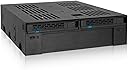
The ICY DOCK ExpressCage MB322SP-B is a versatile 2-bay mobile rack designed for professional users needing flexible, high-speed storage solutions. It fits into a single 5.25" half-height bay, supporting two 2.5" SAS/SATA SSDs or HDDs alongside one 3.5" drive. With transfer speeds up to 6 Gbps and a secure hot-swap design, it maximizes your system’s storage capacity and efficiency while maintaining data integrity and ease of access.


| ASIN | B00X5HAKXC |
| Best Sellers Rank | #627 in Enclosures |
| Compatible Devices | Laptop |
| Computer Memory Type | DIMM |
| Connectivity Technology | SATA |
| Customer Reviews | 4.4 4.4 out of 5 stars (424) |
| Data Transfer Rate | 6 Gigabits Per Second |
| Date First Available | March 21, 2015 |
| Global Trade Identification Number | 04711132869576 |
| Hard Disk Form Factor | 3.5 Inches |
| Hard Drive Interface | SAS-3 |
| Is Discontinued By Manufacturer | No |
| Item Dimensions LxWxH | 5.95 x 5.74 x 1.63 inches |
| Item Weight | 12.2 ounces |
| Item model number | MB322SP-B |
| Manufacturer | ICYDOCK |
| Max Number of Supported Devices | 2 |
| Product Dimensions | 5.95 x 5.74 x 1.63 inches |
| Series | MB322SP-B |
| UPC | 884826002352 |
D**R
My alternative to dual-booting
This thing is really handy. Mounts in a 5.25" bay, maximes use of space by offering another 3.5" bay (which I populated with a USB 3.0 hub). And there's a lot of different uses to having two hotswap 2.5" drives. What I've done is kind of unconventional, but really handy for what I need. The problem stems from dual-booting not being a perfect solution to having two frequently used operating systems. Sometimes dual-booting just causes problems. So, what I've done is invested in a second, small SSD for my second OS. Windows 7 is my daily driver, and I occasionally need to use Windows 10 for other things. I've had W7 installed on an SSD for years now, so I picked up a small SSD to install W10 on. This device has two SATA data ports, one for each SSD. I've simply left the second port disconnected, so my computer only sees one boot SSD at a time. If I need to switch operating systems, I power down the computer, I swap the SSDs to the opposite bays, and suddenly my computer is running the other OS. So handy. I wish that the device had separate SATA power connections for each drive, as well, but it doesn't. So even though one of my SSDs in this scenario is going unused, it's still using power. But, I'm sure I'm using this in a very esoteric, unintended way, so I can't fault them too badly for that design choice. Besides, it's not all bad having the unused SSD powered on. Data degradation can occur over time if an SSD (or any storage media for that matter) isn't receiving power, so since this remains powered on, the SSD's error checking systems are always working preventing any data degradation. It's also worth noting that I saw no performance impact between SSD directly connected to my motherboard versus an SSD in this device connected to the motherboard. I ran a CrystalDiskMark test before and after installation, and the results were well within typical variability. So, it's safe to assume that the SATA connections are just simple passthroughs and there is no signal manipulation occurring. Since my boot SSDs are now accessible from the outside of my computer case, I was worried about the possibility of accidentally ejecting them during use by bumping my knee into the computer or something, but that's not an issue. You need to press pretty firmly on a really particular spot for the SSD to eject. I'm not concerned about it.
R**Y
Great Product
I have multiple ICY DOCK products and I like virtually all of them. I tinker with hardware setups and run all kinds of off-the-wall stuff. I have a bunch of old hardware and it is nice to be able to eject an SSD or HDD and plug another one in. I also like being able to store my files on the HDD and then plugin various SSD with different Linux Distros and still be able to have all the files in the same structure. Maybe this is not how others use this, but it works great for what I need it to do.
B**4
Met or exceeded expectations for install in LGA1366 HP Workstation
I finally went ahead and purchased 1 of these mobile hot swap racks after a long time (1-2 years of eagerly wanting it, when listed price and my own budget constraints finally aligned. My expectations for it were very high, building as time passed and I kept revisiting online listings for it. I installed it in one of my older LGA1366 workstations without any issue or complication. It adds cosmetic appeal to the workstation tower, and more importantly has functioned flawlessly - without any issue so far, whether HDD or SSD, for common drive operations/file transfer or when hot-swapping. I like the additional benefit of freeing up one SATA power connector (this uses 1 to power both 2.5" drive bays). My only criticism of this and other Icy Dock products would be the pricing - normally too high given the materials and estimated overall costt per unit to produce - but as mentioned, with patience and good fortune, I was able to buy one of these finally at a price that was affordable to me. Emphatic 5 stars for this 2+1 mobile rack by Icy Dock.
D**T
Works fine - could use a little more airflow for the 3.5" drive
I was able to put a 3.5" drive and 2 x 2.5" SSDs into the optical drive bay of my HP microserver (N54L) it's not super high quality, it's mostly plastic but unless you're planning to constantly remove drives it shouldn't matter. The 2.5" drive bays are easy to access but in order to remove the 3.5" drive you have to remove the whole unit, so don't expect to be able to easily swap out the larger drive. In addition, there is very little airflow for the large drive so it seems to be running about 5-10C hotter than the rest of the drives in my little server.
R**T
Nice dock
Nice solid unit that is working well. Easy to install, but I did have to use a piece of tape to secure the 3.5" slot cover because it kept falling off. Not annoying enough to deduct a star for, but a simple design change would be enough to resolve this issue (just add a tab and screw it to the frame). Really love this, I have created one SSD with my games and one with my home office build, so allows me to separate the two.
T**Q
It's cheap plastic but, they work!
It's cheap plastic but, they work. I haven't had any connection issues with these yet (unlike other brands that I tried). Completely worth the money. I will say that the more expensive metal versions of these are ALOT better built.
E**F
Wonderful ICY DOCK drive bay combination module
This cage does a marvelous job of arranging space for two SSDs and a 3 1/2" HDD. You need a long shafted magnetic screw driver to attach the screws that mount the 3 1/2" drive. It's tricky but not impossible. The SSD cages are very handy. I put my boot drive in the left hand bay. You have to be careful of which cable connects to your primary SATA port on your motherboard. My case needs longer SATA cables to reach from my drive cage to the motherboard, you'll want to measure and get longer cables if needed. One disappointment was that the SATA connector on the right side SDD slot broke off during my effort to install. So I am needing to buy another unit to replace my original purchase in order to use both SDD slots. It's plastic so be more careful than I was.
M**H
Love it, Love it, LOVE IT!
Clearly not Mac friendly when it comes to hook-up. But where there is a will...I was not giving up. It works flawlessly and gives my machine nine storage bays plus the optical drive.Looks nice, feels sturdy, and is and just what I needed!
S**C
.
A**N
Fungerar som den ska
M**N
Item received in good condition. It work perfectly as mention.
D**P
Super.
D**O
I have 2 SSDs and a 1 HDD 3.5" and this is great. So easy to fit in and put the drives in. One of the best buys I have made. Keeps everything much tidier.
Trustpilot
1 day ago
2 weeks ago