Desertcart purchases this item on your behalf and handles shipping, customs, and support to USA.
🎯 Elevate your creative game with precision and power in one sleek 27" 4K monitor!
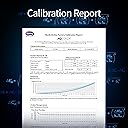
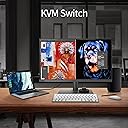
The BenQ PD2705U is a 27-inch 4K UHD IPS monitor engineered for designers, featuring 99% sRGB and Rec.709 color accuracy with factory calibration (Delta E ≤ 3). It offers advanced connectivity including 65W USB-C power delivery, HDMI, DisplayPort, and a KVM switch for multi-device control. Eye-care technologies and specialized display modes ensure comfort and optimized visuals for professional workflows, making it an ideal companion for MacBook users and creative professionals.


| ASIN | B096B3PBFZ |
| Adaptive Sync | FreeSync |
| Aspect Ratio | 16:9 |
| Aspect ratio | 16:9 |
| Best Sellers Rank | 3,417 in Computers & Accessories ( See Top 100 in Computers & Accessories ) 100 in Monitors |
| Box Contents | BenQ PD2705U 27" 4K Monitor, UHD, sRGB, Rec.709, HDR10, IPS, AQCOLOR Technology, USB-C, Factory-Calibrated, Color Mode, Darkroom mode, Animation Mode, CAD/CAM Mode, Hotkey Puck G2, KVM |
| Brand | BenQ |
| Brand Name | BenQ |
| Cable Length | 1 Yards |
| Colour | Gray |
| Colour Gamut Value | 1.0 |
| Compatible Devices | cellphone |
| Contrast Ratio | 1200:1 |
| Country of Origin | China |
| Customer Reviews | 4.6 out of 5 stars 966 Reviews |
| Display Technology | LED |
| Display Type | Ips |
| Global Trade Identification Number | 04718755086458 |
| Hardware Connectivity | DisplayPort, HDMI, USB, USB Type C |
| Has Color Screen | Yes |
| Image Brightness | Typical for monitor brightness |
| Image contrast ratio | 1200:1 |
| Is Electric | Yes |
| Item Dimensions D x W x H | 8.6D x 36.6W x 61.4H centimetres |
| Item Type Name | BenQ PD2705U 27" 4K Monitor, UHD, sRGB, Rec.709, HDR10, IPS, AQCOLOR Technology, USB-C, Factory-Calibrated, Color Mode, Darkroom mode, Animation Mode, CAD/CAM Mode, Hotkey Puck G2, KVM |
| Item Weight | 9.3 Kilograms |
| Manufacturer | BenQ |
| Maximum Display Resolution | 3840 x 2160 Pixels |
| Model Name | PD2705U |
| Model Number | PD2705U |
| Mounting Type | Wall Mount |
| Native Resolution | 3840x2160 |
| Network Connectivity Technology | HDMI |
| Picture Quality Enhancement Technology | AQCOLOR Technology |
| Pixel Pitch | 0.155 |
| Power Consumption Size | 152 Watts |
| Product Features | Anti Glare Screen, Blue Light Filter, Flicker-Free |
| Product Warranty | 2 year manufacturer |
| Refresh Rate | 60 Hz |
| Resolution | QHD Wide 1440p |
| Response Time | 5 Milliseconds |
| Screen Finish Type | Flat |
| Screen Size | 27 Inches |
| Screen size | 27 Inches |
| Screen surface description | Flat |
| Shape | rectangular prism |
| Specific Uses For Product | Business |
| Total HDMI Port | 1 |
| Total USB 3.0 Ports | 1 |
| Total USB Ports | 1 |
| Total Video Out Ports | 4 |
| Unit Count | 1.0 count |
| Viewing Angle | 178 Degrees |
| Voltage | 220.0 |
| Warranty Type | Limited Warranty |
S**S
Amazing 4k resolution and worked well with Macbook Pro (both Intel 2019 and M1 2020)!
I bought it during Black Friday sale and the price was really good. I'm very satisfied with this monitor - my first 4k monitor! The quality is brilliant and it has Macbook mode, which is perfect for my Macbook laptops - to maximise the best colour performance. It came with HDMI, USB-C and Displayport cables. I only used USB-C and HDMI mainly. Noting that I have the second monitor in my set-up, I can conveniently use either HDMI or USB-C, i.e. the HDMI cable is connected to the dock station for two extended displays but sometimes, I want to use a single monitor that can be done via USB-C whilst not using the dock. The BenQ monitor has button to quickly switch between HDMI and USB-C input - quite convenient for my use. Plus, USB-C can charge my laptops well at good charging speed. The monitor has three ports on the side (USB-C, USB-A [both downstream] and headphone jack) - so convenient to reach to for charging a couple of my devices. There are more USB-A ports at the back of monitor, which I don't use but useful if I need more ports to connect with. Also, it has dual view meaning I can connect bot of my Macbook laptops (Intel 2019 and M1 2020) via USB-C and HDMI simultaneously as well as setting monitor to dual view mode. I can confirm that it worked well but it is not useful for my case - mayble, this is a good option for someoneone who wants this mode in a single monitor. Overall, I'm loving this monitor so far! I would recommend this for Macbook users due to being Mac-compatible.
E**R
A great monitor - proper colors and ideal for Mac
This monitor has a great screen with true color reproduction and built-in speakers that deliver quality sound. The KVM switch is incredibly convenient, allowing me to connect both my work and personal laptops while sharing a single keyboard and mouse. It includes all the necessary ports, so there's no need for extra hubs. Go for it!
S**T
Perfect for M4 Mac Mini Right Out Of The Box
Purchased a new M4 Mac mini ( my first Mac ) that was the easy part. I was lost when it came to which monitor to buy as after doing a lot of research you come across all these scaling issue scare stories or people saying it’s not bright enough….ignore them all and buy this. I turned the Mac on plugged the monitor in via hdmi and boom perfect 4k picture and everything was scaled exactly how I would want it as it recognises this model of monitor automatically & sets it up perfectly. I have very poor eyesight but everything is already perfectly readable and all fonts are clear and precise so I didn’t have to change anything at all. The websites all load up big and crystal clear and web browsing and watching videos is a joy. I will point out I purchased this as a computer to work from home and browse the web etc with no gaming in mind but I’m sure it’s capable of good 4k 60Hz Xbox or Switch 2 use etc. I set the actual monitor on 100 brightness but it’s only actually at 75% via the Mac so can go far brighter ( it would burn my eyes though 🤣 ) plenty of headroom left. The speakers aren’t very good but some monitors don’t even come with any so it’s a plus to have them at all and I will be using external Bose ones anyway. The stand is amazing and the way to click it in and set it up is genius plus you get every connector you could ever want included. Unfortunately the first one I ordered had a dead pixel but Amazon instantly arranged a free UPS return and a replacement was delivered the next day ( this one ) . I know all monitors carry the dead pixel lottery so it was very important that I purchased from a trusted retailer who gave me the security of knowing any issues would be solved without fail which is why I would never buy expensive electronics from curry’s or less know online sites. To sum up, if you want a fantastic monitor for your M4 Mac Mini then buy this, it’s easily worth the £349.99, you don’t have to do any setting up or adjustments & it includes everything you need. To be honest this is probably far too good a monitor for my needs so I’ve probably missed out most of the other amazing things it can do 😊
M**.
Fantastic screen
Great monitor, quality build, accurate colours and affordable price point, what’s not to like? I have tested it thoroughly over the past 3 months and it’s really a top notch screen, which is really matching all the reviews I’ve read online before selecting this model. Very happy with it.
Y**D
good quality with a bit outdated design
i've ordered BenQ PD2705U after returning back 2 other brands after had some issues. this monitor is reliably working up to now (10 days of usage for 10-12 hours a day) and have had no issues so far. pros: - very sturdy monitor - colors are very good and correct (calman verified) comparing other budget 4k alternatives - stand is very sturdy and strong - has a great and handy hotkey puck which makes adjusting settings very easy - comes with all type of connection cables you may need - supports kvm for easily switching between 2 computers - has a great Display Pilot (and pilot 2) software (you can adjust everything needed from app) - has a mac display mode which is really good (also srgb for content creators) - power cable long enough for adjustable desk - usb c power delivery is a big plus if you want to retire your usb-c power cables. 65 watts more than enough for 16 inch mac as well cons - no hdmi arc or earc for soundbars (hdmi it has is for display only) - very heavy monitor (at least 20-30% heavier than alternatives) - monitor is 2022 release meaning is about 3 years old, so looks a bit old style - monitor frame is looking old as well - supports uhd but not as good as similar alternatives - stand allocates more space than alternatives, a bit bulky base overall, i was (and still am) a bit concerned due to flickering problems people have noticed but up to now no issue on my usage. but will keep eye on it and will update here if see any issues. i liked but would be better to get more up to date design with similar price range.
C**S
I cannot recommend this product highly enough
Excellent build quality and easy set up, colour quality is superb
P**N
Good quality of image and build.
Impressed with the image and build quality of this screen. Very easy set up and works well with my Mac mini. Addition of the puck for switching control is a useful feature. Very happy with this purchase.
J**P
Good value 4K display
Purchased after a lot of research into 27" 4K monitors as it offered great value. For many years had been using a really reliable and good 27" Dell Ultrasharp monitor and my first reaction was to go for the latest 4K version of the Dell Ultrasharp, but a fair few reviewers mentioned their monitor had coil whine (buzzing sound) and also that the stand was not that stable. I then thought I'd look at BenQ as I'd had a 24" designer monitor used in portrait mode alongside my old 27" Dell and it had been a pretty good visual match. I ordered the PD2705U from Amazon and the delivery did not show up and was considered 'lost' So a second one was sent and arrived quickly in a pristine factory sealed box so I haven't deducted a star for the aggravation. BenQ supply this with a factory colour calibration certificate and all the leads you could need, a novel puck that allows access to monitor settings and brightness without fiddling with the monitor itself. Nice build quality and stable stand. I'm using it with a M2 Mac mini pro so I used the USB-C lead supplied. I checked the claimed 99% sRGb colour calibration with my old but trusty Kodak Colour Management Check-Up Kit that gives various sRGB tiff files alongside matching sRGB prints to be viewed with a 5000K light source to compare the screen images against, I was very pleased with the accuracy. So very pleased with my purchase. I did note after seeing a review in MacWorld that a gloss screen version of this monitor is coming in 2026 for those who want a more Apple experience, but having used matt monitors I'm very happy with this version.
D**I
Genial para fotografía y vídeo.
Sobre la calidad de imagen, es sencillamente genial. Pantalla mate para evitar reflejos, bien calibrado, con varios modos de imagen en función de la tarea. No resulta pesado trabajar con él. Resolución en 4K y mi modelo en concreto es el de 27 pulgadas. Después tiene cosas que para mí, son nuevas como el poder tener conectados dos equipos al mismo tiempo y elegir entre uno y otro con asombrosa facilidad. Tengo el ordenador de sobremesa conectado al monitor mediante HDMI y el portátil, mediante el cable USB tipo C. Lo bueno de esto es que, mientras tengo conectado el portátil, es la pantalla la que le suministra energía y le carga la batería, sin tener que estar conectando el cargador del portátil y evitando así un cable y un adaptador de corriente sobre el escritorio. Todavía no he puesto a prueba todo lo que ofrece el monitor, pero será cuestión de tiempo. Tengo un pequeño flexo conectado a una de las salidas USB 3 que tiene en la parte trasera y con eso consigo una luz de fondo tras el monitor que ayuda a evitar la fatiga visual. Dicho flexo se enciende y apaga en sintonía con el monitor. Lo uso principalmente para edición de fotografía con varios programas como Lightroom, Photoshop, Gimp o Darktable y me encanta la fidelidad de los colores. En ciertas ocasiones y dado que el monitor se encuentra en una estancia especialmente iluminada, sí que echo de menos algo de luminosidad, pero sin ser nada escandaloso. La ruedecita que trae resulta cómoda para hacer el cambio de dispositivo y alguna cosilla más. Tres de sus botones son configurables. Su base es muy estable y el brazo extensible responde con mucha suavidad. Permite girar la pantalla y ponerla en modo horizontal, aunque no suelo utilizar esa funcionalidad especialmente, aun así, mejor que esté ahí, al fin y al cabo un monitor se cambia cada más años que un ordenador y nunca se sabe que podré necesitar en determinados momentos. Algo que debe tenerse en cuenta a la hora de hacer la inversión. Su apariencia es sobria y discreta, a mí, particularmente me gusta, pero entiendo que no a todo el mundo le resulte atractivo. Me parece una gran compra, especialmente teniendo en cuenta su precio.

H**O
Excelente monitor para edição.
Estou usando para edição de fotos e vídeos. Tenho obtido resultados muito fiéis para publicações em redes sociais e impressões. Também é muito confortável utilizar o monitor para edição e a tela muito nítida.
M**L
El mejor monitor en mi vida
Uso una MacBook Pro con pantalla Retina XDR y sin embargo, al editar video o foto, prefiero usar el monitor porque le tengo más confianza a la gama final de colores que me entregará, ya que básicamente está diseñado para eso. La base es bastante pesada, por lo que no da miedo de que se vaya a caer, normalmente siempre lo uso en horizontal porque es más cómodo para mi y hasta ahora simplemente son buenos momentos con el monitor. La pantalla es mate, por lo que no refleja la luz de alguna lámpara y el único detalle es que tiene un brillo de 500 nits por lo que debo editar con la ventana cerrada para evitar tener que forzar la vista para ver los colores.
R**D
Uitstekende Prijs/Kwaliteitsverhouding - Scherp beeld, goede kleuren, veel opties
Deze 27" BenQ PD2705U levert erg veel voor een erg scherpe prijs. Makkelijk in gebruik, eenvoudig te installeren, veel aansluitmogelijkheden en met een misschien wat saai, maar degelijk design is deze monitor een erg goede combinatie met Apple systemen. Meest gebruikt voor digitaal design-werk en beeldbewerking, niet als gaming monitor. Rustig, scherp beeld, met voldoende kleurruimte. Na een aantal maanden in gebruik een tweede besteld.
A**N
Finalmente un monitor esterno che "regge il confronto" col mio MacBook Pro M1
Lo uso collegato al mio MacBook Pro e devo dire che è il primo monitor esterno che non fa sfigurare lo schermo del Mac, cosa non scontata visto quanto sono abituato bene dal display integrato. Colore: essendo pre-calibrato in fabbrica (arriva con tanto di report di calibrazione nella confezione) e con copertura 99% sRGB e Rec.709, i colori sono fedeli e coerenti fin dal primo avvio, senza bisogno di tarare nulla manualmente. Per chi lavora con foto, grafica o editing video è un bel vantaggio: passando dallo schermo del MacBook al monitor non noto scarti di tono o di temperatura colore, il flusso di lavoro resta uniforme prima volevo uno con 120hz ma per me e il uso che facio 60hz mi vanno bene Collegamento con MacBook: il vero punto di forza per me è l'USB-C: un solo cavo per video, dati e ricarica fino a 65W. Il MacBook si ricarica mentre lavoro e ho la scrivania sgombra da adattatori e cavi vari, esattamente come mi aspettavo da un monitor pensato per l'ecosistema Mac. Qualità costruttiva e pannello IPS: angoli di visione ampi, uniformità di luminosità molto buona anche verso gli angoli (si vede che la tecnologia Uniformity di BenQ funziona davvero), e la risoluzione 4K rende tutto molto nitido, testo compreso. Funzioni extra: il KVM integrato è comodissimo per chi, come me, alterna Mac e PC portatile: basta un tasto sull'Hotkey Puck per passare da un sistema all'altro con la stessa tastiera e mouse. Anche le modalità colore preimpostate (Darkroom, Animation, CAD/CAM) sono utili a seconda del tipo di lavoro. Ergonomia: lo stand permette di regolare altezza, inclinazione e rotazione in verticale, quindi si adatta bene a diverse postazioni e altezze della scrivania. L'unica nota, che non toglie nulla al giudizio complessivo, è che copre lo spazio colore sRGB/Rec.709 e non il più ampio P3 del MacBook Pro: per un uso fotografico/video standard non si nota alcuna differenza, ma chi lavora su contenuti pensati specificamente per il gamut P3 di Apple dovrebbe saperlo prima dell'acquisto. Per il mio uso quotidiano tra editing, grafica e lavoro d'ufficio è praticamente perfetto: consigliatissimo a chi cerca un secondo schermo all'altezza di un MacBook Pro.
Trustpilot
1 day ago
3 weeks ago