Desertcart purchases this item on your behalf and handles shipping, customs, and support to USA.
❄️ Cool tech, hotter style — your CPU’s new best friend!
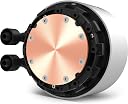
The NZXT Kraken Z53 RGB 240mm is a high-performance all-in-one liquid CPU cooler featuring a fully customizable 2.36” LCD display with 24-bit color, silent Aer RGB 2 fans delivering 100 CFM airflow, and a rotatable pump for perfect motherboard compatibility. Controlled via NZXT’s CAM software, it combines cutting-edge cooling efficiency with personalized aesthetics, backed by durable materials and a 6-year warranty.


| ASIN | B09JGF5CNX |
| Air Flow Capacity | 100 Cubic Feet Per Minute |
| Best Sellers Rank | 127,732 in Computers & Accessories ( See Top 100 in Computers & Accessories ) 1,981 in Fans & Cooling |
| Brand | NZXT |
| Compatible Devices | Desktop, Server |
| Cooling Method | Water |
| Cooling method | Water |
| Country Of Origin | China |
| Customer Reviews | 4.6 out of 5 stars 6,812 Reviews |
| Included Components | Body Room |
| Item Dimensions L x W x H | 27.5L x 3W x 12.3H centimetres |
| Item Weight | 1 Kilograms |
| Manufacturer | NZXT |
| Manufacturer Part Number | RL-KRZ53-RW |
| Material | Nylon |
| Max Rotational Speed | 1800 RPM |
| Model Number | RL-KRZ53-RW |
| Noise Level | 33 Decibels |
| Number of Items | 1 |
| Power Connector Type | 4-Pin |
| Power connector type | 4-Pin |
| Product Warranty | 6 Years |
| Product dimensions | 27.5L x 3W x 12.3H centimetres |
| Unit Count | 1.0 count |
| Voltage | 220 Volts |
| Wattage | 3600 kilowatt hours |
E**.
Edited review after issue resolved. Now can recommend.
I’m leaving my original review up for posterity, however my score has changed as the issue below has been fixed for a while now and apparently I forgot to update my review. Excellent product! Original: Great product, BUT! The unique selling point of this item is the customisable display. When it works, it’s fantastic. But there are current issues with the CAM software that affect your ability to control the display. I’m using a Ryzen 5 5600x (and I know other CPUs are affected too, please research further before buying) and using the CAM software causes periodic system freezes. Windows becomes unresponsive, though oddly you can still interact with other programs. This issue has been ongoing for a while by the looks of it and there is no fix in the horizon. Please do your own research before buying to see if any of your system specs will lead to CAM causing system freezes. If you’re like me, considering how long this issue has been going on without a fix, you may well be better off spending less money on a less flashy AIO, or buying a flashy AIO from a different manufacturer. Looks great when it’s not causing issues, but not worth the pain. With CAM running so that I can control the LCD screen, I experience 3-4 system freezes daily, with the only option to escape the freeze being a hard reset. To reiterate, this issue only seems to come into play with certain CPUs - please do your own research before buying. Without this issue, product would receive 5 stars. Thermals are nice and low, the fans are pretty quiet, it’s looks awesome as is (but would look better if LCD screen was working correctly with my set up). Will change review once CAM software is fixed.
D**Y
Very good but expensive
Feels very premium and is very fun to mess around with the built-in display, which allows you to put any gif onto it, or to use as a infograph to show CPU and GPU temperature. Has had no issues over the years I have used it. HOWEVER it is expensive and if you do not care about the display, then get a different one.
J**B
Very powerful cooler
This cooler is amazing: - Easy to install - Very quiet - Good software - Infinity mirror looks amazing With a Ryzen 7 3700x I get around 30 - 40 degrees while IDLE, and around 40 - 60 under full load. It's worth noting this is using the "silent" profile, so it would definitely be capable of more. If you care about aesthetics this cooler looks really nice, I'm a big fan of the infinity mirror. Note: I don't know if others will experience this, but when I very first used this It made a very audible bubbling noise. Something I was alarmed by, as it indicated air had got into the closed-loop. However, I am glad to say after around 2 hours of use the noise slowly disappeared until it was no longer present. I'm not sure if this is normal, and you just have to break-in a new AIO or what, but the documentation says nothing about it.
A**X
Simple installation, good cooler with caveats for the O11 Dynamic if you mount it on top
The install was really straight forward: Mount the back-plate to the motherboard > mount the fans on the radiator > mount the radiator to the case > mount the cooler on the CPU > connect the cables (tip: connect the cables before mounting the cooler as the orientation and angle can be confusing) to the correct headers and what not and we're good to go. The build quality is good, the metal finish is as I expect from a £250 product. The fact that the connectors to the cooler can rotate freely whilst offer enough resistance to hold their orientation is great. The fans are a lot more stable (not wobbly) than my Corsair RGB fans, so overall I'm pleased with the end product. For performance: I'm not a benchmarker, but cooling has significantly improved for me, dropping the load temp from 80+C to 45-50C; idle temp is around 27-30C - all in silent mode. My old cooler was crap though so don't expect the same performance comparison on your system unless you also cheaped out on your air cooler. My only physical issue (but not a complaint) is that the domed mounting screws + the washer together form a rather high profile finishing - which is not great for the O11 Dynamic, which uses thin magnetic dust filters with very little head space. As a result the screws pressed against the dust filter actively prevents me from shutting my top panel now. This wouldn't be a problem with wide flat-head screws, but it's a very specific problem probably exclusive to my situation. The Cam software does add more bloat to my OS, especially when I already use Corsair's iCue software - but it doesn't really affect my day to day use. I'm a bit disappointed by the Cam software as well, as of Oct 2020: The UI is clean but it doesn't compliment the UX: the minimalistic look and feel actually hide functionalities - it's not immediately obvious that you can click on the certain areas to expand additional options - it's only indicated by the mouse cursor changing to a pointed finger. For example, fan curve settings are hidden unless you click on the Pump and Fan rows. Also there's currently a bug where the Dual Infographic display doesn't work with the Carousel mode (rotate between different displays), it just shows a blank screen when it gets to the dual info screen. This limits the potential of the display which I pay the premium this cooler for specifically. The lack of Gif display in Carousel mode, or a Gif Carousel to rotate between gifs is also very disappointing, again one of the biggest selling points of this cooler. It should be easily added software side. All in all I'm very happy for the purchase, but right now I don't think it's worth the £100 premium for the display until they improve the software. Will have to see in a few years how it holds out endurance wise.
M**K
Great cooler and look nice with CUP cooler
The NZXT Kraken X63 RGB is a 280mm All-in-One (AIO) liquid CPU cooler designed for efficient cooling performance and aesthetic appeal. It features customizable RGB lighting elements and a rotating infinity mirror on the pump, allowing users to personalize their setup. With its dual 140mm fans, it provides excellent airflow and cooling capabilities, while the user-friendly CAM software enables intuitive control over settings and lighting effects. This cooler is a great choice for gamers and PC builders looking to enhance both the thermal performance and visual style of their systems.
M**.
Made a huge difference with cooling
My original CPU Water cooler relied on just a single fan and was constantly hitting 80 deg and starting to throttle the CPU. Installing this in its place left the CPU idling at 28 deg and reaching 50 deg max when the CPU was stress tested. Couldnt be happier and have a lot room to start overclocking if I wish to. Installation was straight forward and the cooler comes preprepared with thermal paste applied. Stock paste seems fine. The CPU cooler does require a few more connections. It needed a SATA connection so chained it off the Hard Disk. It also needed a USB 2.0 motherboard connection which I did not have free. Had to unplug the USB 2.0 ports from the front of my case so the CPU could use the connection. Wasnt an issue as I still had my USB 3 ports. Overall an excellent purchase. The lighting also looks great.
B**N
Beautiful and Efficient
Super easy to install - had an adjustable bracket for LG1700 and lower. It also had a bracket for AMD chipsets. So far it is incredibly effective, I haven't overclocked the processor (yet) but with running intensive games and multi-processing etc my CPU hasn't topped 30 degrees celsius. I haven't played around with the NZXT CAM software much but it is easy to customise the rgb and heatsink display. I am very fond of the dual GPU/CPU temp display but you can also add gifs that come out crystal clear.
S**)
X73 is ideal for 11th gen Intel i9 and Haf X case
This cools an Intel 11th gen i9 chip (with a 3090 gaming card below) brilliantly. The X73 is also ideal for the popular HAF X case, with the 360mm radiator fitting below the chassis inside the top (with fans below, ducting air upwards). Four screws even match (holding the whole thing securely), so it's a piece of cake. Only mods needed: 1) Remove the existing case fan inside the top (it's redundant) 2) Move whatever is in the top front computer bay (in our case a DVD writer) down at least one slot, to allow the radiator to extend into this bay. We moved it down two slots. We would HIGHLY recommend modifying the top of the case (google "Cooler Master HAF X - Case Modifications") which makes access to the top simple and will allow future easy access without the faff of prizing off all the fiddly wiring to the on-off switch, leds, etc, etc., etc. Top marks!
J**N
Cold cpu
One of the beste aio coolers
D**I
Refrescante. Usada en gráfica.
Gracias al adaptador de nzxt, he puesto esta refrigeración a una gráfica. El resultado es muy bueno. Mas de 10 grados menos. Facil de montar, pero cuidado con el espacio, el radidor ocupa lo suyo y la cabeza refrigeradora, a parte de ser grande (mas que el modelo de un solo ventilador) necesita varios conectores: ventilador, sata (energia) y usb (opcional iluminación).
T**O
Ab
Ótimo produto!
T**N
Mycket effektiv kylning, rekommenderas.
J**M
all good
all good
Trustpilot
3 weeks ago
5 days ago