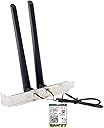
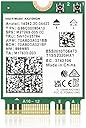
🚀 Upgrade your desktop to Wi-Fi 6 and never miss a beat!
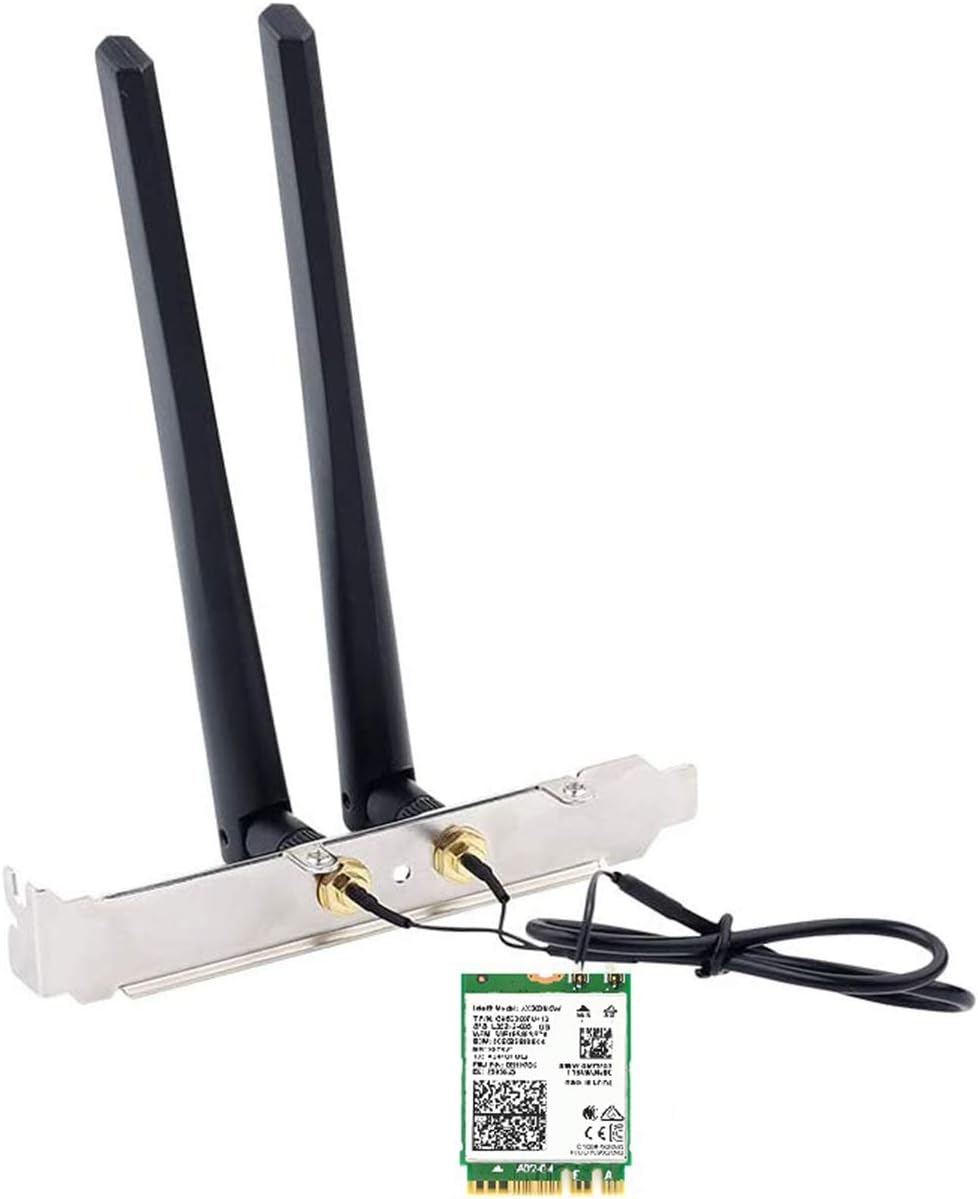
The OKN AX200 Desktop Kit leverages Intel’s cutting-edge Wi-Fi 6 AX200 chipset to deliver ultra-fast 2.4Gbps wireless speeds and enhanced network capacity. Featuring Bluetooth 5.0 for extended range and faster data transfer, plus Target Wake Time technology to conserve power, this kit includes high-gain 5dBi antennas and mounting brackets for superior signal strength. Compatible with a broad range of Intel-based desktops with NGFF M.2 A/E key slots, it’s the ultimate upgrade for professionals demanding seamless connectivity and future-proof performance.


| ASIN | B088NHCX46 |
| Antenna Location | Home, Gaming, Small Office |
| Best Sellers Rank | 368,883 in Computers & Accessories ( See Top 100 in Computers & Accessories ) 1,664 in Network Cards |
| Box Contents | 1 x Bluetooth Header Cable, 1 x OKN AX210 WiFi 6E Card, 1 x Quick Installation Guide, 1 x Screwdriver, 1x Low Profile Bracket, 2 x 5dbi High Gain Antenna |
| Brand | OKN |
| Brand Name | OKN |
| Colour | AX200NGW |
| Compatible Devices | Desktop, Headset, Keyboard, Mouse |
| Compatible devices | Desktop, Headset, Keyboard, Mouse |
| Connectivity Technology | Wireless |
| Customer Reviews | 4.3 out of 5 stars 1,332 Reviews |
| Data Transfer Rate | 5400 Megabits Per Second |
| Frequency | 2.4 GHz |
| Frequency Band Class | Tri-Band |
| Frequency band class | Tri-Band |
| Is Modem Compatible | No |
| Item Dimensions L x W x H | 12L x 3W x 2H centimetres |
| Item Weight | 80 Grams |
| Manufacturer | UFON |
| Manufacturer Part Number | OKN-AX210D |
| Maximum Upstream Data Transfer Rate | 5400 Megabits Per Second |
| Model Name | AX210 |
| Model Number | OKN-AX200D |
| Model name | AX210 |
| Other Special Features of the Product | 802.11AX Dual Band, Bluetooth 5.0 |
| Security Protocol | WPA3 |
| Special feature | 802.11AX Dual Band, Bluetooth 5.0 |
| UPC | 650728511830 |
| Wireless Compability | 802.11ax, Bluetooth |
| Wireless communication standard | 802.11ax, Bluetooth |
L**B
A Complete Solution for Adding Bluetooth and Wi-Fi to a Computer
My first go with an M.2 installed peripheral and it was super simple! Windows 11 detected it and even installed/upgraded the drivers to the most recent versions. I installed this on a Dell Optiplex using the provided holes for the antennas in the case. This required threading the studs a little to ensure they would insert all the way, but after that it was super simple. The nuts are 10mm I believe, so if you have a deep socket or a 10mm wrench you'll be able to tighten the antenna studs. The card came with 2 screws, obviously only needing one to secure the card, which was perfect! I REALLY appreciated that, as well as a small screwdriver and a bracket, which I have no idea what that was intended for. It also includes a full and half height bracket, and a case screw to secure either one of those if used. I didn't for my install. I'll submit an update to my review with the performance of the Bluetooth. The Wi-Fi works perfectly, although I'm less than 20' away from the access point. My signal is strong. I haven't streamed much yet, but there have been no issues with the content I did stream. It wasn't 4K as I don't have a 4K setup. If you're using Windows 10 and use this card, the drivers are not the latest and greatest on the disc. You may have to use Windows Update to download them. If you're using Windows 11 and you have the latest updates to the OS, don't use the disc. Again, what comes in the box is a complete solution for anyone adding Wi-Fi or Bluetooth to their computer. If you're mounting the antennas to the case via an default location on the case, you need nothing. If you're mounting the antennas on a bracket, they provide the brackets. The studs are already connected to the M.2 card. They provide all the screws you may need, even one of the tools you may need. It was worth the money for saving all the hassle I might have encountered had it not come with everything. A great purchase.
く**ー
AMDCPUでも問題なく使用可能
AMD5600X CPUにて環境構築しましたが問題なく動作しました。 ディスクのドライバよりintelチップ名を検索し最新版を入れましょう TPLinkのUSB Wifi6e子機を使用していましたがM.2 WIFIの方が圧倒的に安定していますね 有線環境が整えられない格ゲーマーには必須だと思います
M**R
good
working fine.
A**ー
USB子機とは違うな!
一度PCを組んでからの増設になります。 マザーボードはB760 Pro RS/D4です。他のレビューの方もいたので参考になりました。 取り付けは非常に簡単でした。取り付けてから少し時間が経つと、Wi-FiとBluetoothのドライバーがインストールされるのが、デバイスマネージャーを見ると確認ができました。 取り付けてから今まで、一度だけWi-Fiのマークが消えた事がありましたが、Windows UpdateによるものでPCを再起動したら改善されました。 今までUSB子機タイプを使用していましたが、頻繁に接続が途切れてストレスになっていました。 今回のWi-Fi LAN カードにしてからは満足しています。ただルーターがacまでの対応なので、axの接続スピードが出るか確認できないのが残念です。 Bluetoothは一度も不具合なく使えています。ANKERとSONYのイヤホンです。
R**H
Better wireless connection
Easy setup. Works great. Good price. Better choice over those that just plug in externally.
Trustpilot
2 months ago
1 week ago