Buy anything from 5,000+ international stores. One checkout price. No surprise fees. Join 2M+ shoppers on Desertcart.
Desertcart purchases this item on your behalf and handles shipping, customs, and support to USA.
💼 Backup like a boss with 5TB of power and style!
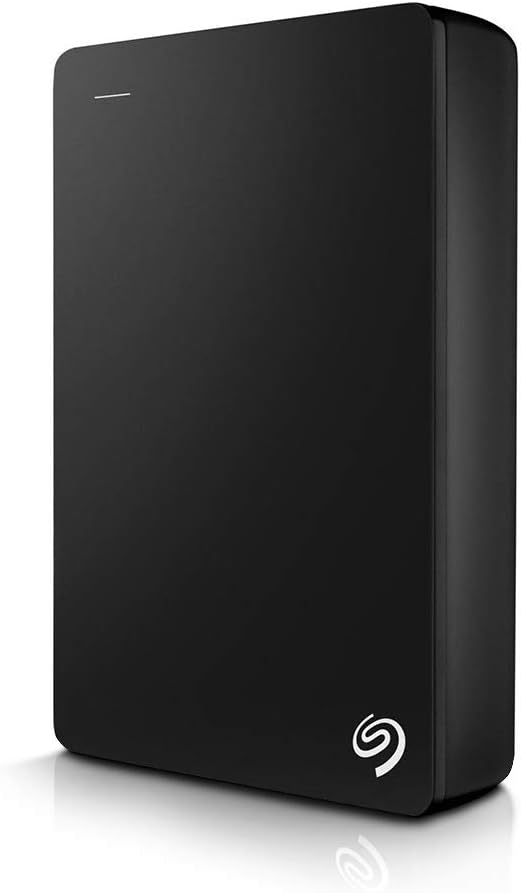
The Seagate Backup Plus Portable 5TB External Hard Drive combines massive storage capacity with USB 3.0 speed in a sleek metal enclosure. Compatible with both PC and Mac, it offers effortless one-click or scheduled backups and includes a 2-month Adobe Creative Cloud Photography Plan subscription. Backed by a 2-year limited warranty, it’s the perfect portable storage solution for professionals who demand reliability and style.


| ASIN | B01LZP2B23 |
| Additional Features | Alcohol-Free |
| Best Sellers Rank | #99 in External Hard Drives |
| Brand | Seagate |
| Built-In Media | Seagate® Backup Plus Portable Drive - Black 5TB USB3.0 |
| Cache Memory Installed Size | 5 |
| Color | Black |
| Compatible Devices | Laptop, PC |
| Connectivity Technology | USB |
| Customer Package Type | Standard Packaging |
| Customer Reviews | 4.5 out of 5 stars 46,919 Reviews |
| Data Transfer Rate | 960 Megabits Per Second |
| Digital Storage Capacity | 5 TB |
| Enclosure Material | Metal Design |
| Form Factor | Portable |
| Global Trade Identification Number | 00763649112939, 10763649112936 |
| Hard Disk Description | Portable |
| Hard Disk Form Factor | 2.5 Inches |
| Hard Disk Interface | USB 3.0 |
| Hard-Drive Size | 5 TB |
| Hardware Connectivity | USB 3.0 |
| Hardware Platform | PC;Mac |
| Installation Type | Plug In |
| Item Type Name | Seagate Backup Plus 5TB Portable External Hard Drive with 200GB of Cloud Storage USB 3.0, Black (STDR5000100) |
| Item Weight | 8.72 ounces |
| Manufacturer | SEAGATE |
| Media Speed | 625 MB/s |
| Mfr Part Number | STDR5000100 |
| Model Name | Segate Backup Plus Portable |
| Model Number | STDR5000100 |
| Number of Items | 1 |
| Special Feature | Alcohol-Free |
| Specific Uses For Product | business, personal |
| UPC | 763649112939 |
| Unit Count | 1.0 Count |
| Warranty Description | 2 Year Limited |
A**R
Excellent Hard Drive - Great Price. Pull drives for use in Laptop/PS4.
Hard to go wrong here. If you are using this as an external drive, this product has 2TB in very small space and is USB powered. The drive itself only takes 0.7-2.3W to operate! On Mac OSX 10.9.2 running the included Paragon NTFS driver, I was able to see write rates in 8-10 MB/sec with USB 2.0. On a Windows 7 Machine I averaged 18 MB/Sec; 14 MB/sec running the latest 8.1 update. I pulled the drives from two of these units (instructions below - photos to be added soon) for use in my laptop. This product is the only way I know of to obtain the 9.5mm tall, 2.5-in 2T Samsung Spinpoint M9T drive(s). Note: the 2TB version has 1 drive, the 4TB has 2 drives. After installing them in my laptop (has 3 internal HDD bays with SATA connections, 1st bay has OS, apps, etc. on 500GB SSD), I tested data txfr speeds. I moved 1.5 TB of data from one drive to another with average speeds of 194 MB/Sec in Windows 8.1. Laptop now has 4.5 TB of hard drive capacity. Have also successfully installed one in a PS4! Next project will be to install one in a Macbook Pro. Great way to get a lot of internal storage space for little money (Purchased early April 2014 for $103.99 directly from Amazon with 2-day Prime shipping). Removal Instructions (WARNING -THIS WILL VOID YOUR WARRANTY - BUYER BEWARE): 1. Obtain small, flat-bladed screw driver and gently insert between the aluminum top and the plastic bottom. 2. Rotate screwdriver slightly to pry the top off. At this point slide the screwdriver around the perimeter and the top will come off. 3. Once the top is off, you will see the top of the internal drive. Carefully remove from the plastic lower without prying or subjecting the drive to significant shock. It is easiest to remove by lifting the side opposite the USB connector. 4. Once the drive is out of the plastic enclosure, you'll need to remove some aluminum tape and wax paper from the drive. Be careful when doing this to avoid ESD which may damage drive circuitry. 5. Once the tape and paper are removed, the USB to SATA board can be carefully removed from the drive. It is an interference fit without any fasteners. 6. You now have a bare 2TB, Samsung Spinpoint M9T drive that is only 9.5 mm tall! Great for laptops and the PS4. 7. Install in your new device per your device manufacturer's instructions. Enjoy!
A**I
Durable, reliable, and excellent quality 😍😍
I bought the Seagate Backup Plus Slim in 2018, and to this day, it's still working like new. Over the years, I've never had any issues: it hasn't corrupted any files, it's always been reliable, and its performance remains consistent. The design is compact and elegant, easy to carry, and the connection is fast and stable. I love that I can take it with me and use it to back up important information without worrying about failures. It's definitely been a worthwhile investment. I highly recommend it to anyone looking for a durable and reliable external drive.
P**R
Seagate 2TB Slim Red - Doing What I Wanted
My "Seagate 2TB Slim Red", as I renamed it, came a day early well packaged & pretty in red. Its 18" USB 3.0 cable fits tightly on both ends. This Dell Inspiron i5 3542, Win 8.1, immediately put a "Safely Remove..." icon on the Taskbar & chirped. I DO use that icon when I want to disconnect it, although I see, in Device Manager, Windows set it for "quick removal". And I leave it set that way. (Aready I've rebooted & let the laptop sleep forgetting to use that icon with no detectable ill effects - but no writing was going on that I know of.) Quick Removal: Disables write caching, but supposedly no need to use icon. Better Performance: Enables write caching, but must use the icon. (Dell Diagnostics says... Cache Size: >= 32.0 MB.) I ran Dell's performance tests: smart status, 2 smart thresholds tests, targeted read, random seek, funnel seek, 2 linear read tests - & it passed each. The optional SMART Extended Self Test ran for 6+ hours, & it passed. I'm extremely pleased the drive got only midling warm (it has no vent holes) & never clinked or clanked the whole time. I could only hear it spinning by getting close. And I lifted & tilted & held it an hour+ during the tests, but never turned it upside down. (Now/then I felt a tiny kick in there; hence, the cesarians some here have performed on theirs. But I'll let mine come to term on its own!) Left plugged in for 10+ hours today - but little/no activity - it isn't even midling warm, though the 2.5" disk is spinning. Pursuant to my main reason for getting the drive, I did a MS System Image Backup. It offered to backup the EFI System partition, C:, & WINRETOOLS to "Seagate 2TB Slim Red" & took just a tad over 7 minutes to do it. I see the WindowsImageBackup folder that was created is 28.5 GB huge & the drive's used space increased accordingly. I did reboot to System Image Recovery & was pleased to see the 2TB Slim listed as a recovery drive with the image shown by date for selection. So, I must say I'm very pleased through four days of ownership. Definitely, I will update this review should anything go wrong. But I fully expect I'm invincible now... (1) Dell recovery image partition (to factory install) (2) MS Recovery USB Flash drive (Control Panel\All Control Panel Items\Recovery - Create a recovery drive) This is necessary to boot without engaging partitions you intend to overwrite with the Current System Image during a restore. This also has a copy of my Dell factory image for refresh/reset purposes. (3) Current System Image on my Seagate 2TB Slim Red (Control Panel\System and Security\File History - System Image Backup) So, I'm all signed up to get the Win 10 upgrade! - UPDATE 8/8/15: All continues to work well with my Seagate 2TB Slim RED. In addition to two for Win 8.1, it now holds two full system backups for Win 10. Back in July, I gave it a brother: Seagate 2TB Slim Blue. It too worked well out of the box, w/o installing the Seagate software. I put a clone of Win 8.1 onto it, before taking the upgrade to Win 10. Before that, I did run... PS C:\Windows\system32> chkdsk E: /R The type of the file system is NTFS. Volume label is Seagate 2TB Slim Blue. Stage 1: Examining basic file system structure ... 256 file records processed. File verification completed. 0 large file records processed. 0 bad file records processed. Stage 2: Examining file name linkage ... 282 index entries processed. Index verification completed. 0 unindexed files scanned. 0 unindexed files recovered. Stage 3: Examining security descriptors ... Security descriptor verification completed. 13 data files processed. Stage 4: Looking for bad clusters in user file data ... 240 files processed. File data verification completed. Stage 5: Looking for bad, free clusters ... 488318496 free clusters processed. Free space verification is complete. Windows has scanned the file system and found no problems. No further action is required. 1953513559 KB total disk space. 113728 KB in 7 files. 20 KB in 15 indexes. 0 KB in bad sectors. 125823 KB in use by the system. 65536 KB occupied by the log file. 1953273988 KB available on disk. 4096 bytes in each allocation unit. 488378389 total allocation units on disk. 488318497 allocation units available on disk. PS C:\Windows\system32> exit So, I remain overjoyed with Seagate.
A**G
Perfect for My Netbook!
I bought an HP Stream 13 so that I would have a way to browse the web, work, and watch movies on my downtime while away from home. If you have a laptop similar to this, you surely understand that you don’t have a lot in the way of internal storage. You can install a micro SD card, but anything above 128GB starts to get too expensive. This leads us to the solution of an external hard drive just like this one. I have been using the hard drive for about a week now and am very pleased with the way that it has been performing. The main features that I like about it is its portability. It is very small, very light, and requires no external power source. This means that it is powered by the USB port on the laptop. It isn’t the fastest external hard drive on the market, but to get 4TB of storage for this price, it is pretty amazing. I have also noticed that this hard drive runs very quiet, in fact, I can’t hear it at all. It doesn’t even vibrate much or produce hardly any heat. It is just a little warm to the touch which is great. I also really like the color options available. I got a blue one because it matches the color of my laptop. The construction of the hard drive seems to be of good quality. The majority of its casing is made of aluminum. I have been able to run full PC programs from this drive to my little netbook which is great. I have noticed that the programs don’t run quite as fast as if they were installed on the internal SSD. But hey, if I can get all of my programs to work on my netbook without compromising the storage on the factory SSD, then I call that a win. Here is how I have been installing programs to my external hard drive and running them on my netbook. 1: Make a folder in your external hard drive. I prefer to name the file "Program Files (x86)" because that is what the file is named where you normally save programs to anyway. 2: Get your program, you need to either have a download code from the internet, or since this laptop has no disk drive, you need an external disc drive to initially install the program you want. Treat it as you are installing anything else you would normally install. 3: When installing the program, it will ask you where you want to install it which is set at Drive (C:) Program Files (x86) by default. All you have to do is change the location of the programs installation which now will be on your external hard drive under the new file you named "Program Files (x86)" 4: Proceed with the rest of the install. 5: Repeat these steps for other programs it is literally that easy. Seagate Hard Drive Reliability: Obviously I have not had this hard drive long enough to say anything about its reliability. However, every hard drive I currently own are made by Seagate. This includes 4 external hard drives, a hybrid SSD, and a 3.5” desktop hard drive. I have yet to have any of them fail. The oldest one I have is 7 years old, but I don’t use it all that often. The 3.5” internal hard drive has been in my custom built gaming PC for about 4 years. It is under use quite often and is still holding up well. The one that is used the most is the External hard drive on my Xbox One. Between my wife and I, it will run for hours every single day. That has been working well for almost 2 years now. As you can see, I have had a great experience when it comes to using Seagate hard drives. This is why I have so many of them. Over the course of 7 years using multiple different hard drives under varying conditions, I have yet to have a failure. Obviously any hard drive will fail, it is an eventuality. It is nice to have them work for a while before they do though, and Seagate has impressed me.
M**C
Working, but beware of bad sectors; always keep backups!
I received this drive 8 months ago and it is still working in an acceptable manner by my standards. For more details, please continue reading. Having recently re-browsed the Amazon reviews for this product, I saw some people complaining that their drive had failed after x months having ordered it around the same time as me. This prompted me to fully check my drive's health so that I could at least be reassured that it is in full working order for the time being. I ran a read test on Windows using HD Tune Pro since that's where my drive was plugged in at the time, and the results (shown in as screenshots attached to this review) show the drive did in fact contain some bad sectors. I ran a non-destructive write test using badblocks on Linux which, for each sector, will first read the sector and store it in memory, then write a random pattern, then read this pattern back and make sure it matches the pattern that was written, and finally restore the original contents of the sector. I had backups just in case, so I wasn't worried and was mainly doing this for science. At the end, SMART output showed 2310 bad sectors existed on the drive. Since I waited 8 months to run this test and used the drive sparingly, it's unclear whether the sectors were always bad or if they developed over time. It also just so happens that none of the data I had stored on the drive were on these bad sectors. Despite the clear indication of potential failure, all sectors were restored to full working order after being written over. This means the sectors were really just held a weak magnetic charge, and were not permanently bad from e.g. physical damage to the platter. As a result, the pending/offline uncorrectable sector counts were dropped to 0 and the reallocated sector count did not increase at all. If interested, I've included the entire SMART output below. MART Attributes Data Structure revision number: 10 Vendor Specific SMART Attributes with Thresholds: ID# ATTRIBUTE_NAME FLAG VALUE WORST THRESH TYPE UPDATED WHEN_FAILED RAW_VALUE 1 Raw_Read_Error_Rate 0x000f 117 100 006 Pre-fail Always - 154970934 3 Spin_Up_Time 0x0003 097 096 000 Pre-fail Always - 0 4 Start_Stop_Count 0x0032 100 100 020 Old_age Always - 568 5 Reallocated_Sector_Ct 0x0033 100 100 036 Pre-fail Always - 0 7 Seek_Error_Rate 0x000f 070 060 030 Pre-fail Always - 11738583 9 Power_On_Hours 0x0032 098 098 000 Old_age Always - 2497 (146 170 0) 10 Spin_Retry_Count 0x0013 100 100 097 Pre-fail Always - 0 12 Power_Cycle_Count 0x0032 100 100 020 Old_age Always - 52 184 End-to-End_Error 0x0032 100 100 099 Old_age Always - 0 187 Reported_Uncorrect 0x0032 001 001 000 Old_age Always - 587 188 Command_Timeout 0x0032 100 099 000 Old_age Always - 4295032834 189 High_Fly_Writes 0x003a 100 100 000 Old_age Always - 0 190 Airflow_Temperature_Cel 0x0022 054 041 045 Old_age Always - 46 (Min/Max 32/49 #8) 191 G-Sense_Error_Rate 0x0032 100 100 000 Old_age Always - 0 192 Power-Off_Retract_Count 0x0032 100 100 000 Old_age Always - 9 193 Load_Cycle_Count 0x0032 096 096 000 Old_age Always - 8819 194 Temperature_Celsius 0x0022 046 059 000 Old_age Always - 46 (0 18 0 0 0) 197 Current_Pending_Sector 0x0012 100 062 000 Old_age Always - 0 198 Offline_Uncorrectable 0x0010 100 062 000 Old_age Offline - 0 199 UDMA_CRC_Error_Count 0x003e 200 200 000 Old_age Always - 0 240 Head_Flying_Hours 0x0000 100 253 000 Old_age Offline - 147 (146 13 0) 241 Total_LBAs_Written 0x0000 100 253 000 Old_age Offline - 9955309601 242 Total_LBAs_Read 0x0000 100 253 000 Old_age Offline - 15389131969 You can see there is an error count, but no pending/uncorrectable or reallocated sectors. Although it's clear that the drive is currently working, the history of weak sectors means I will keep a close eye on it in case data ends up being written to the sectors that used to be weak, since if they become weak again, the drive will have trouble reading from them and I could start to lose data as a result. Remember: all drives fail, no matter what make or model you buy, so always keep backups and be prepared for the inevitable.
A**N
Looks great, performs well, stays cool.
I purchased two drives, a 2TB in Black and a 2TB in Red. They will each take the place of two desktop bound external 2TB drives that have been dutifully serving as my Media and Time Machine drives that, until bad sector errors have reached critical mass, have performed quite well for a few years. It's fortunate that they should choose to die now, as I'm also moving overseas and would have hated for them to go a month or two from now while I'm over there. Portable was definitely the way to go for me. I don't need 7200 or 10800rpm drives and I don't want to be adapting bulky wall warts overseas, either. Now, there's a bunch of options out there from Toshiba, Western Digital, Seagate and many other lesser-known brands for external, portable drives in the 2TB range. I've been mainly a Seagate customer for the past 5 years or so because they've proven to me that their products have a long life and perform well. This was for desktop models only, however, and design never played a part because they are all, pretty much, big and clunky boxes that sit and do nothing. A portable drive is a different story, and I think Seagate has outdone itself with this drive. Design. Before I bought the two Seagate models, I had bought a WD My Passport 2TB drive at Staples. It was alright, but it was very thick. Nearly twice the thickness of my MacBook Air at the hinge end. The chassis was metal surrounded in plastic and it looked alright. It certainly wasn't going to vie with the MacBook Air for looks and I think it suffered because it tries. The performance was fine, just what I'd expect from a portable USB 3.0 drive. The real problem with the design, though, was not the thickness but the shape. There was virtually no flat surface on the drive at all. Every edge was tapered and the flat surfaces had some convexing going on. Mine would rock side to side on a desk and wouldn't stay in position in my lap. I looked on Amazon for alternatives and found this. I'm happy to report that, with the sides leading to the bottom are tapered, the bottom of these drives are flat and are made of a nicely textured plastic that feels good and grips well on a desk or a leg. The top is even better, being a piece of aluminium that is completely flat and very good looking. Despite the colour scheme not being derived from Apple, the slimness and choice of materials certainly make this feel as though it belongs in a bag with my MacBook or on my desk next to my Magic Trackpad. It's the best looking external drive I've seen. The light on it, however, feels distinctly Apple. Overall, the design is excellent and, without going to the lengths of moulding a piece of metal over a bare drive (see the Seagate Seven), this is probably as slim as you can expect these drives to get. It's nice to see products that design around the user and still manage to keep it looking good rather than just make it pretty. Performance and Heat. As said, these replace my other drives that serve other purposes and that are just about full. So, first order of business was to copy over the old Media and backups to the new drives. First, I formatted them for Mac. For those who don't know, you can buy just about any drive and use it for Mac, even if it says Windows or PC. This can save you a lot of money. Just open Disk Utility, click the drive, select Format and click Mac OS Extended (Journaled) or whatever filesystem you'd like to use. After that, I just dragged and dropped. From a USB 3.0 drive to another USB 3.0 drive with my Retina MBP, two terabytes copied in a little over five hours. This puts the total transfer speed around 100MB/s. Pretty damn fast. While the files were transferring, I made sure to keep an eye on the heat coming from the Seagate Slims (well, I kept the back of my hand on it) and was pleased to report that neither the metal top nor the plastic bottom got any hotter than my MacBook Air runs on my lap. That is to say, they didn't get hot at all, merely warm, and I don't think there's a hazard here. Packaging. Who cares? Its a cardboard box around a plastic shell. The tape holding the box shut was annoying like the tape on new DVDs and Blurays that never comes off in one pull, no matter how much you use your nail to free it. Included is the drive, a fact sheet and a USB cable. Who needs more? This is a great buy. At (if I remember what should be the numerator and what the denominator) $0.05/GB this isn't the best you can do for 2TB, but it's really close. I'm happy with the performance, the design is stellar and user-centric and I suspect the lifetime of this product will be far longer than the time it will take me to fill these drives and need bigger ones.
R**D
Great External 2.5" Drive
So far so good, I have been using mine as a primary game drive for my new Xbox One X and has been performing great for the past couple of months. The drive enclosure is well made and comes in a variety of colors, the colored part is anodized aluminum with the rest being black plastic. One of the good features is that the drive does not need an external power supply so if you plan on using it with a laptop make sure that the port you plug it into has power supplied to it, some laptops do not provide power to all of the USB ports. Mechanical hard drives marketed to consumers and enthusiast PC builders today are not as reliable as hard drives of several years ago and all of them are priced as every other disposable consumer electronic devices, you may get one that will last for years while another one will fail far sooner than you would like. With this knowledge the question of drive failure is not if it will fail but is one of when this will happen. If you like the vast majority are using mechanical drives for primary storage due to their affordable cost to their large capacity and you consider the data you have placed on the drive to be valuable to you and something that you cannot afford to loose like important business or school files or perhaps you have lots of personal photos etc stored on them then you really need to be doing backups of your data on a regular schedule. Drives are so inexpensive today I generally buy two, one for daily use and the second one to mirror the first one. There are several really good free and open source tools that are available but the one I like and use is called Synchronicity and can be found here (just change the dot to a . and remove the spaces) synchronicity dot sourceforge dot net Synchronicity is very powerful as well as easy to set up and use and did I mention that it is FREE as in free beer as well as being open source? Open source software is great even if you are not a software developer, open source means that the source code is freely available and if you obtain the software from an official download source you will have a very high confidence that it will not contain any viruses or any other forms of malware, the reason? Other open source software developers have taken a look at the source code and have not seen any malware in the program this is why I personally choose to use Linux as my main operating system, no big brother data mining my personal information from my OS. I would recommend these drives and I plan on purchasing a few more for myself.
K**R
For non-geek,non-tech,Busy People.It's easy and *thorough*.
I've used this since April 2016 and carried it several times in my purse while away -- no problems (yet no banging it around, either, of course). It arrives in a proper manufacturer's original, sealed little box with the data transfer cord and a Guide. This is "back up for ordinary people". This is the one to get because it has the user interface: stuff to click upon to make stuff happen. In other words, you don't know how to make a backup happen on your own, so buy this one -- not the cheaper one(s) that is great for the geeks, not so much the busy person or the non-techy-geek. It is the area of 1 1/2 standard sized PostIt Notes, and very slim. Hard to notice beside your computer. This is the Seagate Backup Plus Slim 2TB Portable External Hard Drive with Mobile Device Backup USB 3.0 (Silver) STDR2000101 ---2 terabytes for at the time of this writing, $89. You could watch for a lower price, etc, but in the meantime your hard drive (your computer) could fail, as mine did while out of town, w/o a decent backup saved. Learn from my woes. I've used this one for long enough now to see that it works great and is EASY to use. To unplug it from your computer, first click on that little icon that will appear near the clock at the bottom of the screen, which allows for safe removal -- this shuts it down even further than what you have already done when you x'd it off, so you will retain your data and changes. Also, do not allow anyone to "format" this device, this drive -- this will erase forever the drivers that make it work and the dashboard user interface, along with every byte of your files and stuff. I did not use the OneDrive feature. When you travel, just take the thing with you. Try to have "off site" backup;I use SpiderOak. If you lose the cord or need another, buy the $5.56 connecting cord, it's the proper type, here: Bargains Depot® Products USB 3.0 PC Power Charger Data Transfer Cable/Cord/Lead For Seagate Backup Plus External Hard Drive Disks 1TB / 2TB / 3TB / 4TB, Seagate External Hard Drive Disks Backup Plus Desktop For Mac, Seagate External Hard Drive Disks Expansion Desktop, Seagate Backup Plus Portable External Hard Drive Disks 500GB / 750GB / 1TB, Seagate Slim Portable For Mac 500GB / 750GB / 1TB, Seagate Expansion Portable 500GB / 1TB, Seagate GoFlex Desk Desktop Adaptor and Seagate External / Portable Hard Drive Disks that have a USB 3.0 jack + Free Gift If the thing fails in less than two yrs,and you haven't flung it around and dropped it 4 feet to a hard floor and all that, just communicate w the Seagate people, and read the included Quick Start Guide --all hard drives fail at some point, or no one would ever need a backup, duh, and they state a 2-Year Limited Warranty and the web address to read it. FOR MACINTOSH users: this is a reply from Seagate to a Mac-user customer: (just copy&paste the link into your address bar, unless they're live, then just click on them) "For future reference, here is a link that shows how to reformat the drive for use with a Mac: [...] We also wanted to note that we make a drive that is set up from the box in a Mac format. Please reference the following link: [...] If you have additional questions or concerns, please contact our support staff directly and we will be happy to assist further: [...] Best Regards, Seagate Support "
A**A
Ottimo, niente da segnalare
Silenzioso, velocità nella norma per un disco meccanico usb 3.0, cavo lungo una trentina di centimetri. Ho trasferito un tera di dati e non ho sentito nessun "click" strano (che non è indicativo ma è un suono che evoca brutti ricordi)
C**N
Satisfied
It's very nice working. easee to carry.
M**H
Good product
Good product
J**R
Buen elemento para guardar documentación.
Estupenda compra.
A**L
Muy recomendable, práctico y seguro.
Lo compré en febrero 2018 para mi xbox one x, jamás tuve inconveniente, y hasta ahora; febrero 2024, ya no enciende, lo cambie hace un año a un xbox series x, corría muy bien los juegos de gears, crash, resident evil, etc. Los únicos que no se podían correr desde el disco duro eran los de nueva generación (gears 5,F1 2023, farcry 6, Forza horizon 5)... Fue muy buen producto, no hace ruido cuando ejecuta juegos o cuando se están descargando. La velocidad es muy buena y es muy práctico para llevarlo a otras consolas de amigos. Volveré a buscar opciones económicas para reemplazarlo.
Trustpilot
1 day ago
2 weeks ago